上篇《博客系统知多少:揭秘那些不为人知的学问(二)》介绍了博客的基本功能设计要点,本篇介绍博客的协议或标准。
目录
由于文章篇幅较长,本文将分为 4 篇推送,目录如下:
- “博客”的前世今生
- 我的博客故事
- 谁是博客的受众?
- 博客基本功能设计要点
- 4.1 文章(Post)
- 4.2 评论(Comment)
- 4.3 分类(Category)
- 4.4 标签(Tag)
- 4.5 归档(Archive)
- 4.6 页面(Page)
- 4.7 订阅
- 4.8 版本控制
- 4.9 主题及个性化
- 4.10 用户及权限
- 4.11 插件
- 4.12 图片及附件的处理
- 4.13 脏词过滤及评论审查
- 4.14 静态化
- 4.15 通知系统
- 博客协议或标准
- 5.1 RSS
- 5.2 ATOM
- 5.3 OPML
- 5.4 APML
- 5.5 FOAF
- 5.6 BlogML
- 5.7 Open Search
- 5.8 Pingback
- 5.9 Trackback
- 5.10 MetaWeblog
- 5.11 RSD
- 5.12 阅读器视图
- 设计博客系统有哪些知识点
- 6.1 时区真的全用 UTC?
- 6.2 HTML 还是 Markdown
- 6.3 MVC 还是 SPA
- 6.4 安全
- 结束语
5.1 丨 RSS
RSS(Really Simple Syndication)是一种基于 XML 的标准,普遍应用于包括博客在内的内容类网站,由 Dave Winer 于 1999 年发明,少年计算机天才 Aaron Swartz 参与定义规范,可惜后者于 2013 年 1 月自杀,年仅 26 岁。
RSS 也是博客系统中最有标志性特性之一,其在博客中的应用广泛度成为了事实上的标准,没有 RSS 的博客系统就像看到不带摄像头的手机一样有趣。
RSS 文件的扩展名可通常是 .rss 或 .xml,也可以不定义拓展名(如 Moonglade 的 RSS)。内容为近期发表的博客文章的 XML 描述,包括标题、时间、作者、分类、摘要(也可以是全文)等信息。
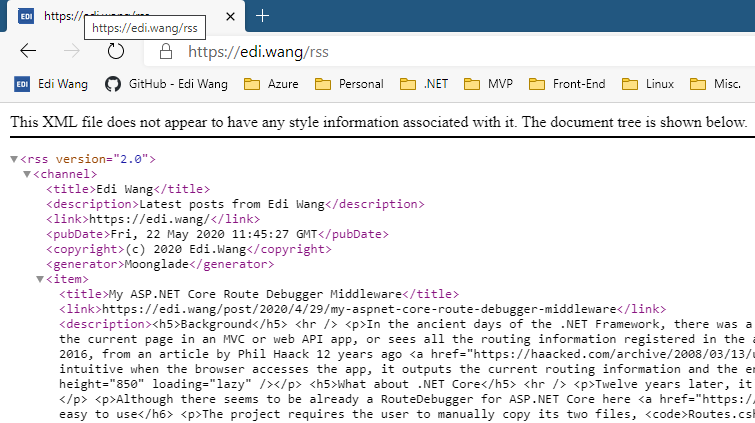
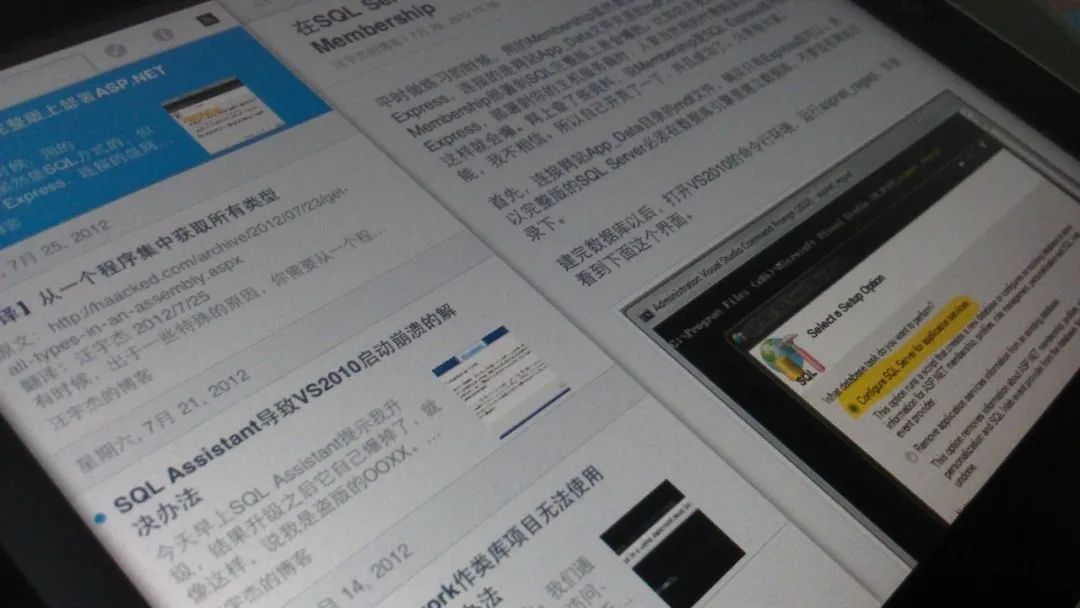
RSS 是写给机器看的,可用于网站之间同步内容,例如当年人人网(前校内网)可通过 RSS 导入博客文章为日记。而对于普通用户,则需要 RSS 阅读器应用来订阅博客。通常这样的阅读器里不止订阅一个作者的博客,而是该用户关心的所有博客。阅读器通常也是跨平台、跨设备的,用户可以在电脑、平板、手机,甚至树莓派上订阅 RSS 源。
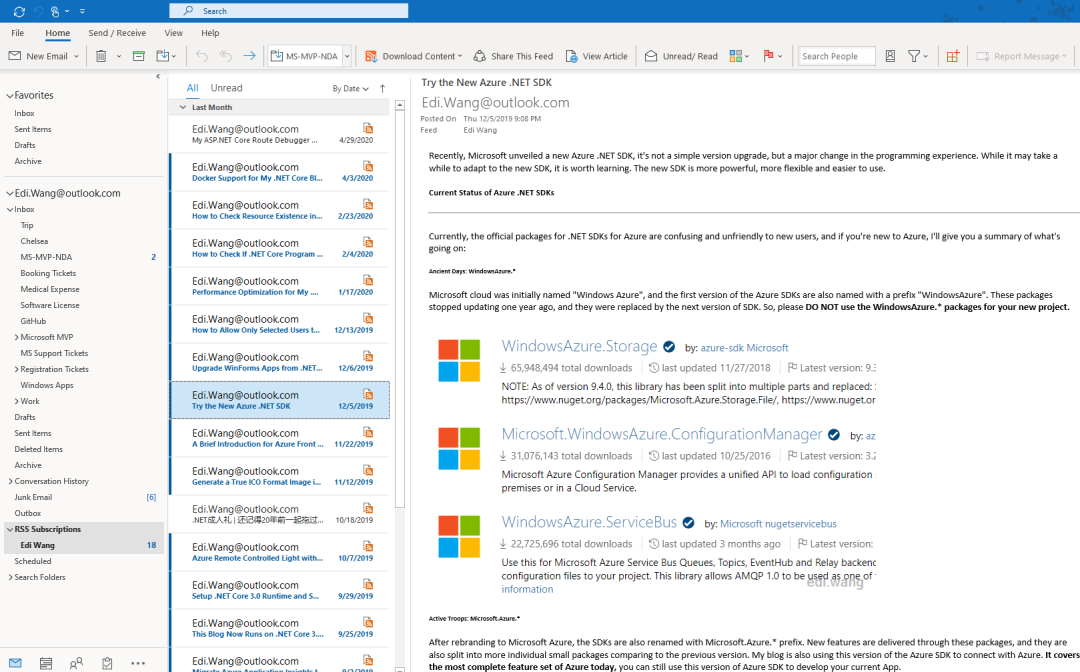
部分浏览器(如早期的火狐)也可以自动识别一个博客的 RSS 地址,并在浏览器中订阅。其自动发现原理是查找网页 head 中有没有这么一个东西:
<link rel="alternate" type="application/rss+xml" title="Edi Wang" href="/rss" />
但是 RSS 有个缺点,它并不能够由服务器主动向客户端推送,而需要靠客户端自动去服务器拉取。而过去 10 年中,随着移动端的兴起,消息推送服务弥补了 RSS 的不足,各大平台也几乎都推出了自己的手机 APP,因此 RSS 已经被许多网站淘汰。但并不意味着 RSS 没用了,至今仍有大量网站仍然提供 RSS 订阅。例如微软 Channel 9 电视台的 RSS: https://channel9.msdn.com/Feeds/RSS/,国内的博客园的 RSS:http://feed.cnblogs.com/blog/sitehome/rss,有意思的是博客园网站的 logo 其实就是个 RSS 图标。
对于构建博客系统而言,你通常不会再专门做个手机 App,用户也不会为每一个博客都单独下载一个 App,并且博客系统与其他博客、网站之间依然需要同步,不可能为每个合作伙伴都开发一套同步协议,大家依然都用已经是公认标准的 RSS,因此 RSS 在 2020 年依然是博客系统推送文章的最佳途径。
参考:https://en.wikipedia.org/wiki/RSS
5.2 丨 ATOM
ATOM 和 RSS 的作用几乎一样,但 ATOM 的出现是为了弥补 RSS 的一些设计缺陷。例如对于文章发表日期,ATOM 采用 RFC 3339 的时间戳,而 RSS 采用的是 RFC 822 标准。ATOM 也可以标识文章的语言、允许 payload 中出现 RSS 不允许的 XHTML、XML 和 Base64 编码内容等。
许多博客系统(包括我的 Moonglade)同时提供 RSS 及 ATOM 源。
参考链接:https://en.wikipedia.org/wiki/Atom_(Web_standard)
5.3 丨 OPML
“OPML(概述处理器标记语言)是用于轮廓的 XML 格式(定义为“一棵树,其中每个节点包含一组具有字符串值的命名属性” )。它最初由 UserLand 在其 Radio UserLand 产品中作为大纲应用程序的本机文件格式开发,此后已被用于其他用途,最常见的是在 Web Feed 聚合器之间交换 Web Feed 列表。
OPML 规范将大纲定义为任意元素的层次结构,有序列表。该规范相当开放,因此适用于多种类型的列表数据。
Mozilla Thunderbird 和许多其他 RSS 阅读器网站和应用程序都支持以 OPML 格式导入和导出 RSS feed 列表。”
参考:https://en.wikipedia.org/wiki/OPML
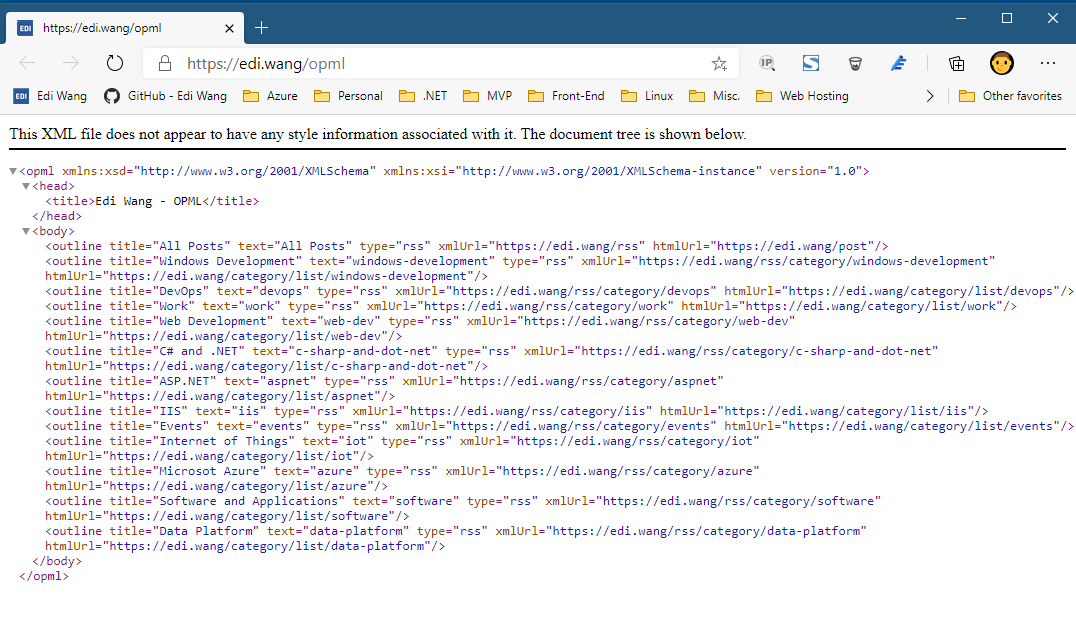
通俗易懂的说,OPML 对于博客来说,就是告诉阅读器,这个博客一共有哪些订阅源以及他们各自的订阅地址,通常就是每个文章分类是一个订阅源,全部文章又是一个订阅源。
5.4 丨 APML
APML 即 Attention Profiling Mark-up Language,它比 OPML 更鲜为人知。APML 目前在互联网上已经非常少见了,比 WP 还惨。作为博客行业的历史遗迹之一,抱着情怀简短介绍一下。
与 OPML 类似,它也是一种 XML 格式的声明文件,用来描述个人感兴趣的事物或话题,并分享给其他读者或博主,以帮助阅读器或者博客系统本身针对用户感兴趣的内容提供服务或更有针对性的广告。
参考链接:https://en.wikipedia.org/wiki/Attention_Profiling_Mark-up_Language
WordPress 可以通过插件实现 APML,BlogEngine 则自带 APML,我的 Moonglade 不支持 APML。
5.5 丨 FOAF
FOAF 即 Friend of a Friend,也是个写给机器看的文件,描述了一个人类的社交关系,通常在博客中可以用 FOAF 表示博主和其他博客之间的 “友情链接” ,只不过这个友情链接是写给机器看的。好让机器明白,谁才是你的基友,从而给读者推荐基友博客里的内容。
WordPress 可以通过插件实现 FOAF,BlogEngine 自带 FOAF,我的 Moonglade 不支持 FOAF。FOAF 和 APML 的现状差不多,已快绝迹。
参考链接:https://en.wikipedia.org/wiki/FOAF_(ontology)
5.6 丨 BlogML
BlogML 是一套跨博客系统的数据标准,凡是实现了 BlogML 的博客系统,就算语言、平台不一样,也都可以互相导入、导出文章等数据。就好比 HTML5 是个标准,Edge、Chrome、Firefox 是浏览器,只要针对 HTML5 写的网页都能跨这些浏览器运行。
BlogML 也诞生于.NET 社区之中,随后发展成了标准。除了本身就是.NET 的 BlogEngine 等系统以外,PHP 写的 WordPress 都支持 BlogML。当年支持 BlogML 的还有 Windows Live Spaces,Subtext,DasBlog 等。我的 Moonglade 不支持 BlogML。
当前 BlogML 的标准 schema 是 2.0,更新于 2006 年 11 月 25 日。看起来这个标准也已经……
参考:https://en.wikipedia.org/wiki/BlogML
5.7 丨 Open Search
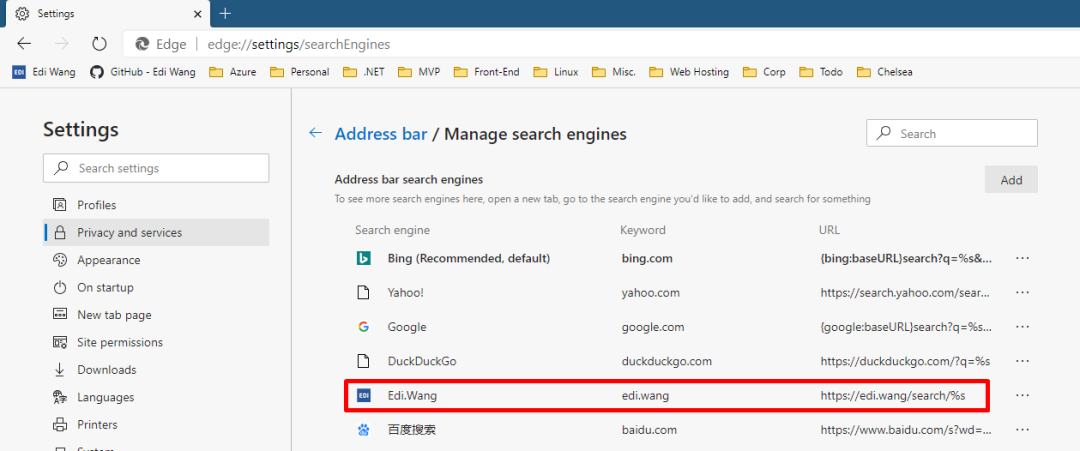
如果博客实现了 Open Search 规范,那么博客的搜索功能就能够自动整合到用户的浏览器里,从而便于用户直接在浏览器地址栏使用你博客的搜索服务作为搜索引擎(就像必应、谷歌那样)。
实现 Open Search 只需两步,首先在网页的 head 里加入指向 opensearch 定义文件的 link
<link
  type="application/opensearchdescription+xml"
  rel="search"
  title="Edi Wang"
  href="/opensearch"
/>
然后输出 opensearch 文件即可
<OpenSearchDescription xmlns="http://a9.com/-/spec/opensearch/1.1/">
  <ShortName>Edi Wang</ShortName>

  <Description>Latest posts from Edi Wang</Description>

  <image height="16" width="16" type="image/vnd.microsoft.icon"
    >https://edi.wang/favicon.ico</image
  >

  <Url type="text/html" template="https://edi.wang/search/{searchTerms}" />
</OpenSearchDescription>
文件描述了博客的名称、简介、图标以及搜索内容的 URL pattern。浏览器一旦识别这个文件,会自动将你的博客注册到搜索引擎列表里去。然后读者就可以直接在浏览器地址栏里搜索关键词,并显示博客自己的搜索结果页面。


Open Search 的具体规范和标准可参考:https://en.wikipedia.org/wiki/OpenSearch
5.8 丨 Pingback
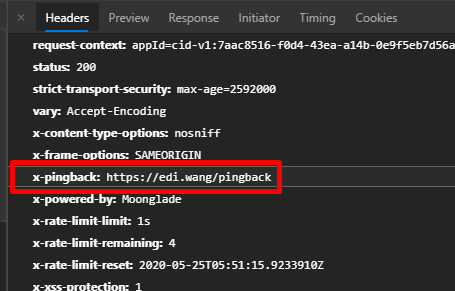
Pingback 用于博客系统之间通讯,一旦自己的文章被他人引用就会收到 pingback 请求,而自己引用了他人的文章就会向对方博客发送一个 pingback 请求,因此完成一次 Pingback 需要己方和对方的博客共同支持 pingback 协议。由于是标准协议,所以 pingback 并不要求双方的博客使用同一款博客产品,例如我用.NET Core 写的 Moonglade 可以完美和 PHP 写的 WordPress 互相 ping。Pingback 也并不限制网站类型一定得是博客,任何 CMS 或内容网站想要支持 Pingback 都没问题。
Pingback 的技术原理也不复杂。
发送 Pingback 请求:
得到自己文章的 URL A、对面被引用文章的 URL B,请求 B,看看它有没有 pingback 终端,如果有,构建一个 HTTP Request,内容是一段 XML:
<methodCall>
       <methodName>pingback.ping</methodName>
       <param>
              <param><value><string>A</string></value></param>
              <param><value><string>B</string></value></param>
       </param>
</methodCall>
这样 B 所在的网站就知道 A 文章引用了 B 文章,处理 pingback 后,会给 A 所在的网站一个成功与否的响应。
接受 Pingback 请求:
自己的文章 URL A 被他人文章 B 引用,并收到了一个 pingback XML。首先自己要验证别人的 pingback 请求长得是否奇怪,以保证安全性,例如有没有正常的 methodName、有没有合法的双方 URL、URL 是否能正常访问、是否有奇怪的 URL(例如 localhost 或有潜在攻击行为的特殊构造)。保证 pingback 请求没问题后,请求 B 的页面,抓取 B 网页的 title 内容、B 的 IP 地址,记录到自己的数据库中,并和 A 文章关联。
收到的 Pingback 通常以系统身份自动在文章下加评论,但这个设计不是规范之一,你可以自由发挥,例如 Moonglade 把 pingback 集中起来在后台给博客管理员查看。

参考:https://en.wikipedia.org/wiki/Pingback
5.9 丨 Trackback
Trackback 允许一个网站将更新通知给另一个网站。这是网站作者在有人链接到其文档之一时请求通知的四种类型的链接方法之一。这使作者可以跟踪谁链接到他们的文章。
参考:https://en.wikipedia.org/wiki/Trackback
尽管功能和 Pingback 类似,但 Trackback 通常需要手工发送,并需要给对方提供一篇文章的摘要。而 Pingback 的过程是又双方博客系统共同完成的全自动操作。
5.10 丨 MetaWeblog
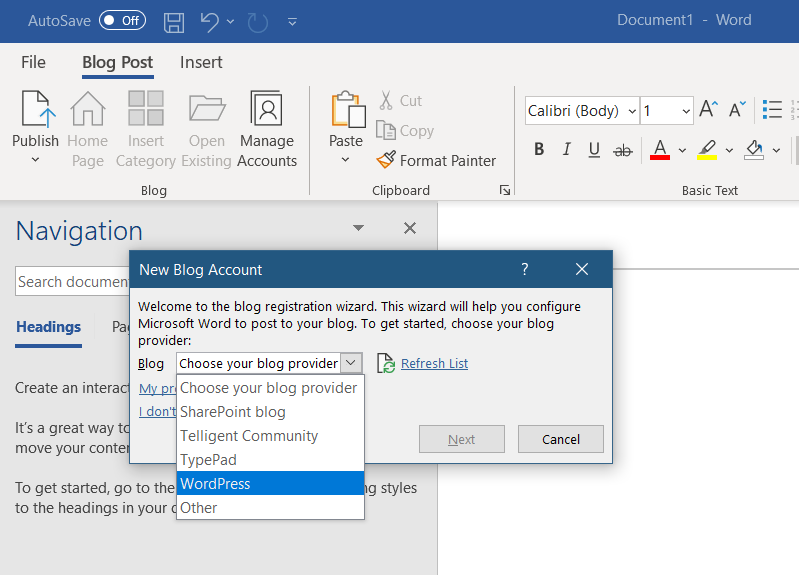
MetaWeblog 是一套基于 XML-RPC 的 Web Service,这套 API 定义了几个标准接口,用于文章、分类、标签等博客常规内容的 CRUD。只要实现了这些接口的博客系统,就可以让博主不用通过浏览器登录博客后台写文章,而使用计算机上安装的客户端去写博客。主流的客户端包括 Windows Live Writer、Microsoft Word。在客户端里可以完整的编辑文章、插入图片、设置分类,甚至可以将博客的主题同步到客户端中。
可能它看起来也像是过时的博客协议之一,但直到 2020 年的今天,最新版的 Microsoft 365 套件依然完整支持实现了 MetaWeblog API 的博客系统。
类似 MetaWeblog 的博客 API 还有 Blogger API, Atom Publishing Protocol, Micropub。
参考:https://en.wikipedia.org/wiki/MetaWeblog
我的博客在 2012 年曾经 996 007 完整实现了 MetaWeblog + RSD,但如今 30 岁了,在.NET Core 里暂时不打算实现这个了,毕竟有多少人还在用 Live Writer 和 Word 写博客(哭。
5.11 丨 RSD
Really Simple Discovery(RSD)是 XML 格式和一种发布约定,用于使博客或其他 Web 软件公开的服务可由客户端软件发现。这是一种将设置编辑/博客软件所需的信息减少到三个众所周知的元素的方法:用户名,密码和主页 URL。任何其他关键设置都应该在与网站相关的 RSD 文件中定义,或者可以使用提供的信息来发现。
为了使用 RSD,网站的所有者在首页的 head 里放置了一个链接标记,用于指示 RSD 文件的位置。MediaWiki 使用的一个示例是:
<link
  rel="EditURI"
  type="application/rsd+xml"
  href="https://en.wikipedia.org/w/api.php?action=rsd"
/>
然后用 RSD 文件去表示各种 API 的接口
<?xml version="1.0"?>

<rsd version="1.0" xmlns="http://archipelago.phrasewise.com/rsd">

    <service>

        <apis>

            <api name="MediaWiki" preferred="true" apiLink="http://en.wikipedia.org/w/api.php" blogID="">

                <settings>

                    <docs xml:space="preserve">http://mediawiki.org/wiki/API</docs>

                    <setting name="OAuth" xml:space="preserve">false</setting>

                </settings>

            </api>

        </apis>

        <engineName xml:space="preserve">MediaWiki</engineName>

        <engineLink xml:space="preserve">http://www.mediawiki.org/</engineLink>

    </service>

</rsd>
参考:https://en.wikipedia.org/wiki/Really_Simple_Discovery
RSD 也几乎和上面的 MetaWeblog 接口一起使用。这样 Windows Live Writer、Microsoft Word 等工具才可以自动发现博客的 MetaWeblog 服务,而不需要手工去输 URL。
5.12 阅读器视图
大部分浏览器和客户端都有阅读器视图,可以让读者在与博客网站页面风格完全不一样的视图中阅读文章。例如,我博客某篇文章的正常页面长这样:
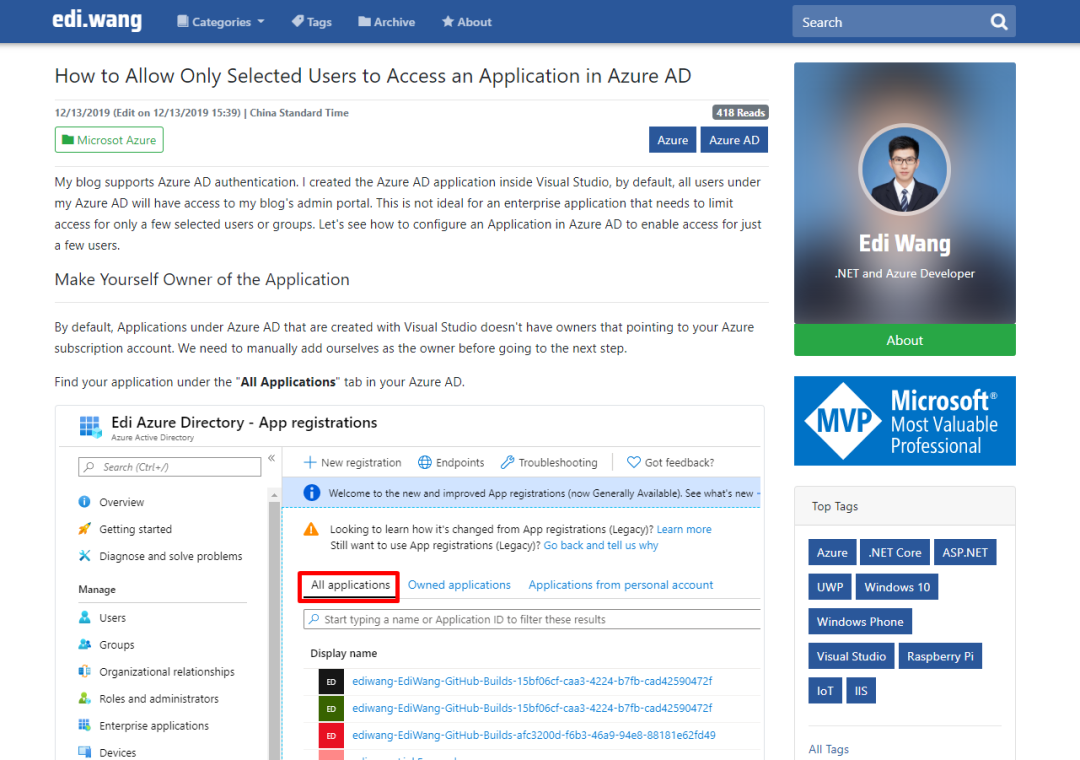
浏览器识别到我的博客支持阅读器视图,就会亮起沉浸式阅读按钮

进入沉浸式阅读界面后,浏览器会自动提取文章的内容,识别文章的标题、章节、图片,去掉导航栏、侧边栏等与文章无关的元素,并可让用户控制文本大小、背景色,甚至朗读文章内容。
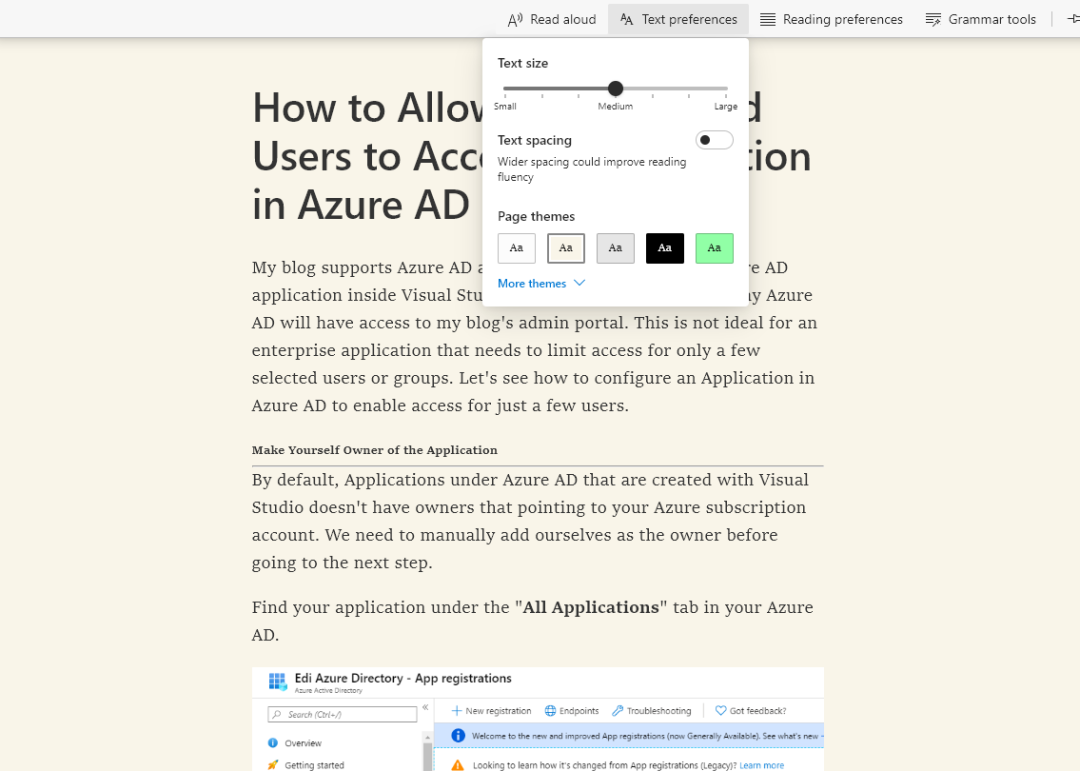
不仅我的博客有阅读器视图,设计良好的博客、新闻内容站都有,例如 Azure 的:
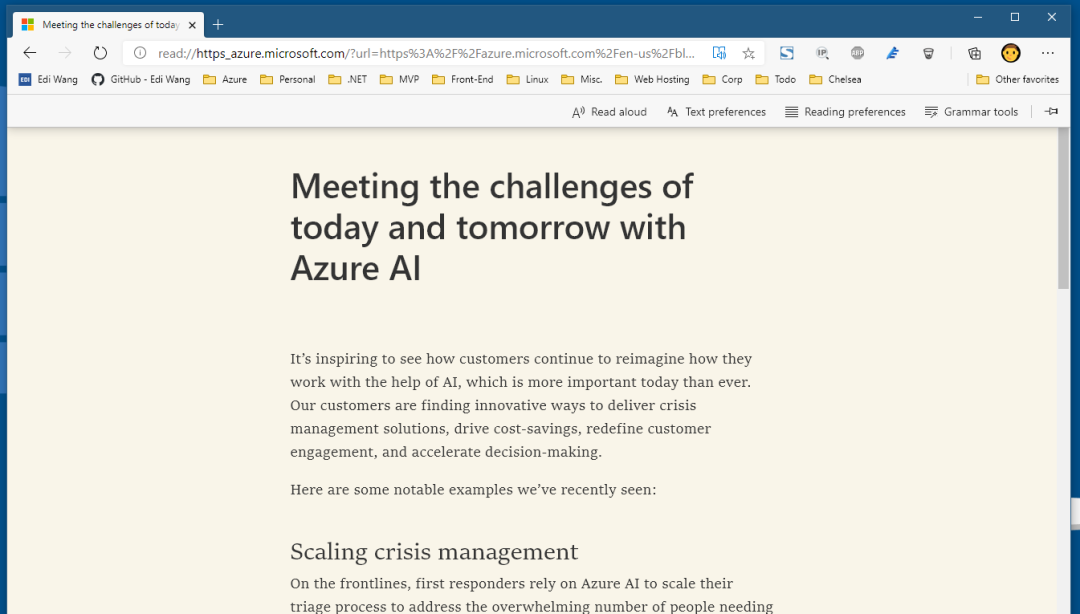
另外,支持阅读器视图的网站,SEO 一定不会差。因此设计博客系统时,请考虑支持阅读器视图。
下篇将主要介绍【设计博客系统有哪些知识点】欢迎关注