
.NET 客户端程序自动更新
当我们在日常开发中编写的客户端程序需要部署在多台主机上时,如果程序需要升级,那么一台台升级会非常麻烦,此时就可以使用本文的.NET 客户端程序自动更新技术。
本文所述的自动更新技术主要使用了开源的GeneralUpdate组件,可用于Winform/WPF/ConsoleApp等应用程序的自动更新。
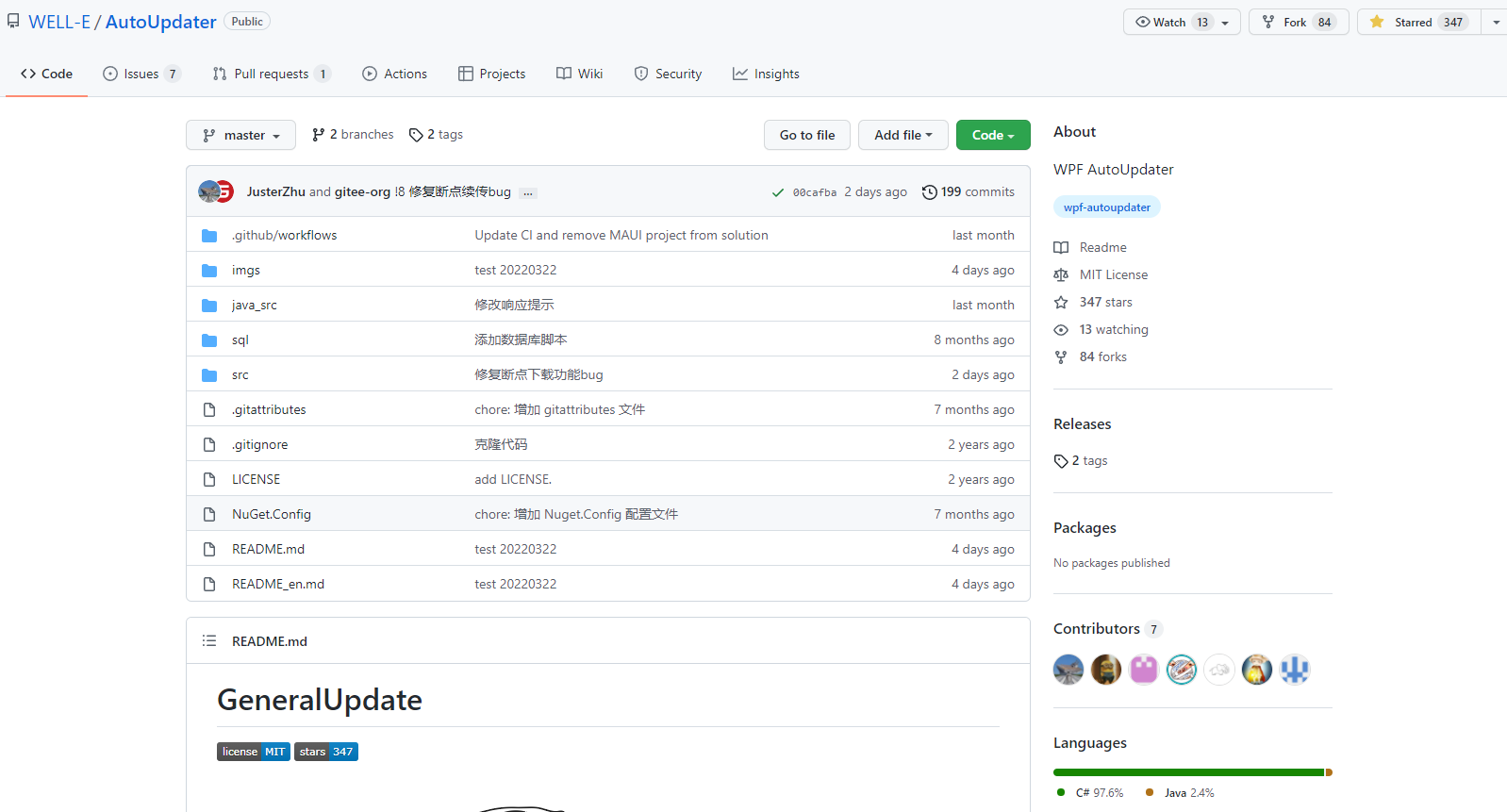
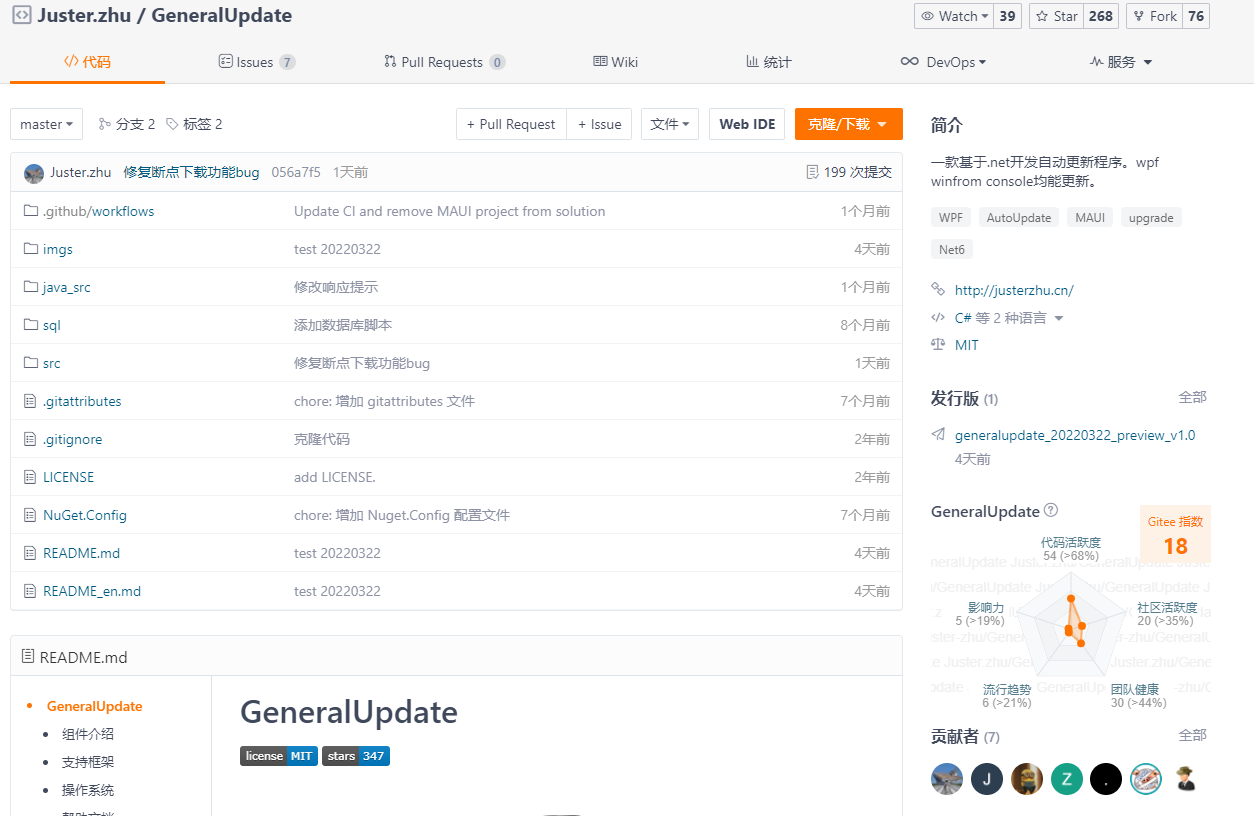
GeneralUpdate组件是微软的一位 MVP 负责开发和维护的,仓库地址及截图如下。作者提供的使用文档和视频有些过于简单,而且不同版本还存在一定的兼容性问题,这些都没有很好地解释,所以初次接触这个组件的开发人员可能会有点懵。笔者结合自己在项目中实际的使用情况,更加详细地介绍一下该组件的使用方式。
GitHub:https://github.com/WELL-E/AutoUpdater
Gitee:https://gitee.com/Juster-zhu/GeneralUpdate
自动更新流程图
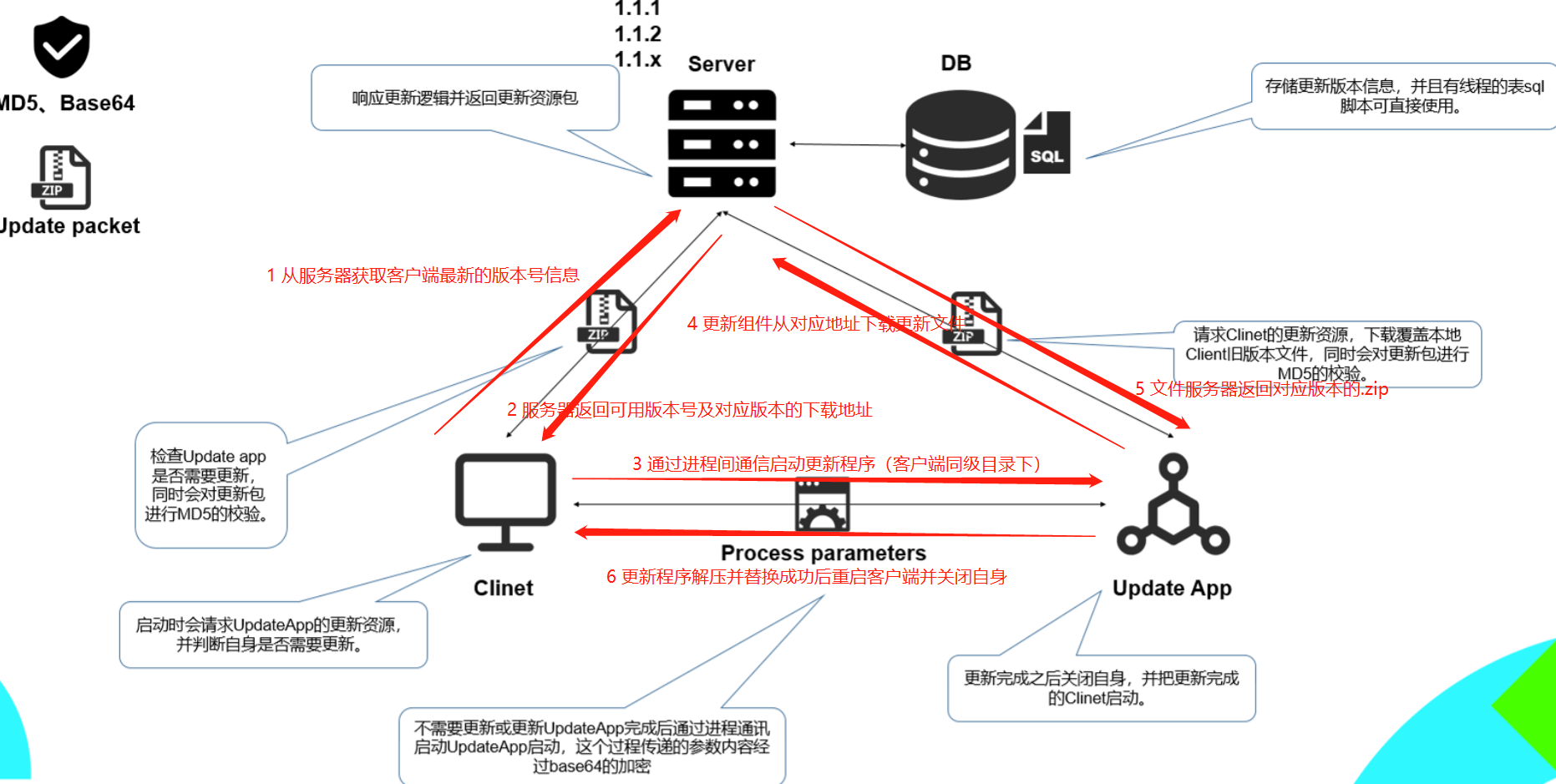
鉴于原图的说明不够明确,笔者在上图中使用红色字体新增了说明。上图中看上去是 3 个组件或服务的交互,但准确说是 4 个:
- 客户端程序版本校验服务(非必须):该服务至少提供两个 API,一个是用于判断客户端程序有没有最新版本,另一个是获取当前客户端的所有更新版本。有些时候我们并不想单独编写并部署一个校验服务,那么我们就可以直接用数据库来替代。客户端程序直接查询数据库,判断并获取当前程序的所有更新版本。
- 客户端程序(必须):需要具有自动更新功能的业务程序,可以通过反射获取自身程序集的版本号,并和服务端/数据库比对,判断是否有新版本。
- 更新组件(必须):更新组件实际上是一个单独的可执行文件,放在和客户端程序的同级目录下。该组件的主要作用是从指定路径下下载客户端程序的所有更新压缩包,并逐个解压,实现客户端程序的逐版本升级。当客户端从服务端获取到待更新文件的路径时,需要通过进程间通信启动更新组件,更新组件启动后需要关闭客户端程序以防止某些文件被占用导致更新失败。更新组件更新成功后重新启动客户端,并关闭组件自身,完成自动更新。
- 文件服务器(必须):客户端程序的更新压缩包上传到文件服务器后得到每个压缩包的 URL,更新组件根据该 URL 下载程序。笔者用的文件服务器是 HFS,下载地址为:HFS 下载。
代码结构剖析
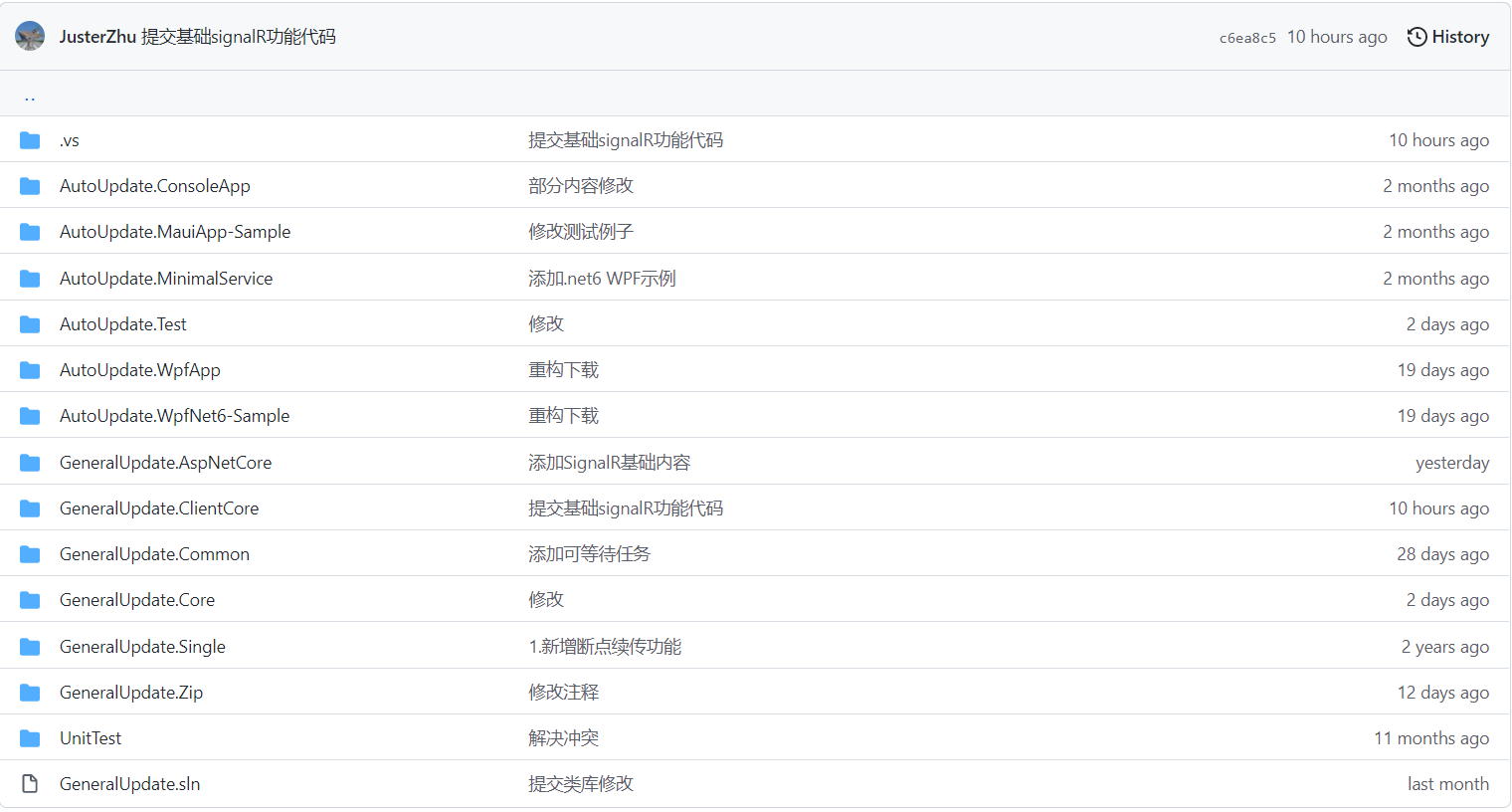
上图中以GeneralUpdate开头的工程是自动更新功能的核心代码,在 nuget 服务器上能看到各个工程的包。具体使用哪个包取决于你是想实现更新组件自更新还是更新客户端程序还是编写版本校验服务,可参考框架 README.md 中的介绍。
这里要说明的是,上述组件不是向下兼容的!3.x.x 版本的组件的很多方法都进行了更名,因此不能直接从 2.x.x 版本直接升级。
上图中以AutoUpdate开头的工程是对自动更新流程图中 3 个主要组件的简单实现:
ConsoleApp:更新组件的控制台版本 DEMO(需要和文件服务器配合使用,引入了 GeneralUpdate.Core)MauiApp-Sample:未仔细研究,不清楚MinimalService:客户端版本校验服务 DEMO(引入了 GeneralUpdate.AspNetCore)Test:更新组件自更新的 WPF 版本 DEMO(需要和 MinimalService 配合使用,引入了 GeneralUpdate.ClientCore)WpfApp:GeneralUpdate.Single包的使用 DEMO,用于构建单例版本的更新组件(引入了 GeneralUpdate.Single)WpfNet6-Sample:更新更新组件的 WPF 版本程序。
Winform 应用程序的自动更新实战
从上节的描述可知,如果我们不想编写客户端版本校验服务,只想通过文件服务器来更新客户端程序,那么我们只需要一个控制台版本的更新组件即可,所以可参考ConsoleApp工程下的代码。
更新组件的控制台实现
说明:本示例使用的是GeneralUpdate.Core的 2.1.6 版本。因为 GitHub 上的源码已升级到 3.x.x 版本,支持了.NET 6.0,但笔者电脑上的缺乏相关框架,无法编译通过,所以检出到了源码的某次提交,这样即使使用的时候出了问题也可以通过调试源码的方式来解决。如果大家充分理解了本文的意思,直接安装最新版本的 nuget 包也可以,直接参考最新版源码的相关示例。
using System;
using System.ComponentModel;
using System.Diagnostics;
using GeneralUpdate.Core;
using GeneralUpdate.Core.Strategys;
using GeneralUpdate.Core.Update;
using ProgressChangedEventArgs = GeneralUpdate.Core.Update.ProgressChangedEventArgs;

namespace AutoUpdate.ConsoleApp
{
    class Program
    {
        static void Main(string[] args)
        {
            // args = new []{
            //     "1.0.1",
            //     "1.0.2",
            //     "",
            //     "http://127.0.0.1:7000/client_v1.0.2.zip",
            //     @"D:\Project",
            //     "36aad55a19f85ee6e1fbdc26510a26c1"
            // };

            KillProcess("你的客户端程序名,不用加exe");

            GeneralUpdateBootstrap bootstrap = new GeneralUpdateBootstrap();
            bootstrap.DownloadStatistics += OnDownloadStatistics;
            bootstrap.ProgressChanged += OnProgressChanged;
            bootstrap.Strategy<DefultStrategy>().
                Option(UpdateOption.Format, "zip").
                Option(UpdateOption.MainApp, "你的客户端程序名,不用加exe").
                Option(UpdateOption.DownloadTimeOut, 60).
                RemoteAddress(args).
                Launch();

            Console.ReadKey();
        }

        private static void OnProgressChanged(object sender, ProgressChangedEventArgs e)
        {
            if (e.Type == ProgressType.Updatefile)
            {
                var str = $"当前更新第:{e.ProgressValue}个,更新文件总数:{e.TotalSize}";
                Console.WriteLine(str);
            }

            if (e.Type == ProgressType.Done)
            {
                Console.WriteLine("更新完成");
            }

            if (e.Type == ProgressType.Fail)
            {
                Console.WriteLine(e.Message);
            }
        }

        private static void OnDownloadStatistics(object sender, DownloadStatisticsEventArgs e)
        {
            Console.WriteLine($"下载速度:{e.Speed},剩余时间:{e.Remaining.Minute}:{e.Remaining.Second}");
        }

        private static void KillProcess(string processName)
        {
            foreach (var process in Process.GetProcesses())
            {
                if (!process.ProcessName.ToUpper().Contains(processName.ToUpper())) continue;

                try
                {
                    process.Kill();
                    process.WaitForExit();
                }
                catch (Win32Exception)
                {
                }
            }
        }
    }
}
客户端调用
Version version = System.Reflection.Assembly.GetExecutingAssembly().GetName().Version;
var ver = $"{version.Major}.{version.Minor}.{version.Build}";
//从数据库获取比当前程序集版本更高的版本信息
var versionInfo = TOSBll.Instance.GetLastUpdateVersionInfo(1, ver);
if (versionInfo != null)
{
    string para =
        $"{ver} {versionInfo.VERSION} \"\" {versionInfo.URL} {Environment.CurrentDirectory} {versionInfo.MD5}";
    ExecuteAsAdmin("AutoUpdate.ConsoleApp.exe", para);
    return;
}

private static void ExecuteAsAdmin(string fileName, string args)
{
    Process proc = new Process();
    proc.StartInfo.FileName = fileName;
    proc.StartInfo.UseShellExecute = true;
    proc.StartInfo.Verb = "runas";
    proc.StartInfo.Arguments = args;
    proc.Start();
}
由上述代码可知,客户端使用进程间通信的方式来启动更新组件,并传入更新参数信息。这里通过管理员权限启动更新组件,以免更新失败(组件在更新时需要把文件拷贝到系统的临时目录,更新成功后删除,权限不足时会出错)。不过笔者测试中发现这种方式启动仍然失败,还是通过右键AutoUpdate.ConsoleApp.exe程序并附加管理员权限才成功的。
几个槽点
- 关键版本不打标签,使用者想切换到 nuget 包的 2.1.6 版本都不知道该检出到哪次提交。
- 新版本组件不兼容老版本。
- 单元测试文件中使用的代码是老版本的,组件源码却是新版本的,直接把刚接触该组件的人员给弄懵圈了。
- 目前还存在一些小 bug,比如
FileUtil.Update32Or64Libs()就会抛出异常,因为把一个目录删除了两遍,从而导致第一次启动更新的时候更新失败,但是第二次更新的时候却能成功,因为目前已经删了。笔者已提 Issue,不知作者何时能解决。 - 文档过于简单。
总结
虽然GeneralUpdate组件有一些不足,但相信经过本文的介绍,大家已经知道如何避坑来使用该组件。总体来说,该组件的功能还是蛮好用的。考虑到该组件只有作者一个人维护,其实已经做得蛮好了,还是要感谢作者的付出的。