

1. 关于 QuestPDF
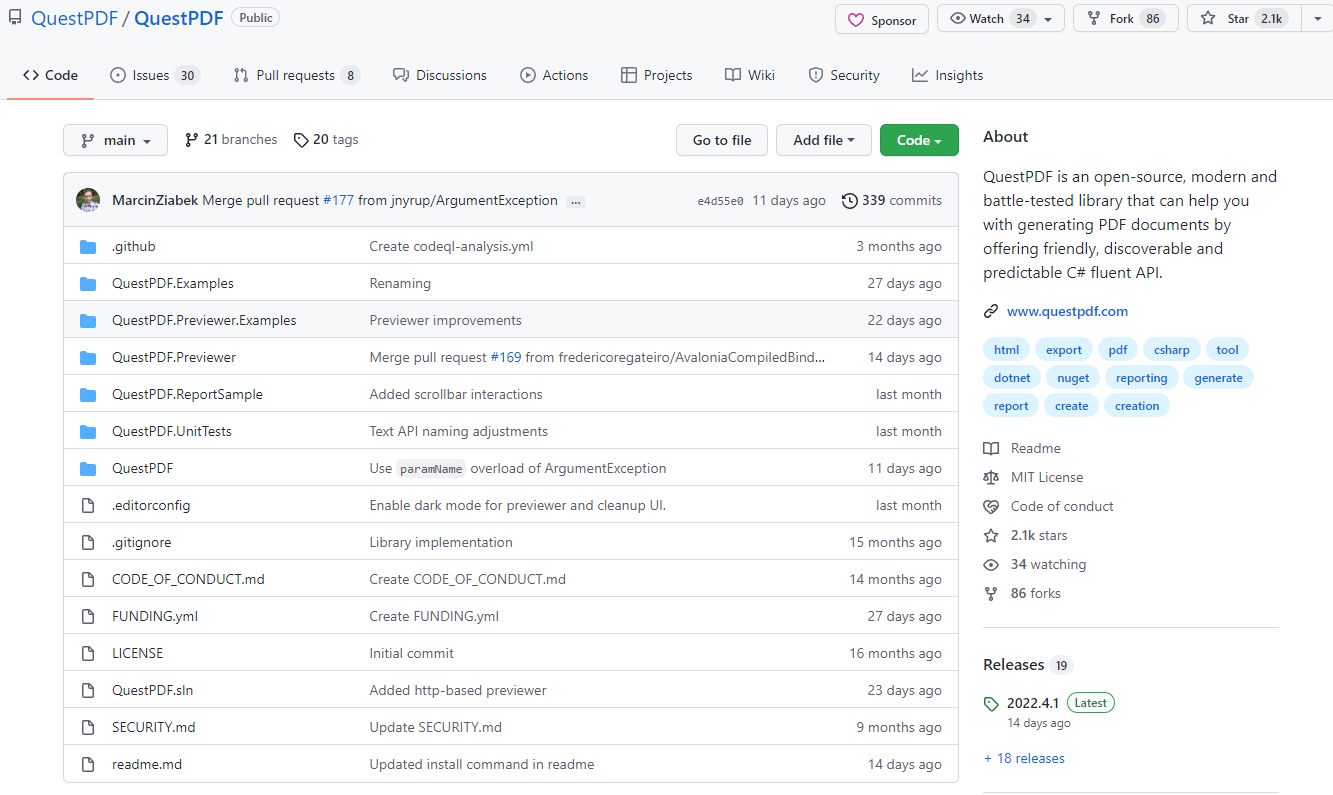
QuestPDF 是一个开源的工具库,可以在.NET 或者.NET Core 中生成 pdf 文档
它提供了一个布局引擎,设计时考虑到了完整的分页支持以及灵活性要求!比市面上常见的 Aspose 和 iTextSharp 好用太多了!
2. 安装
Install-Package QuestPDF

3. 例子
3.1 简单例子
生成 Pdf 文档一共分为三部分,Header(页眉),Content(内容),Footer(页脚),下面是例子代码:
Document.Create(container =>
{
    container.Page(page =>
    {
        page.Size(PageSizes.A4);
        page.Margin(2, Unit.Centimetre);
        page.Background(Colors.White);
        page.DefaultTextStyle(x => x.FontSize(20));

        page.Header()
            .Text("Hello PDF!")
            .SemiBold().FontSize(36).FontColor(Colors.Blue.Medium);

        page.Content()
            .PaddingVertical(1, Unit.Centimetre)
            .Column(x =>
            {
                x.Spacing(20);

                x.Item().Text(Placeholders.LoremIpsum());
                x.Item().Image(Placeholders.Image(200, 100));
            });

        page.Footer()
            .AlignCenter()
            .Text(x =>
            {
                x.Span("Page ");
                x.CurrentPageNumber();
            });
    });
})
.GeneratePdf("hello.pdf");
上面代码生成的 PDF 结果:

3.2 模板生成
使用模板生成一共设计三个应用层的工作:
- 文档 Model(一组描述 PDF 文档内容的类)
- 数据源(将域实体映射到文档模型的层)
- 模板(描述如何可视化信息并将其转换为 PDF 文件的表示层)
比如我们设计一个基本的发票信息 要设计一个购物清单,一个卖家买家的地址,以及发票编号等等 我们设计这样的 3 个 Model 类:
public class InvoiceModel
{
    public int InvoiceNumber { get; set; }
    public DateTime IssueDate { get; set; }
    public DateTime DueDate { get; set; }

    public Address SellerAddress { get; set; }
    public Address CustomerAddress { get; set; }

    public List<OrderItem> Items { get; set; }
    public string Comments { get; set; }
}

public class OrderItem
{
    public string Name { get; set; }
    public decimal Price { get; set; }
    public int Quantity { get; set; }
}

public class Address
{
    public string CompanyName { get; set; }
    public string Street { get; set; }
    public string City { get; set; }
    public string State { get; set; }
    public object Email { get; set; }
    public string Phone { get; set; }
}
Model 定义好了之后我们就定义一些假数据来填充 pdf:
public static class InvoiceDocumentDataSource
{
    private static Random Random = new Random();

    public static InvoiceModel GetInvoiceDetails()
    {
        var items = Enumerable
            .Range(1, 8)
            .Select(i => GenerateRandomOrderItem())
            .ToList();

        return new InvoiceModel
        {
            InvoiceNumber = Random.Next(1_000, 10_000),
            IssueDate = DateTime.Now,
            DueDate = DateTime.Now + TimeSpan.FromDays(14),

            SellerAddress = GenerateRandomAddress(),
            CustomerAddress = GenerateRandomAddress(),

            Items = items,
            Comments ="测试备注"
        };
    }

    private static OrderItem GenerateRandomOrderItem()
    {
        return new OrderItem
        {
            Name = "商品",
            Price = (decimal)Math.Round(Random.NextDouble() * 100, 2),
            Quantity = Random.Next(1, 10)
        };
    }

    private static Address GenerateRandomAddress()
    {
        return new Address
        {
            CompanyName = "测试商店",
            Street = "测试街道",
            City = "测试城市",
            State = "测试状态",
            Email = "测试邮件",
            Phone = "测试电话"
        };
    }
}
然后搭建我们的模板脚手架 我们要使用模板脚手架, 就要定义一个实现 IDocument 接口的新类开始。
该接口包含两个方法:
- DocumentMetadata GetMetadata();
- void Compose(IDocumentContainer container);
第一个是模板文档的一些基础信息,第二个是模板的容器,基于这些原则我们设计一个模板层类:
 public class InvoiceDocument : IDocument
{
    public InvoiceModel Model { get; }

    public InvoiceDocument(InvoiceModel model)
    {
        Model = model;
    }

    public DocumentMetadata GetMetadata() => DocumentMetadata.Default;

    public void Compose(IDocumentContainer container)
    {
        container
            .Page(page =>
            {
                page.PageColor(Colors.Red.Lighten1);
                page.Size(PageSizes.A4);
                page.Margin(10);//外边距


                page.Header().Height(100).Background(Colors.LightBlue.Lighten1);
                page.Content().Background(Colors.Grey.Lighten3);
                page.Footer().Height(50).Background(Colors.Grey.Lighten1);
            });
    }
}
pdf 的 page 页面总是有三个元素:页眉,页脚,内容。查看一下我们生成的文档:
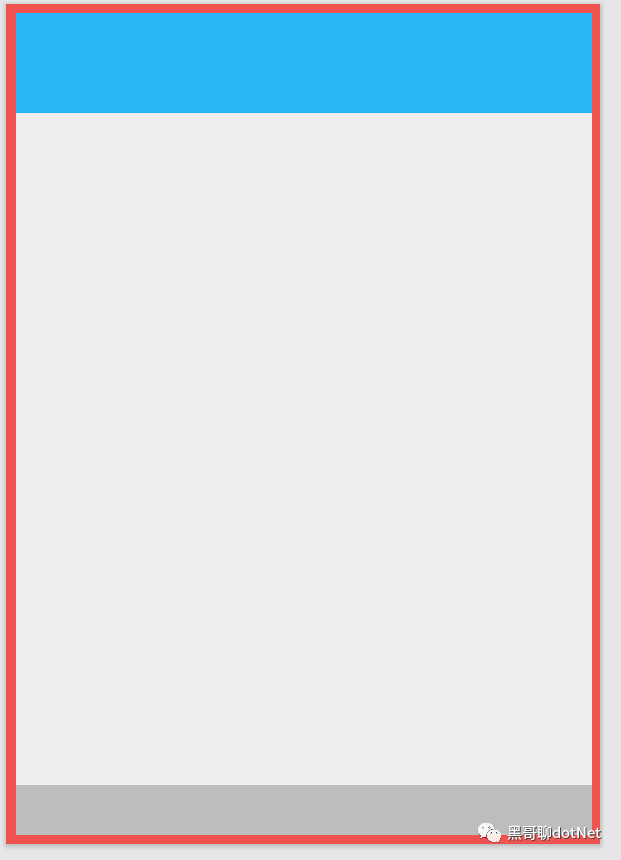
到目前为止,我们已经搭建了一个非常简单的页面,其中每个部分都有不同的颜色或大小。
接下来我们来填充他的页眉,我们把数据源整理好了之后,就可以调用 Element 方法填充:
public void Compose(IDocumentContainer container)
{
    container
        .Page(page =>
        {
            page.PageColor(Colors.Red.Lighten1);
            page.Size(PageSizes.A4);
            page.Margin(10);//外边距


            page.Header().Height(100).Background(Colors.LightBlue.Lighten1).Element(ComposeHeader);
            page.Content().Background(Colors.Grey.Lighten3);
            page.Footer().Height(50).Background(Colors.Grey.Lighten1);
        });
}


void ComposeHeader(IContainer container)
{
    var titleStyle = TextStyle.Default.FontSize(20).SemiBold().FontColor(Colors.Blue.Medium);

    container.Row(row =>
    {
        row.RelativeItem().Column(column =>
        {
            column.Item().Text($"发票 #{Model.InvoiceNumber}").FontFamily("simhei").Style(titleStyle);

            column.Item().Text(text =>
            {
                text.Span("发行日期: ").SemiBold().FontFamily("simhei");
                text.Span($"{Model.IssueDate:d}").FontFamily("simhei");
            });

            column.Item().Text(text =>
            {
                text.Span("支付日期: ").FontFamily("simhei").SemiBold();
                text.Span($"{Model.DueDate:d}").FontFamily("simhei");
            });

        })
        ;

    });
}

最后我们来实现内容:
public void Compose(IDocumentContainer container)
{
    container
        .Page(page =>
        {
            page.PageColor(Colors.Red.Lighten1);
            page.Size(PageSizes.A4);
            page.Margin(10);//外边距


            page.Header().Height(100).Background(Colors.LightBlue.Lighten1).Element(ComposeHeader);
            page.Content().Background(Colors.Grey.Lighten3).Element(ComposeContent);
            page.Footer().Height(50).Background(Colors.Grey.Lighten1);
        });
}


void ComposeHeader(IContainer container)
{
    var titleStyle = TextStyle.Default.FontSize(20).SemiBold().FontColor(Colors.Blue.Medium);

    container.Row(row =>
    {
        row.RelativeItem().Column(column =>
        {
            column.Item().Text($"发票 #{Model.InvoiceNumber}").FontFamily("simhei").Style(titleStyle);

            column.Item().Text(text =>
            {
                text.Span("发行日期: ").SemiBold().FontFamily("simhei");
                text.Span($"{Model.IssueDate:d}").FontFamily("simhei");
            });

            column.Item().Text(text =>
            {
                text.Span("支付日期: ").FontFamily("simhei").SemiBold();
                text.Span($"{Model.DueDate:d}").FontFamily("simhei");
            });

        })
        ;

    });
}

void ComposeContent(IContainer container)
{
    container.Table(table =>
    {
        // step 1
        table.ColumnsDefinition(columns =>
        {
            columns.ConstantColumn(25);
            columns.RelativeColumn(3);
            columns.RelativeColumn();
            columns.RelativeColumn();
            columns.RelativeColumn();
        });

        // step 2
        table.Header(header =>
        {
            header.Cell().Text("#").FontFamily("simhei");
            header.Cell().Text("商品").FontFamily("simhei");
            header.Cell().AlignRight().Text("价格").FontFamily("simhei");
            header.Cell().AlignRight().Text("数量").FontFamily("simhei");
            header.Cell().AlignRight().Text("总价").FontFamily("simhei");

            header.Cell().ColumnSpan(5)
                .PaddingVertical(5).BorderBottom(1).BorderColor(Colors.Black);
        });

        // step 3
        foreach (var item in Model.Items)
        {
            table.Cell().Element(CellStyle).Text(Model.Items.IndexOf(item) + 1).FontFamily("simhei");
            table.Cell().Element(CellStyle).Text(item.Name).FontFamily("simhei");
            table.Cell().Element(CellStyle).AlignRight().Text($"{item.Price}$").FontFamily("simhei");
            table.Cell().Element(CellStyle).AlignRight().Text(item.Quantity).FontFamily("simhei");
            table.Cell().Element(CellStyle).AlignRight().Text($"{item.Price * item.Quantity}$").FontFamily("simhei");

            static IContainer CellStyle(IContainer container)
            {
                return container.BorderBottom(1).BorderColor(Colors.Grey.Lighten2).PaddingVertical(5);
            }
        }
    });

}
在这些准备工作做完了之后我们就可以生成 Pdf 文档了:
var filePath = "invoice.pdf";

var model = InvoiceDocumentDataSource.GetInvoiceDetails();
var document = new InvoiceDocument(model);
document.GeneratePdf(filePath);

4. 总结
当然还有很多好玩的功能,今天就给大家讲个概念,让大家对这个东西有个印象,后面我会继续输出该库的相关功能。如果你们对该库感兴趣,可以持续关注我!微信公众号【黑哥聊 dotNet】