
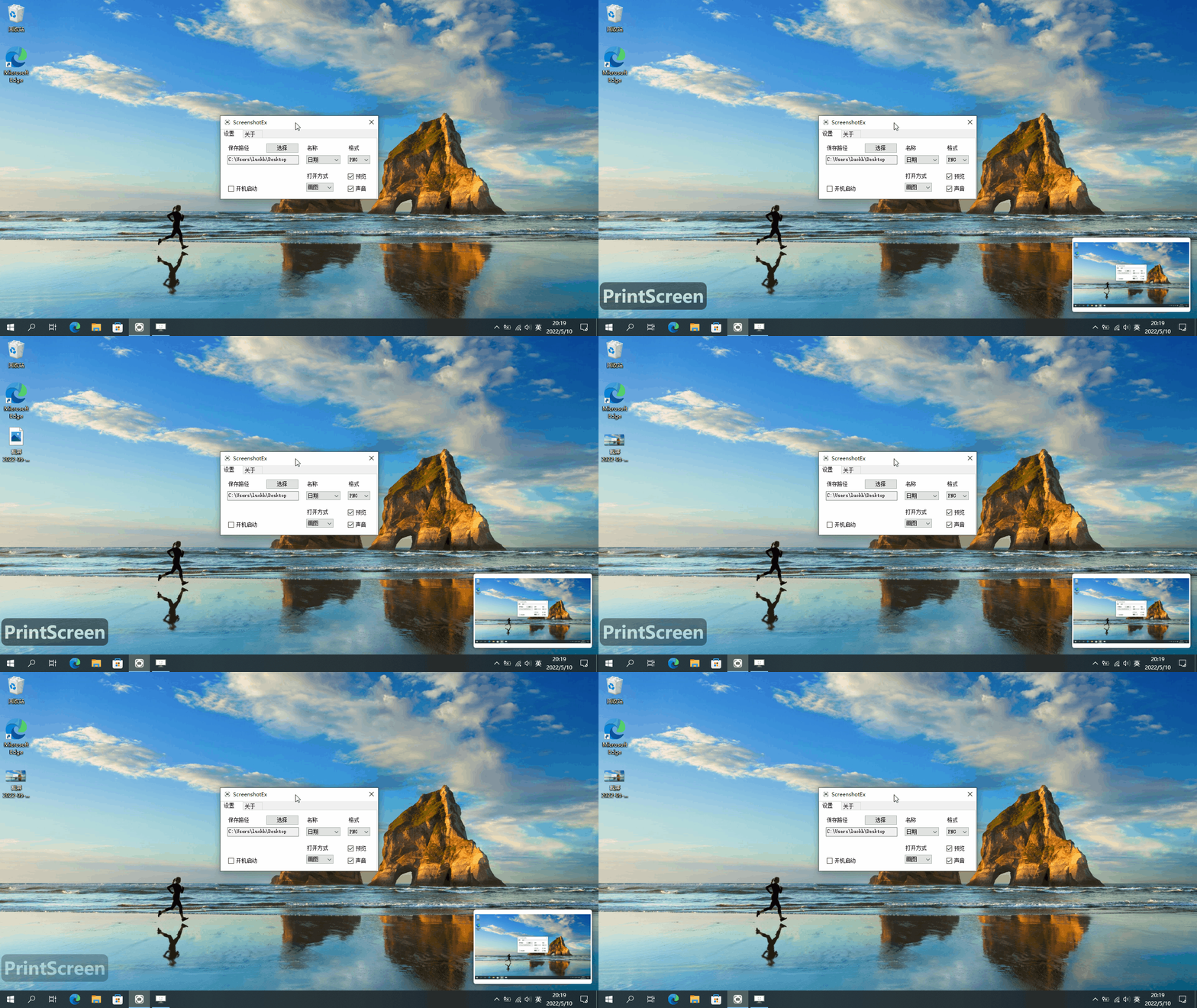
半年前我开源了 DreamScene2 一个小而快并且功能强大的 Windows 动态桌面软件。有很多的人喜欢,这使我有了继续做开源的信心。这是我的第二个开源作品 ScreenshotEx 一个简单易用的 Windows 截屏增强工具。
欢迎 Star 和 Fork https://github.com/he55/ScreenshotEx
前言
在使用 Windows 系统的截屏快捷键 PrintScreen 截屏时,如果需要把截屏保存到文件,需要先粘贴到画图工具然后另存为文件。以前我还没有觉得很麻烦,后来使用了 macOS 系统的截屏工具,我才知道原来一个小小的截屏工具也可以这么简单易用。于是参考 macOS 系统的截屏工具做了一个 Windows 版的。
功能
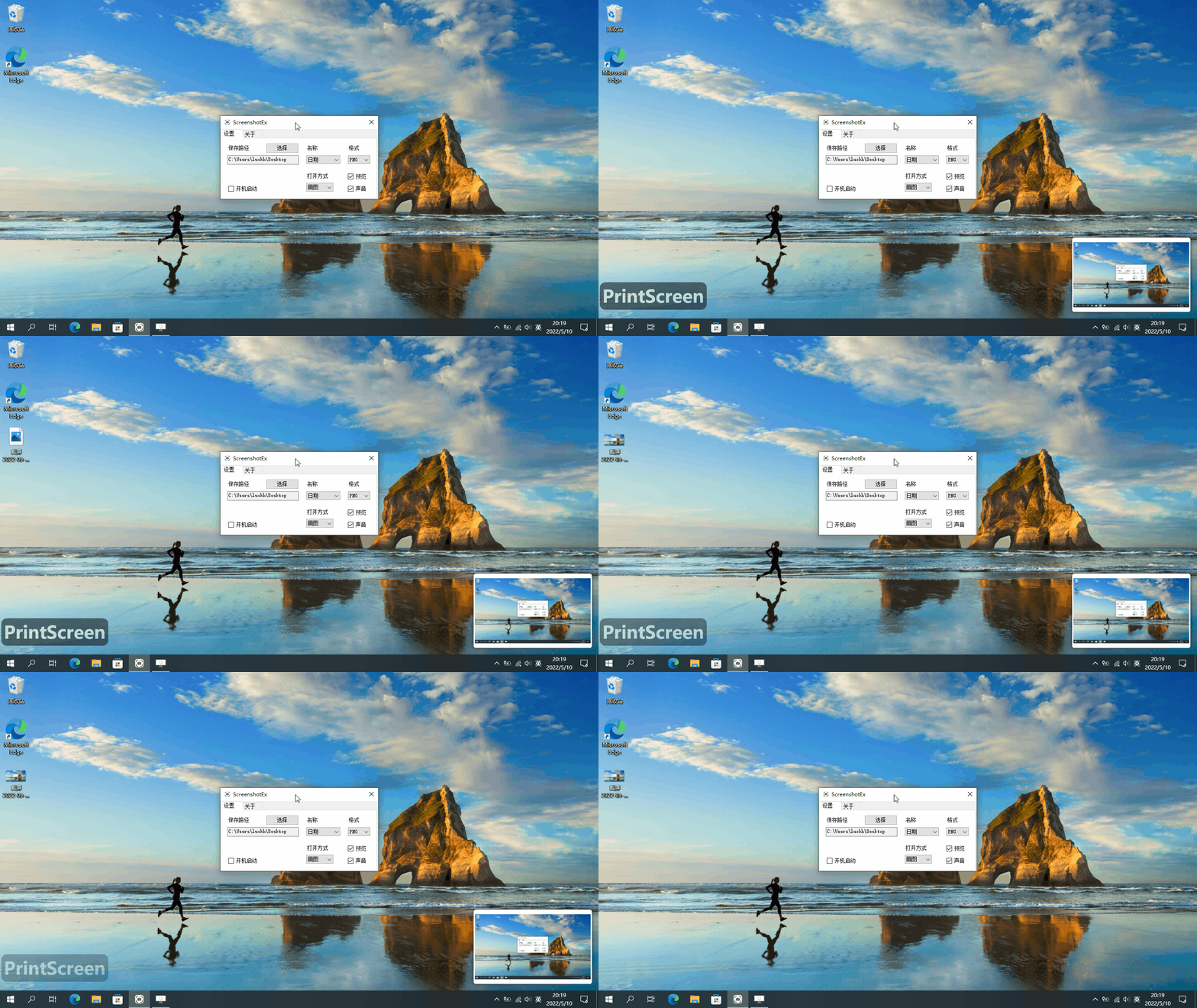
- 自动保存截屏到桌面
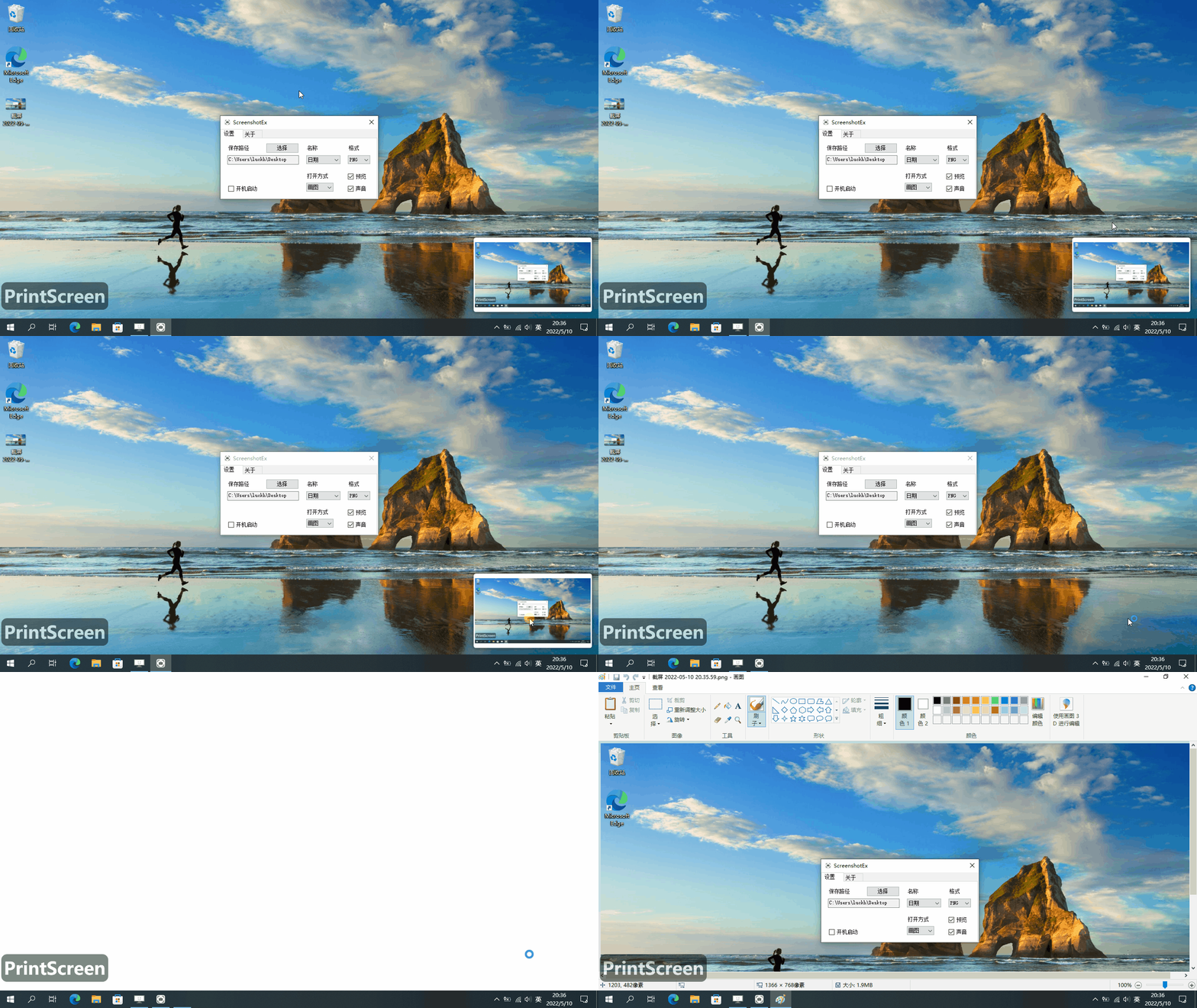
- 点击截屏预览可以编辑截屏
实现原理
如果想在按下系统的截屏快捷键后做一些事情,能想到的方法应该就是如何监听键盘事件。WIN32 API 提供的 SetWindowsHookExA 钩子函数刚好可以实现这个需求,idHook 参数设置成 WH_KEYBOARD_LL 时是低等级键盘钩子可以捕获键盘消息。
SetWindowsHookExA 函数定义
HHOOK SetWindowsHookExA(
  [in] int       idHook,    // 钩子类型
  [in] HOOKPROC  lpfn,      // 钩子处理函数
  [in] HINSTANCE hmod,      // 模块句柄
  [in] DWORD     dwThreadId // 线程Id
);
键盘处理函数定义
LRESULT CALLBACK LowLevelKeyboardProc(
  _In_ int    nCode,
  _In_ WPARAM wParam, // 键盘消息
  _In_ LPARAM lParam // KBDLLHOOKSTRUCT 结构体指针
);
代码
C# PInvoke 定义
const int HC_ACTION = 0;
const int WH_KEYBOARD_LL = 13;
const int WM_KEYUP = 0x0101;
const int WM_SYSKEYUP = 0x0105;
const int VK_SNAPSHOT = 0x2C;

[StructLayout(LayoutKind.Sequential, CharSet = CharSet.Auto)]
public struct KBDLLHOOKSTRUCT
{
    public uint vkCode;
    public uint scanCode;
    public uint flags;
    public uint time;
    public UIntPtr dwExtraInfo;
}

[UnmanagedFunctionPointer(CallingConvention.Winapi)]
public delegate IntPtr HookProc(int nCode, IntPtr wParam, ref KBDLLHOOKSTRUCT lParam);

[DllImport("User32.dll", SetLastError = true, CharSet = CharSet.Auto)]
public static extern IntPtr SetWindowsHookEx(int idHook, HookProc lpfn, IntPtr hmod, int dwThreadId);

[DllImport("User32.dll", SetLastError = true, ExactSpelling = true)]
[return: MarshalAs(UnmanagedType.Bool)]
public static extern bool UnhookWindowsHookEx(IntPtr hhk);

[DllImport("User32.dll", SetLastError = false, ExactSpelling = true)]
public static extern IntPtr CallNextHookEx(IntPtr hhk, int nCode, IntPtr wParam, ref KBDLLHOOKSTRUCT lParam);

[DllImport("Kernel32.dll", SetLastError = true, CharSet = CharSet.Auto)]
public static extern IntPtr GetModuleHandle([Optional] string lpModuleName);
注册键盘钩子
需要注意:因为 SetWindowsHookEx 是非托管函数第二个参数是个委托类型,GC 不会记录非托管函数对 .NET 对象的引用。如果用临时变量保存委托出作用域就会被 GC 释放,当 SetWindowsHookEx 去调用已经被释放的委托就会报错。
SetWindowsHookEx 函数第一个参数传 WH_KEYBOARD_LL 低等级键盘钩子、第二个参数传键盘消息处理函数的委托、第三个参数使用 GetModuleHandle 函数获取模块句柄、第四个参数传 0。
HookProc _hookProc;
IntPtr _hhook;

void StartHook()
{
    _hookProc = new HookProc(LowLevelKeyboardProc); // 使用成员变量保存委托
    _hhook = SetWindowsHookEx(WH_KEYBOARD_LL, _hookProc, GetModuleHandle(null), 0); // 注册键盘钩子,保存返回值卸载钩子时用到。GetModuleHandle(null) 获取当前模块句柄
}
键盘消息处理函数
在键盘消息处理函数里面捕获 PrintScreen 按键消息,然后显示预览和保存图片逻辑
IntPtr LowLevelKeyboardProc(int nCode, IntPtr wParam, ref KBDLLHOOKSTRUCT lParam)
{
    if (nCode == HC_ACTION)
    {
        if (lParam.vkCode == VK_SNAPSHOT) // 捕获 PrintScreen 按键消息
        {
            if ((int)wParam == WM_KEYUP || (int)wParam == WM_SYSKEYUP) // 按键释放时保存图片
                SaveImage();
            else
                _previewWindow.SetHide();
        }
    }
    return CallNextHookEx(_hhook, nCode, wParam, ref lParam);
}
保存图片
从系统剪贴板获取图片
void SaveImage()
{
    if (Clipboard.ContainsImage())
    {
        if (!Directory.Exists(_settings.SavePath))
            Directory.CreateDirectory(_settings.SavePath);

        string ext = "png";
        ImageFormat imageFormat = ImageFormat.Png;
        switch (_settings.SaveExtension)
        {
            case 0:
                imageFormat = ImageFormat.Png;
                ext = "png";
                break;
            case 1:
                imageFormat = ImageFormat.Jpeg;
                ext = "jpg";
                break;
            case 2:
                imageFormat = ImageFormat.Bmp;
                ext = "bmp";
                break;
        }

        if (_settings.SaveName == 0)
        {
            string name = DateTime.Now.ToString("yyyy-MM-dd HH.mm.ss");
            _saveFilePath = Path.Combine(_settings.SavePath, $"{PrefixName} {name}.{ext}");
        }
        else
        {
            do
            {
                _saveFilePath = Path.Combine(_settings.SavePath, $"{PrefixName} {_nameIndex}.{ext}");
                _nameIndex++;
            } while (File.Exists(_saveFilePath));
        }

        Image image = Clipboard.GetImage();
        image.Save(_saveFilePath, imageFormat);

        if (_settings.IsPlaySound)
            _soundPlayer.Play();

        if (_settings.IsShowPreview)
            _previewWindow.SetImage(_saveFilePath);
    }
}