WPF Open Source Project: AIStudio.Wpf.AClient

WPF Open Source Project: AIStudio.Wpf.AClient

Using Prism for MVVM, the advantages need not be mentioned; mainly using container injection, messaging, and DI, saving a lot of trouble compared to writing oneself. There are many standard MVVM usage methods online, but they do not form a system-level framework. This framework is built from login to specific business usage, including automatic updates.

Last updated 7/25/2021 12:06 PM
沙漠尽头的狼
4 min read
Category
WPF
Topic
WPF Control Library WPF MVVM Framework Prism Series WPF Open Source Project C# Open Source Project
Tags
.NET C# ASP.NET Core WPF Prism

Introduction

WPF Client, AIStudio.Wpf.AClient

Software Architecture

This framework uses Prism for MVVM. We won't go into the advantages, but it mainly uses dependency injection, messaging, and DI, which saves a lot of work compared to writing it yourself. There are many standard MVVM usage patterns available online, but they don't form a system-level framework. This framework covers everything from login to specific business operations, including automatic updates. It may not be as polished as what top developers produce, but it serves as a starting point for others.

The backend uses ASP.NET Core and adopts the Colder.Admin.AntdVue framework, which I highly recommend everyone to check out. I have added some features on top of it.

Web client browsing address (username/password: Admin, Admin):

http://121.36.12.76:5001/

API browsing address: http://121.36.12.76:5000/

The WPF client download can be run directly. The default configuration file is AIStudio.Wpf.Client.exe.Config

<appSettings>
    <add key="Title" value="AIStudio" />
    <add key="Language" value="中文" />
    <add key="FontSize" value="16" />
    <add key="FontFamily" value="宋体" />
    <add key="Accent" value="BlueGray" />
    <add key="Theme" value="BaseGray11" />
    <add key="NavigationLocation" value="Left" />
    <add key="NavigationAccent" value="Dark" />
    <add key="TitleAccent" value="Normal" />
    <add key="ToolBarLocation" value="Top" />
    <add key="Version" value="1.0.20201115-rc3" />
    <add key="ServerIP" value="http://121.36.12.76:5000" />
    <add key="UpdateAddress" value="http://121.36.12.76:5000/update" />
  </appSettings>

Here, ServerIP is the backend API address. http://121.36.12.76:5000 can be used directly.

Username/password: Admin, Admin. If not connecting to the server, just view the DemoPage. Username/password: LocalUser, LocalUser.

If not connecting to the server, you can also use SQLite local data, allowing the client to run independently. Username/password: Admin, Admin

<add key="ServerIP" value=""/>
<add key="UpdateAddress" value="http://121.36.12.76:5000/Update/AutoUpdater.xml"/>
<add key="ConString" value="Data Source=Admin.db"/>
<add key="DatabaseType" value="SQLite"/>
<add key="DeleteMode" value="Logic"/>

Comment out ServerIP to use EF Core to fetch data. Change ConString and DatabaseType as needed. Additionally, the default database deletion mode is soft delete.

Some Screenshots

Below are some screenshots of the client. The author is still adjusting the project, optimizing the source code and UI aesthetics. Feel free to offer suggestions to the author (includes full RBAC permissions):

System Management

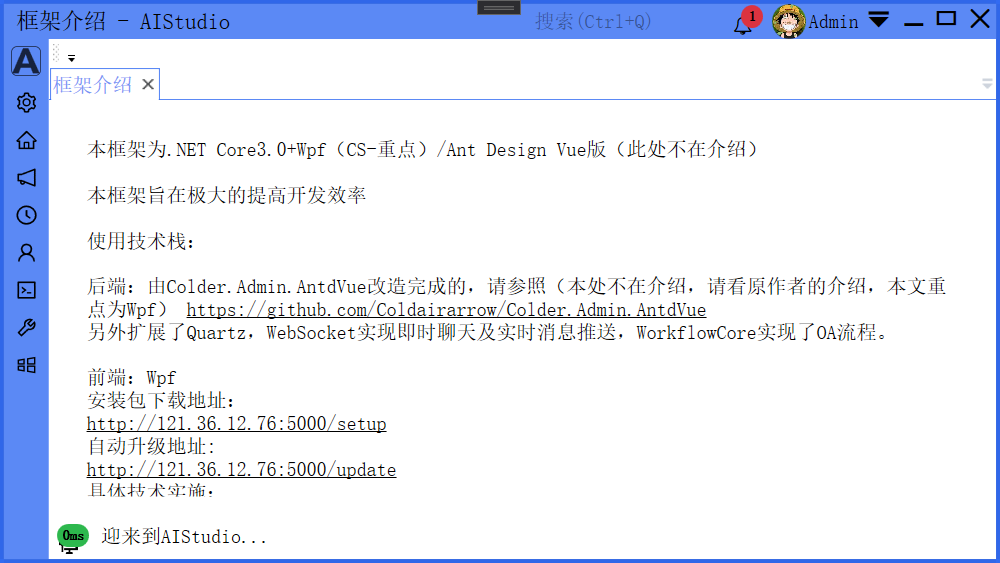
  • Login Interface

Login Interface

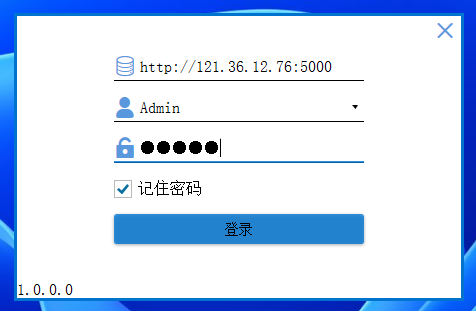
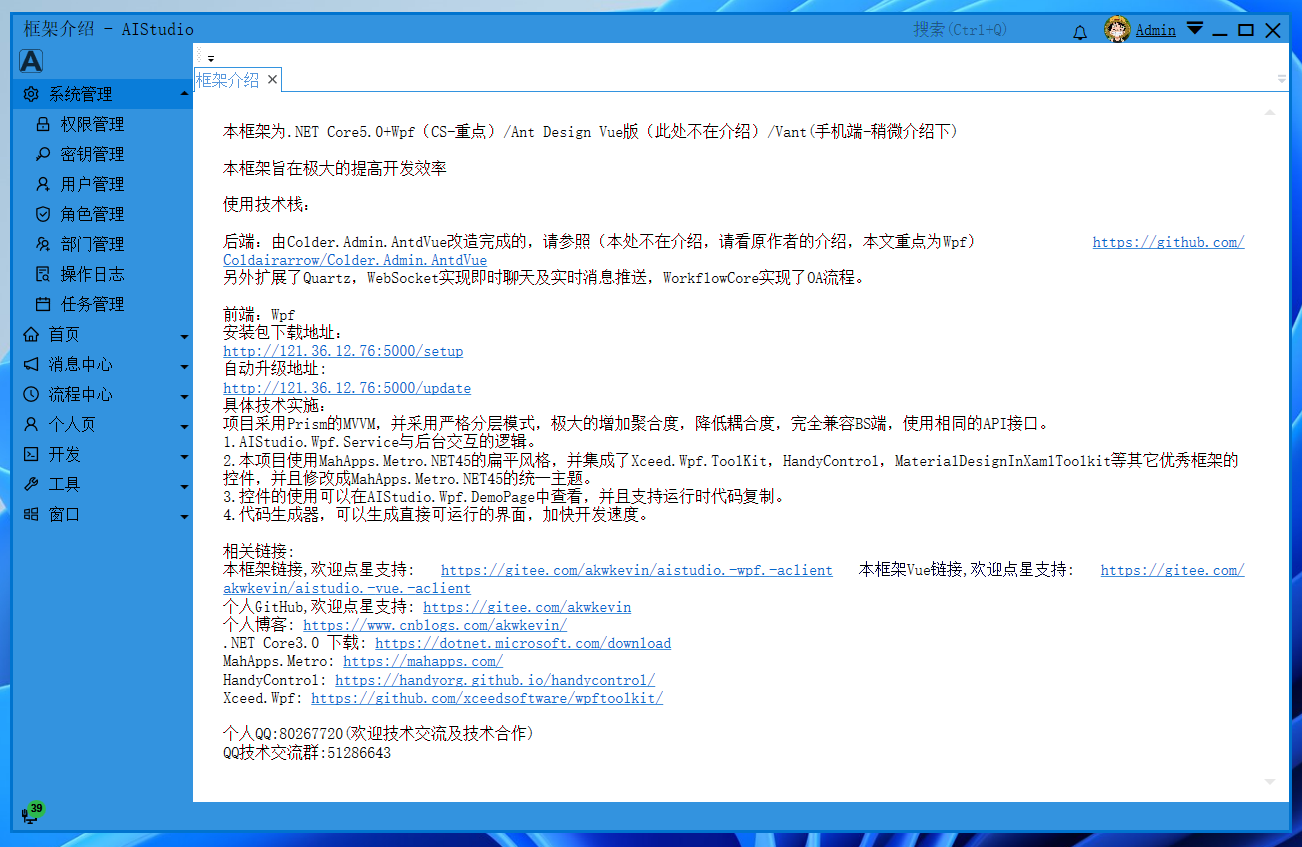
  • Main Window

Main Window

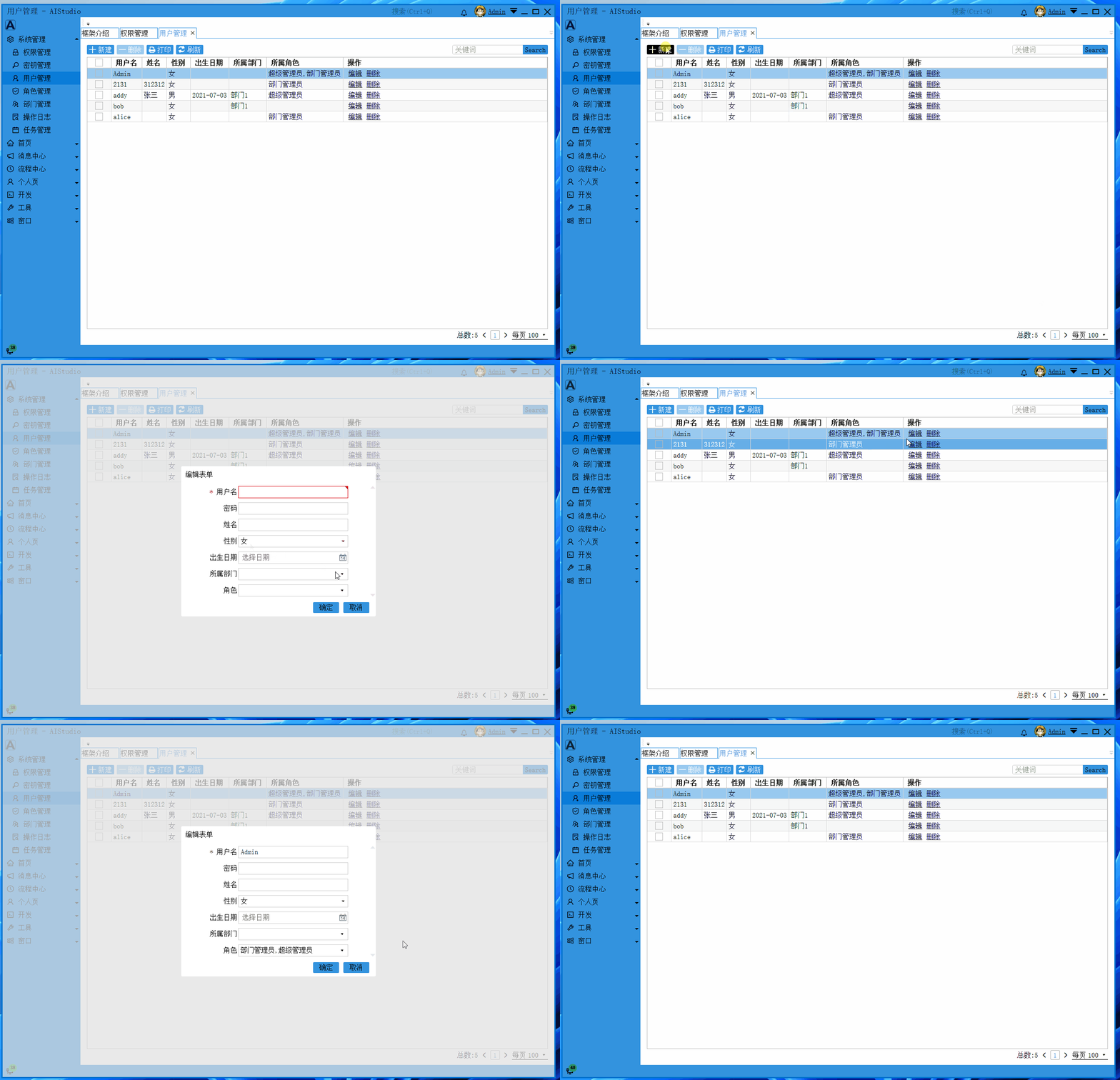
  • User Management

User Management

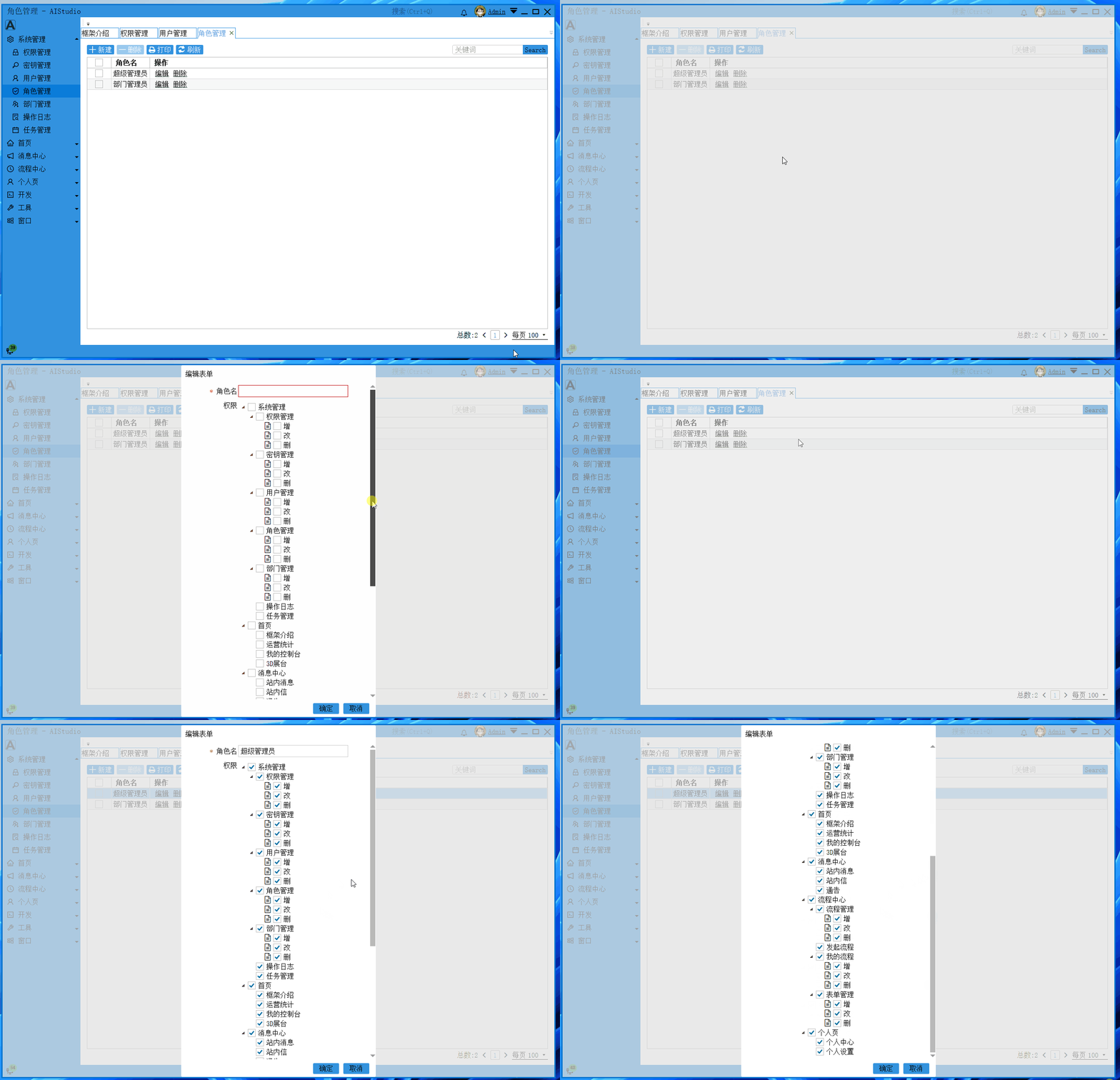
  • Role Management

Role Management

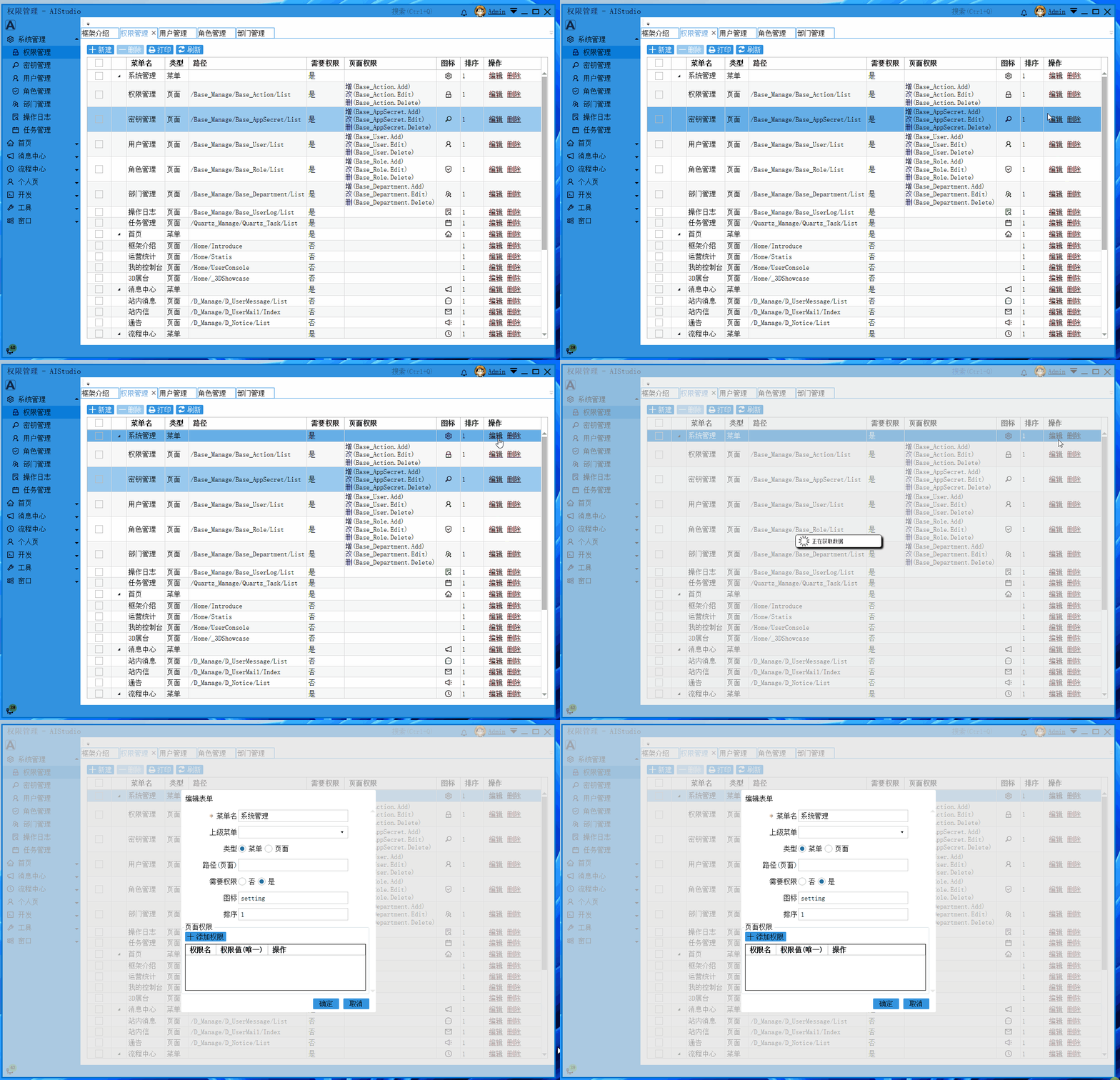
  • Permission Management

Permission Management

Message Center

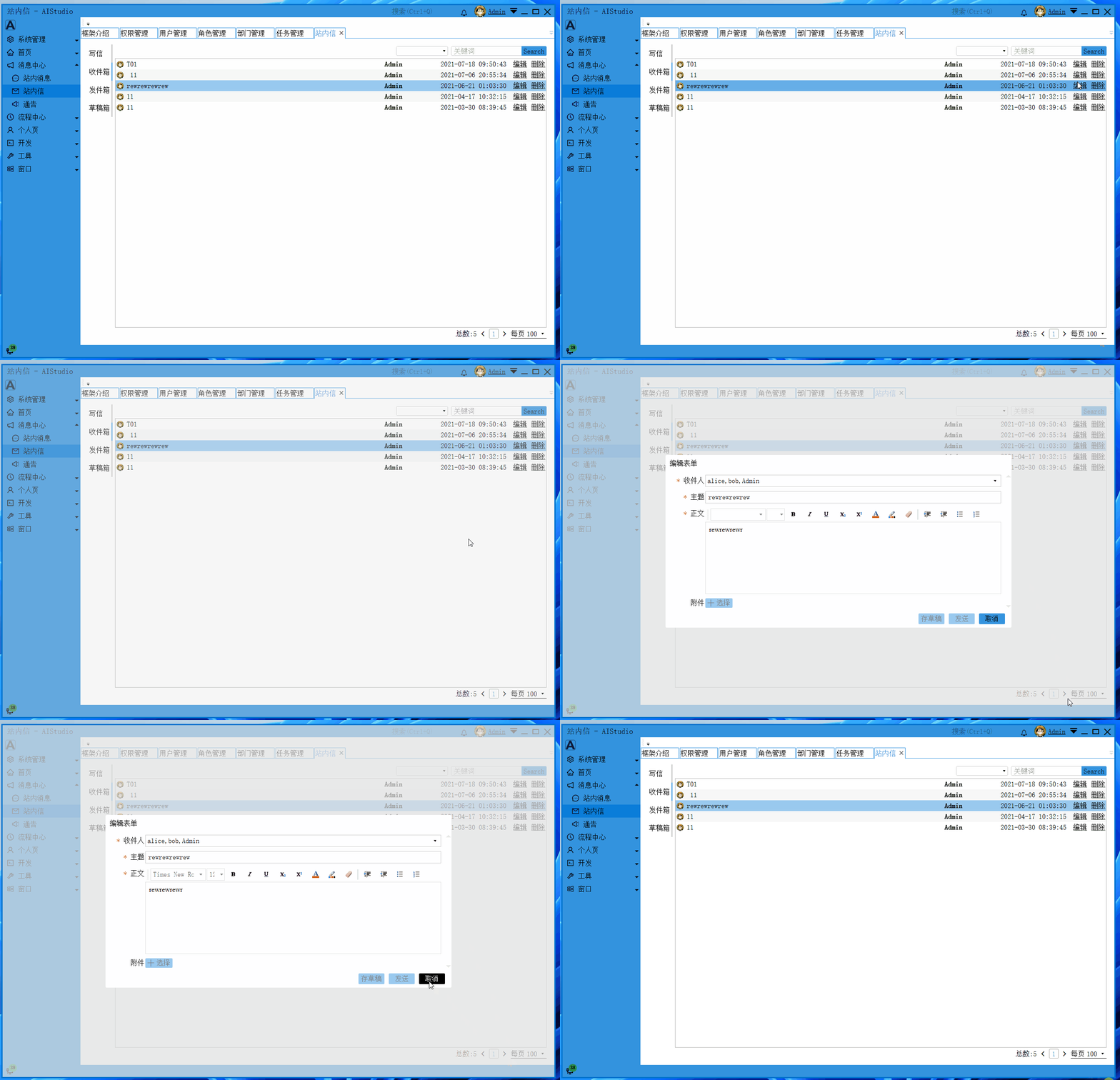
  • Internal Messages

Internal Messages

Featured Feature: Workflow Management

  • Workflow Management

Workflow Management

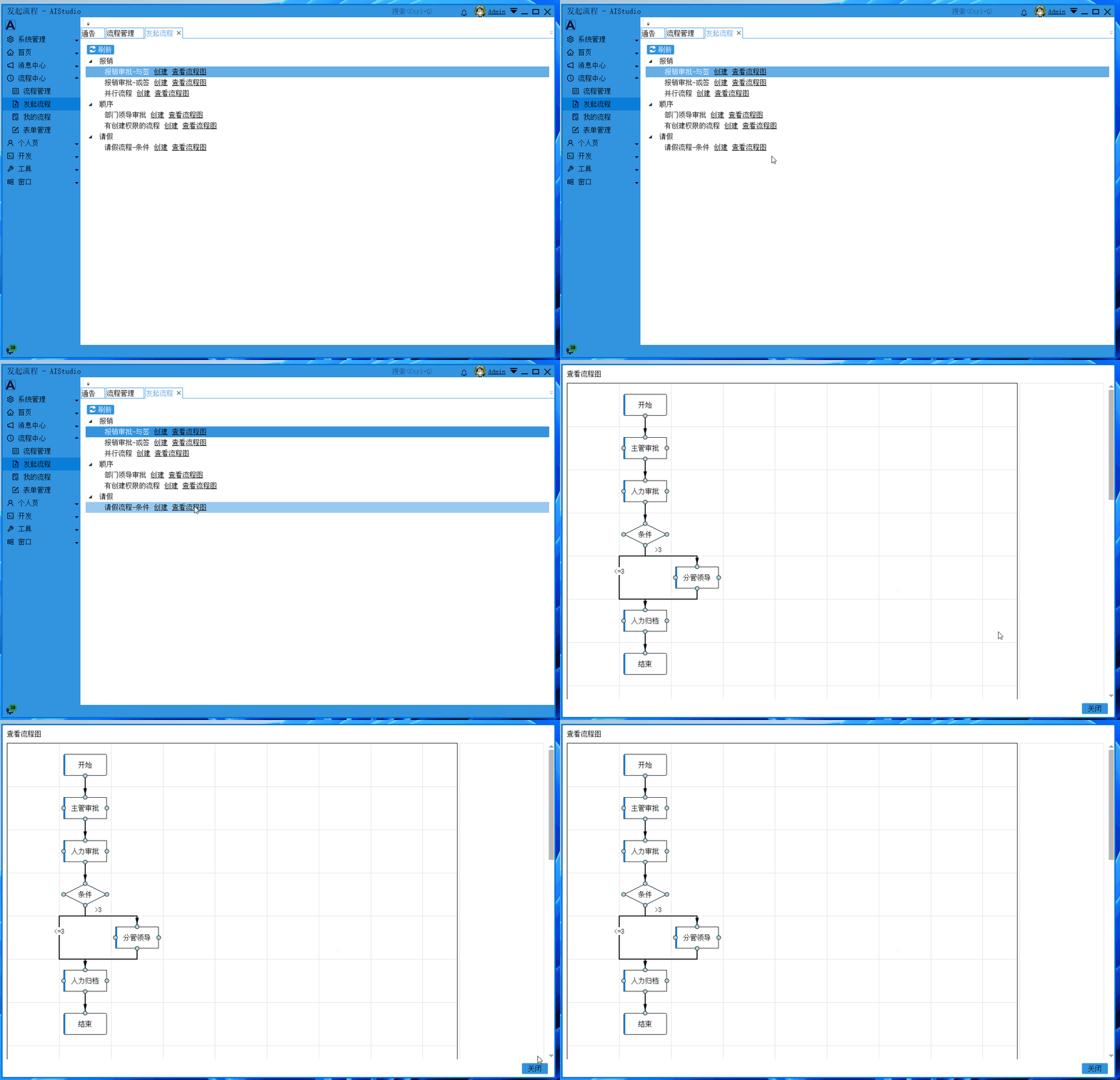
  • Initiate Workflow

Initiate Workflow

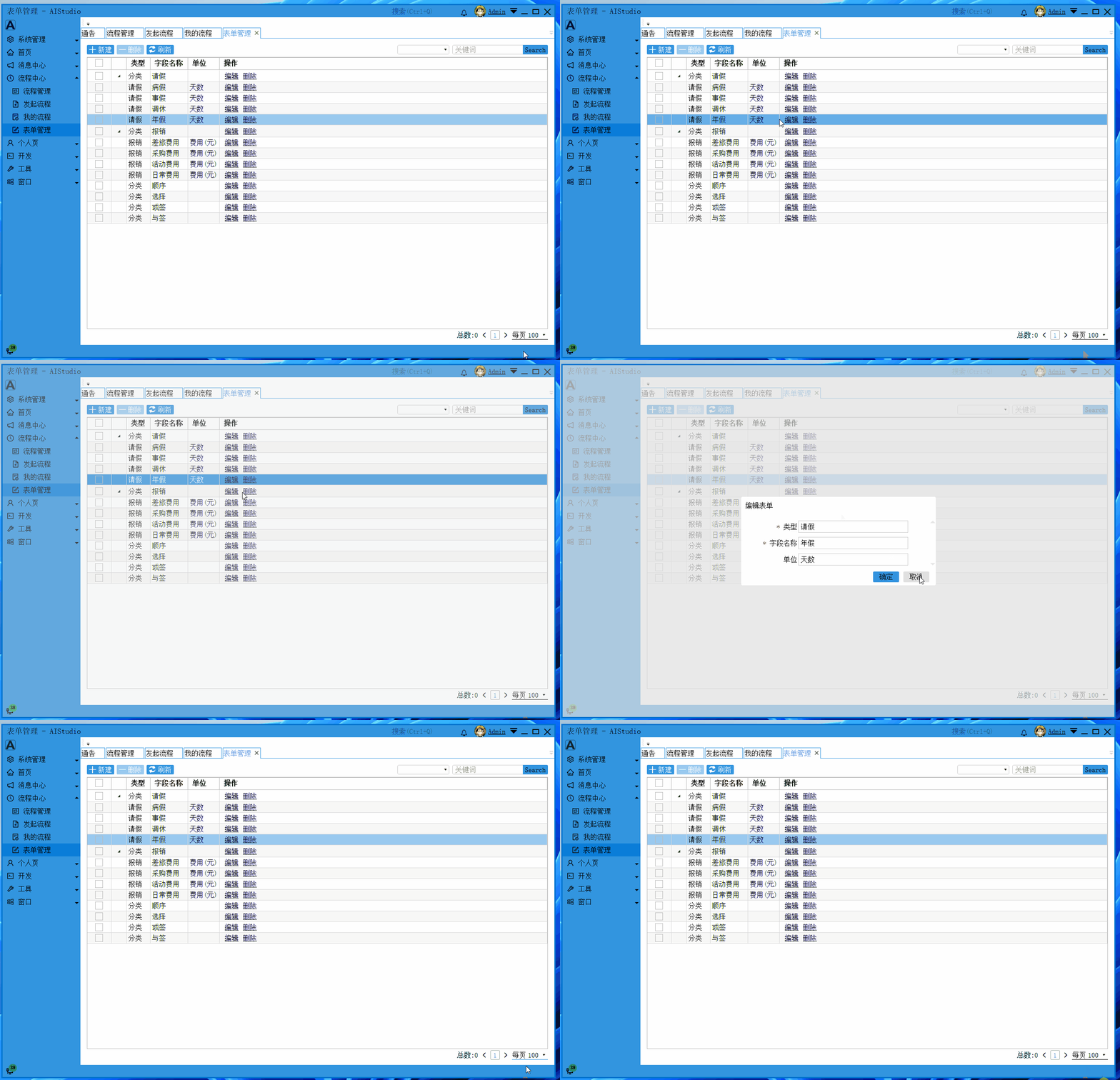
  • Form Management

Form Management

Technical Exchange with the Author

Author's WeChat: akwkevin

Author's QQ: 80267720

QQ Technical Exchange Group: 51286643 (Join the group to get the open-source server-side code address)

Personal Blog: https://www.cnblogs.com/akwkevin/

Project Repository Address: https://gitee.com/akwkevin/aistudio.-wpf.-aclient

Feel free to follow the author's Gitee account; there are other projects, such as the WPF open-source project: Workflow Canvas:

https://gitee.com/akwkevin/aistudio.-wpf.-diagram

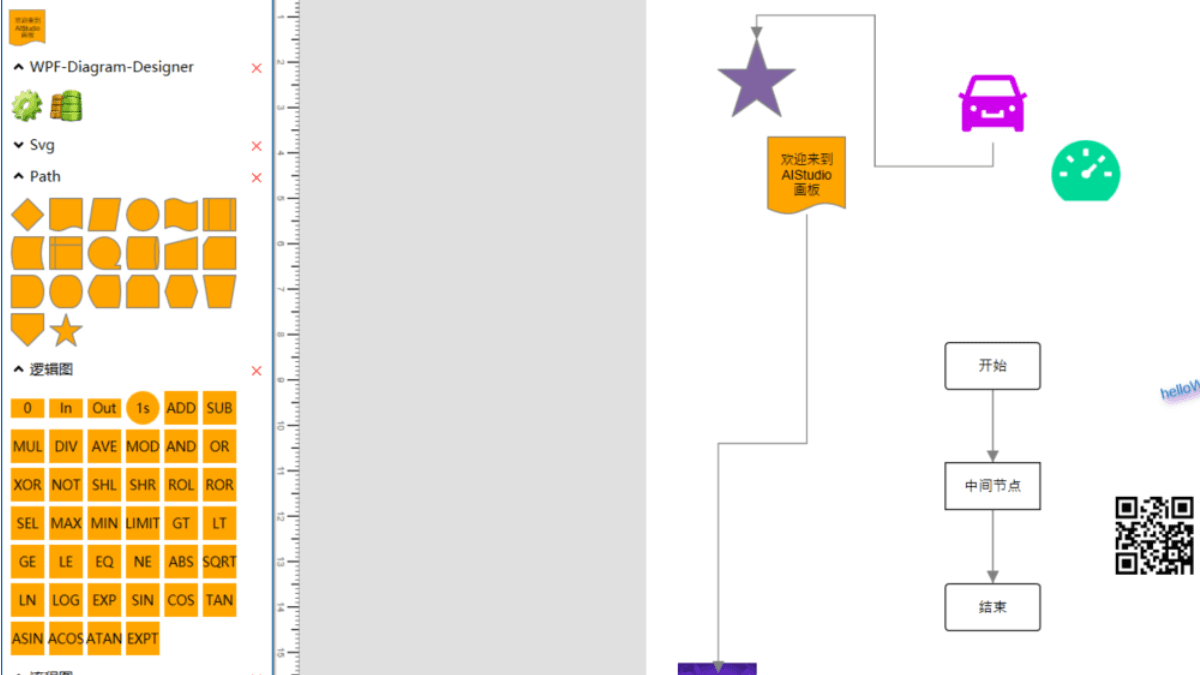
Here are a few screenshots of that project to conclude this article:

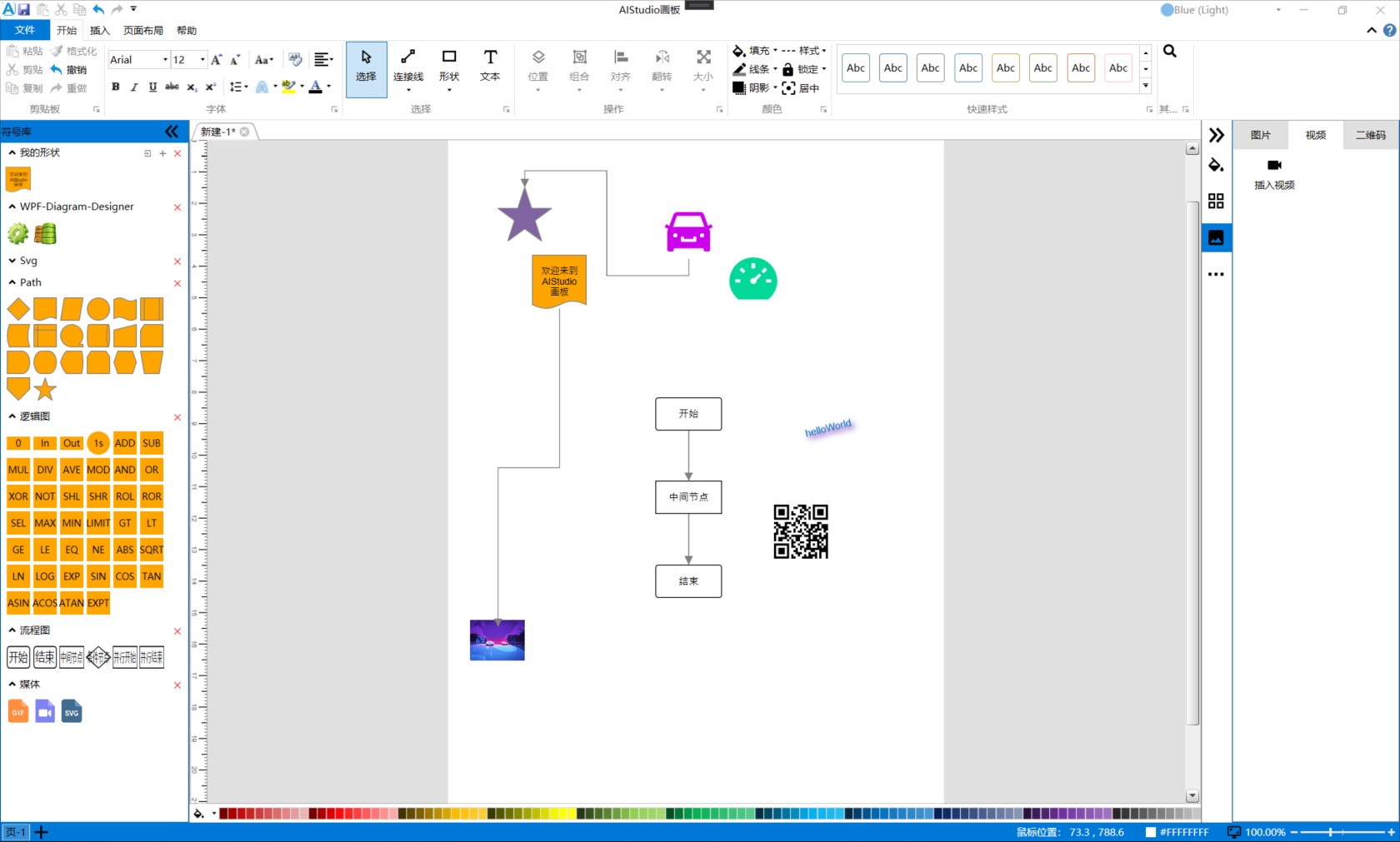
  • Canvas Editing

Canvas Editing

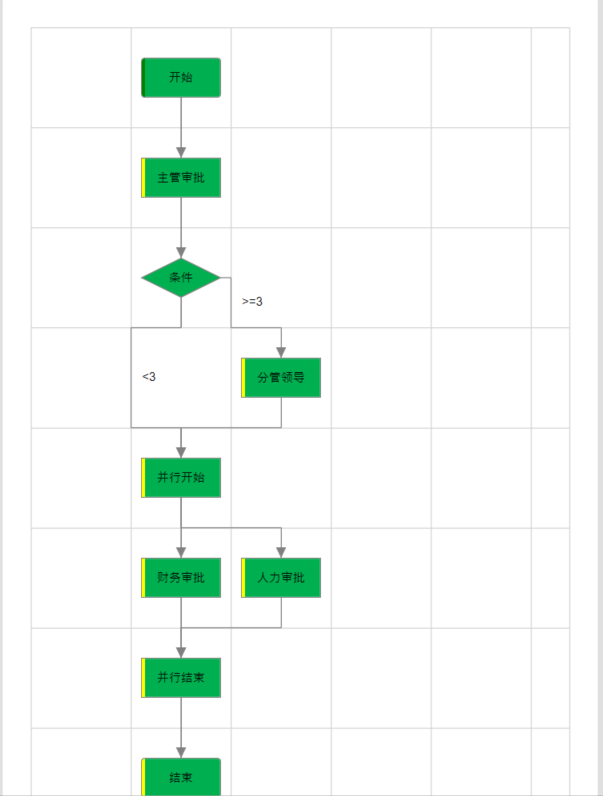
  • Flowchart

Flowchart

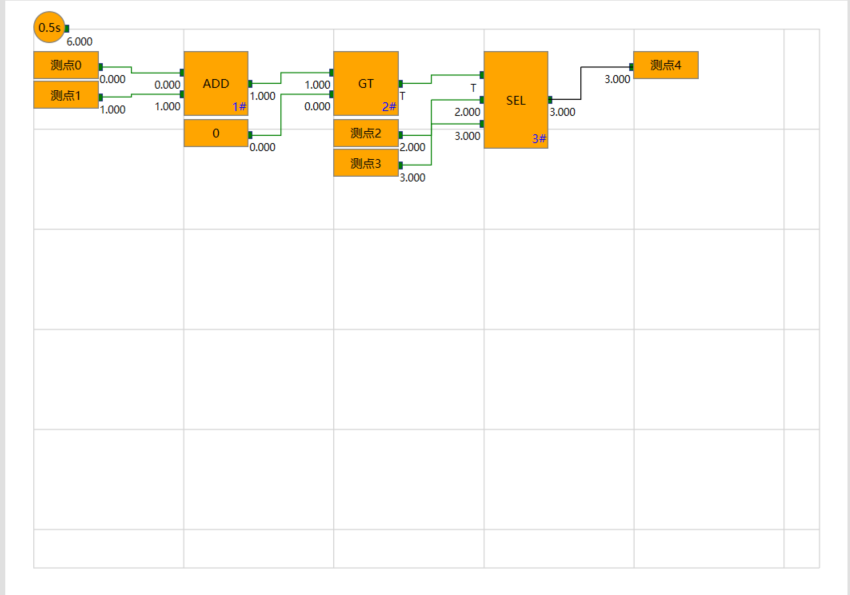
  • Logic Diagram

Logic Diagram

Keep Exploring

Related Reading

More Articles
Same category / Same tag 1/14/2022

End-of-2022 WPF Project Practical Collection Released

This video collection has a total of 58 episodes, covering the basics of WPF (layout, styles, resources, animations, templates, MVVM), concepts of Prism (Region, Navigation, DialogService, Module..), MaterialDesign integration, ASP.NET Core WebApi part (Entity Framework, deployment), client release, deployment, and other complete development processes.

Continue Reading