Vue + .NET Core Front-End and Back-End Separation: A Unique Rapid Development Framework (Vue2/Vue3 Versions Available)
Framework Core
- Rapid Development (All basic features generated by code generator)
- Supports custom business code extension for front-end and back-end, with extensive common extensions and base classes provided for the back-end
- Nearly 300 extension methods and properties available for front-end and back-end, allowing developers to write custom business code on top of these capabilities
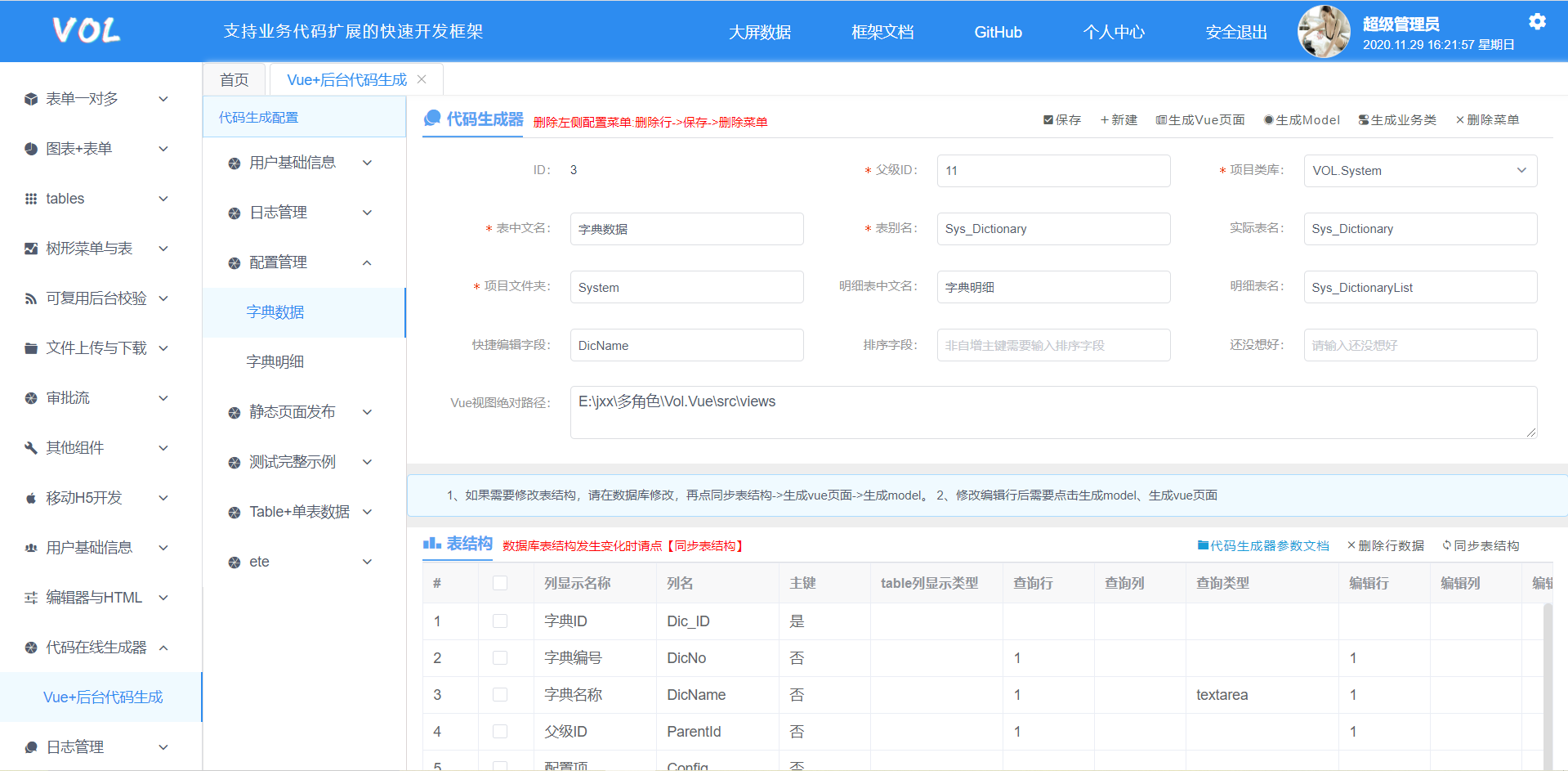
- Code Generation (Code generator can directly generate master/detail table business code for front-end and back-end, with over 30 configurable attributes online)
- Front-end table auto-conversion of key/value
- Front-end form select/checkbox auto-binding to data sources without any code
- Supports (master/detail table) one-to-one automatic generation of front-end and back-end code, with auto-binding of data sources and business code extension, requiring no code
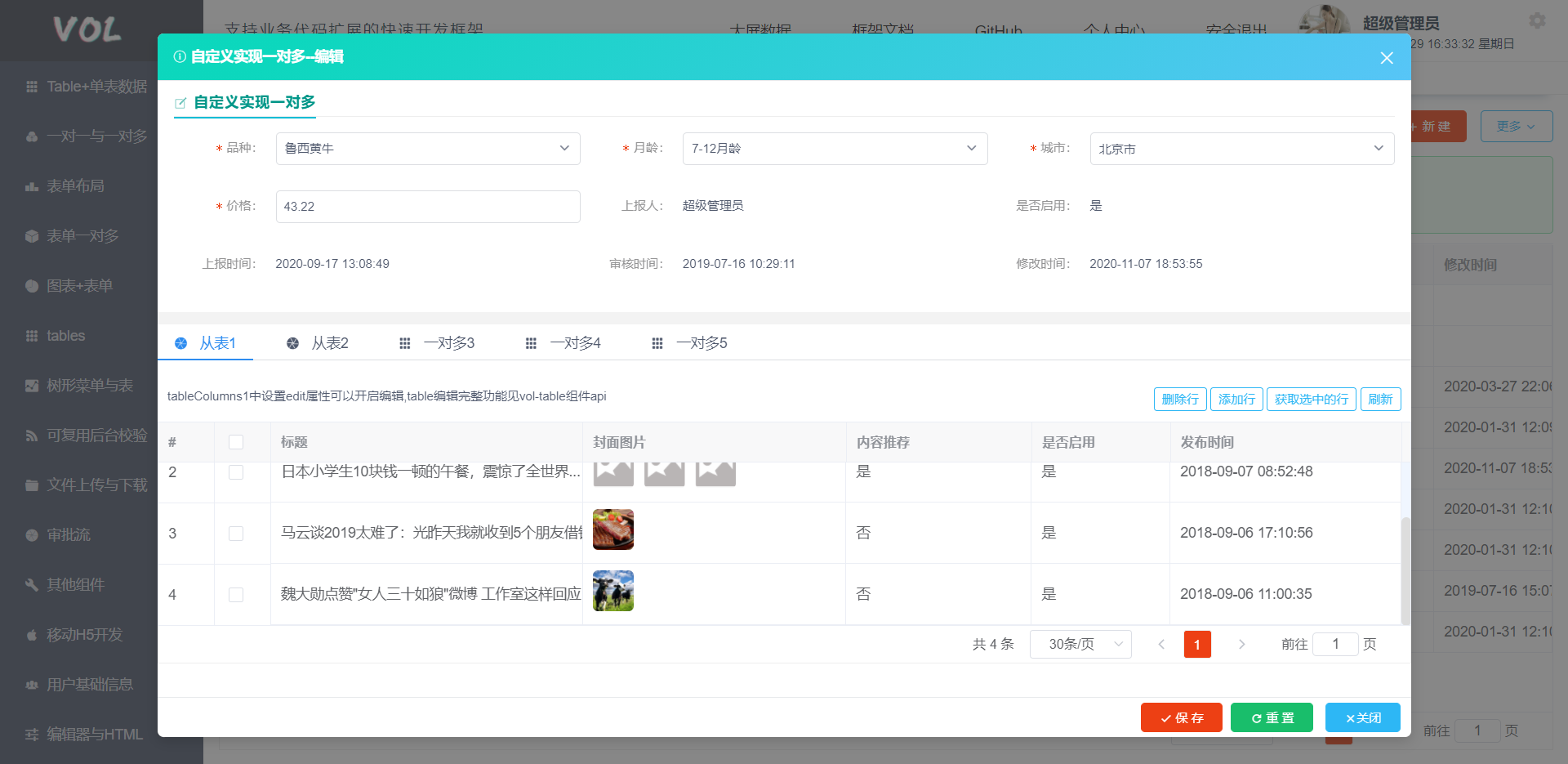
- Supports one-to-many detail table custom extensions (unlimited detail table types and quantity), easily implemented using extensions
- If you get comfortable with the framework, you can experience the feeling of not needing 996 (long work hours) and less hair loss _
Framework Scope of Application
- Front-end and back-end separation projects
- Writing various back-end RESTful API interfaces. Back-end base code is generated by the code generator; continue writing business logic on top of the generated code
- Front-end form development (just look at the demos to get started)
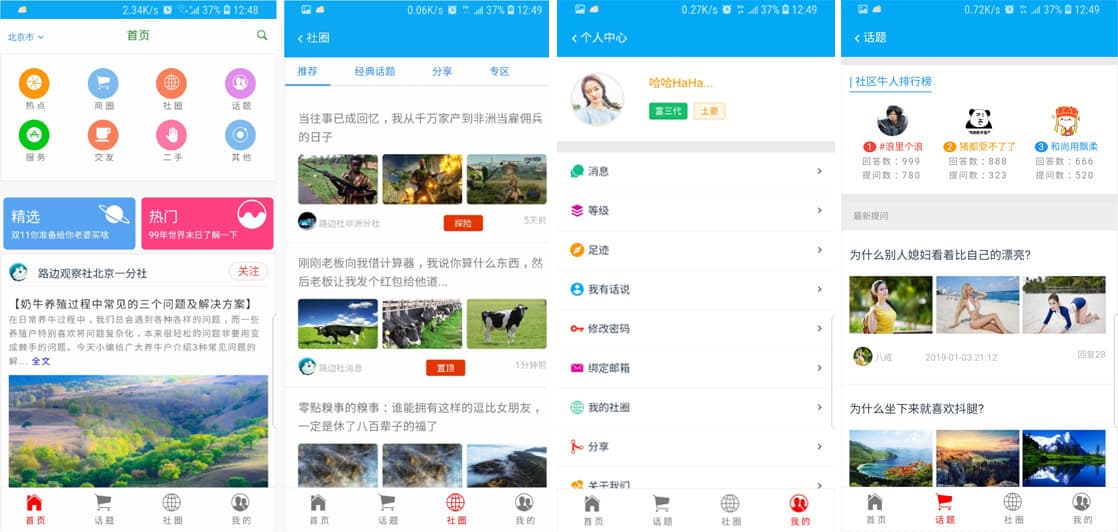
- Used with apps for H5 or full H5 development
- Publishing static (H5) pages; the framework already provides demos
- Customizing and extending the code generator functionality beyond the existing capabilities to reduce repetitive work
Framework Development Dependencies
- Back-end: VS2019, .NET Core 3.1, EFCore 3.1, JWT, Dapper, Autofac, SqlServer/MySql, Redis (optional, defaults to built-in IMemoryCache)
- Front-end: VsCode, Vue2/Vue3 (webpack, Node.js - if not set up, search online: vue webpack npm), vuex, axios, promise, iview, element-ui
Vol Framework Videos
.NET Video Tutorial (Recorded by Microsoft MVP-ACE)
Project Startup & Getting Started
Vue2 Version
Vue3 Version
App/H5 Development
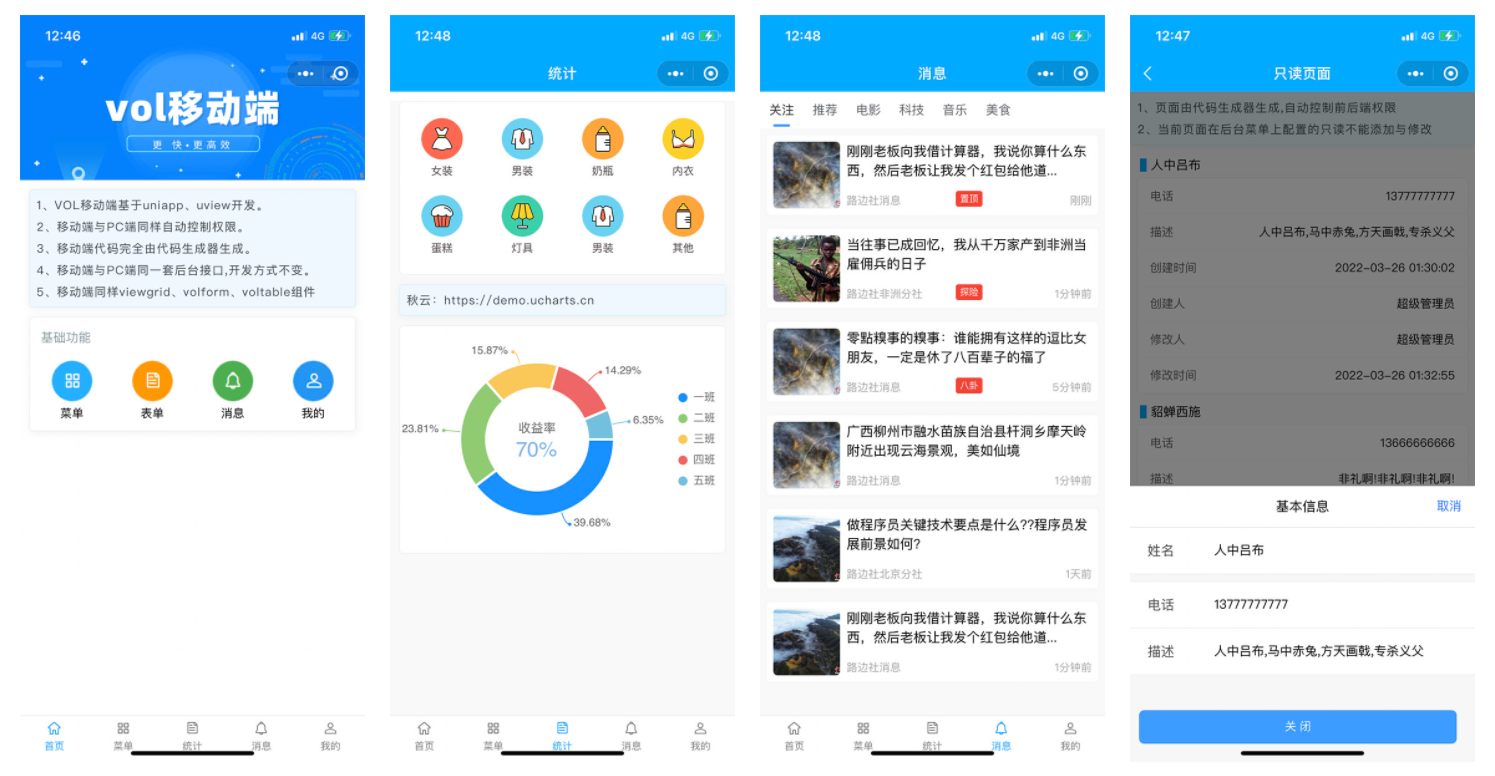
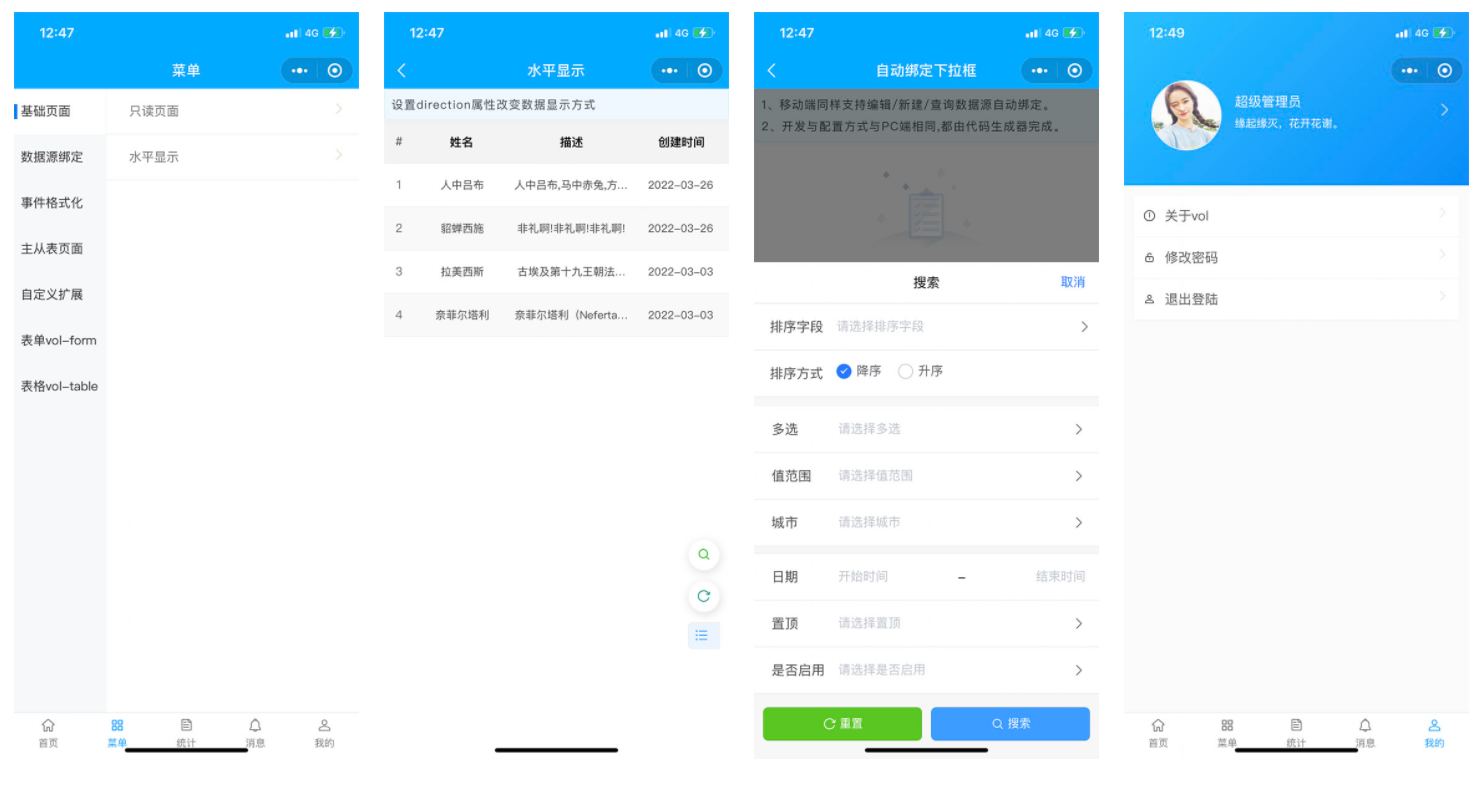
Framework Mobile Version (UniApp) Released – Also Fully Auto-Generated Code


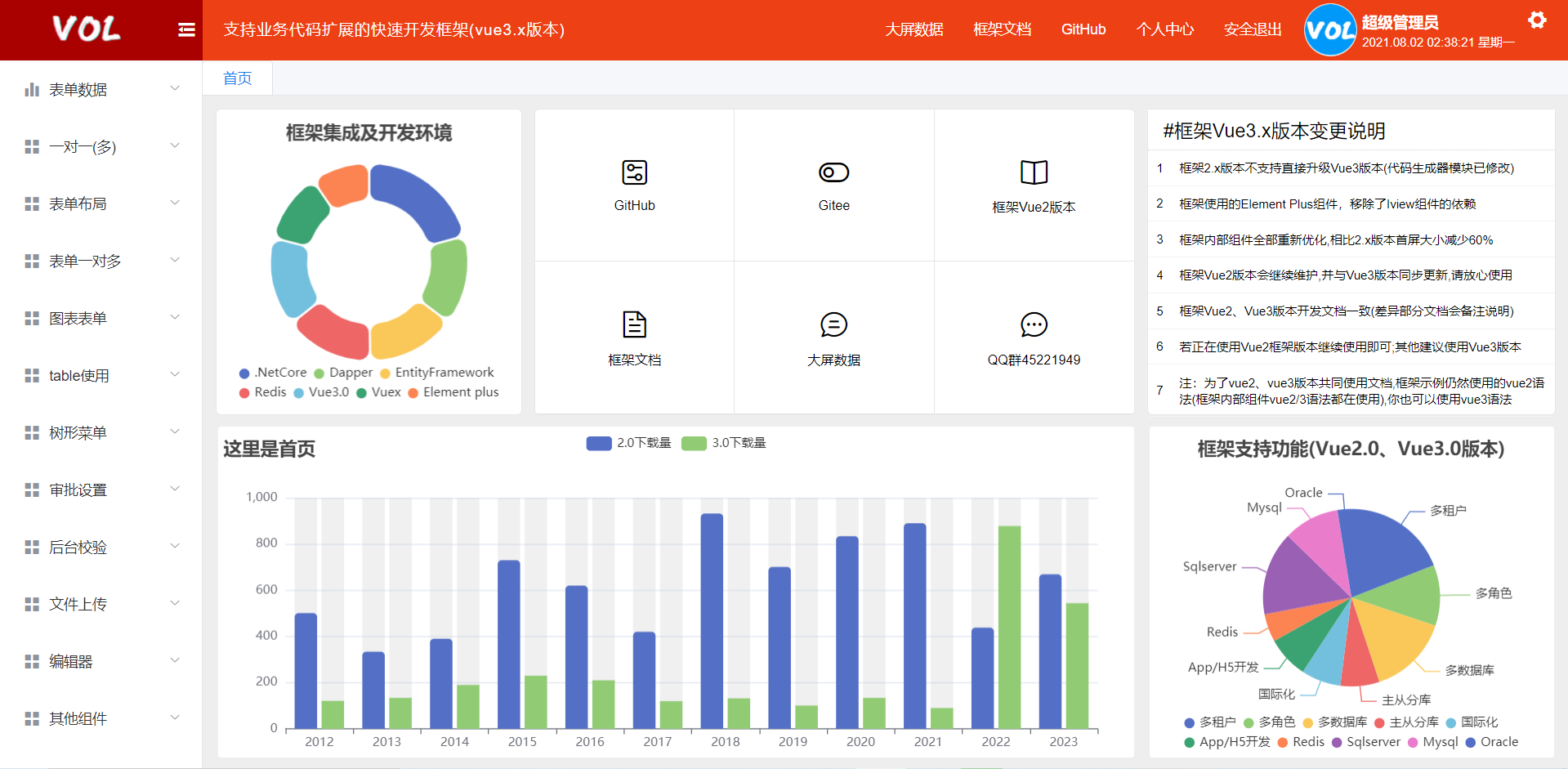
Framework Now Supports Vue3 Version

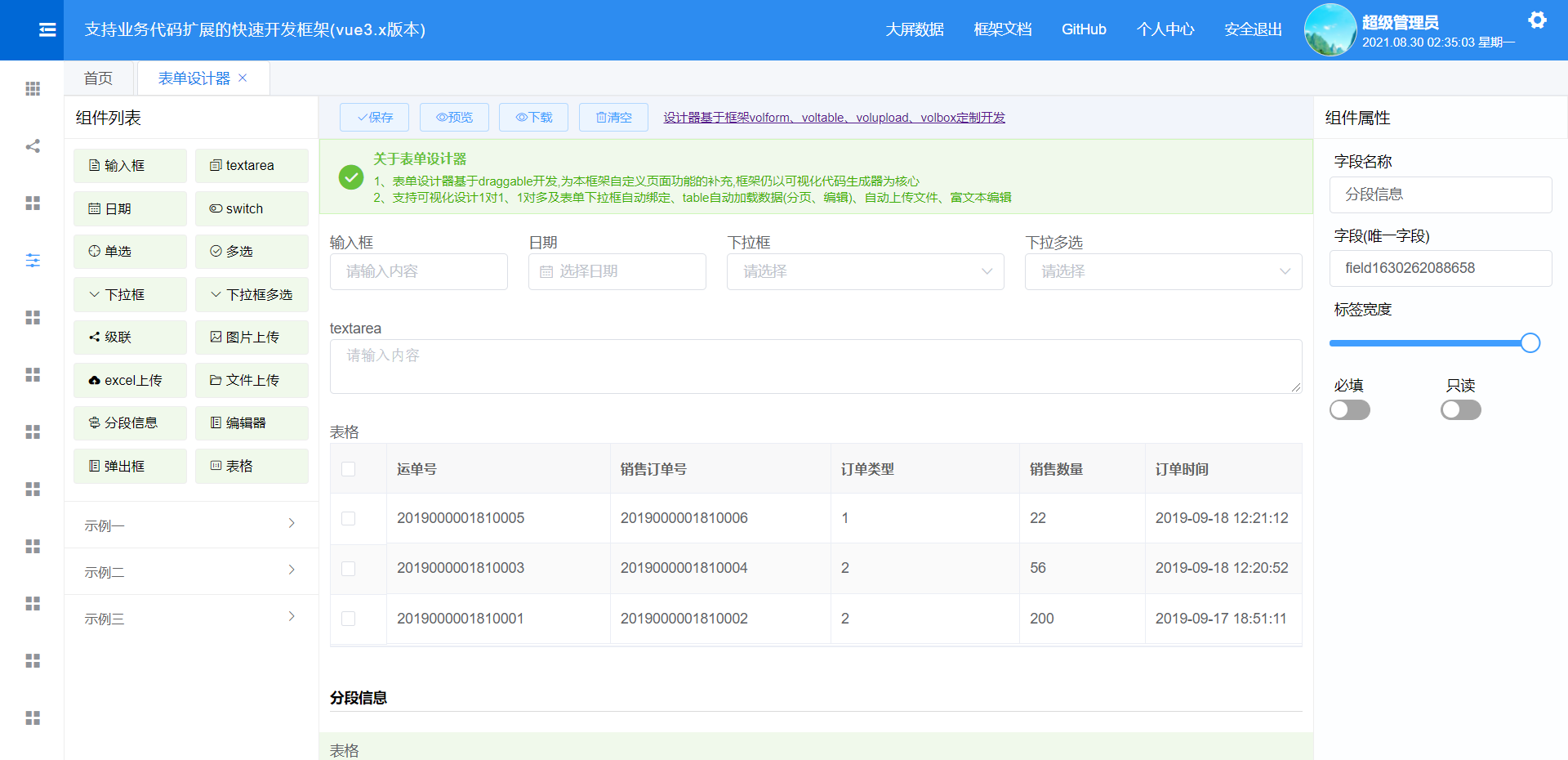
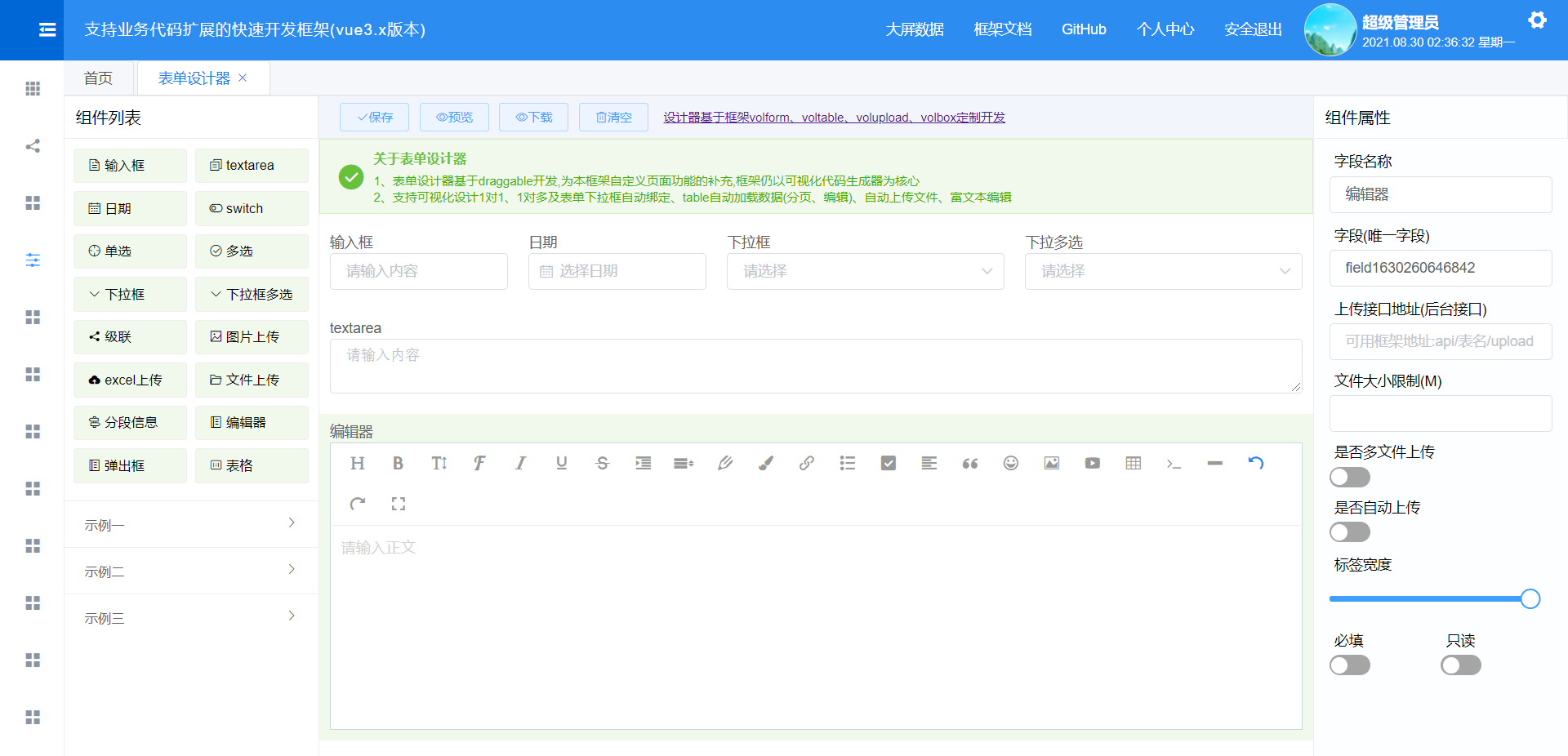
Framework Now Includes Low-Code Designer


Framework 2.0 Updated (Screenshots of New Features)
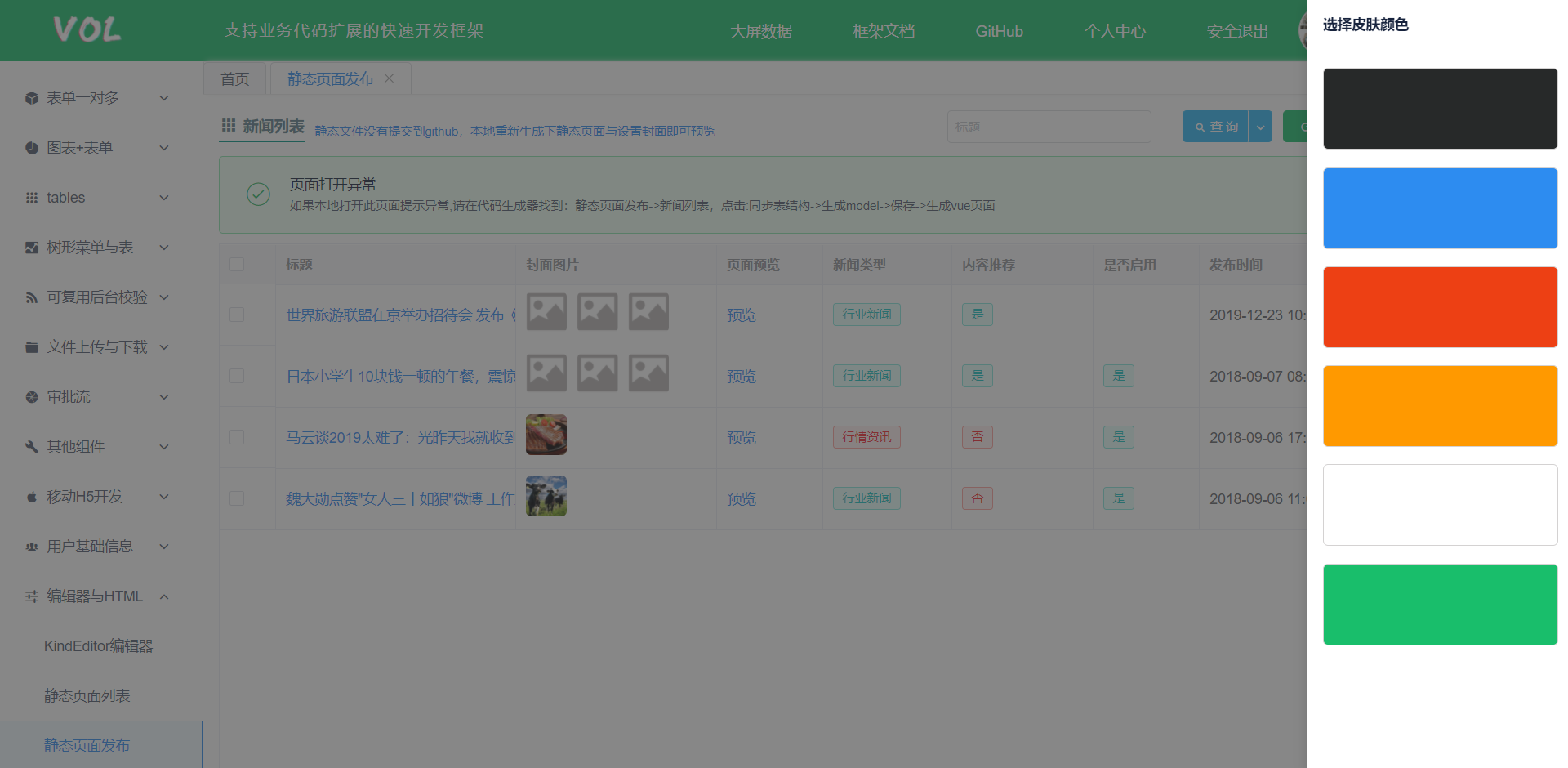
Added skin-switching functionality


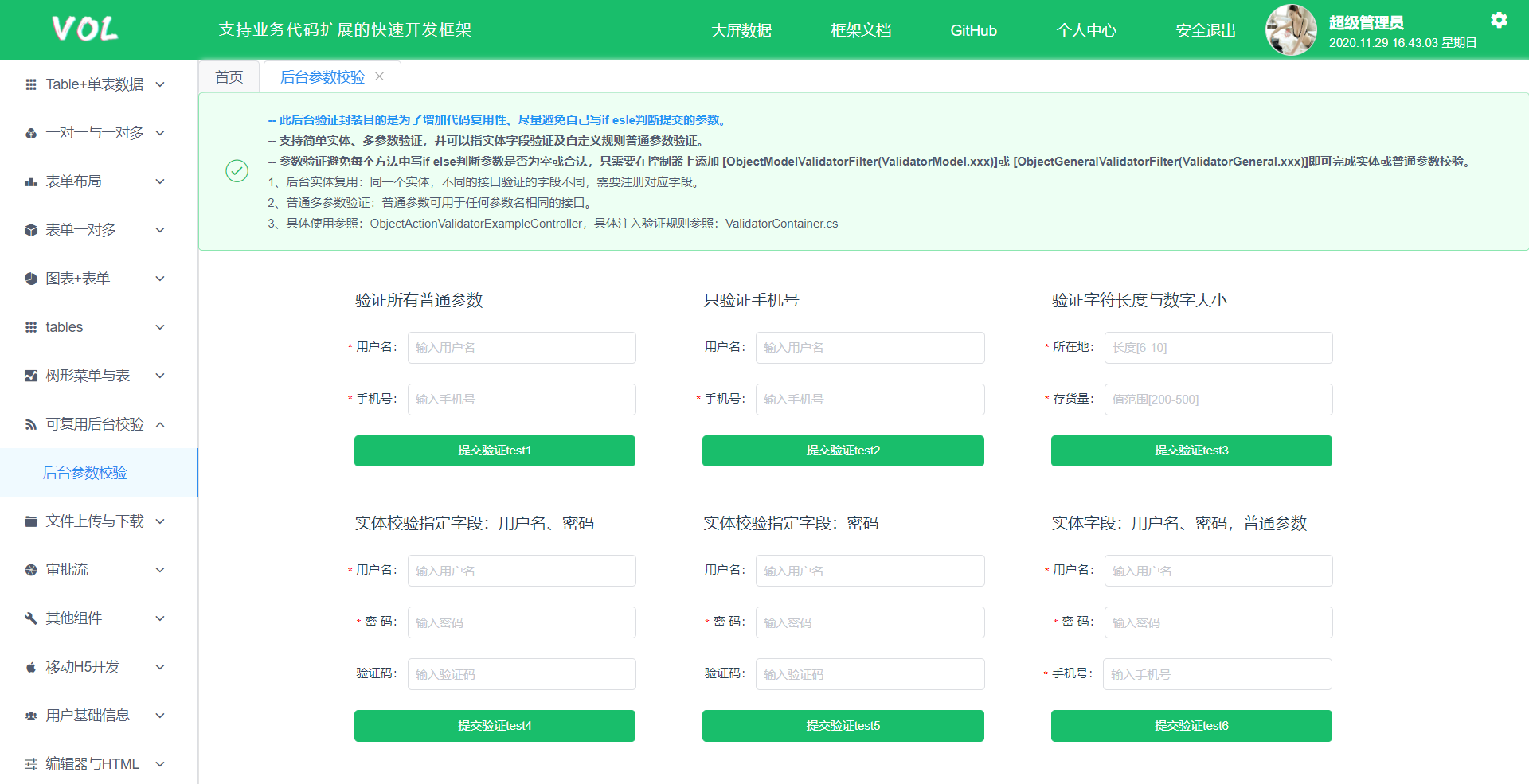
Added reusable back-end request parameter validation

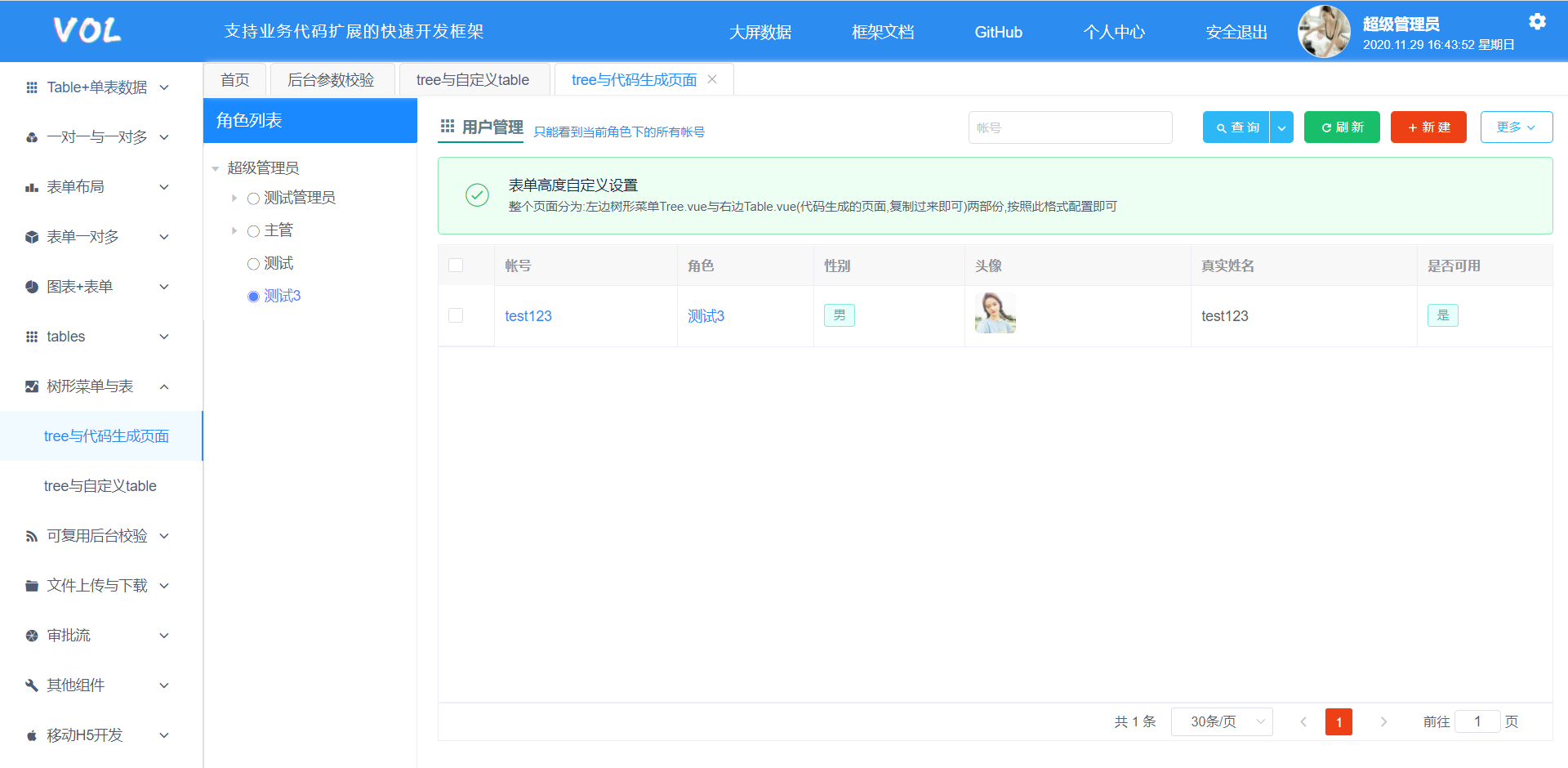
Added tree menu and use with code generation page

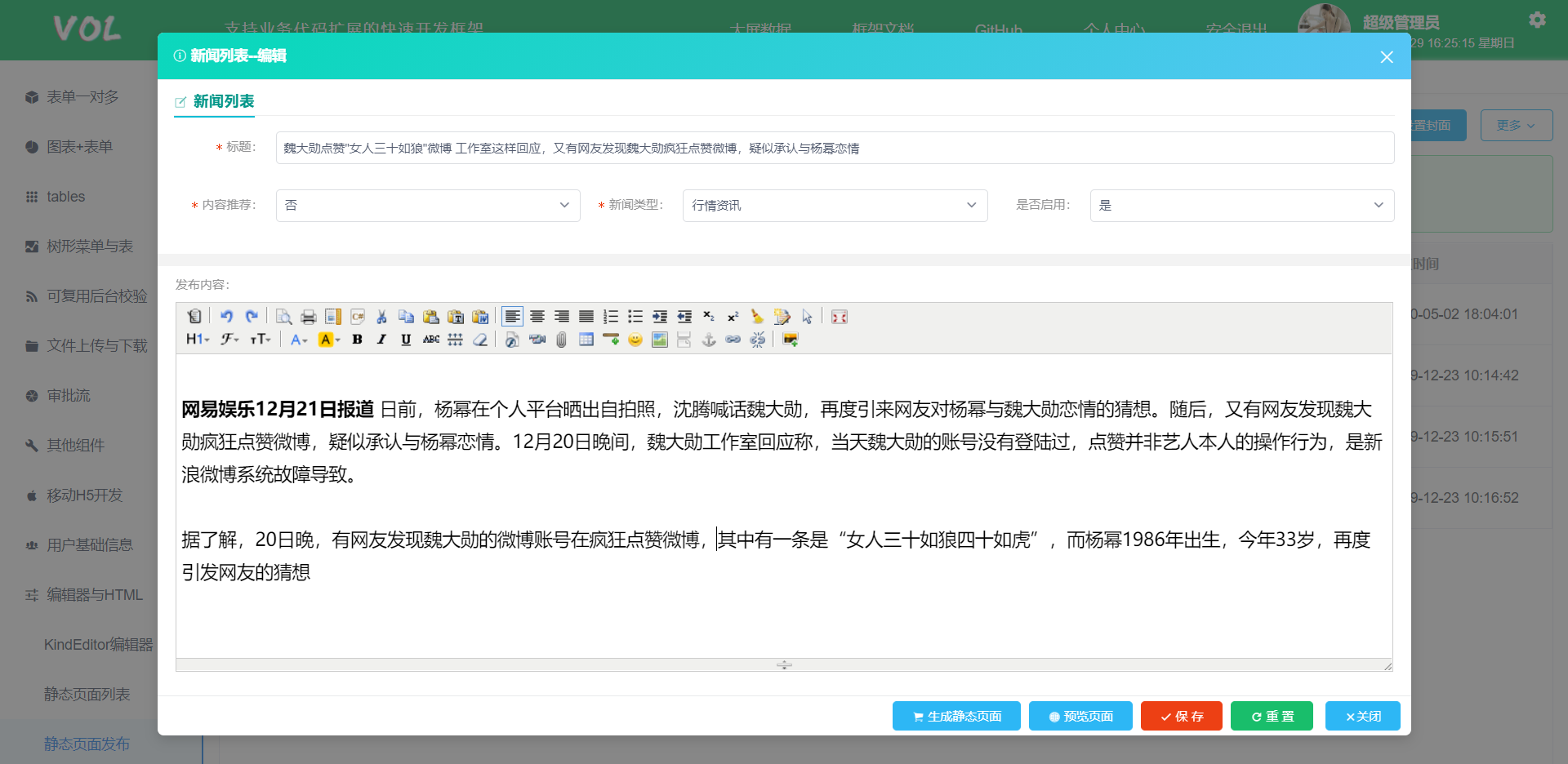
Added text editor for direct static page publishing

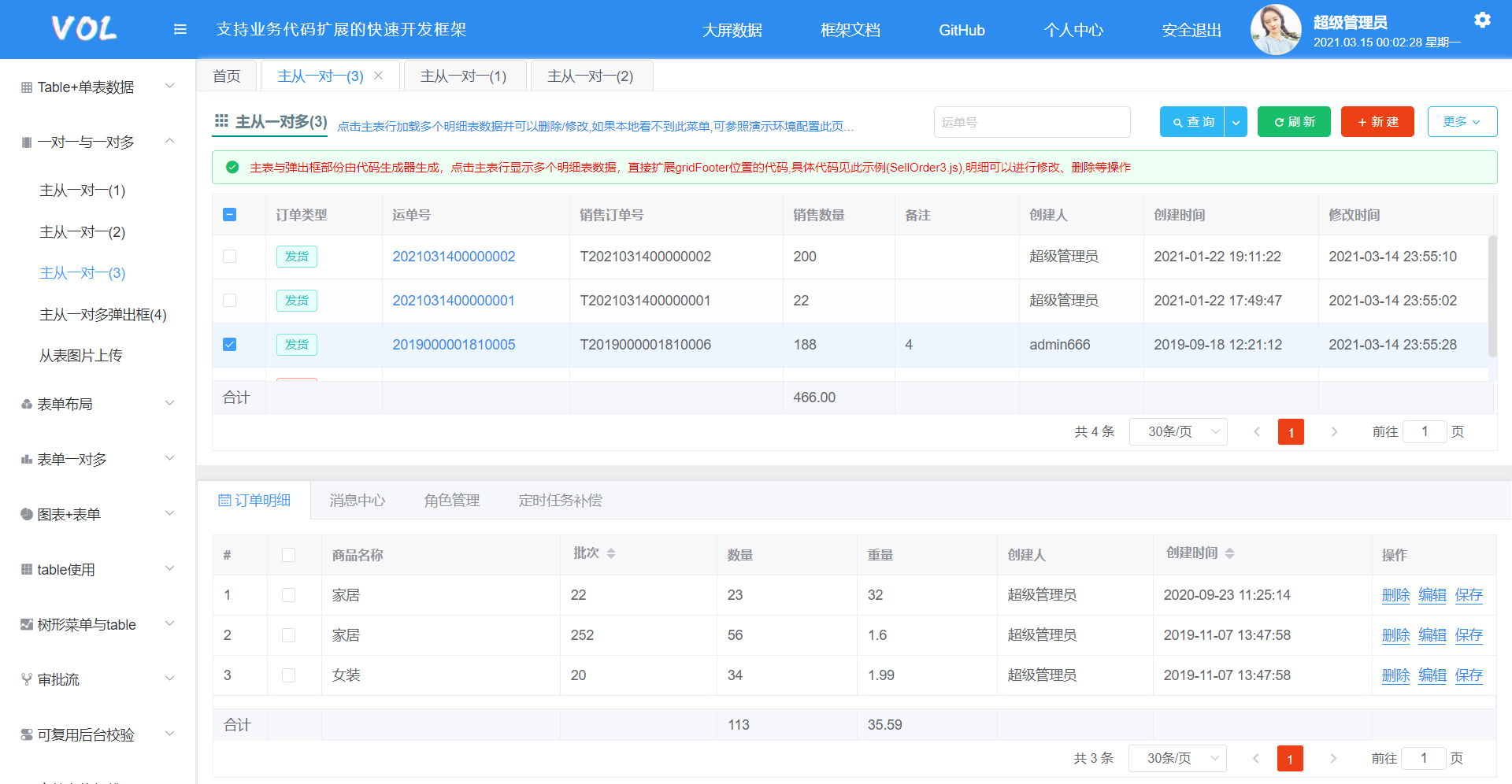
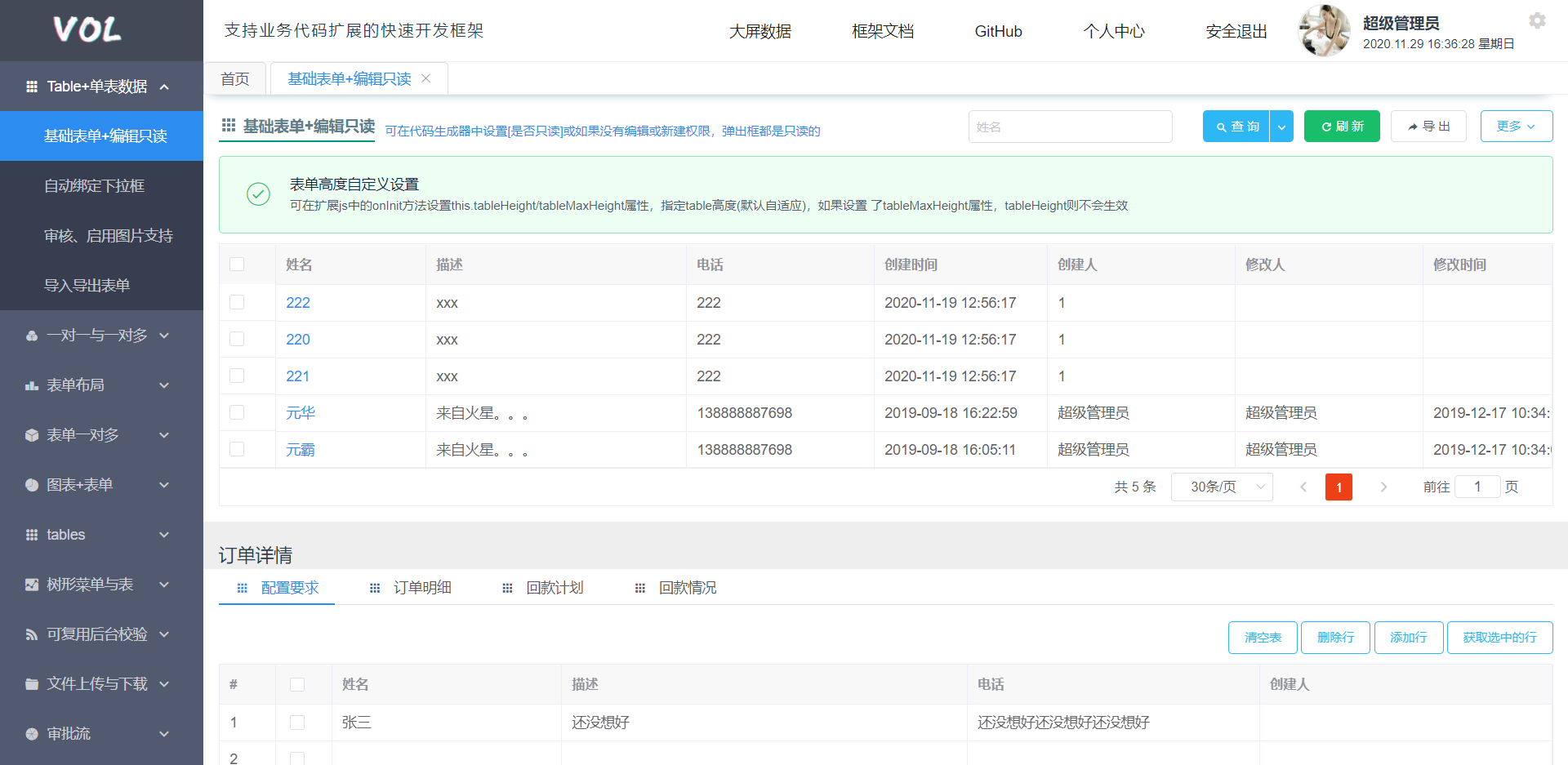
One-to-one multiple detail table display (requires minimal code; rest generated by code generator)

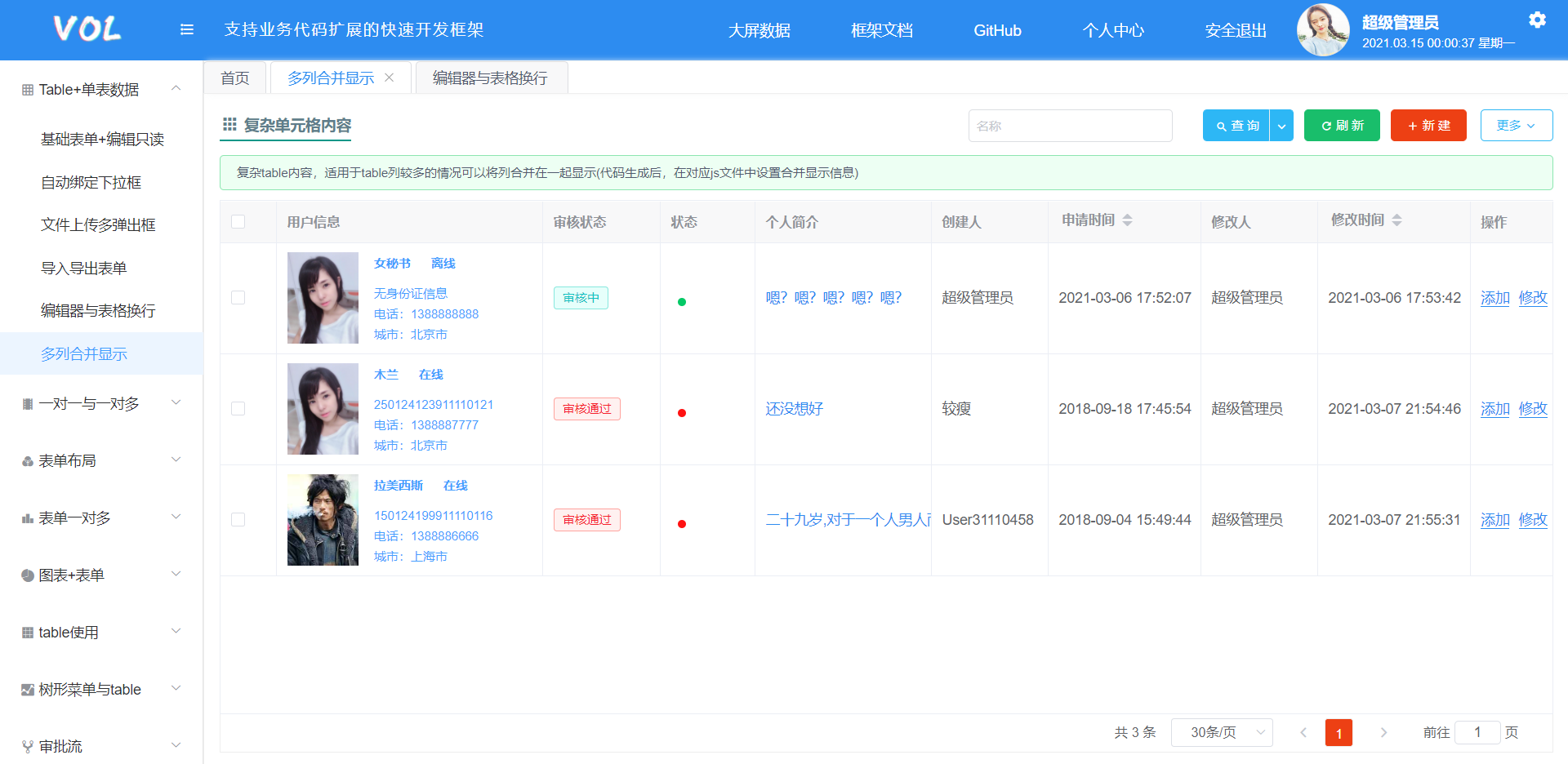
Table merge display (just a few lines of code to extend code-generator-generated pages)

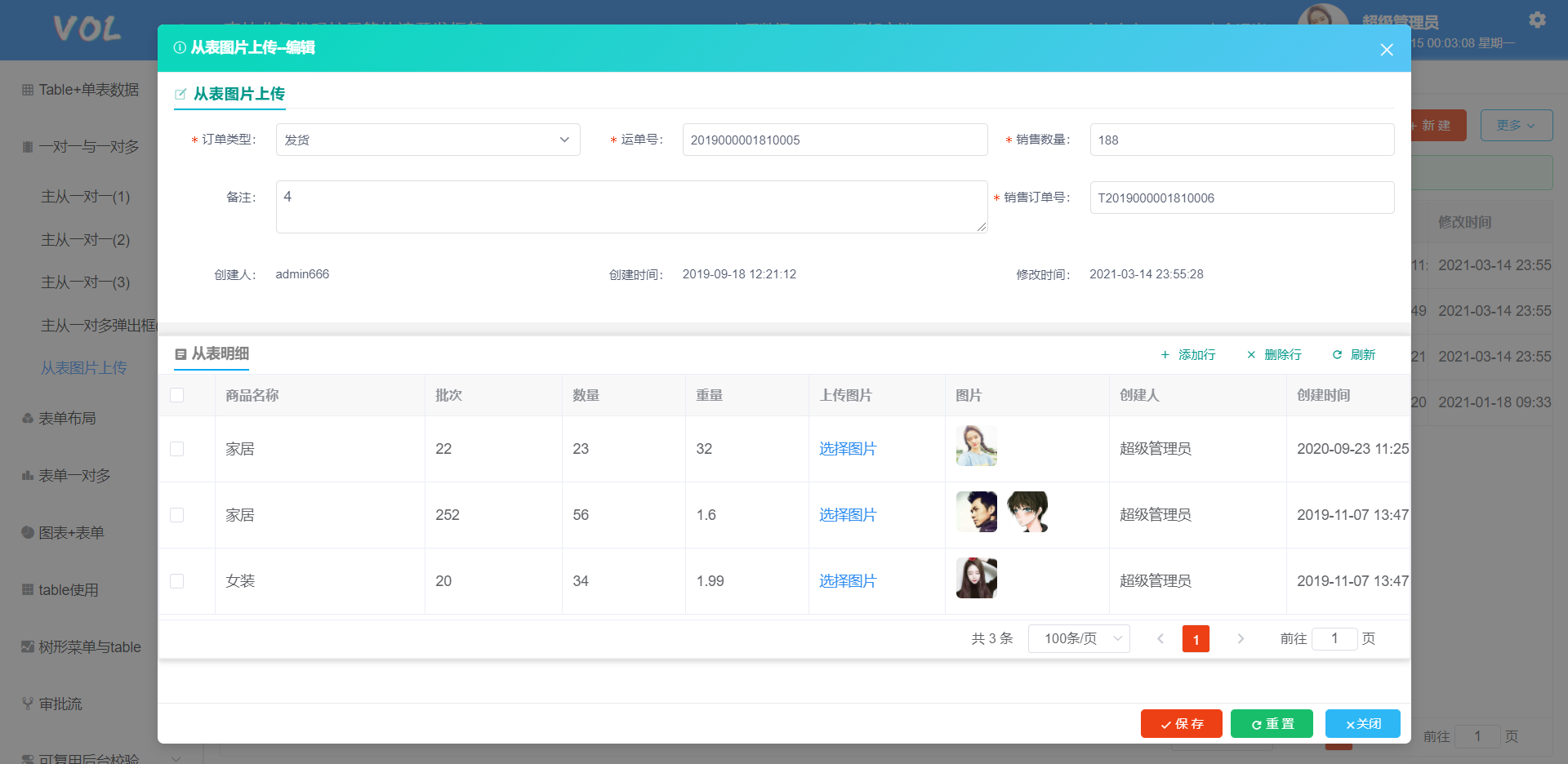
Image upload from child table (few lines of code for extension)

One-to-many detail table (unlimited number of detail tables) extensions

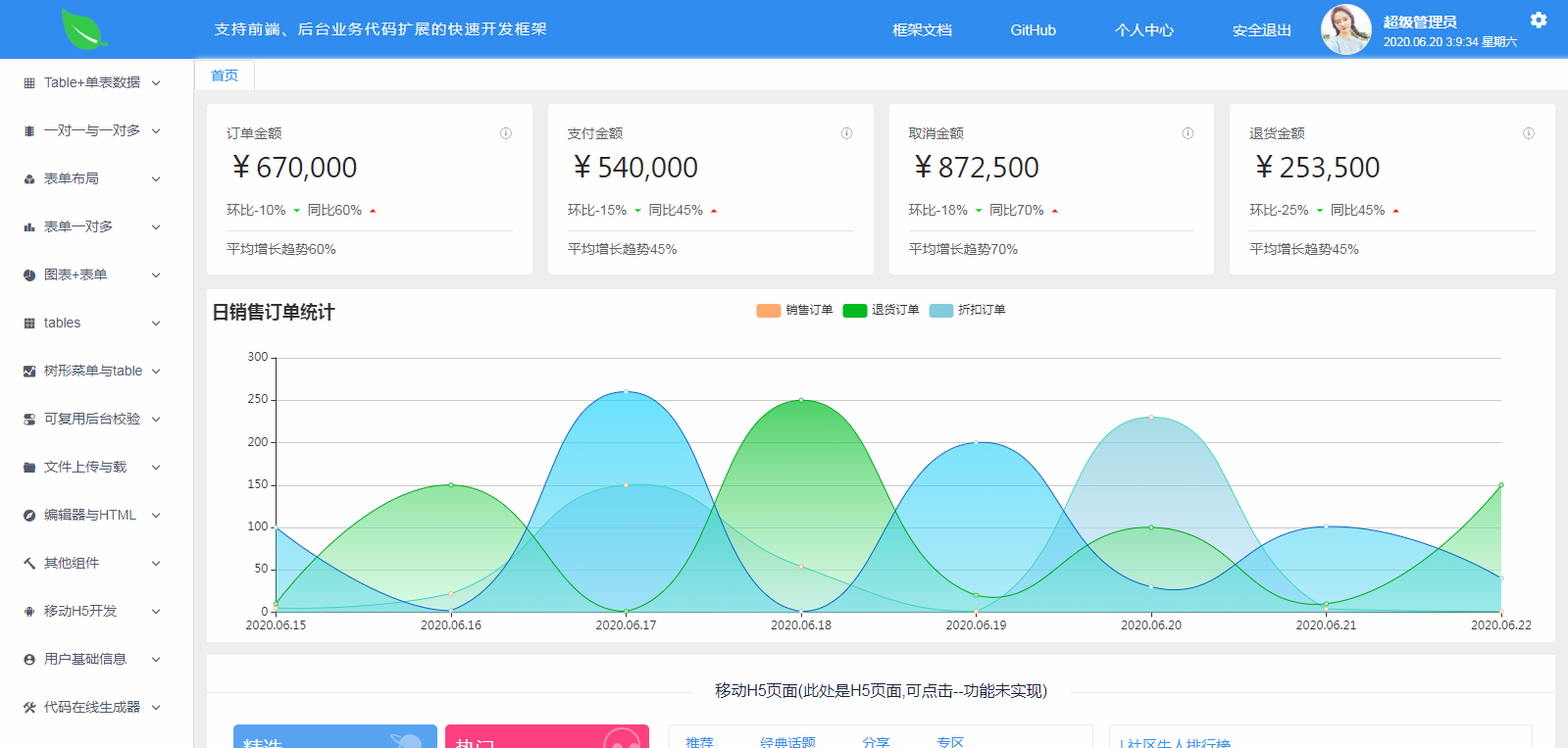
Charts

1. Read-Only Basic Form
All front-end and back-end code for a read-only basic form is entirely generated by the code generator. Almost no configuration is needed in the code generator; business code extension is supported. After generating the code, just configure menu permissions.

2. Auto-Binding Dropdown Data Form
All front-end and back-end code for the auto-binding dropdown data form is generated by the code generator, with business code extension support. Just specify the data source ID in the code generator, and the page will automatically load and bind the data source on load.

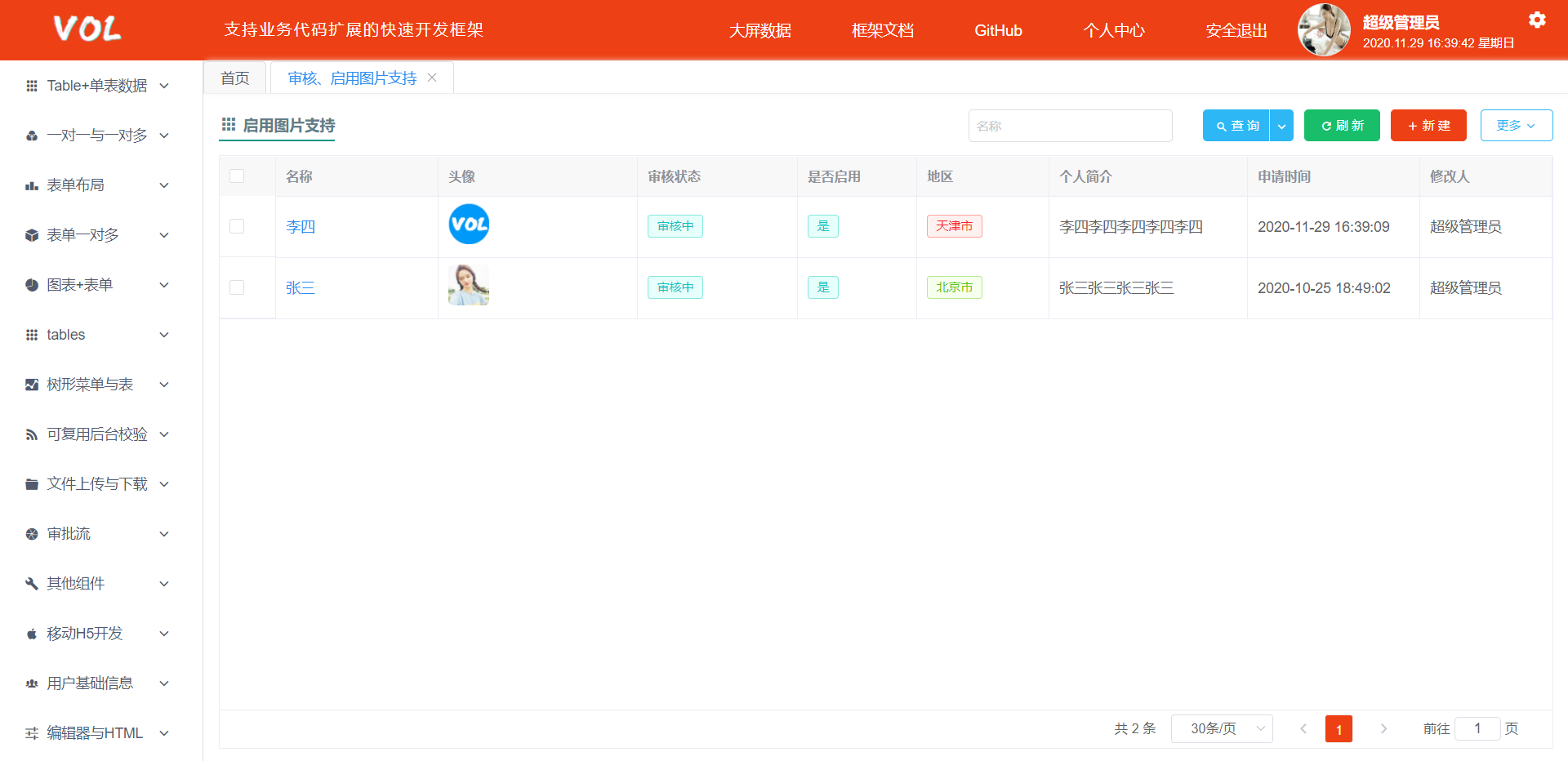
3. Image Support & Approval Form
All front-end and back-end code for the image support and approval form is generated by the code generator, with business code extension support. Approval functionality requires permission configuration in the menu; enable image support in the code generator.

4. Advanced Search
All front-end and back-end code for the form is generated by the code generator, with business code extension support. Search fields, types (dropdown, date, TextArea, etc.), row/column positions are all configured in the code generator – no code needed.

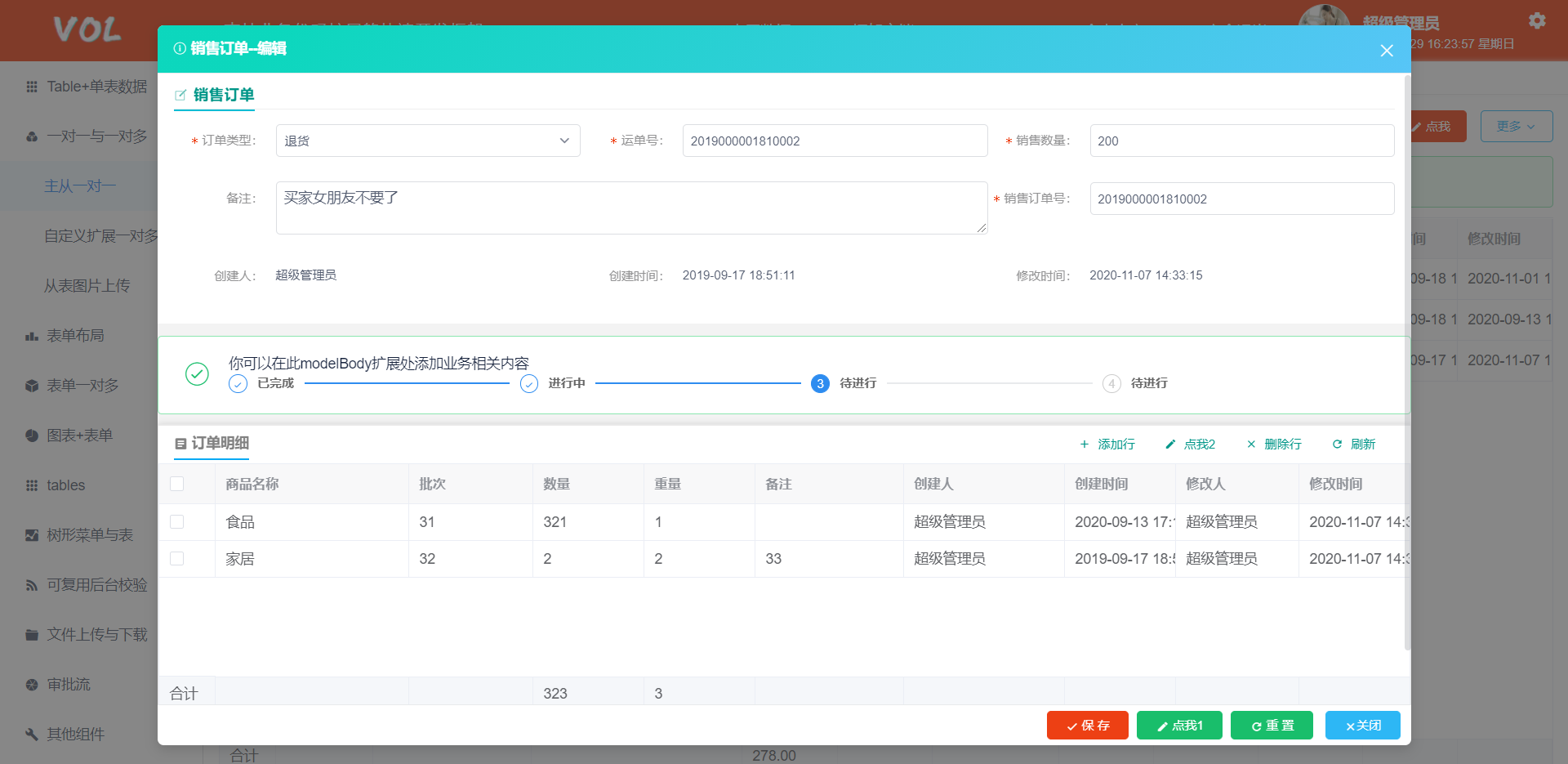
5. Master-Detail Table Create/Edit
All front-end and back-end code for master-detail table create/edit is generated by the code generator, with business code extension support. Details such as detail table configuration, fields, types (dropdown, date, TextArea, etc.), row/column positions, field read-only state, label display length are all configured in the code generator – no code needed.

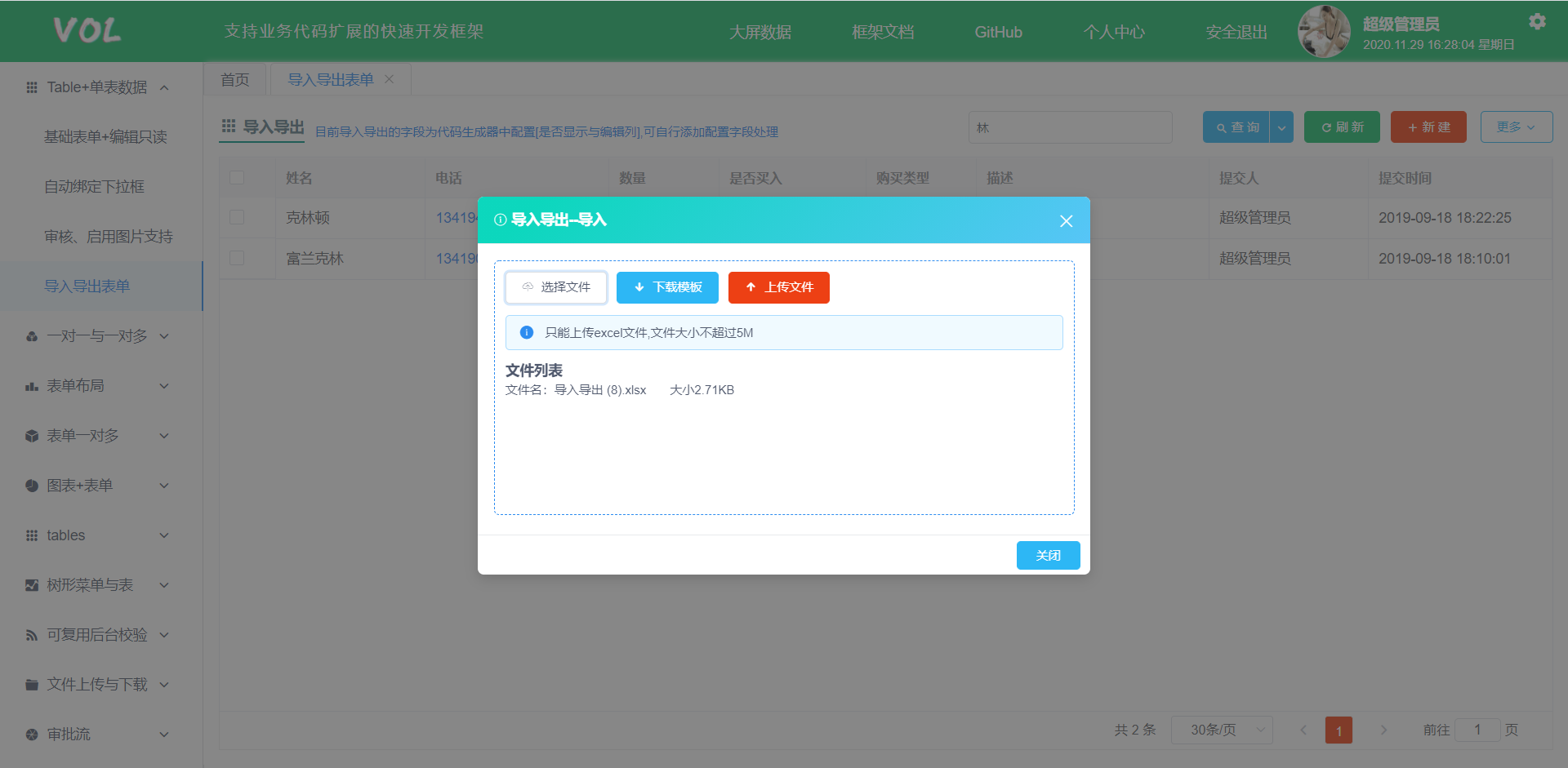
6. Excel Import
The entire Excel import page is generated by the code generator. Import fields, whether a field is required, and download templates are also configured in the code generator (decide whether to use this method based on actual needs). The import will validate for empty values and data legality; custom logic validation can be implemented as extension methods.

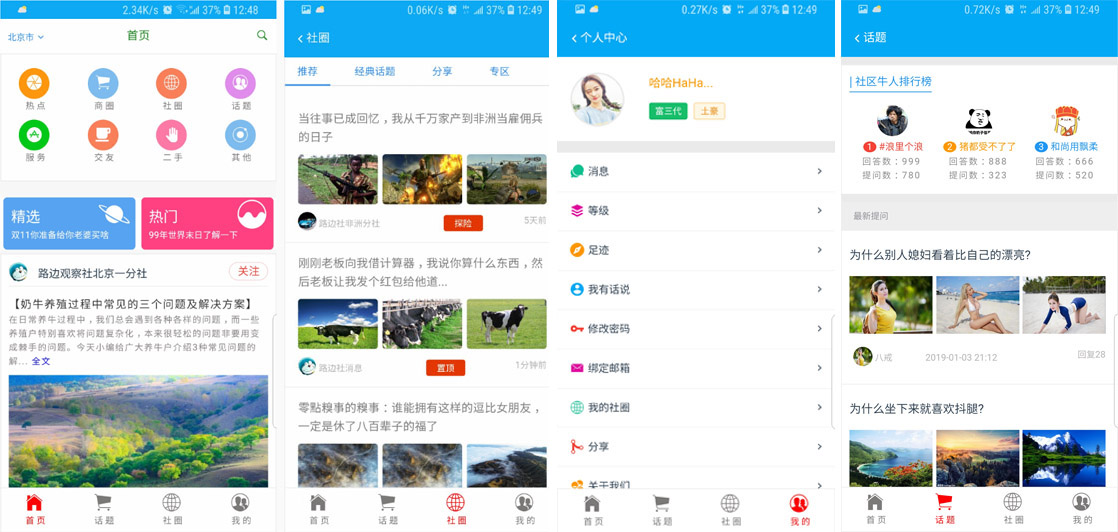
7. H5 Development

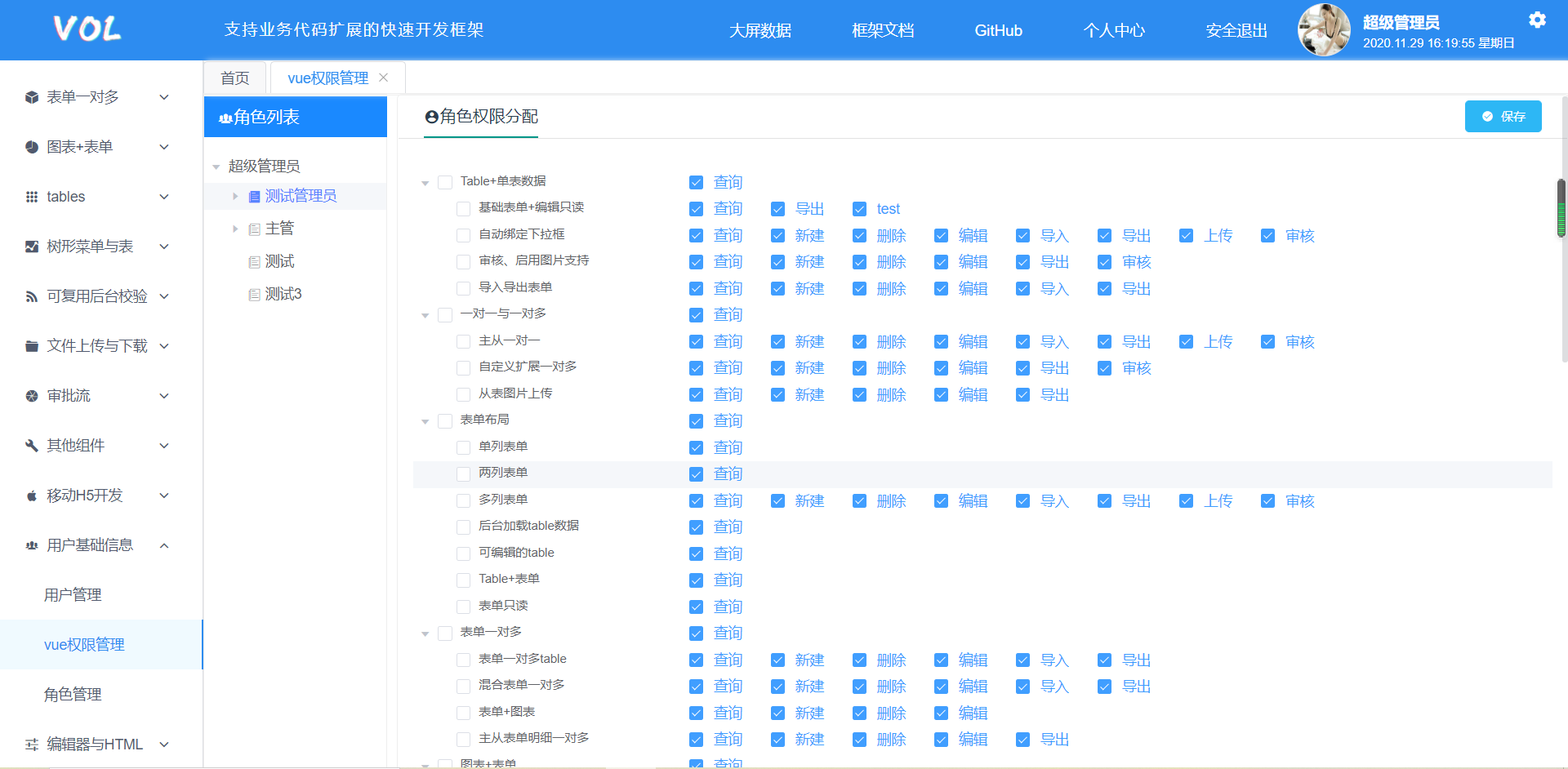
8. Permission Assignment
Currently, only action-level permissions for user roles are implemented.

9. Code Generator
The code generator provides over 20 configurable attributes for flexible configuration of display, search, edit, import, export, master-detail relationships, and more. Click for code generator documentation

Other features...
Framework Preview
- The framework includes a large number of reusable common components and a custom-developed code generator based on the framework itself to minimize repetitive coding.
- The framework is not just about rapid development; it focuses more on business code extension writing and code standardization.
- If you have any questions or suggestions, raise an issue or add QQ: 283591387
- QQ Group 1: 45221949
- QQ Group 2: 913189178
- Vue3 URL: http://www.volcore.xyz
- Vue2 URL: http://v2.volcore.xyz
- Account: admin666 Password: 123456 (Local super admin: admin Password: 123456)
- GitHub: https://github.com/cq-panda/vue.netcore
- Gitee: https://gitee.com/x_discoverer/Vue.NET Core
- Framework documentation: http://v2.volcore.xyz/document/guide
- Framework changelog: http://v2.volcore.xyz/document/log