

1. 名词解析
- 交互式
交互式是指输入代码后可直接运行该代码,然后持续输入运行代码。
- 交互式 .Net
.Net 是一种编译型语言,不像 python 这类的脚本型语言,可以边输入代码边运行结果。幸运的是,软微推出了 interactive 这个项目,使交互式 .Net 成为可能。
- 交互式 .Net 的作用
交互式 .Net 可以解析 markdown,执行本地指令,如 powershell,执行 .Net 代码,因此,非常适用于教案编写,或者关键代码记录。并且生成的 ipynb 文件可上传到 GitHub 等平台,非常方便查阅。
2. 安装设置
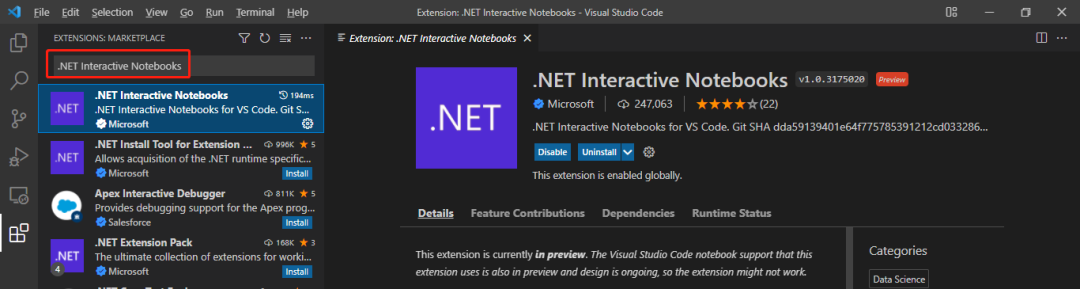
需要先安装 Visual Studio Code 和 .NET 5 及以上版本,然后在 Visual Studio Code 中安装 .NET Interactive Notebooks 插件,可以在 Visual Studio Code 中搜索 .NET Interactive Notebooks 进行安装:
3. 使用介绍
- 新建交互
使用热键 Ctrl+Shift+P,然后选择 .NET Interactive: Create new blank notebook`
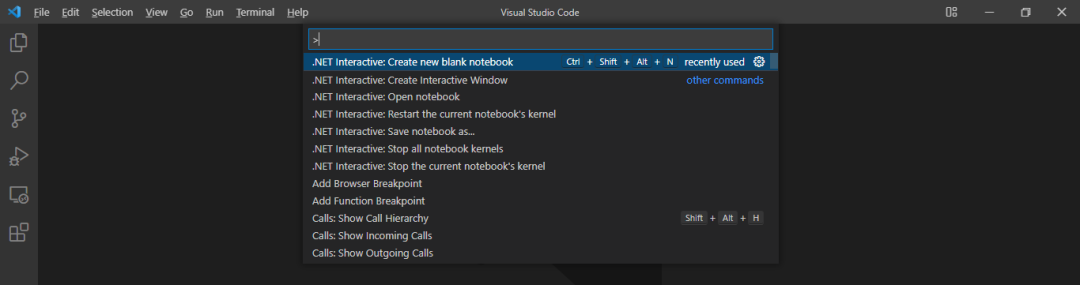
或者直接使用热键 Ctrl+Shift+Alt+N,然后选择 Create as '.ipynb'
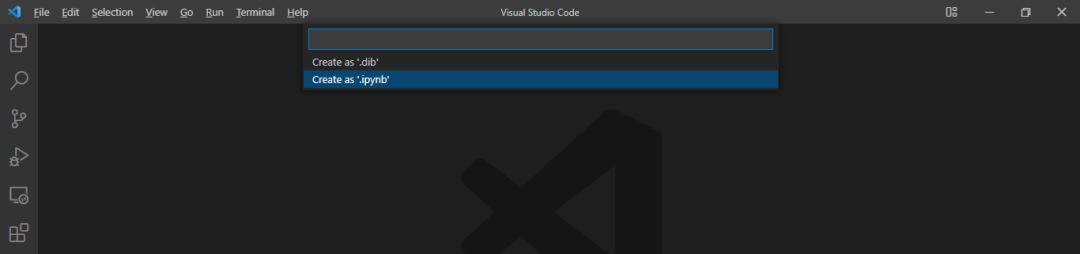
开发语言选 C#

- 解析 Markdown
输入一段 markdown 内容,并在右下角选择 Markdown

使用热键 Alt+Enter 查看结果

- 执行 C# 代码
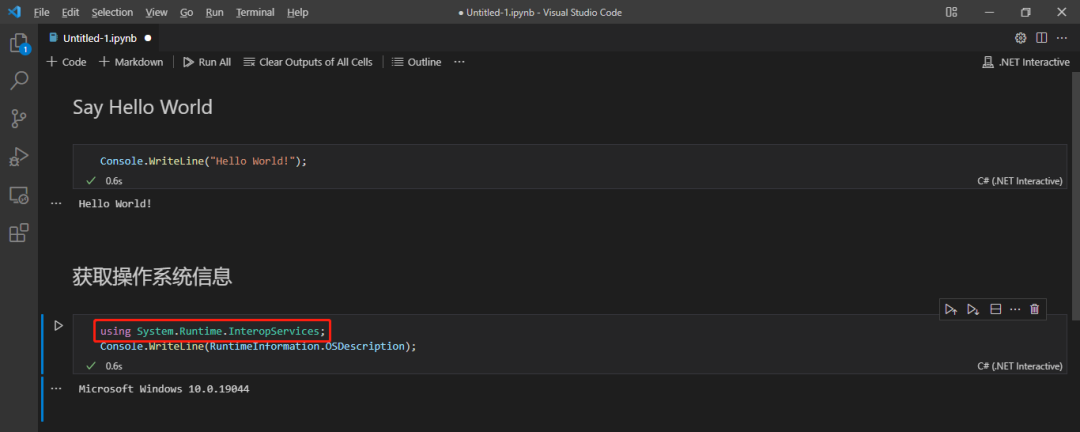
输入一段 C# 代码,并在右下角选择 C#

使用热键 Alt+Enter 或者点击左边的“运行”按钮查看运行结果

可以通过 using 关键字引用相关依赖
- 执行本地指令
输入一段本地指令,并在右下角选择 PowerShell,使用热键 Alt+Enter 或者点击左边的“运行”按钮查看运行结果
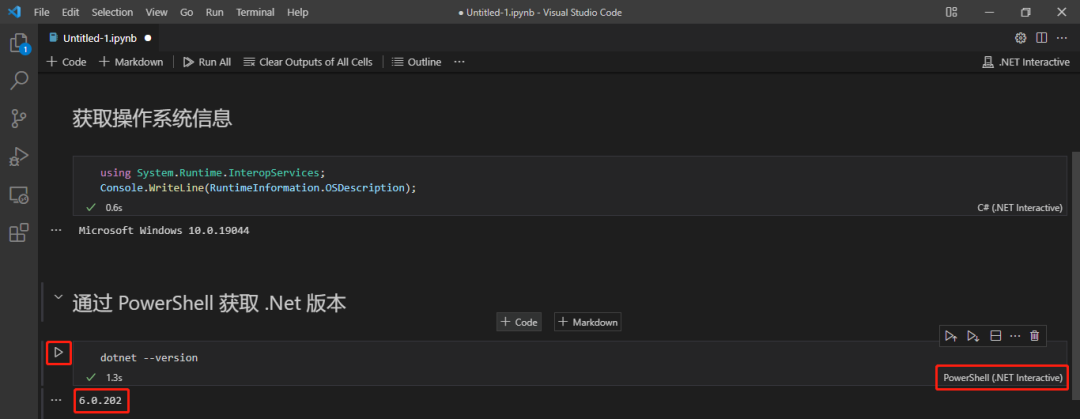
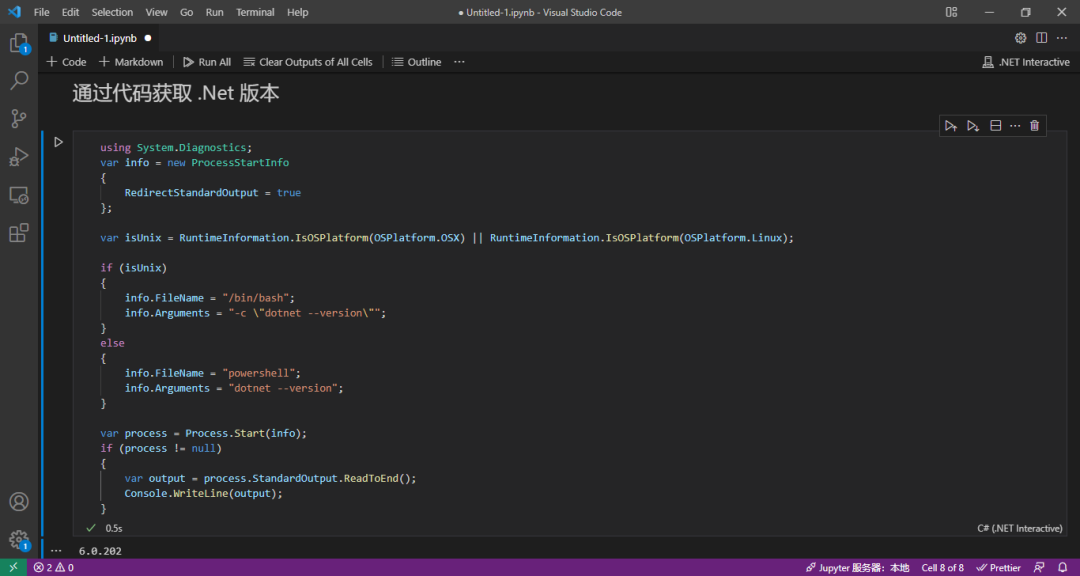
- 通过代码获取 .Net 版本
- 保存 ipynb 文件并上传到 GitHub
使用热键 Ctrl+S 把 ipynb 文件保存到本地,以后可以使用 Visual Studio Code 打开查看并重新运行代码
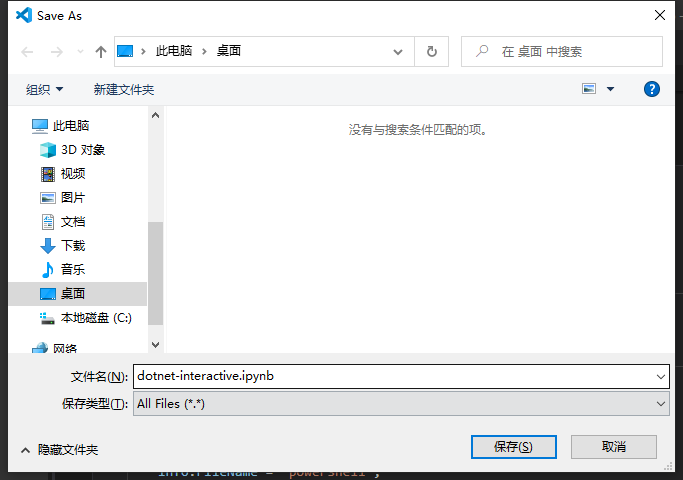
然后把 ipynb 文件上传到 GitHub
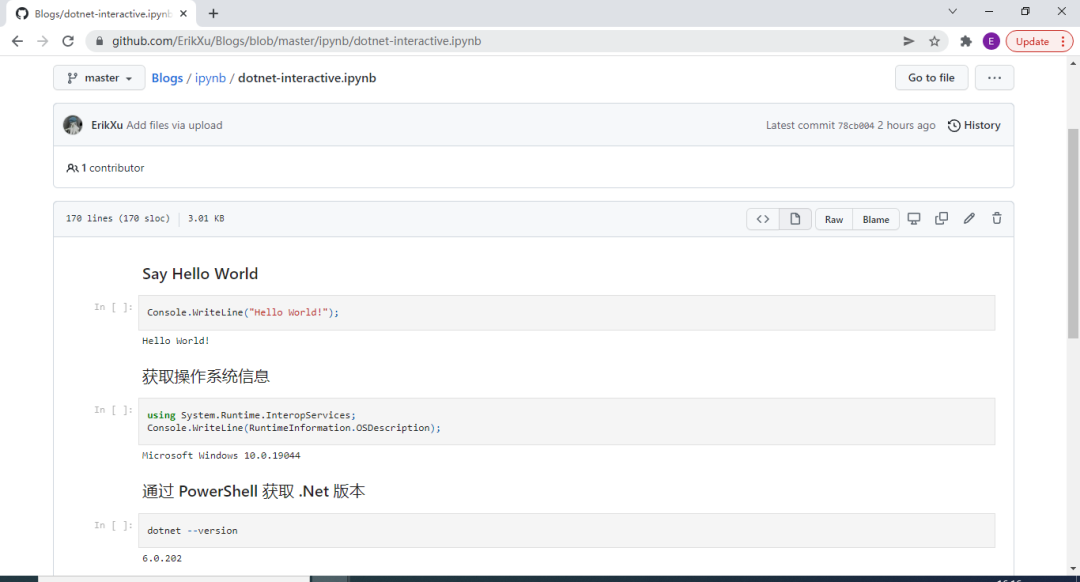
可以通过 https://github.com/ErikXu/Blogs/blob/master/ipynb/dotnet-interactive.ipynb 查看示例
4. 参考总结
以上就是本文希望分享的内容,其中 interactive 的 GitHub 地址为:https://github.com/dotnet/interactive
如果大家有什么问题,欢迎在公众号 - 跬步之巅留言交流。