(11/30)Learning Blazor Together: Arbitrary Attributes

(11/30)Learning Blazor Together: Arbitrary Attributes

Currently `MyButton` has 3 `[Parameter]`s. If we need to add more, we would have to define new `[Parameter]`s again. To avoid constantly updating this Component, let's use Blazor's `@attribute`.

Last updated 12/15/2021 10:53 PM
StrayaWorker
3 min read
Category
Blazor
Topic
Learning Blazor Together Series
Tags
.NET C# ASP.NET Core Blazor

Currently, MyButton has 3 [Parameter]s. If we need to add more, we would have to define new [Parameter]s again. To avoid constantly updating this Component, let's use Blazor's @attribute.

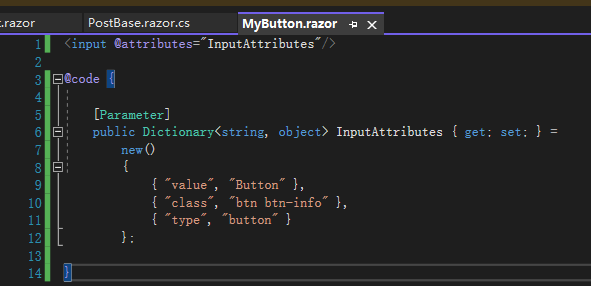
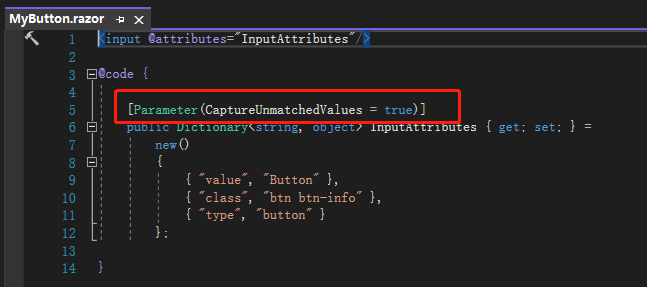
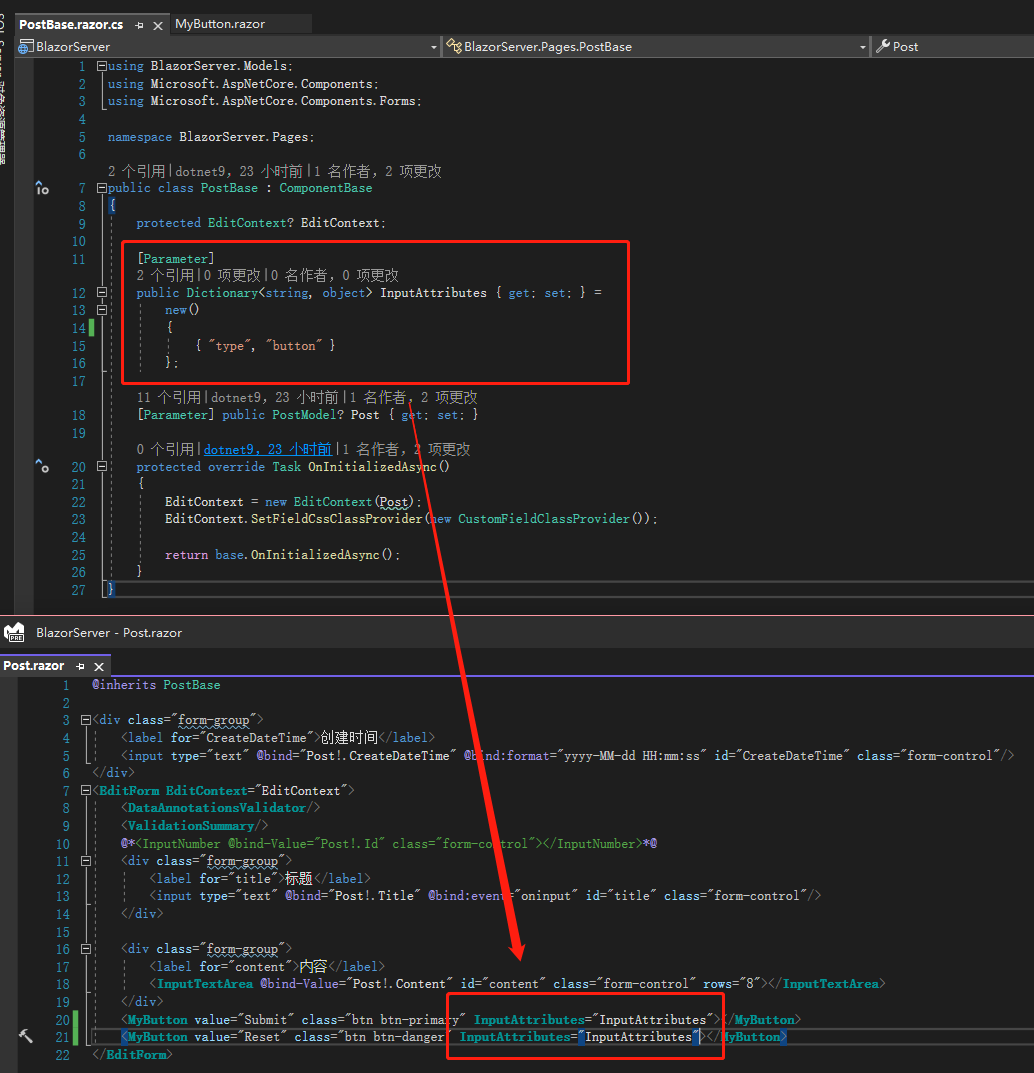
First, change the original <button> to <input>, and define an InputAttributes with [Parameter] in MyButton.razor, of type Dictionary<string, object>. Give it a default value so that if the external caller does not pass this parameter, the default will be used.

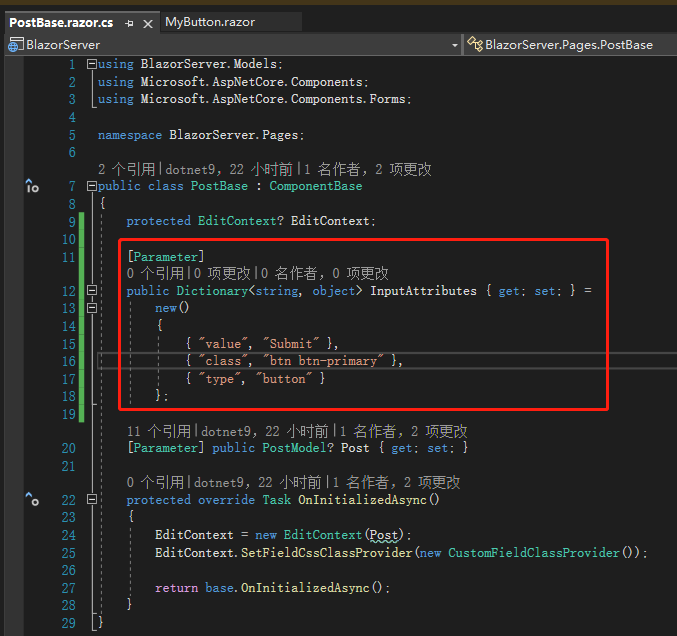
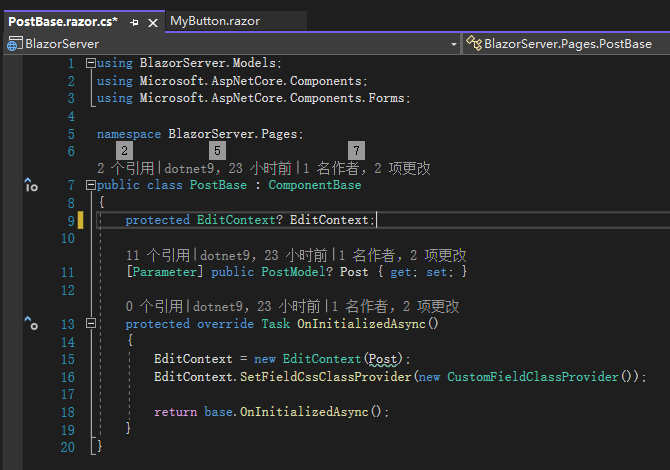
Next, define a variable with the same name in PostBase.razor.cs, but with slight changes to value and class.

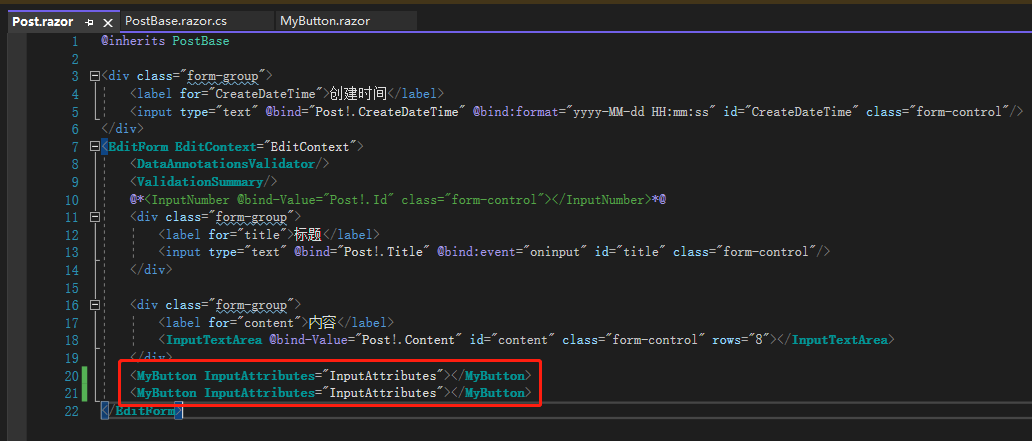
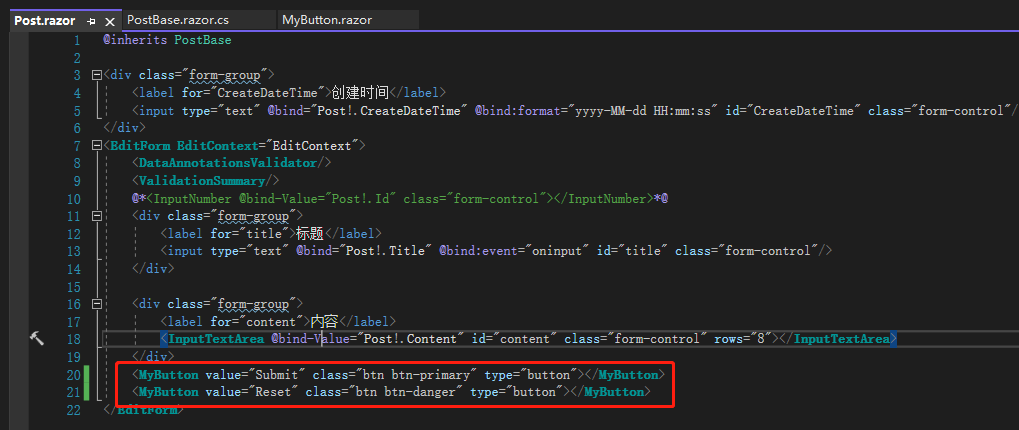
Finally, in Post.razor, the MyButton call only passes InputAttributes, and that's it.

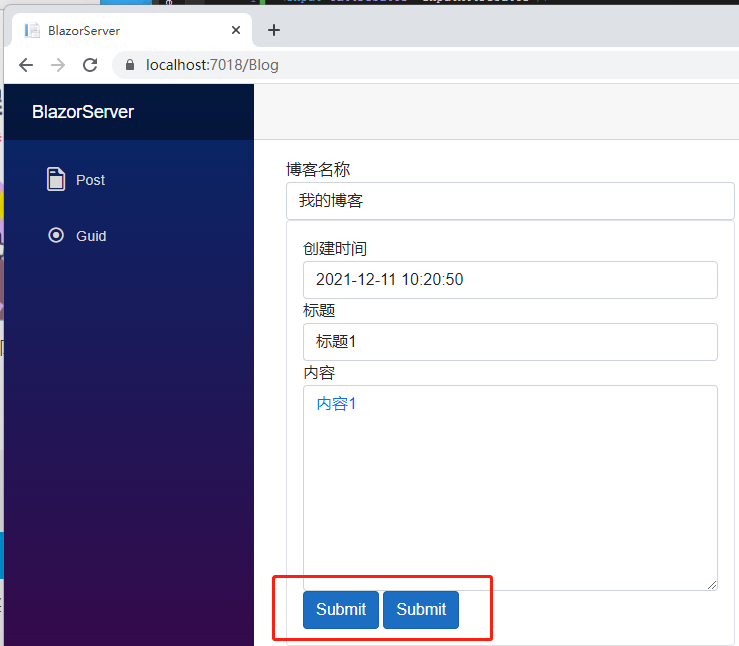
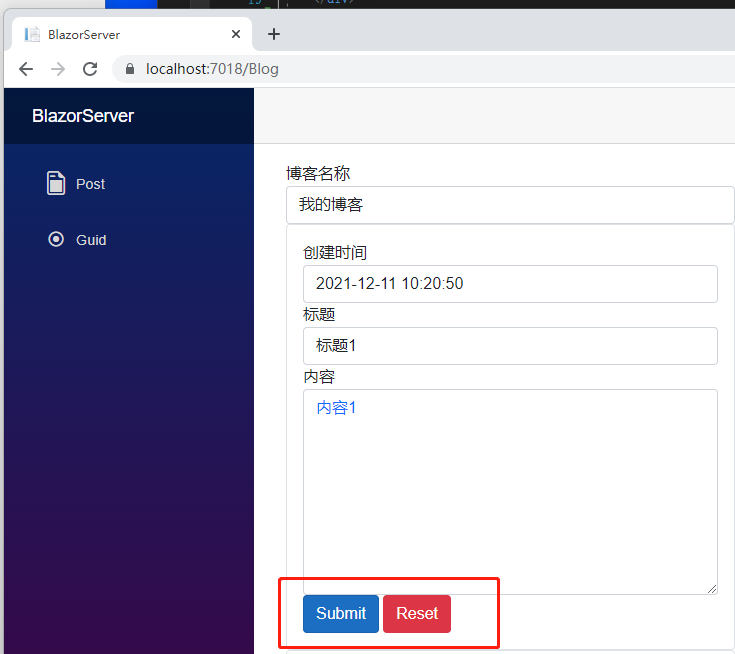
But something seems off: because we used only one variable InputAttributes, the Reset button and the Submit button become identical. If we define another variable for Reset, we're back to the original complexity.

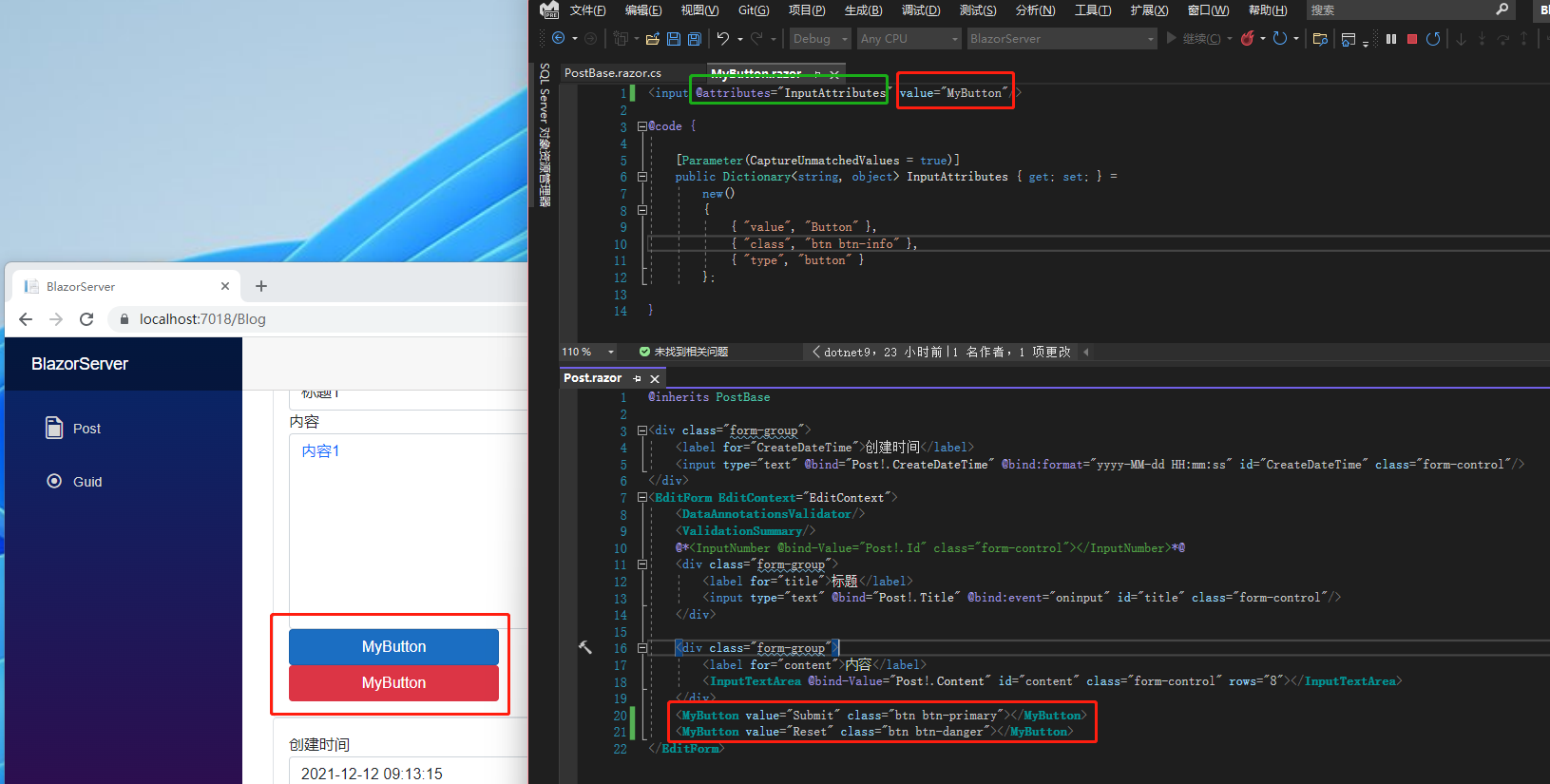
This is where the CaptureUnmatchedValues parameter of [Parameter] comes in. Change the original [Parameter] to [Parameter(CaptureUnmatchedValues = true)] (or just [Parameter(true)]), telling Blazor that this variable will capture any values that do not match the definitions in InputAttributes.

Then delete the InputAttributes variable in PostBase.razor.cs, because we can no longer define it that way. Let's see what happens if we keep it.

Finally, in PostBase.razor you can freely add any HTML attributes you want to <MyButton>, and the buttons become Submit and Reset again. Note that because we are now free to define them, there is no strong type constraint.

Someone might notice that both <MyButton>s share the same HTML attribute type. Since it's duplicated, can we define it in InputAttributes in PostBase.razor.cs?

Unfortunately, the error tells us that if we use CaptureUnmatchedValues, we cannot explicitly define InputAttributes. Users must be aware of this.

Another point: HTML attributes are read from right to left. If there are duplicate HTML attributes, the rightmost one overrides the left. In MyButton.razor, add value="MyButton" to the right side of @attribute, and when you open the web page, both buttons become "Mybutton". So if you want to provide default values, it's better to place them on the left side of @attribute to avoid overwriting the passed-in values.

References:

  1. Blazor Attribute Splatting
  2. Ref: Arbitrary attributes and parameters in Blazor

Note: The code in this article has been refactored using .NET 6 + Visual Studio 2022. You can click the original link to compare the refactored code with the original. Thank you for reading and supporting the original author.

Keep Exploring

Related Reading

More Articles
Same category / Same tag 12/25/2021

(29/30)Learn Blazor Together: Blazor Unit Testing

The most boring part of developing a system is probably fixing bugs, especially errors like trying to access a null object (`Object reference not set to an instance of an object.`), which is the most common problem most people encounter when they first step into programming. To break free from the tedious bug-fixing process, this article introduces `unit testing`.

Continue Reading
Same category / Same tag 12/25/2021

(28/30) Learning Blazor Together: Policy-based Authorization

It was mentioned earlier that `ASP.NET Core Identity` uses `Claim`-based authentication. In fact, `ASP.NET Core Identity` has different types of authorization methods, the simplest being `Login Authorization`, `Role Authorization`, and `Claim Authorization`. However, all of the above are implemented in one way: Policy-based Authorization.

Continue Reading