(12/30)Learning Blazor Together: Cascading Values and Parameters

(12/30)Learning Blazor Together: Cascading Values and Parameters

Yesterday I accidentally changed the Reset button's type to 'button'. Today I will change it back to 'reset'.

Last updated 12/15/2021 11:38 PM
StrayaWorker
4 min read
Category
Blazor
Topic
Learning Blazor Together Series
Tags
.NET C# ASP.NET Core Blazor

(Note: Yesterday I accidentally changed the Reset button's type to button; today I changed it back to reset.)

We have currently created three components: Blog, Post, and MyButton. If we want all three components to have the same font color or size, we seem to need to first define a variable with the [Parameter] attribute in MyButton, then fill in the value when Post calls it. Post also defines a variable, and when Blog calls it, the value is filled in again. This must be done at every level.

As mentioned earlier, the parent component passes data to child components using Parameter. Is there a method similar to Parameter that can pass data to all components below at once?

This is where the CascadingValue component comes in. The word cascading means "falling or pouring down like a waterfall". It can be understood as "injecting from top to bottom". The full name of CSS used in front-end is Cascading Style Sheet.

First, we add a property ColorStyle in BlogBase.razor.cs (Note: The author previously named the file incorrectly; in this article it is changed to BlogBase.razor.cs), with its value set to "color: goldenrod".

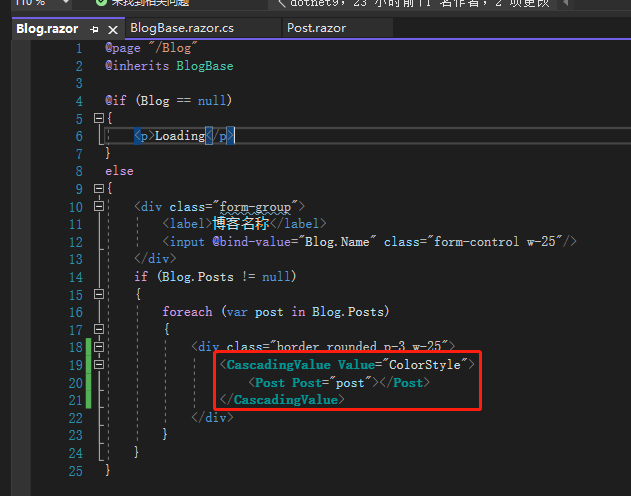
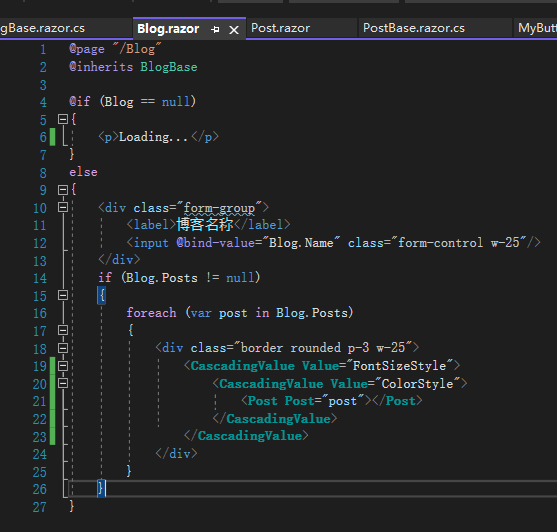
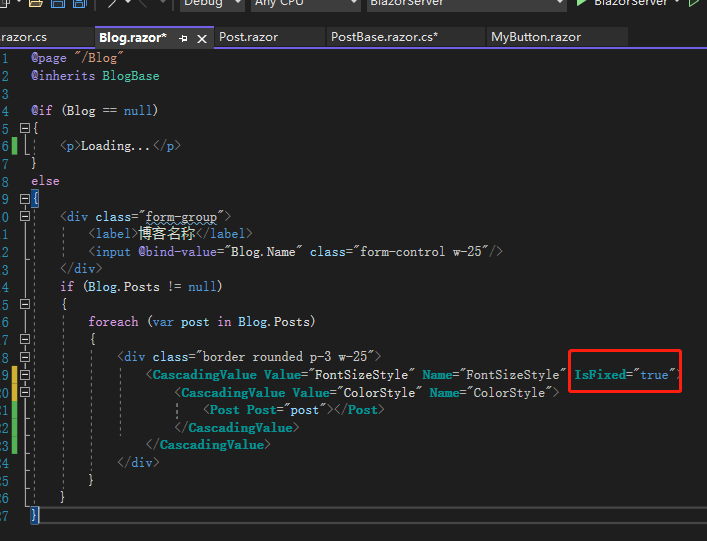
Next, in Blog.razor, wrap <Post> with <CascadingValue Value="ColorStyle">.

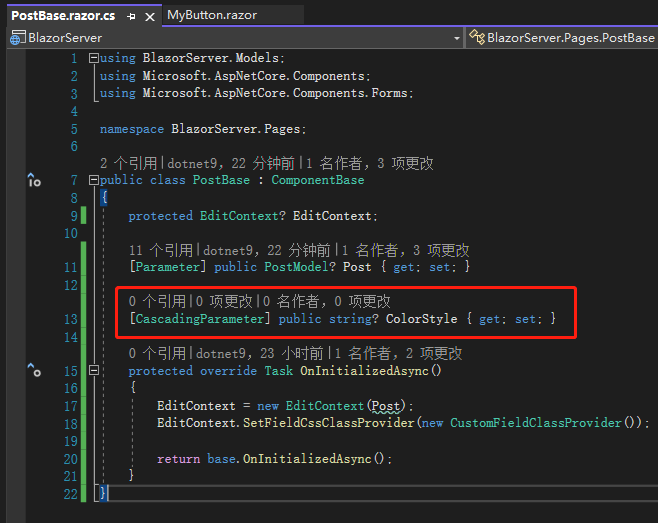
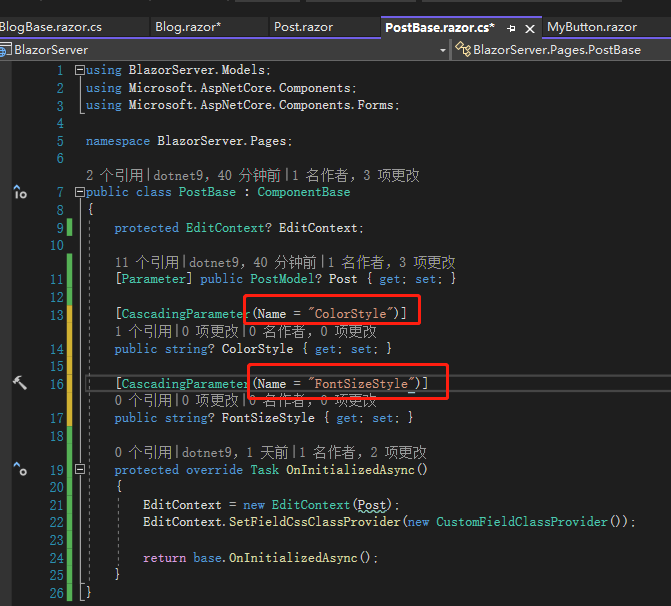
Then define a variable with the same name in PostBase.razor.cs, but this time with the [CascadingParameter] attribute.

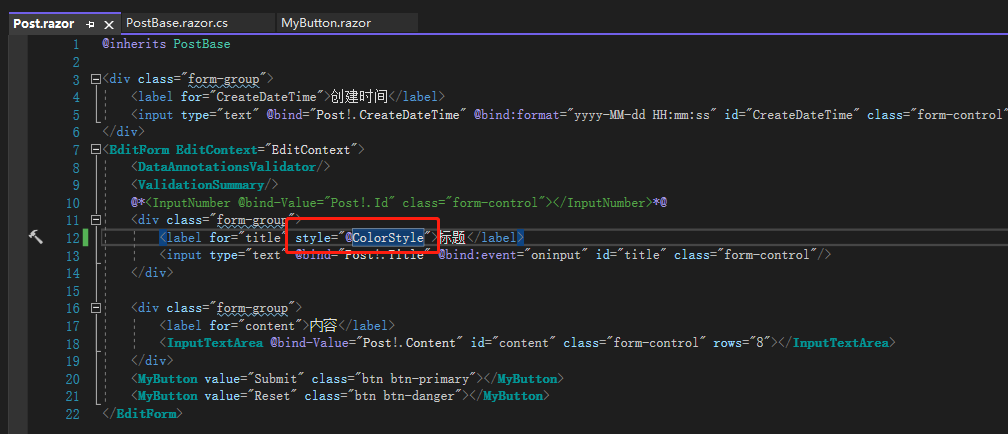
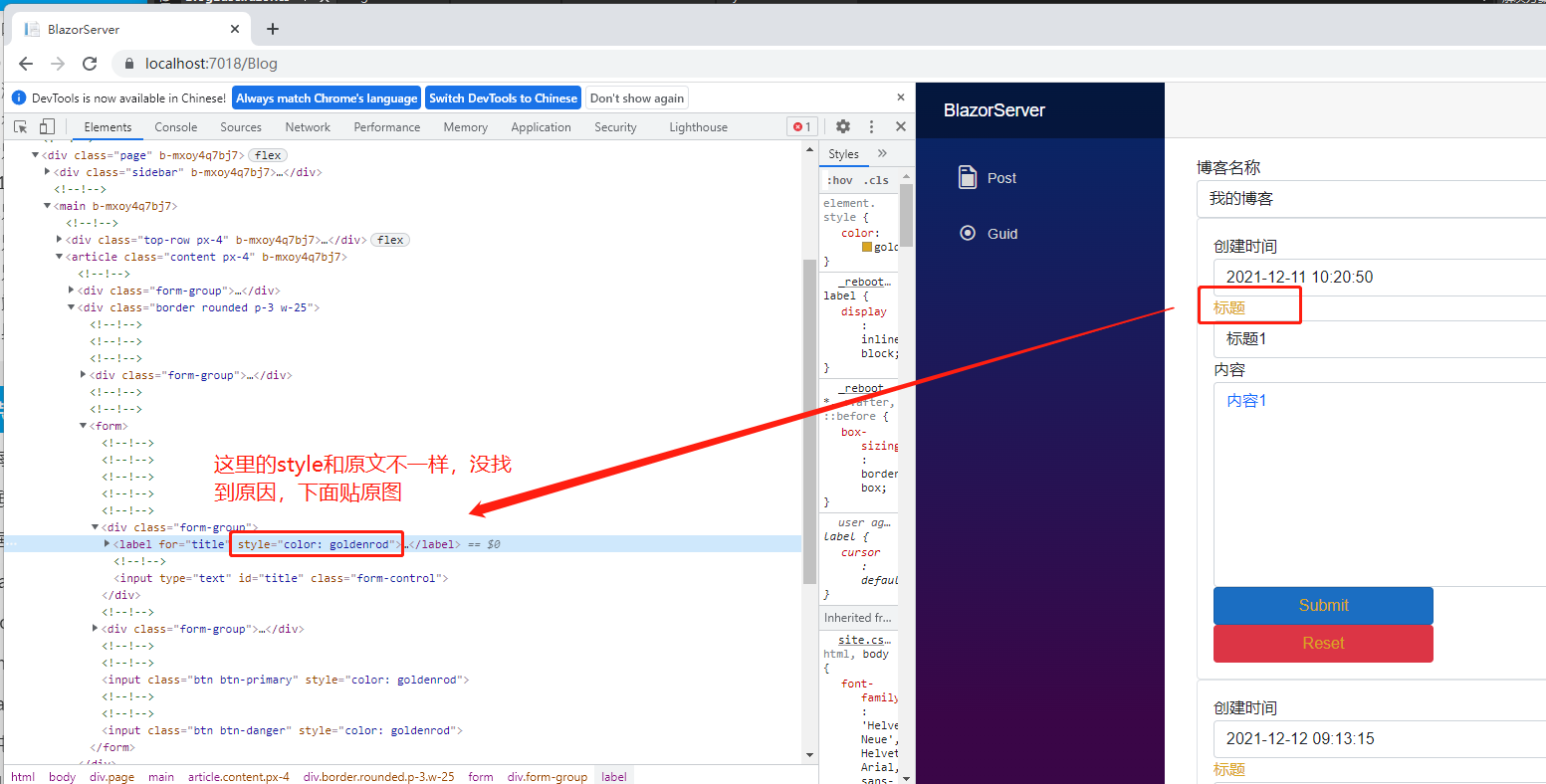
After that, just use the variable wherever you want to apply the style.

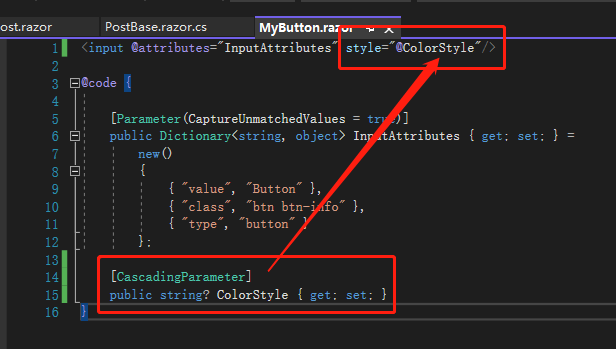
The same usage applies to MyButton.

Although each component still needs to define a variable to receive the value from the top-level component, you can see that [CascadingParameter] eliminates the need to fill in the value when calling <MyButton> in PostBase.razor.

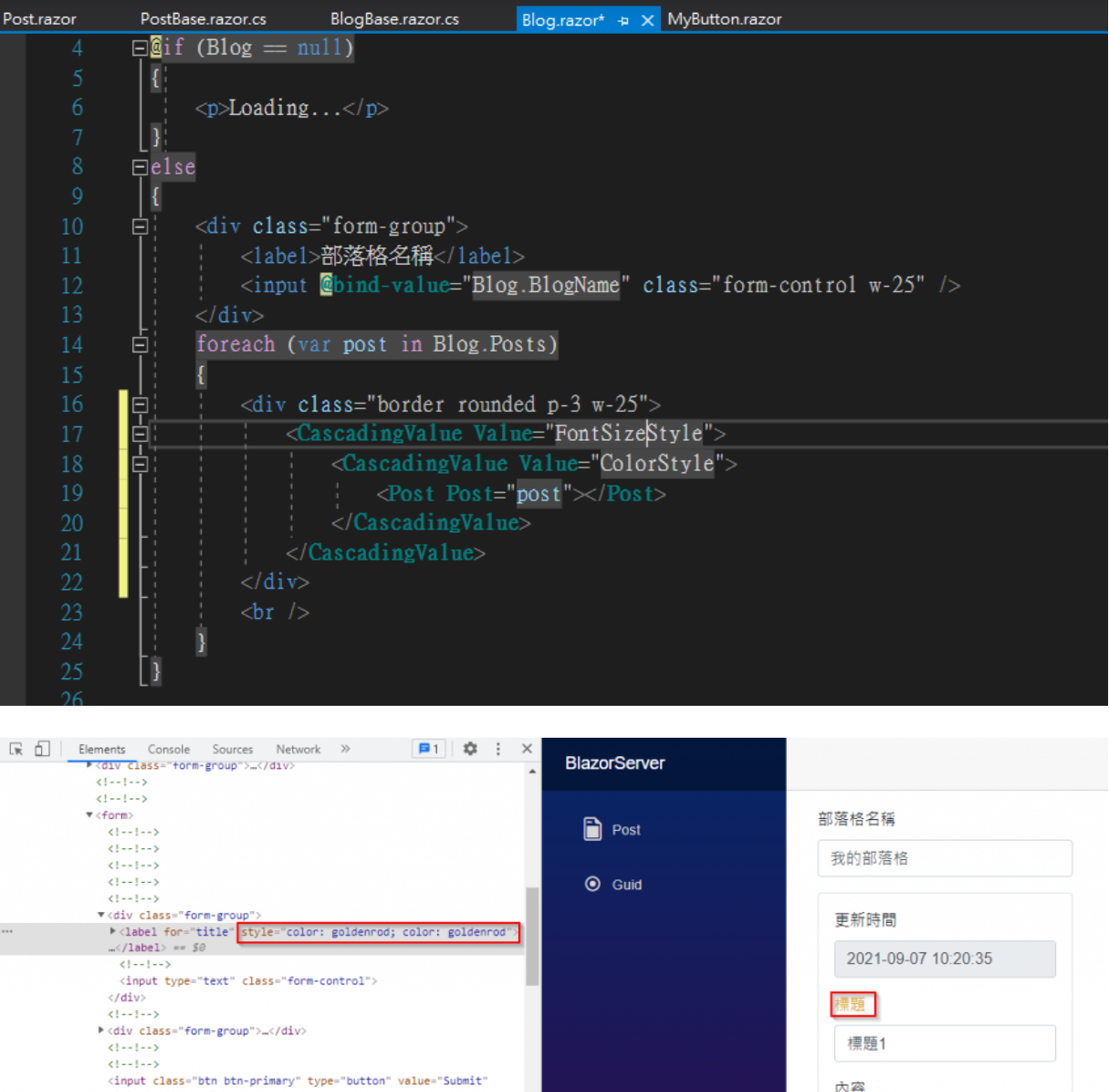
What if there are two values that need to be passed down layer by layer? That's right, just wrap two layers of <CascadingValue>. But if you do that, you'll notice that both color styles are applied, which might not be what you want.

[Editor's note: There is a difference between the two images; the top one is the result from the editor's debugging, the bottom one is from the original article.]

The reason is that <CascadingValue> identifies variables by their type. If the types are different, it's convenient to apply them. But if there are two strings, the child element will only apply the nearest <CascadingValue>. In the example, it's ColorStyle.

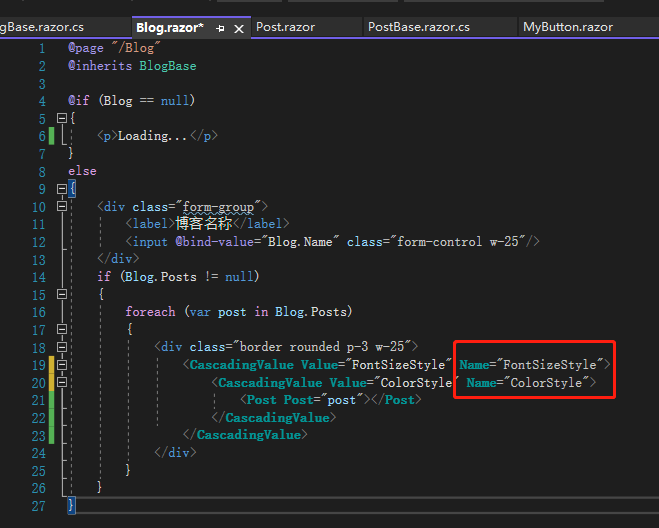
To solve this problem, you can use the Name property inside <CascadingValue>. This way, components will recognize the <CascadingValue> by its name. If a child component cannot find the name, it will return empty.

From the example above, you can see that every time <CascadingValue> is used, Blazor notifies the child components layer by layer. But if you don't want to notify every time to save resources, you can use IsFixed. Set it to true, and Blazor will stop notifying child components.

References:

  1. Blazor cascading values and parameters
  2. Blazor multiple cascading parameters
  3. Blazor cascading values performance

Note: The code in this article is refactored using .NET 6 + Visual Studio 2022. You can compare it with the original code by clicking the original article link. Thank you for reading, and support the original author.

Keep Exploring

Related Reading

More Articles
Same category / Same tag 12/25/2021

(29/30)Learn Blazor Together: Blazor Unit Testing

The most boring part of developing a system is probably fixing bugs, especially errors like trying to access a null object (`Object reference not set to an instance of an object.`), which is the most common problem most people encounter when they first step into programming. To break free from the tedious bug-fixing process, this article introduces `unit testing`.

Continue Reading
Same category / Same tag 12/25/2021

(28/30) Learning Blazor Together: Policy-based Authorization

It was mentioned earlier that `ASP.NET Core Identity` uses `Claim`-based authentication. In fact, `ASP.NET Core Identity` has different types of authorization methods, the simplest being `Login Authorization`, `Role Authorization`, and `Claim Authorization`. However, all of the above are implemented in one way: Policy-based Authorization.

Continue Reading