

在开发系统时,记录是一件很重要的事,前面都没有提到,笔者在最近才想到这点,所以就来实现吧!
由于笔者用的是Blazor Server,官方文件提供的只有Blazor WebAssembly 的做法,所以先来试试看后者。
首先打开之前建立的BlazorWasm 项目,在Counter.razor加入@using Microsoft.Extensions.Logging;及注入服务@inject ILogger<Counter> _logger;,接着在原本的IncrementCount()内加入要提示的信息,这边用的是LogWarning(),除此之外还有LogCritical、LogDebug、LogError等等可以使用。
@page "/counter" @using Microsoft.Extensions.Logging @inject ILogger<Counter>
  _logger

  <PageTitle>Counter</PageTitle>

  <h1>Counter</h1>

  <p role="status">Current count: @_currentCount</p>

  <button class="btn btn-primary" @onclick="IncrementCount">Click me</button>

  @code { private int _currentCount; private void IncrementCount() {
  _logger.LogWarning("有美女点击我了!"); _currentCount++; } }</Counter
>
接着将启动项目改成BlazorWasm 项目,启动后前往Counter 页面,点击按钮后,按下F12 切换到Console 页签,可以看到显示了我们定义的信息。
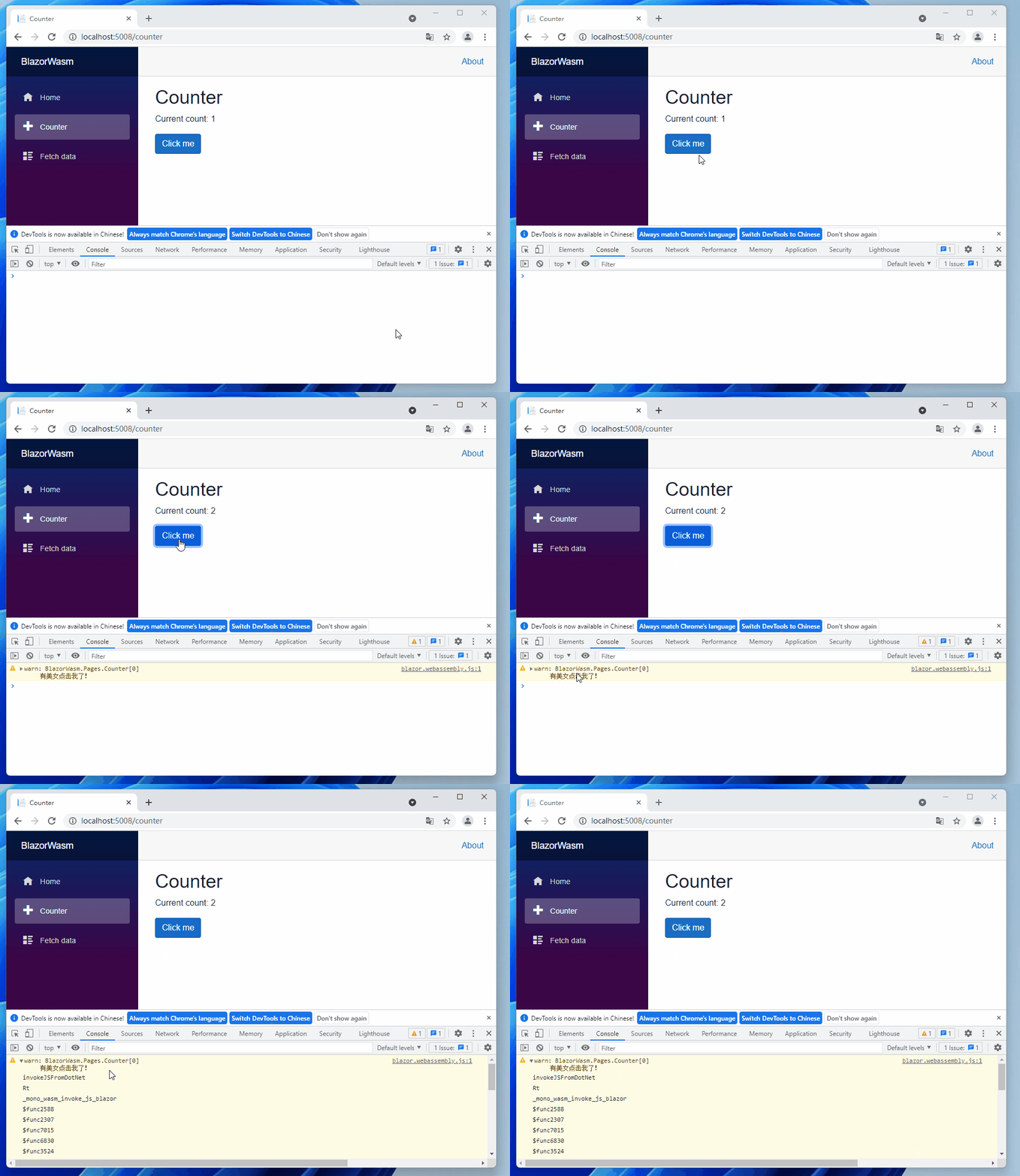
在Blazor WebAssembly 这么简单,那在Blazor Server 也是一样吗?
可惜的是Blazor Server 并不支持这样的做法,目前只能用IJSRuntime的方式调用浏览器的console.log提示信息,想要有不同层级的信息也必须自己定制化。
我们切回Blazor Server 项目,在JsInteropClasses加入ConsoleLog()方法,里面做的事情就只有调用console.log()
public async Task ConsoleLog(string message)
{
	await _js.InvokeAsync<object?>("console.log", message);
}
接着在Blog.razor.cs覆写OnAfterRenderAsync(),在里面调用ConsoleLog()。
protected override async Task OnAfterRenderAsync(bool firstRender)
{
	await _jsClass!.ConsoleLog("这是Blazor Server的console.log信息");
}
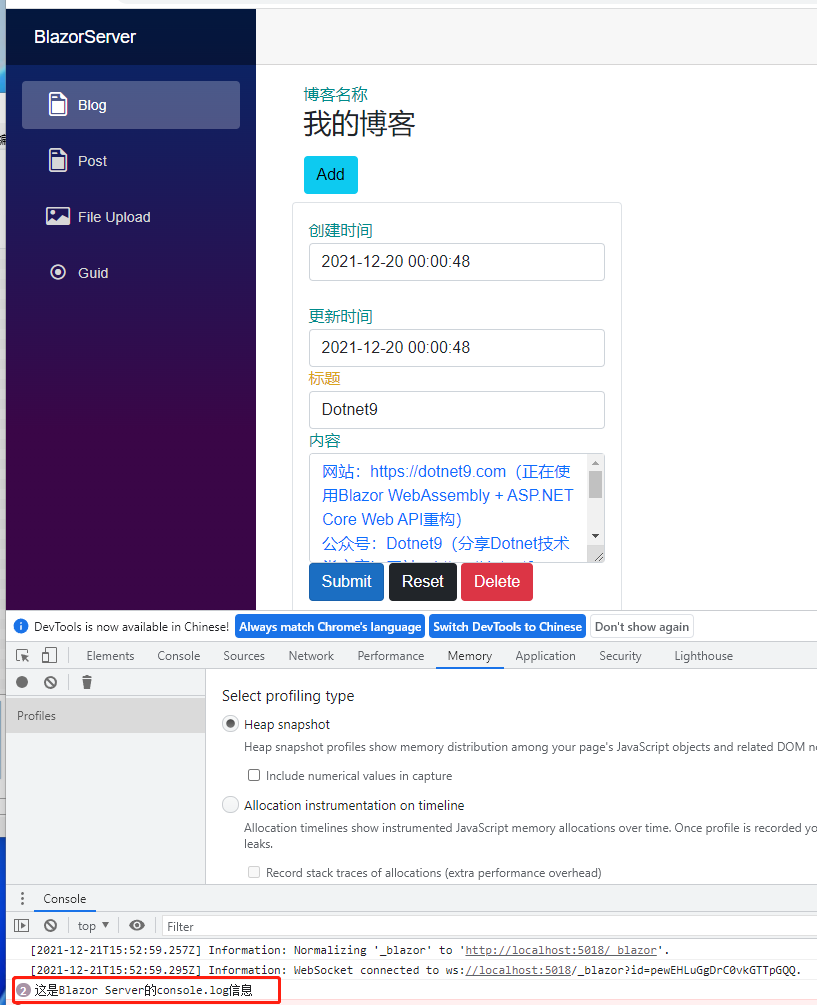
之所以不写在OnInitializedAsync()是因为我们采用预先渲染(pre-render)的方式,此时的JavaScript 还没准备好,如果在OnInitializedAsync()调用,会发生下图的错误。

要是一定要在OnInitializedAsync()调用的话,可以去_Layout.cshtml将<component>的render-mode属性从ServerPrerendered改为Server。
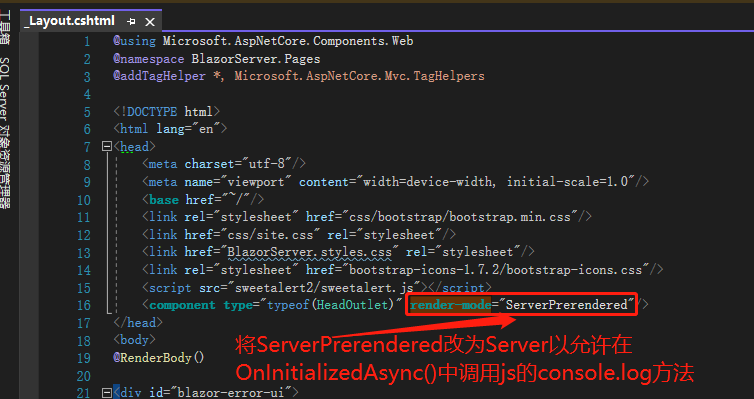
Server 的render-mode分为三种:Static、Server及ServerPrerendered,第一种速度最快,将全部Component都转变为静态 HTML 文件;第二种最慢,会先将一种标记传出,等到使用者启动该Component 后才会真的渲染成HTML 文件;第三种是折衷方案,先把Component 变成静态HTML 文件但没有交互功能,等到使用者启动该Component 后才会通知Server 将功能补上。
这也是为什么render-mode改成Server才有效的原因,因为此时的ConsoleLog()还没转成 JavaScript 文件。
引用:
- ASP.NET Core Blazor logging
- LoggerExtensions Class
- How can I write into the browser´s console via Blazor WebAssembly?
- Blazor Server
- What's the difference between RenderMode.Server and RenderMode.ServerPrerendered in blazor?
- RenderMode Enum
注:本文代码通过 .NET 6 + Visual Studio 2022 重构,可点击原文链接与重构后代码比较学习,谢谢阅读,支持原作者