Now every time I start the project, the default route is /, but currently none of our Components use this route, so switching manually to Post is quite troublesome. Also, the Menu icons don't match their names, so let's make some adjustments.
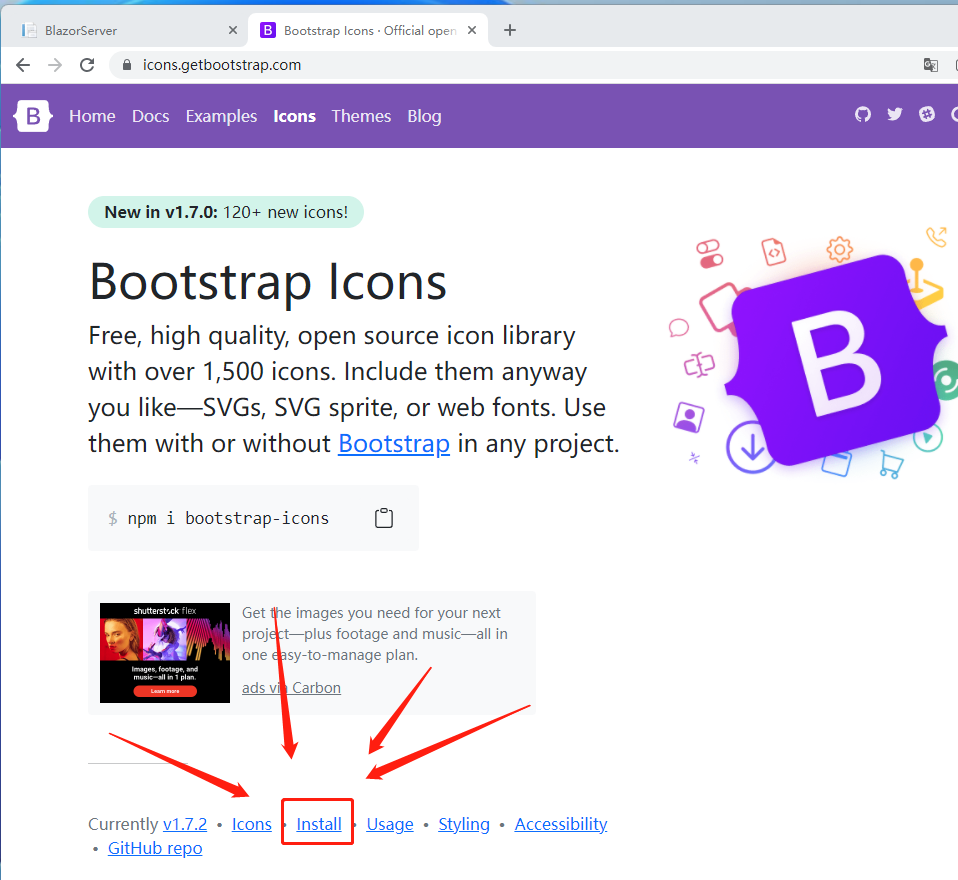
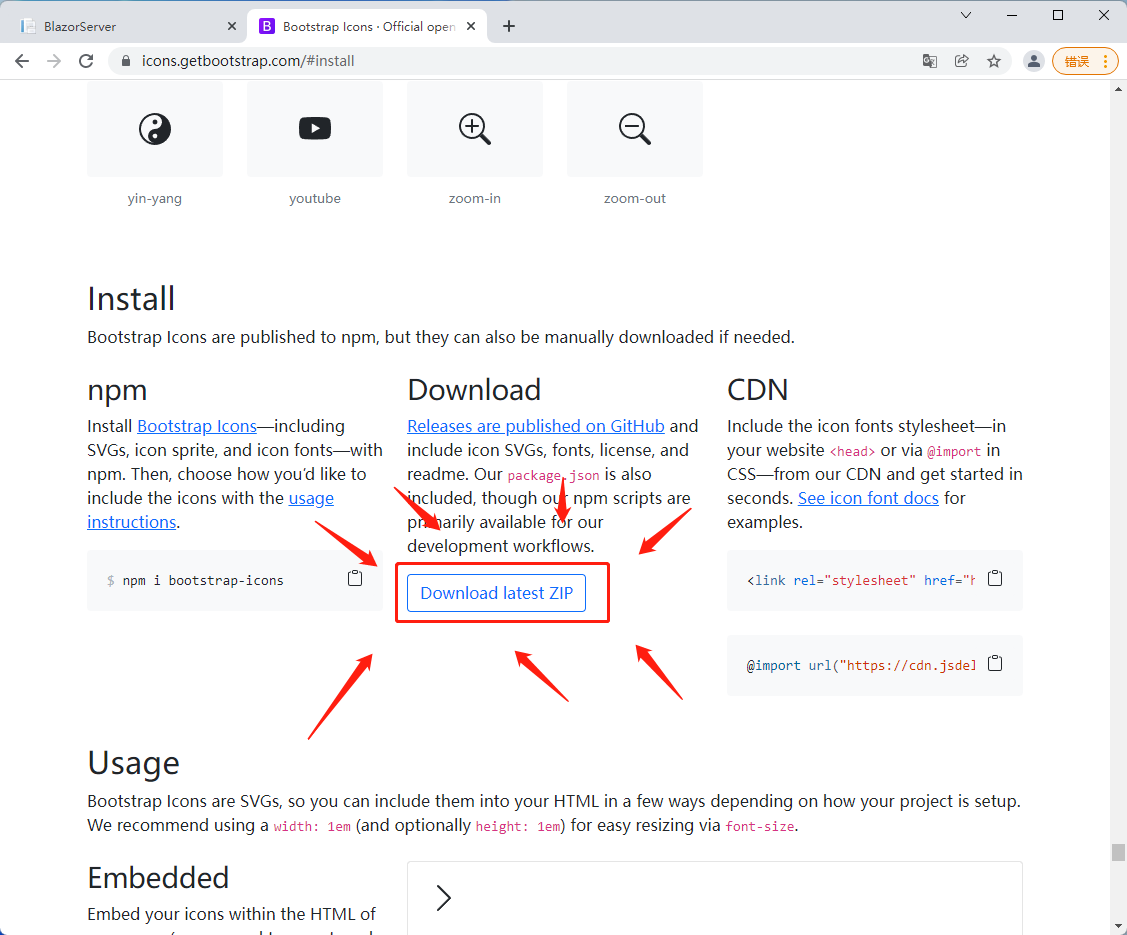
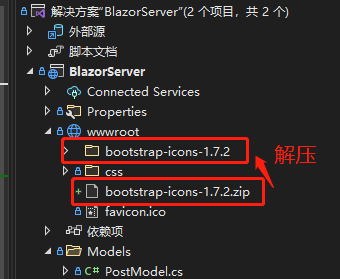
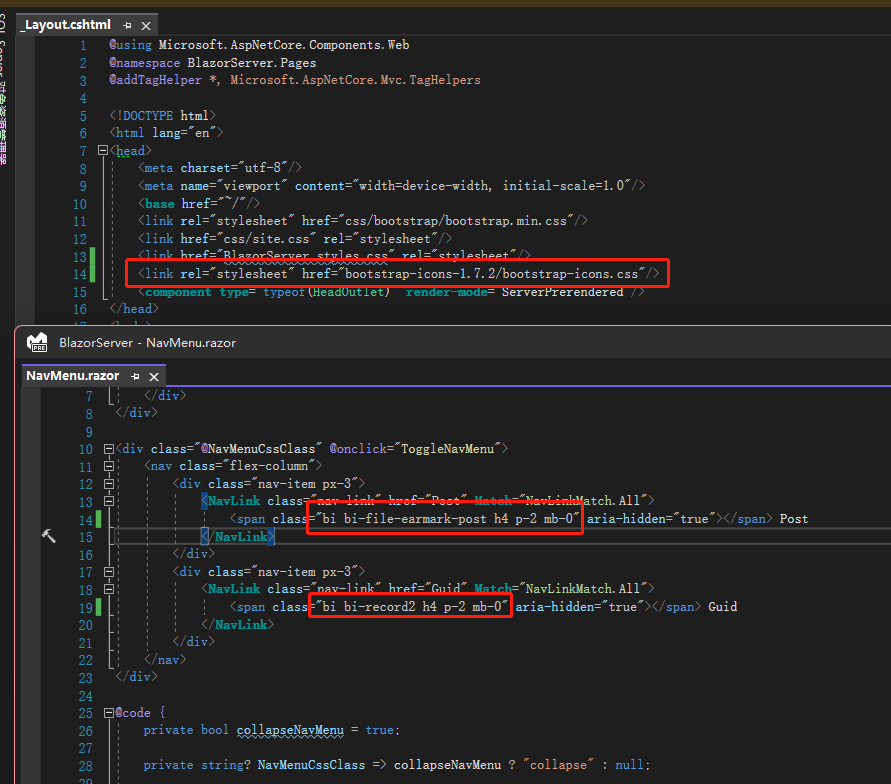
Let's start by changing the icons. Since font-awesome is now membership-based and requires logging in to generate a free icon set, I'm using Bootstrap's icons instead. First, go to Bootstrap's icons page to download the zip file (those who don't want to download can directly reference the CDN). Extract the files and place them in wwwroot, then reference bootstrap-icons.css in _Layout.cshtml. Search for the icon you like on the official site and apply it. I've also made some style adjustments.


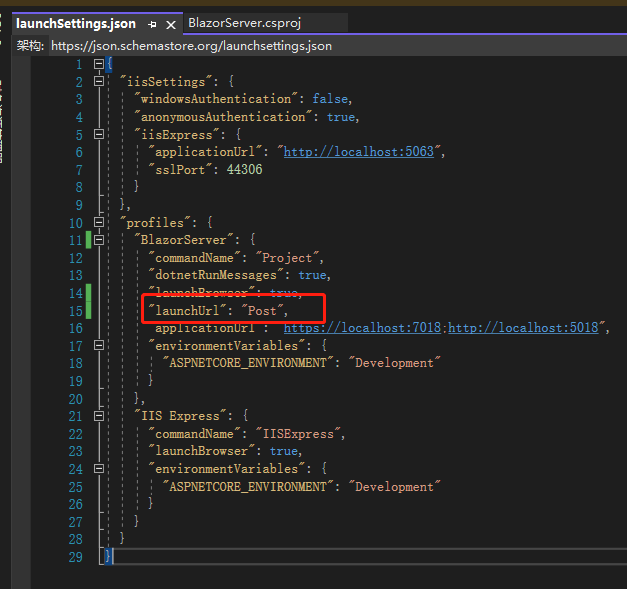
Next, open the launchSettings.json file of the Blazor Server project. In the profiles section under BlazorServer, add this line: "launchUrl": "Post".

Data binding was mentioned on Day06, but only briefly because the purpose back then was just to demonstrate a form. Now let's go into more detail.
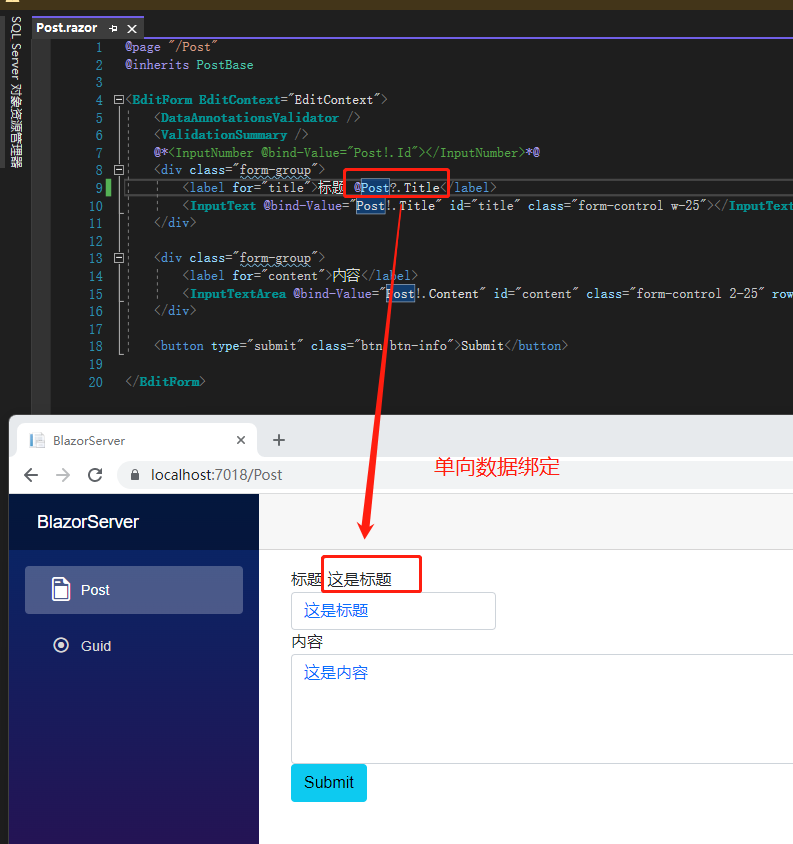
Blazor data binding is divided into one-way binding and two-way binding. One-way binding means using @variable on the page, displaying whatever data the variable holds.

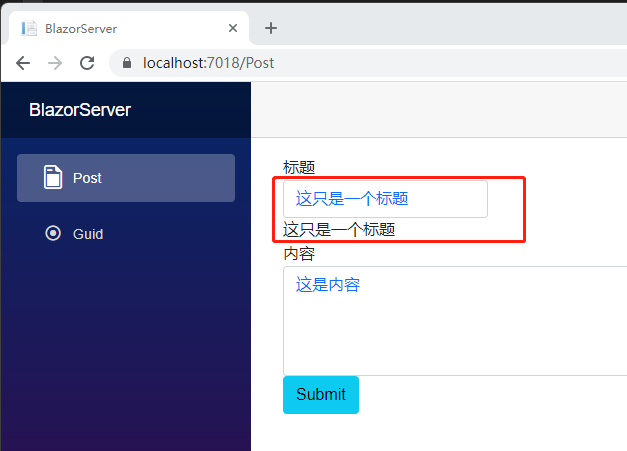
Two-way binding uses @bind-value to tie the input data to the page. What the user types into the input also updates the data in reverse.

If you've worked with Angular, this should feel familiar – it's the same concept as [ngModel] and [(ngModel)], just with different names.
Does Blazor have event bindings like Angular's (click)? Yes, it does. However, using the <InputText> Component involves more complex topics like EventCallBack, so for now I'll stick with a plain <input> element. We'll revisit EventCallBack later.
First, replace <InputText> with <input>. Then change @bind-Value to @bind, and add @bind:event with the value of an HTML event name, such as onchange, oninput, etc. (these events are documented on MDN). Now, when you type in the input field on the page, you'll see the text below update in real time. Notice that even though the focus remains on the input element, the content below has already changed.

However, you should carefully consider when to use oninput vs onchange. If you use oninput with a number-typed data, when the user types 1.5, it will immediately be converted to 1, which can be confusing. With onchange, the conversion to 1 only happens after the user moves focus away. If you absolutely need oninput, you could change the bound data type to nullable or a string, and then handle invalid data using getters/setters.
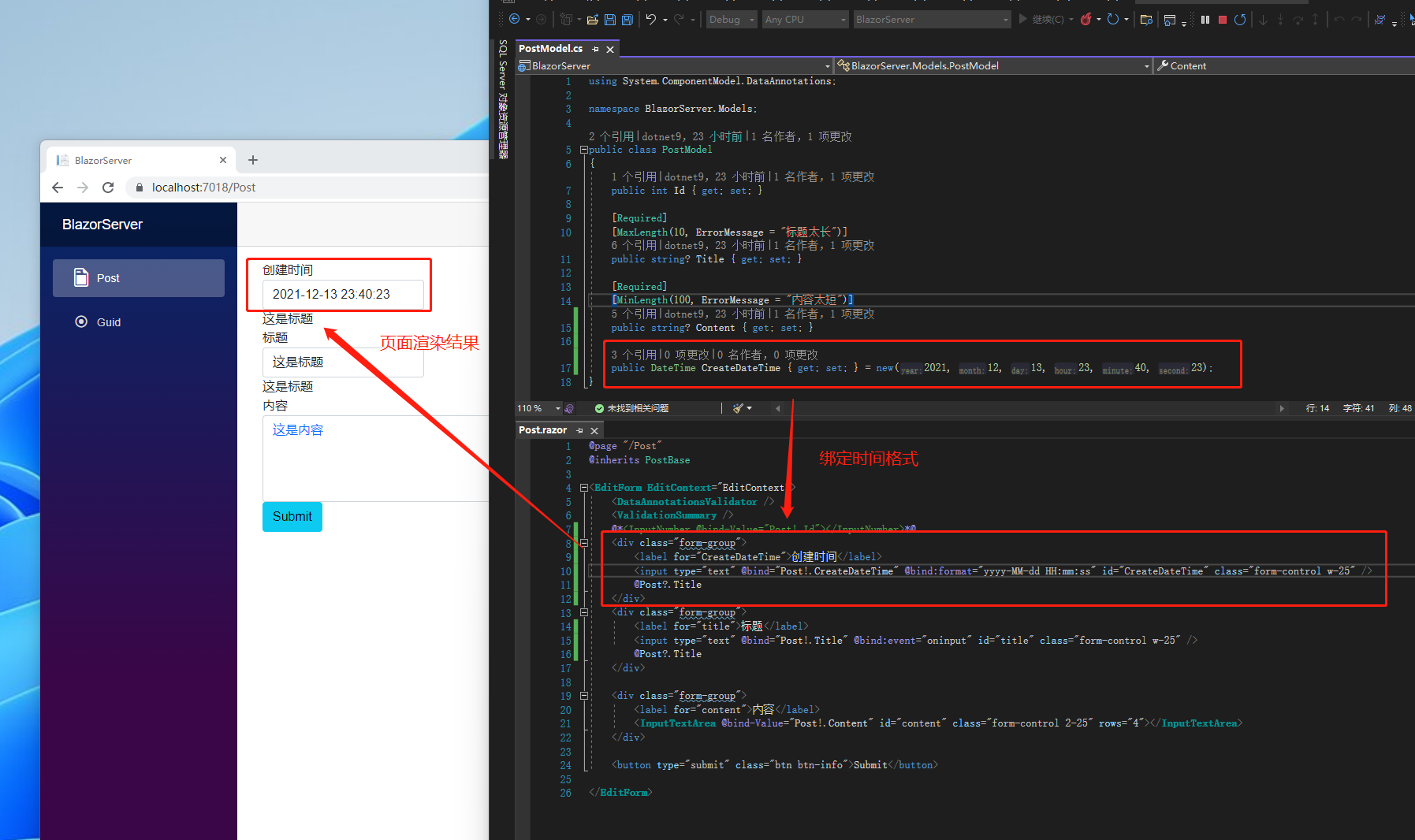
Does Blazor have anything like Angular's pipe to change data format on the page, such as for numbers or dates? Currently, Blazor provides @bind:format for date formatting. Let's add a CreateDateTime property to PostModel, then duplicate a set of div for the title, change the label and the bound data of @bind, and replace @bind:event with @bind:format. You'll see the date displayed in the specified format.

Note that Blazor does not have a built-in Component for <select>, because HTML attributes cannot be null. The closest concept to null is removing the value attribute. However, if you select an <option> without a value, the browser treats the <option>'s text as its value.
References:
Note: The code in this article has been refactored using .NET 6 + Visual Studio 2022. You can compare the original link with the refactored code to learn. Thank you for reading and supporting the original author.