
前言
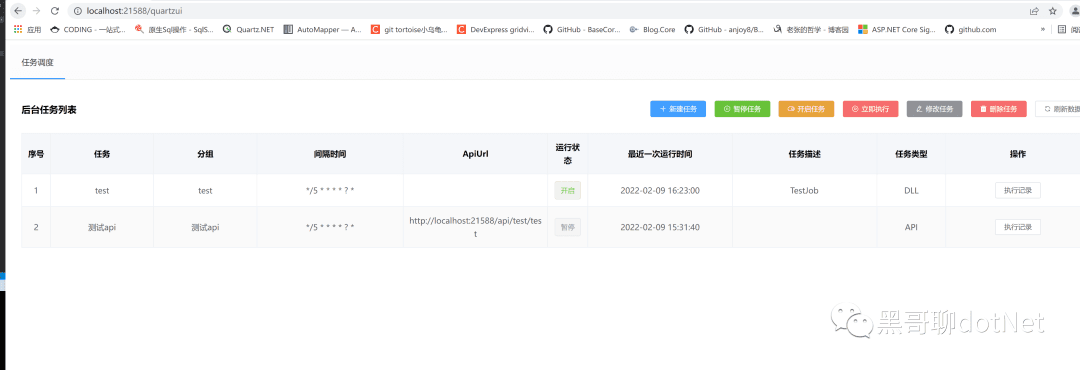
GZY.Quartz.MUI 是在 github 上开源的 ASP.NET Core 项目, 它旨在帮助开发人员通过面板来设置定时任务,主要想做的就是像 SwaggerUI 一样, 项目入侵量小, 仅需要在 Startup 中注入的 UI 组件。
官方地址: https://www.cnblogs.com/GuZhenYin/p/15745002.html
主要功能
增加本地 json 持久化调度任务, 无需数据库。
增加直接调用本地类方法, 无需通过 WebAPI 接口。
如何使用?
第一步:打开 VS 新建.NET 项目,我这里用的是.NET Core Web API 进行演示。
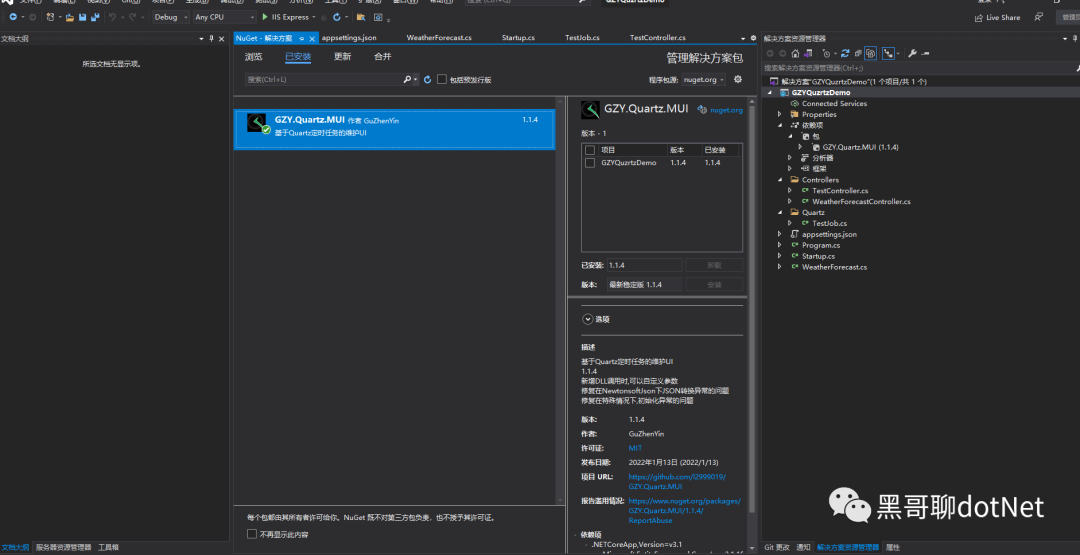
第二步:使用 NuGet 安装 GZY.Quartz.MUI 包:
第三步:在 StartUp.cs 中的 ConfigureServices 添加 GZY.Quartz.MUI 服务
public void ConfigureServices(IServiceCollection services)
{

	services.AddControllers();
	services.AddQuartzUI();
	services.AddQuartzClassJobs(); //添加本地调度任务访问
	//  services.AddSingleton<TestJob>();//注入
}
第四步:启用该中间件
public void Configure(IApplicationBuilder app, IWebHostEnvironment env)
{
		if (env.IsDevelopment())
		{
			app.UseDeveloperExceptionPage();
		}


		app.UseRouting();
		app.UseQuartz(); //添加这行代码
		app.UseEndpoints(endpoints =>
		{
			endpoints.MapGet("/", async context =>
			{
				await context.Response.WriteAsync("Hello World!");
			});
		});
	}
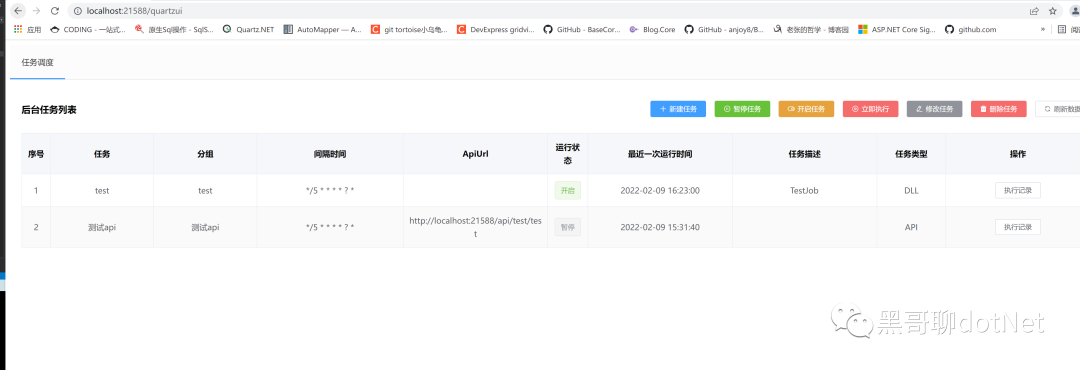
最后运行项目,在浏览器中导航到 [您的域名]/QuartzUI 就可以看到该项目已经搭建成功了。
简单说明
设置定时任务一共有两种类型:
- 一种是直接调用接口
输入你想定时启动的接口,我这里用我写的 test 接口
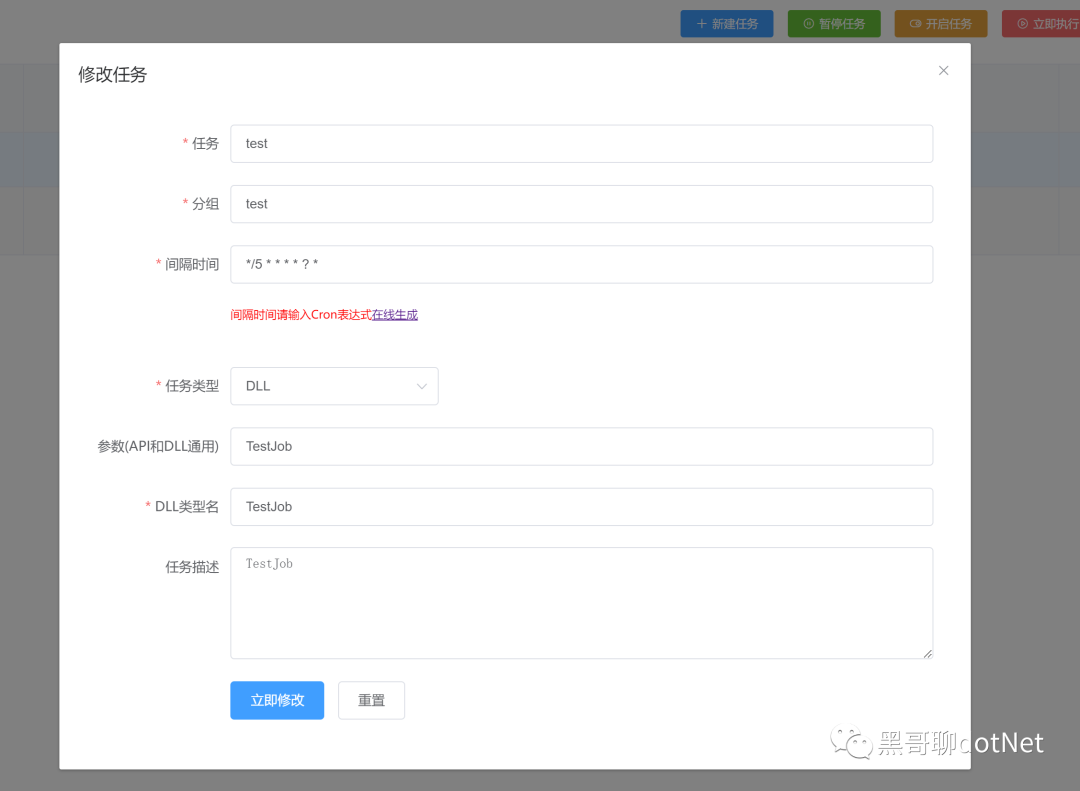
- 一种是调用本地类
通过调用本地 dll 的方式,新建的类继承IJobService即可
总结
本篇博客描述了 GZY.Quartz.MUI 搭建可视化的定时任务面板。