
介绍
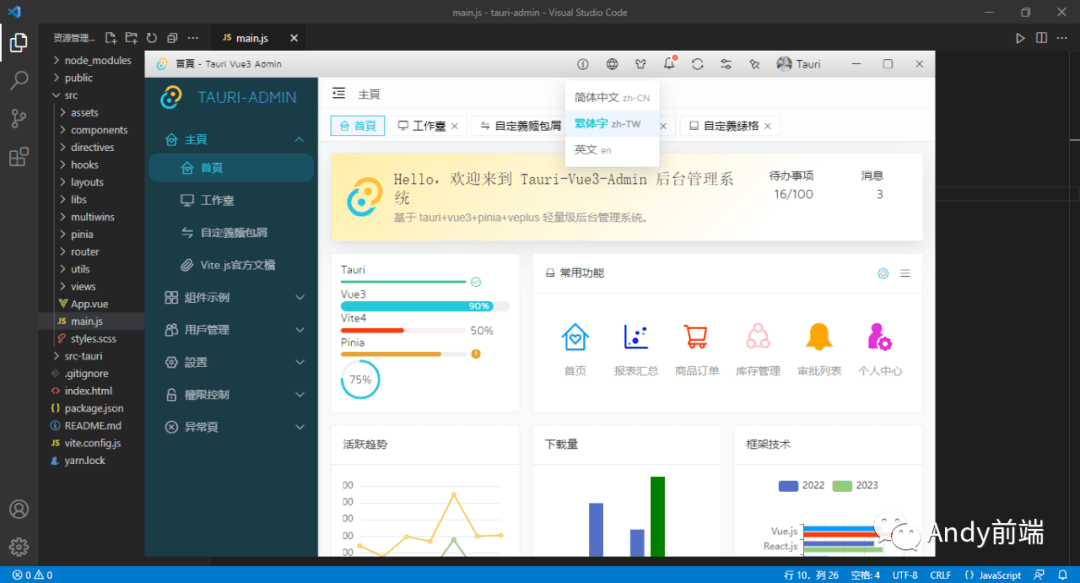
基于tauri+vue3+pinia2+veplus跨平台、桌面端通用后台管理系统应用模板TauriAdmin。
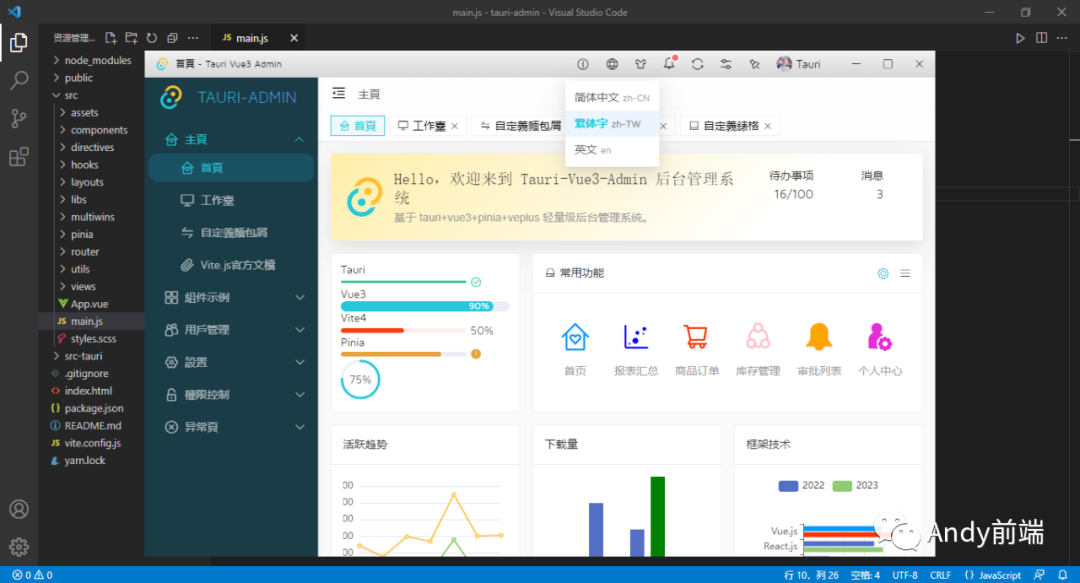
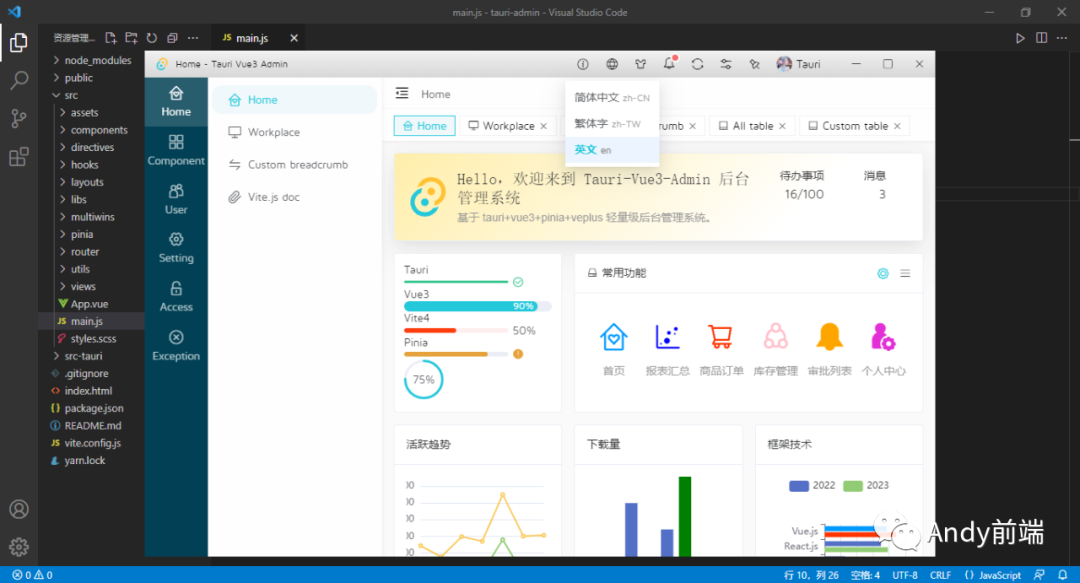

tauri-admin 采用跨端技术 Tauri Rust 整合 vite4.x 构建电脑端后台系统程序 exe 模板。

支持多开窗体管理、国际化多语言、路由鉴权验证/路由缓存、常用业务功能模块。

技术栈
- 编辑器:VScode
- 技术框架:tauri+vite4+vue3+pinia2+vue-router
- UI 组件库:ve-plus (基于 vue3 电脑端 UI 组件库)
- 样式处理:sass^1.63.6
- 图表组件:echarts^5.4.2
- 国际化方案:vue-i18n^9.2.2
- 编辑器组件:wangeditor^4.7.15
- 本地缓存:pinia-plugin-persistedstate^3.1.0

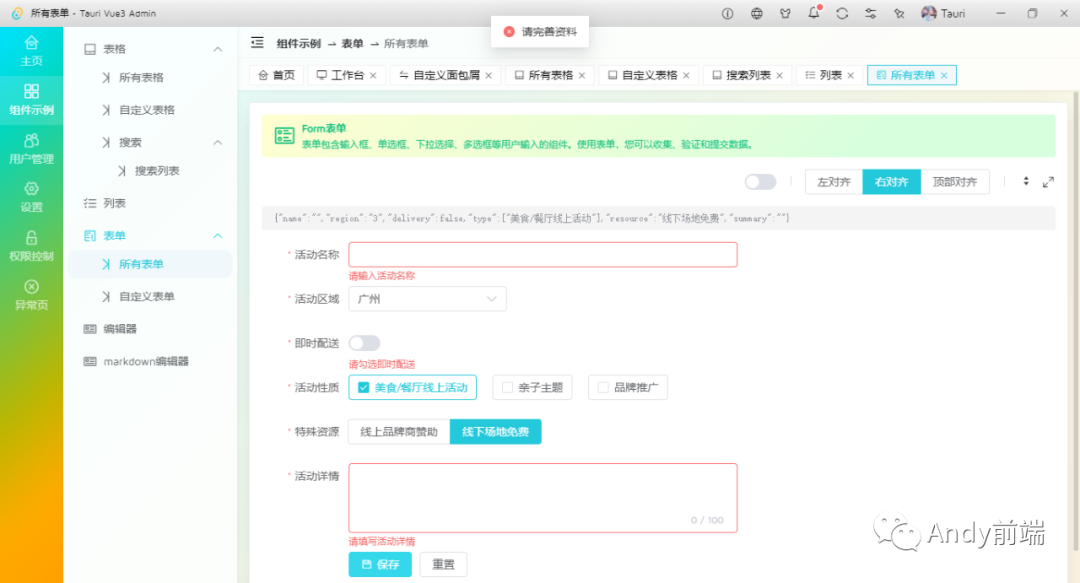
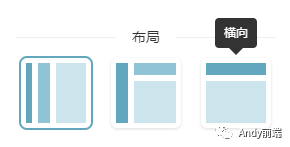
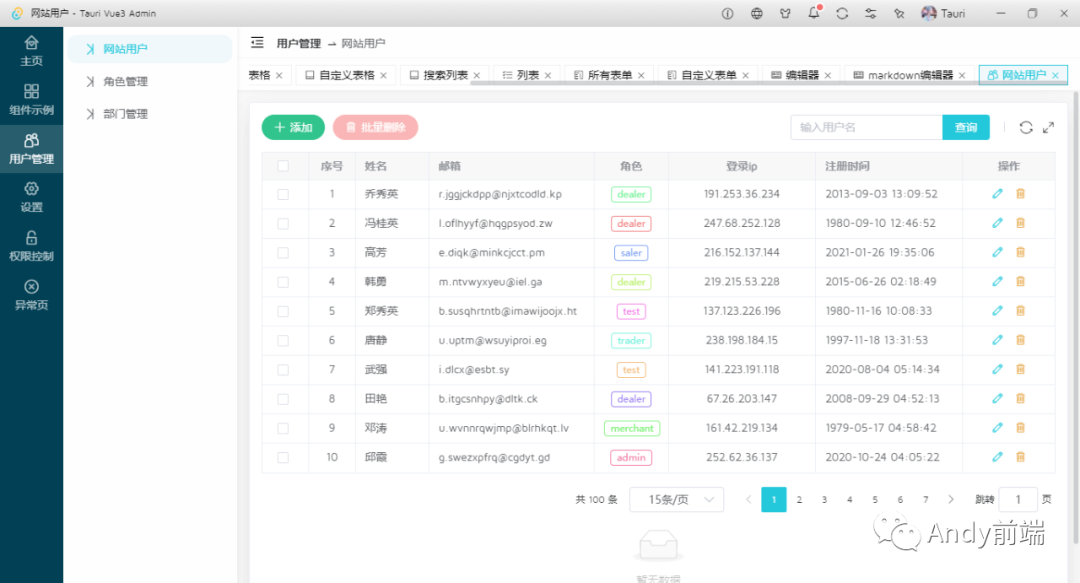
项目内置了三种常用的布局模板样式,根据喜欢随意切换即可,也可以定制喜欢的模板。
项目搭建目录

整个项目基于 tauri-cli 脚手架搭建 vue3 项目,如果大家对创建项目模板及多开窗口感兴趣,可以去看看之前的分享文章。
https://www.cnblogs.com/xiaoyan2017/p/16812092.html


tauri vue3 封装多开窗体
在 multiwins 目录下新建一个 index.js 文件,用于 tauri 多窗口封装管理。

// 创建窗口配置
export const windowConfig = {
  label: null, // 窗口唯一label
  title: "", // 窗口标题
  url: "", // 路由地址url
  width: 1000, // 窗口宽度
  height: 640, // 窗口高度
  minWidth: null, // 窗口最小宽度
  minHeight: null, // 窗口最小高度
  x: null, // 窗口相对于屏幕左侧坐标
  y: null, // 窗口相对于屏幕顶端坐标
  center: true, // 窗口居中显示
  resizable: true, // 是否支持缩放
  maximized: false, // 最大化窗口
  decorations: false, // 窗口是否装饰边框及导航条
  alwaysOnTop: false, // 置顶窗口
  fileDropEnabled: false, // 禁止系统拖放
  visible: false, // 隐藏窗口
};
通过 tauri 提供的 WebviewWindow 方法创建新窗口实例。由于 label 是窗口唯一标识,当需要切换设置为主窗口时,需要设置 label 包含 main 关键词。后续会检索是否有 main 关键词判断是否是主窗口。
/**
 * @desc    窗口管理
 * @author: YXY  Q:282310962
 * @time    2023.07
 */

import { WebviewWindow, appWindow, getAll } from "@tauri-apps/api/window";
import { relaunch, exit } from "@tauri-apps/api/process";
import { emit, listen } from "@tauri-apps/api/event";

import { setWin } from "./actions";

// 创建窗口参数配置
export const windowConfig = {
  label: null, // 窗口唯一label
  title: "", // 窗口标题
  url: "", // 路由地址url
  width: 1000, // 窗口宽度
  height: 640, // 窗口高度
  minWidth: null, // 窗口最小宽度
  minHeight: null, // 窗口最小高度
  x: null, // 窗口相对于屏幕左侧坐标
  y: null, // 窗口相对于屏幕顶端坐标
  center: true, // 窗口居中显示
  resizable: true, // 是否支持缩放
  maximized: false, // 最大化窗口
  decorations: false, // 窗口是否装饰边框及导航条
  alwaysOnTop: false, // 置顶窗口
  fileDropEnabled: false, // 禁止系统拖放
  visible: false, // 隐藏窗口
};

class Windows {
  constructor() {
    // 主窗口
    this.mainWin = null;
  }

  // 创建新窗口
  async createWin(options) {
    console.log("-=-=-=-=-=开始创建窗口");

    const args = Object.assign({}, windowConfig, options);

    // 判断窗口是否存在
    const existWin = getAll().find((w) => w.label == args.label);
    if (existWin) {
      console.log("窗口已存在>>", existWin);
      if (existWin.label.indexOf("main") == -1) {
        // 自定义处理...
      }
    }

    // 是否主窗口
    if (args.label.indexOf("main") > -1) {
      console.log("该窗口是主窗口");
      // 自定义处理...
    }

    // 创建窗口对象
    let win = new WebviewWindow(args.label, args);
    // 是否最大化
    if (args.maximized && args.resizable) {
      win.maximize();
    }

    // 窗口创建完毕/失败
    win.once("tauri://created", async () => {
      console.log("window create success!");
      await win?.show();
    });

    win.once("tauri://error", async () => {
      console.log("window create error!");
    });
  }

  // 获取窗口
  getWin(label) {
    return WebviewWindow.getByLabel(label);
  }

  // 获取全部窗口
  getAllWin() {
    return getAll();
  }

  // 开启主进程监听事件
  async listen() {
    console.log("——+——+——+——+——+开始监听窗口");

    // 创建新窗体
    await listen("win-create", (event) => {
      this.createWin(event.payload);
    });

    // 显示窗体
    await listen("win-show", async (event) => {
      if (appWindow.label.indexOf("main") == -1) return;
      await appWindow.show();
      await appWindow.unminimize();
      await appWindow.setFocus();
    });

    // 隐藏窗体
    await listen("win-hide", async (event) => {
      if (appWindow.label.indexOf("main") == -1) return;
      await appWindow.hide();
    });

    // 关闭窗体
    await listen("win-close", async (event) => {
      await appWindow.close();
    });

    // 退出应用
    await listen("win-exit", async (event) => {
      setWin("logout");
      await exit();
    });

    // ...
  }
}


主模板布局
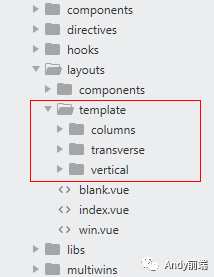
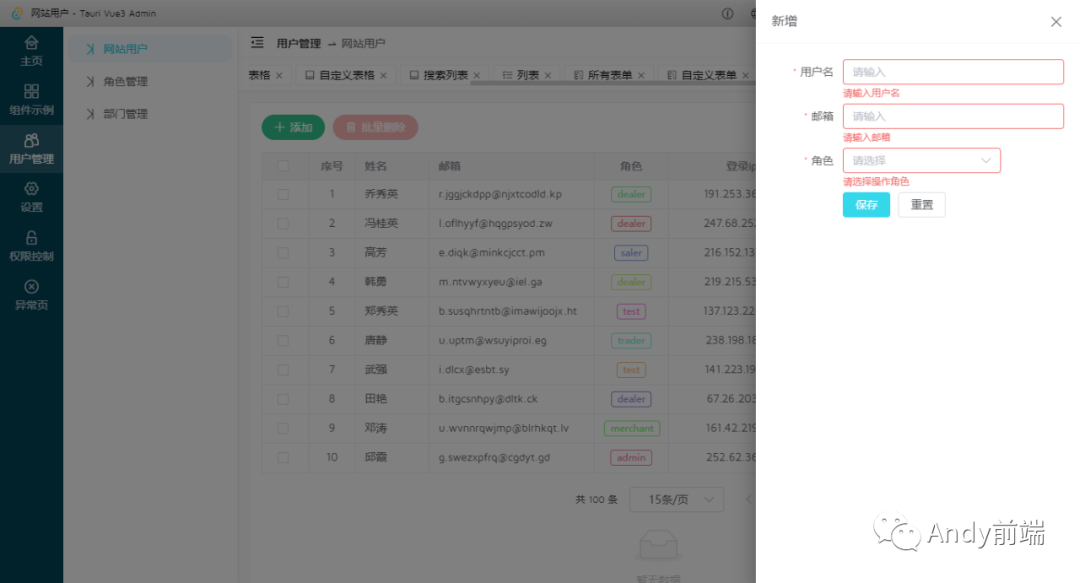
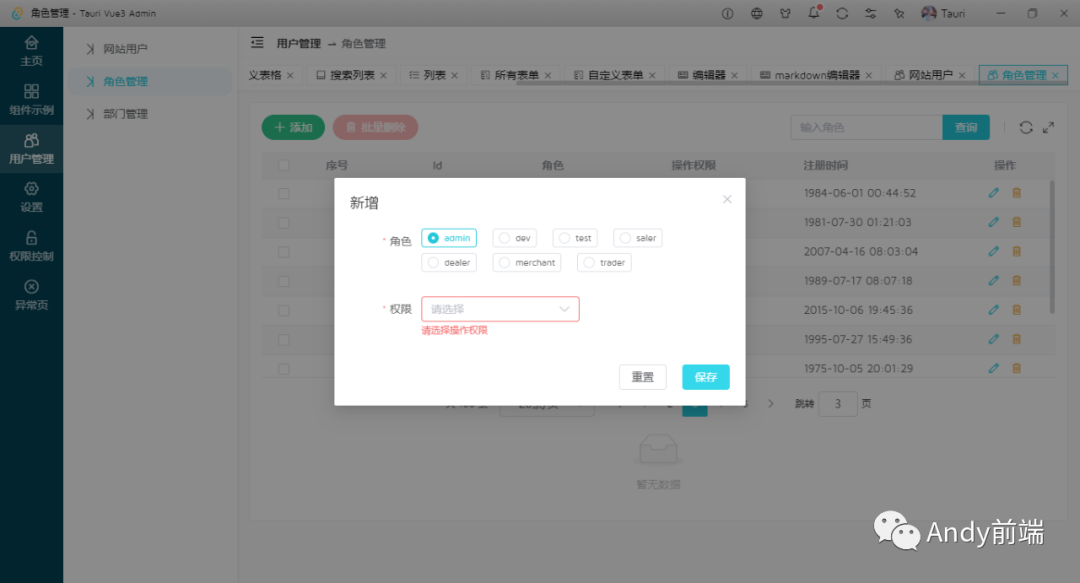
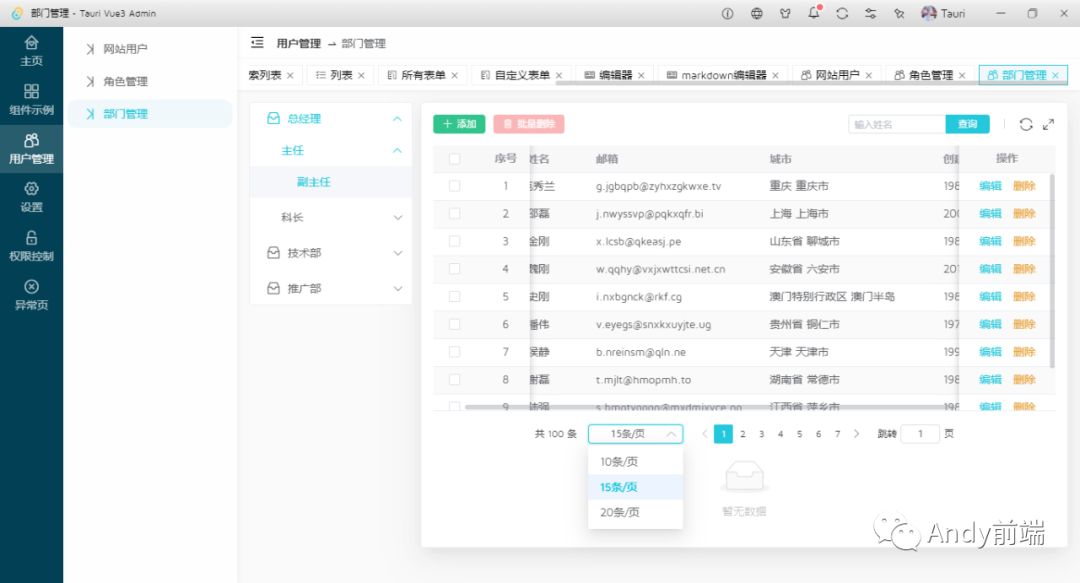
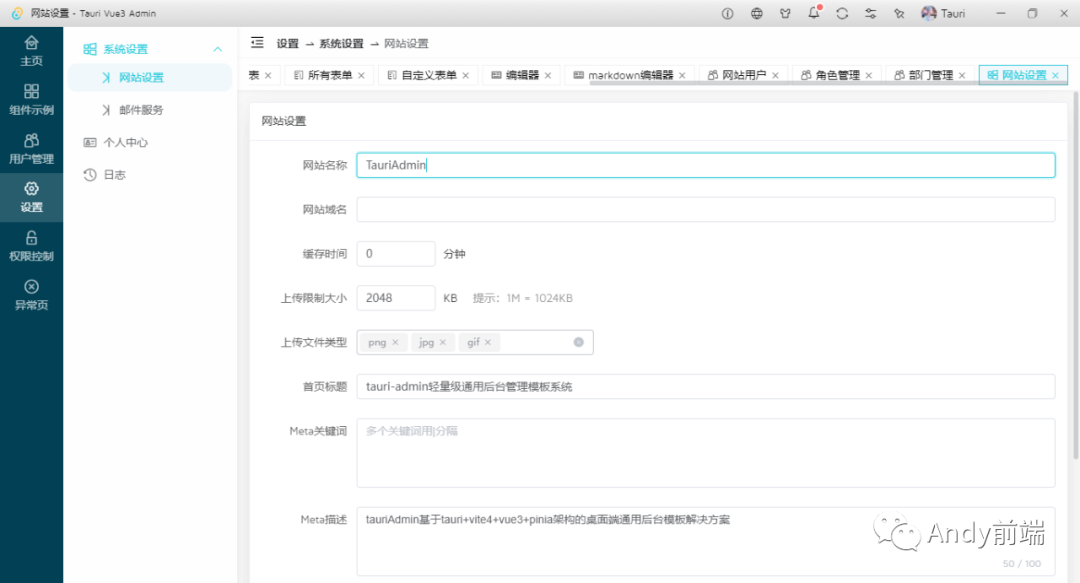
项目中内置了三种常用的模板布局样式。分别为传统分栏、菜单式、水平菜单式。
<script setup>
    import { computed } from 'vue'
    import { appStore } from '@/pinia/modules/app'

    // 引入布局模板
    import Columns from './template/columns/index.vue'
    import Vertical from './template/vertical/index.vue'
    import Transverse from './template/transverse/index.vue'

    const store = appStore()
    const config = computed(() => store.config)

    const LayoutConfig = {
        columns: Columns,
        vertical: Vertical,
        transverse: Transverse
    }
</script>

<template>
    <div class="veadmin__container">
        <component :is="LayoutConfig[config.layout]" />
    </div>
</template>

路由配置
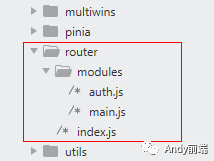
tauri 项目中使用 vue-router 进行路由跳转管理。
/**
 * 路由配置 Router
 * @author YXY
 */

import { appWindow } from "@tauri-apps/api/window";
import { createRouter, createWebHistory } from "vue-router";
import { appStore } from "@/pinia/modules/app";
import { hasPermission } from "@/hooks/usePermission";
import { loginWin } from "@/multiwins/actions";

// 批量导入modules路由
const modules = import.meta.glob("./modules/*.js", { eager: true });
const patchRoutes = Object.keys(modules)
  .map((key) => modules[key].default)
  .flat();

/**
 * @description 动态路由参数配置
 * @param path ==> 菜单路径
 * @param redirect ==> 重定向地址
 * @param component ==> 视图文件路径
 * 菜单信息(meta)
 * @param meta.icon ==> 菜单图标
 * @param meta.title ==> 菜单标题
 * @param meta.activeRoute ==> 路由选中(默认空 route.path)
 * @param meta.rootRoute ==> 所属根路由选中(默认空)
 * @param meta.roles ==> 页面权限 ['admin', 'dev', 'test']
 * @param meta.breadcrumb ==> 自定义面包屑导航 [{meta:{...}, path: '...'}]
 * @param meta.isAuth ==> 是否需要验证
 * @param meta.isHidden ==> 是否隐藏页面
 * @param meta.isFull ==> 是否全屏页面
 * @param meta.isKeepAlive ==> 是否缓存页面
 * @param meta.isAffix ==> 是否固定标签(tabs标签栏不能关闭)
 * */
const routes = [
  // 首页
  {
    path: "/",
    redirect: "/home",
  },
  // 错误模块
  {
    path: "/:pathMatch(.*)*",
    component: () => import("@views/error/404.vue"),
    meta: {
      title: "page__error-notfound",
    },
  },
  ...patchRoutes,
];

const router = createRouter({
  history: createWebHistory(),
  routes,
});

// 全局钩子拦截
router.beforeEach((to, from, next) => {
  // 开启加载提示
  loading({
    text: "Loading...",
    background: "rgba(70, 255, 170, .1)",
  });

  const store = appStore();
  if (to?.meta?.isAuth && !store.isLogged) {
    loginWin();
    loading.close();
  } else if (!hasPermission(store.roles, to?.meta?.roles)) {
    // 路由鉴权
    appWindow?.show();
    next("/error/forbidden");
    loading.close();
    Notify({
      title: "访问限制!",
      description: `<span style="color: #999;">当前登录角色 ${store.roles} 没有操作权限,请联系管理员授权后再操作。</div>`,
      type: "danger",
      icon: "ve-icon-unlock",
      time: 10,
    });
  } else {
    appWindow?.show();
    next();
  }
});

router.afterEach(() => {
  loading.close();
});

router.onError((error) => {
  loading.close();
  console.warn("Router Error》》", error.message);
});

export default router;
状态管理 pinia
目前 vue3 项目推荐使用 pinia 进行状态管理,当然 vuex 依然可以使用。

/**
 * 状态管理配置 Pinia
 * @author YXY
 */

import { createPinia } from "pinia";
// 引入pinia本地持久化存储
import piniaPluginPersistedstate from "pinia-plugin-persistedstate";

const pinia = createPinia();
pinia.use(piniaPluginPersistedstate);

export default pinia;
本地持久化存储则是使用 pinia 插件 pinia-plugin-persistedstate 进行实现功能。


vue-i18n 国际化解决方案
tauri-admin 支持中英文/繁体三种语言配置。

/**
 * 国际化配置 VueI18n
 * @author YXY
 */

import { createI18n } from "vue-i18n";
import { appStore } from "@/pinia/modules/app";

// 引入语言配置
import enUS from "./en-US";
import zhCN from "./zh-CN";
import zhTW from "./zh-TW";

// 默认语言
export const langVal = "zh-CN";

export default async (app) => {
  const store = appStore();
  const lang = store.lang || langVal;

  const i18n = createI18n({
    legacy: false,
    locale: lang,
    messages: {
      en: enUS,
      "zh-CN": zhCN,
      "zh-TW": zhTW,
    },
  });

  app.use(i18n);
};
tauri.conf.json 配置
{
  "build": {
    "beforeDevCommand": "yarn dev",
    "beforeBuildCommand": "yarn build",
    "devPath": "http://localhost:1420",
    "distDir": "../dist",
    "withGlobalTauri": false
  },
  "package": {
    "productName": "tauri-admin",
    "version": "0.0.0"
  },
  "tauri": {
    "allowlist": {
      "all": true,
      "shell": {
        "all": false,
        "open": true
      }
    },
    "bundle": {
      "active": true,
      "targets": "all",
      "identifier": "com.tauri.admin",
      "icon": [
        "icons/32x32.png",
        "icons/128x128.png",
        "icons/128x128@2x.png",
        "icons/icon.icns",
        "icons/icon.ico"
      ]
    },
    "security": {
      "csp": null
    },
    "windows": [
      {
        "fullscreen": false,
        "resizable": true,
        "title": "tauri-admin",
        "width": 1000,
        "height": 640,
        "center": true,
        "decorations": false,
        "fileDropEnabled": false,
        "visible": false
      }
    ],
    "systemTray": {
      "iconPath": "icons/icon.ico",
      "iconAsTemplate": true,
      "menuOnLeftClick": false
    }
  }
}
OK,以上就是 tauri+vue3+pinia 实现客户端后台管理系统模板实例的一些分享。
