.NET Toolbox: Open-source, free pure frontend tool website, exploring 10 major tool categories and 73 real-time online gadgets

.NET Toolbox: Open-source, free pure frontend tool website, exploring 10 major tool categories and 73 real-time online gadgets

Dotnet Toolbox is a pure frontend, open-source, and free tool website. Over the weekend, I referred to the open-source project it-tools, localized the website interface text into Chinese, and redeployed the site. The website has 10 major tool categories and provides 73 real-time online gadgets. Developed with Vue3, the Dotnet Toolbox has unique features. This article details some of these featured tools and briefly shares how to deploy your own tool website. If you are interested in tool websites, why not come and learn about Dotnet Toolbox!

Last updated 10/16/2023 2:08 PM
沙漠尽头的狼
11 min read
Category
Frontend
Tags
.NET C# Vue Open-source project Open-source

1. Foreword

Hello everyone, I'm Desert End Wolf.

Dotnet Toolbox is a purely front-end, open source and free tool website. Over the weekend, I referred to the open source project it-tools, localized the website interface text into Chinese, and redeployed the site. The website has 10 major tool categories, providing 73 real-time online gadgets. Developed with Vue3, the Dotnet Toolbox has its own unique features. This article details some of the featured tools and briefly shares how to deploy your own tool site. If you are interested in tool websites, come and learn about the Dotnet Toolbox!

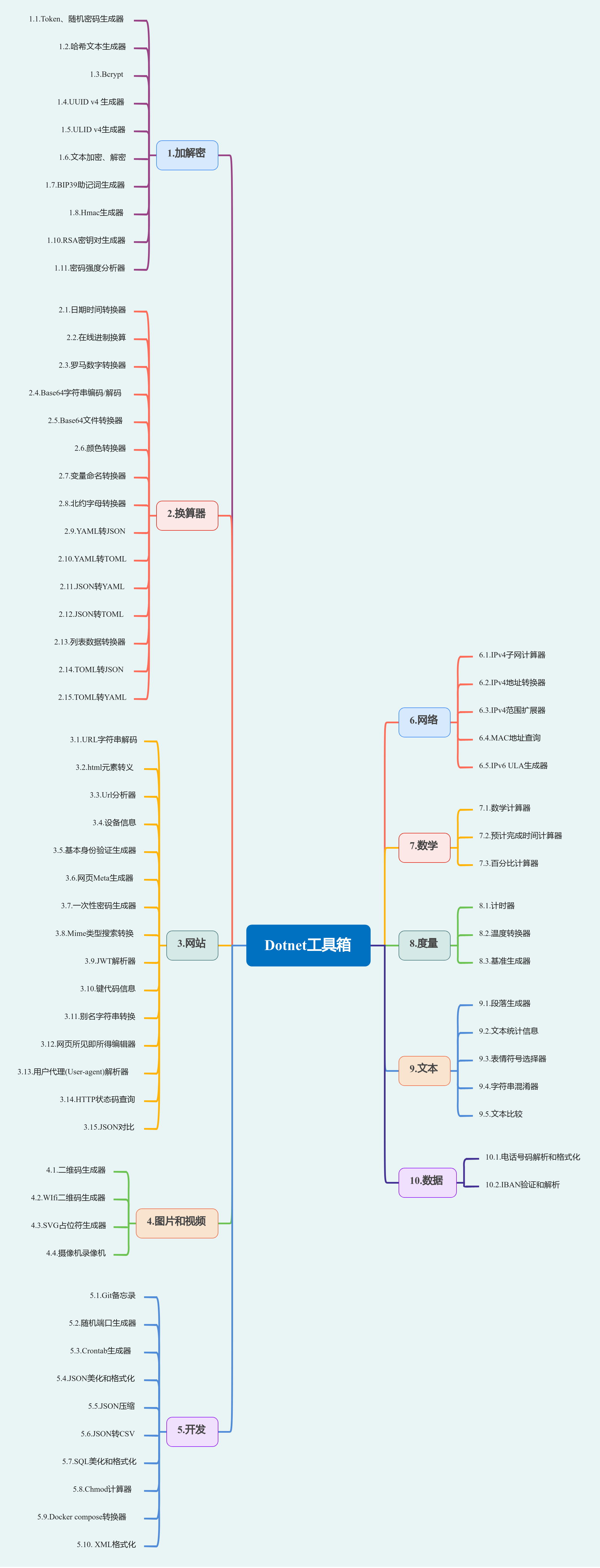
The current tools in Dotnet Toolbox are as follows:

About Dotnet Toolbox and the it-tools project

Dotnet Toolbox repository (based on it-tools): https://github.com/dotnet9/Dotnet9/tree/develop/src/Dotnetools
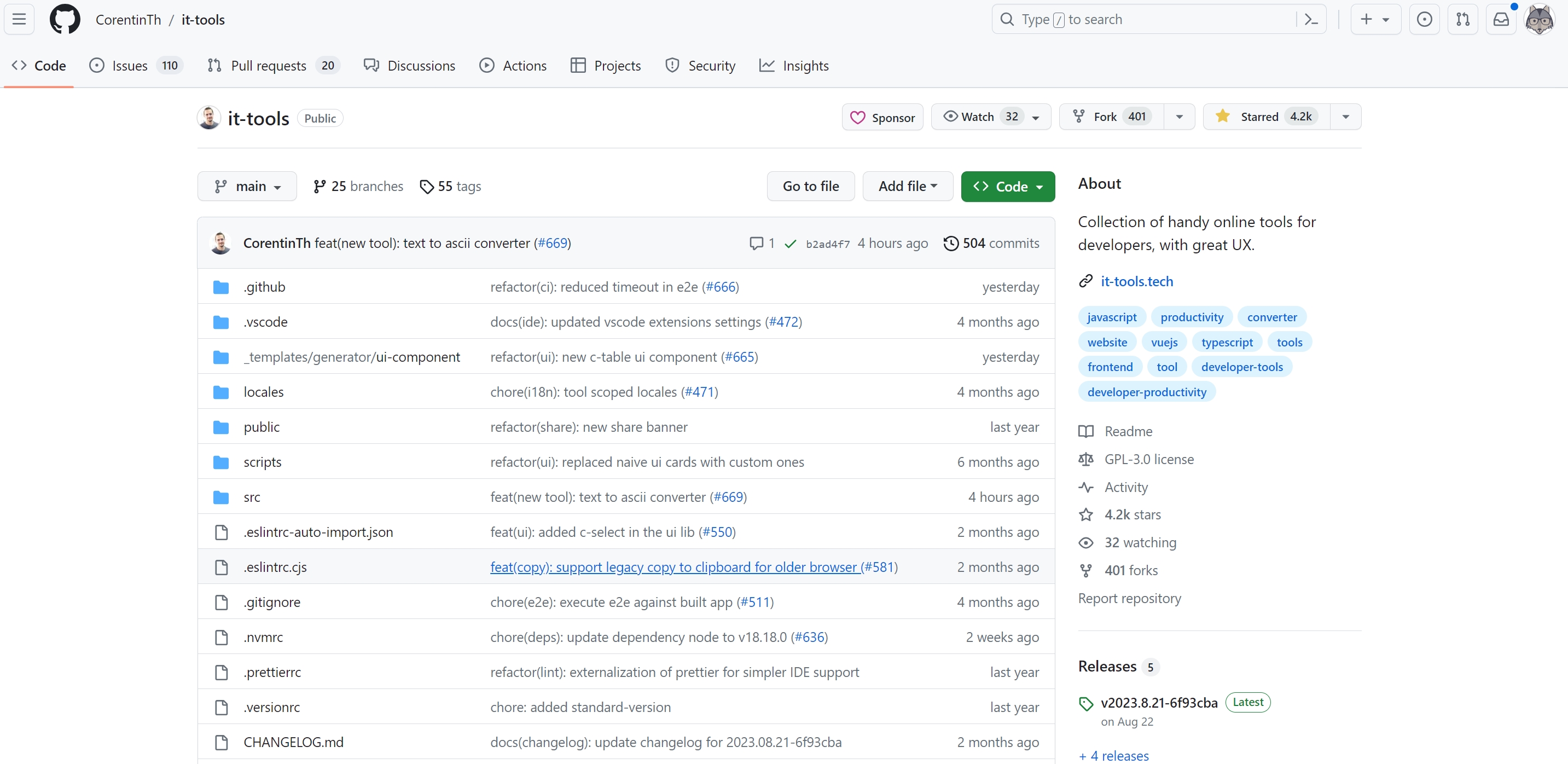
it-tools repository: https://github.com/CorentinTh/it-tools
it-tools open source license: GPL-3.0 license
it-tools online tool: https://it-tools.tech/

At the time of writing, Dotnet Toolbox only localized the interface text of the it-tools project. If I have future needs, I plan to extend development according to the project specifications. Anyone interested can:

Participate in it-tools development: https://github.com/CorentinTh/it-tools
Participate in Dotnet Toolbox development: https://github.com/dotnet9/Dotnet9/tree/develop/src/Dotnetools
For correcting Chinese translations, raising Issues, or submitting PRs for Dotnet Toolbox, please visit: https://github.com/dotnet9/Dotnet9

2. Tool Introduction

Selecting a few from the 10 tool categories for introduction.

2.1. Encryption & Decryption

There are 11 gadgets under encryption and decryption.

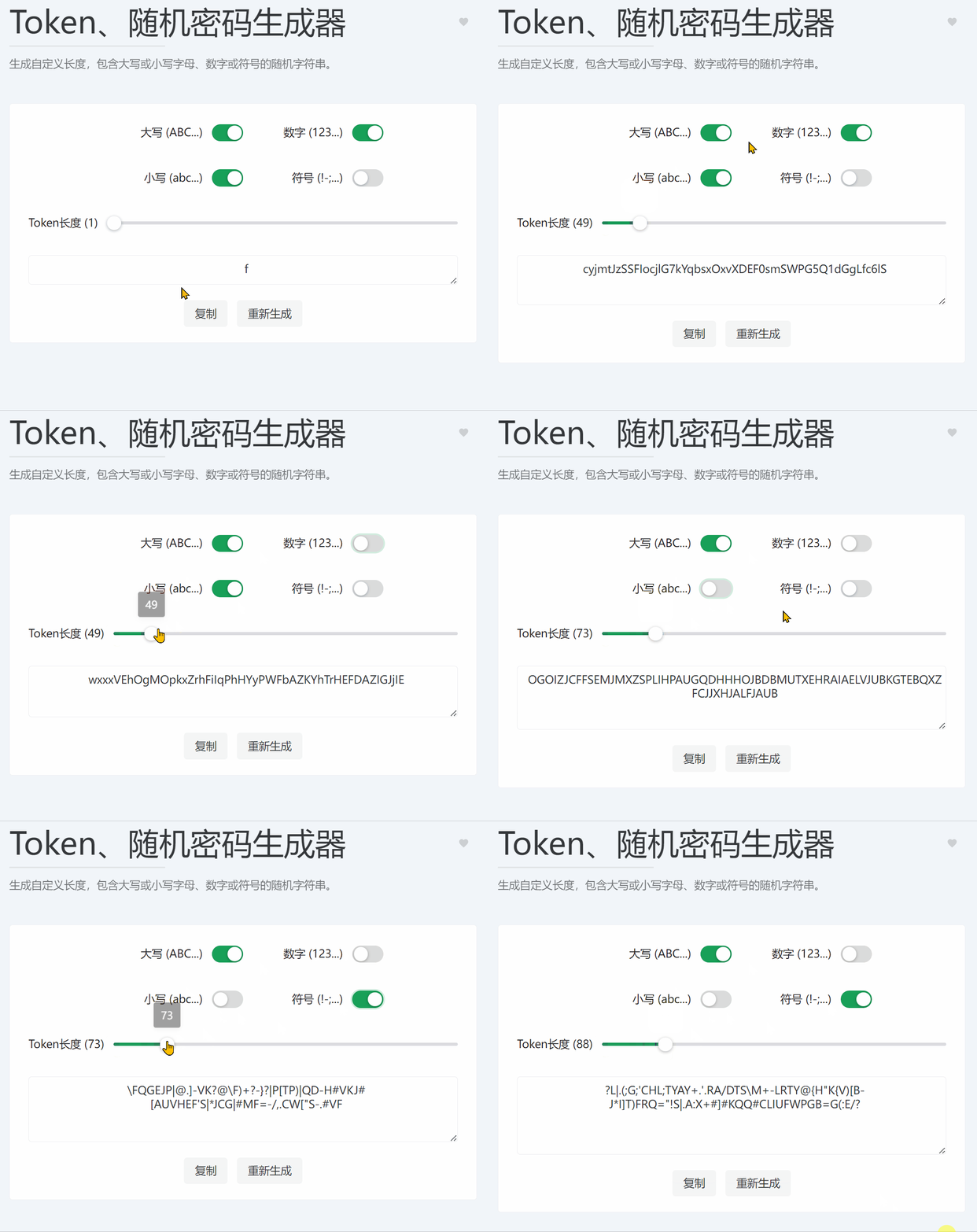
2.1.1. Token & Random Password Generator

Online tool access: https://dotnetools.com/token-generator

Generate random strings of custom length, containing uppercase or lowercase letters, numbers, or symbols.

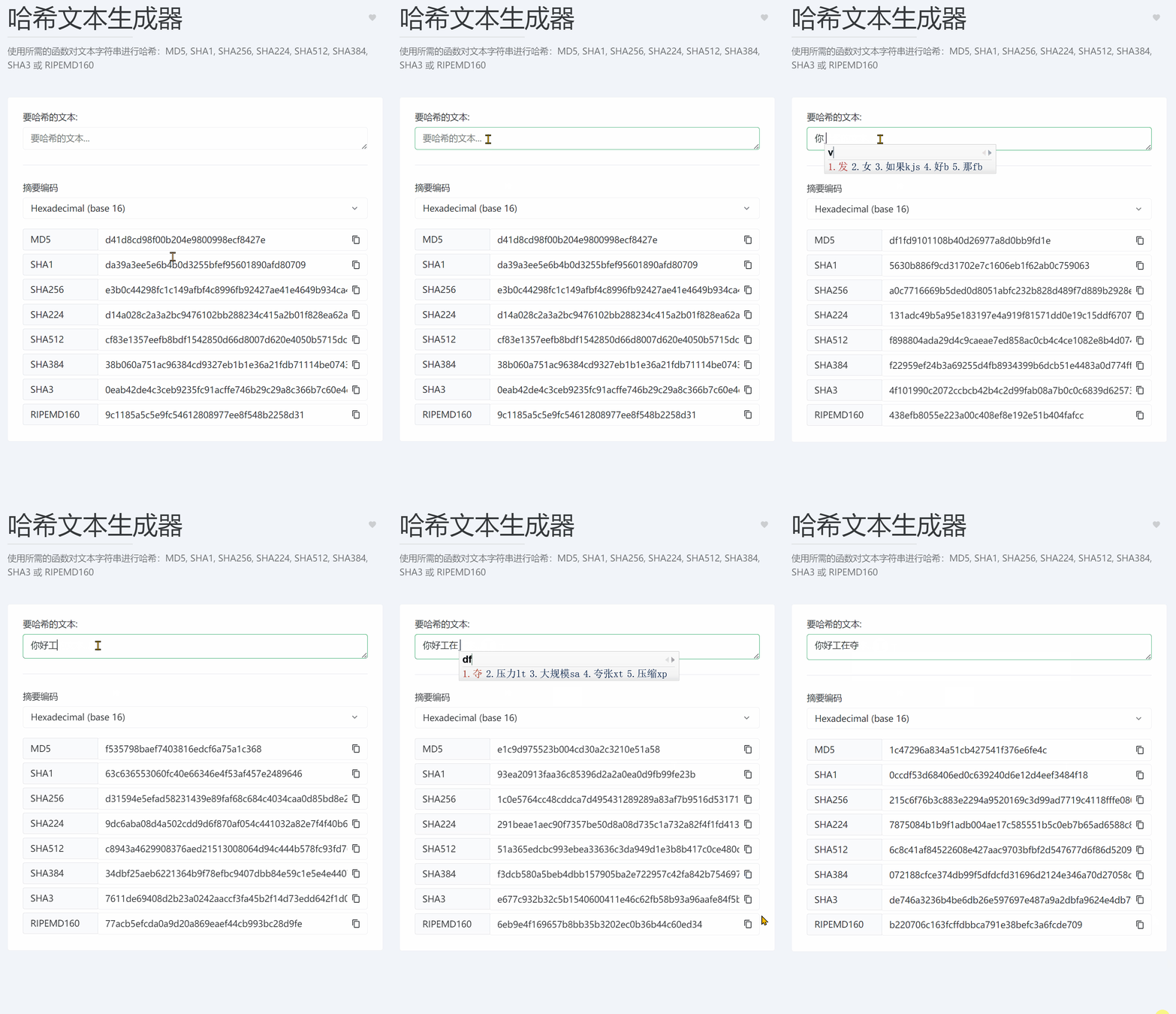
2.1.2. Hash Text Generator

Online tool access: https://dotnetools.com/hash-text

Hash text strings using desired functions: MD5, SHA1, SHA256, SHA224, SHA512, SHA384, SHA3, or RIPEMD160.

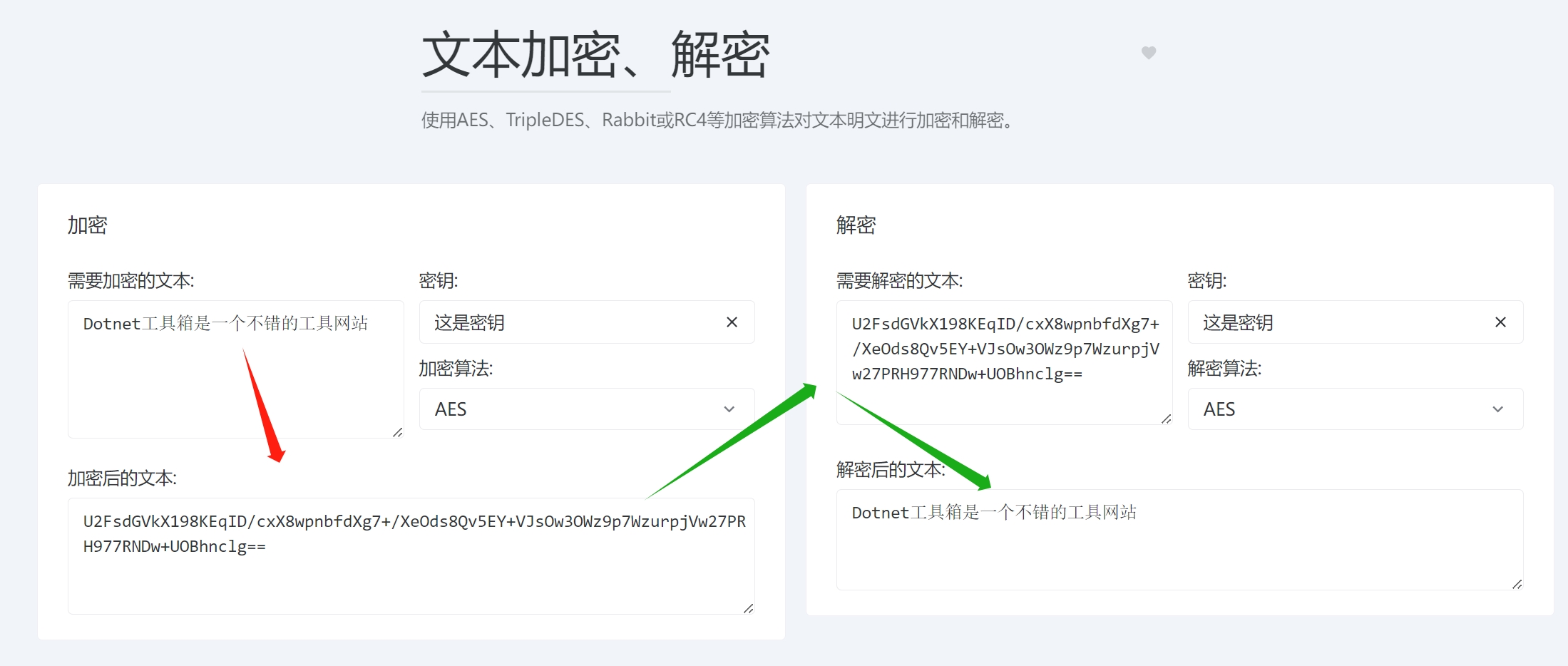
2.1.3. Text Encryption & Decryption

Online tool access: https://dotnetools.com/encryption

Encrypt and decrypt text plaintext using encryption algorithms like AES, TripleDES, Rabbit, or RC4.

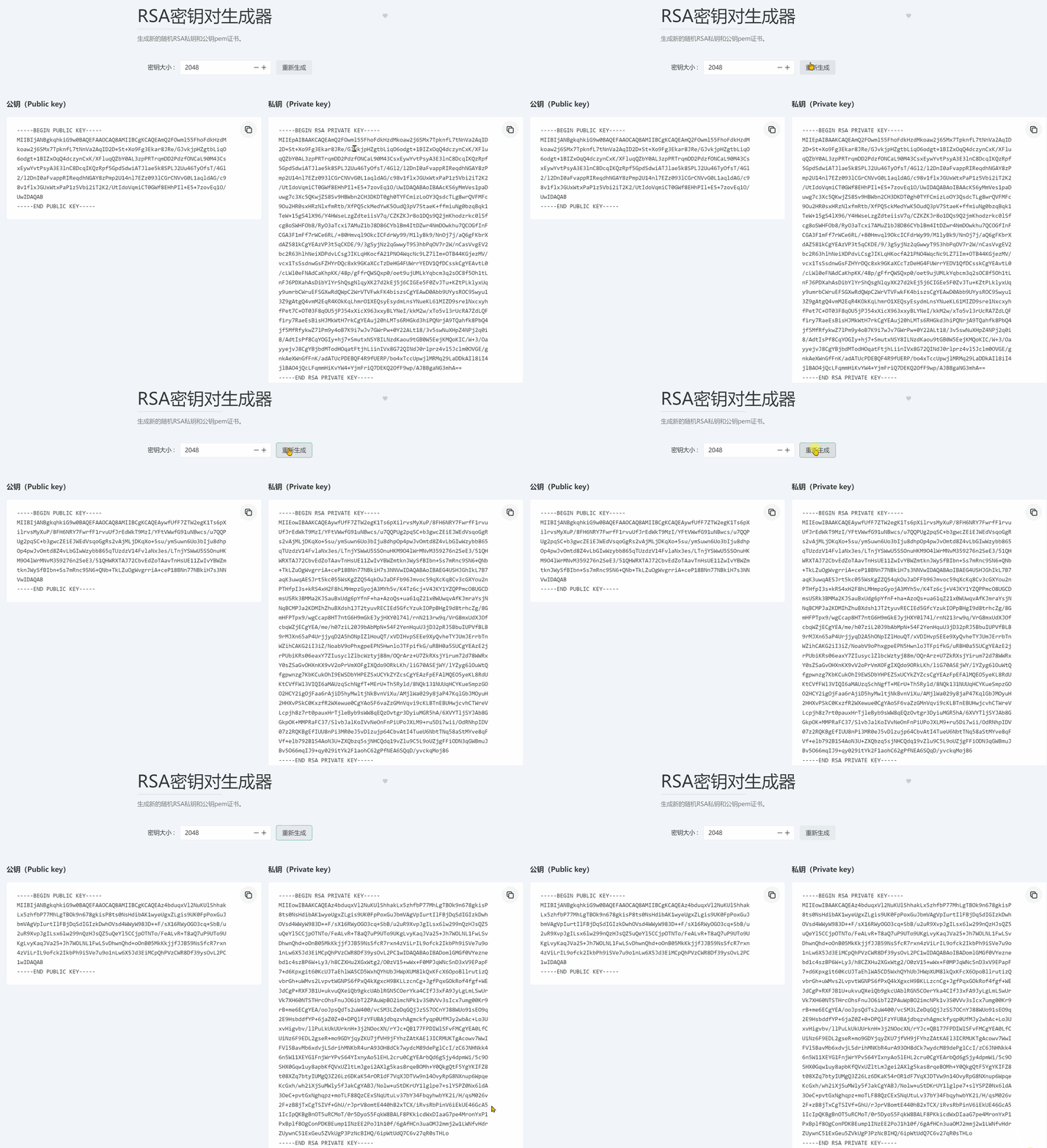
2.1.4. RSA Key Pair Generator

Online tool access: https://dotnetools.com/rsa-key-pair-generator

Generate new random RSA private and public key PEM certificates.

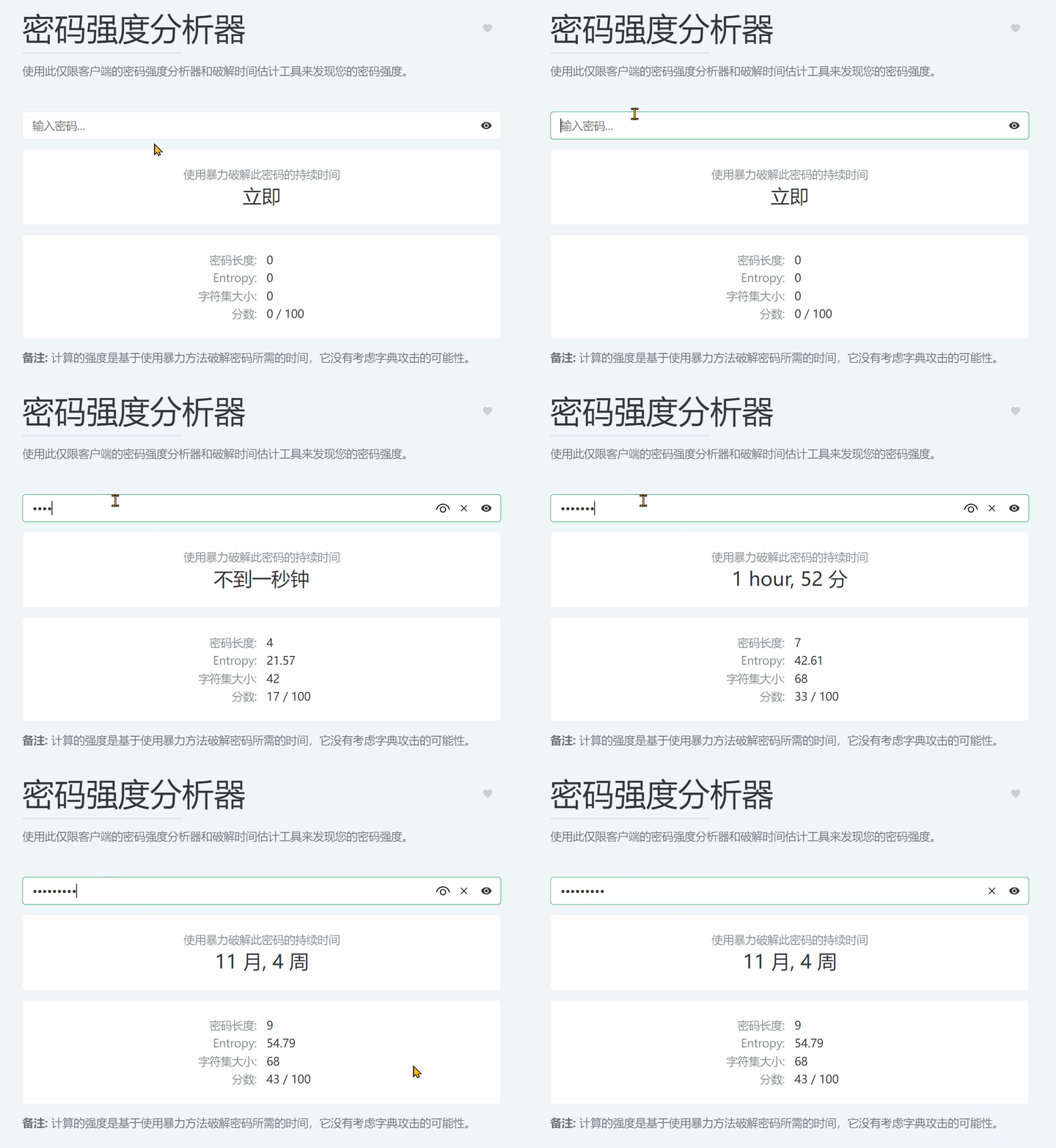
2.1.5. Password Strength Analyzer

Online tool access: https://dotnetools.com/password-strength-analyser

Discover your password strength using this client-side-only password strength analyzer and cracking time estimator.

2.2. Converters

There are 15 gadgets under converters.

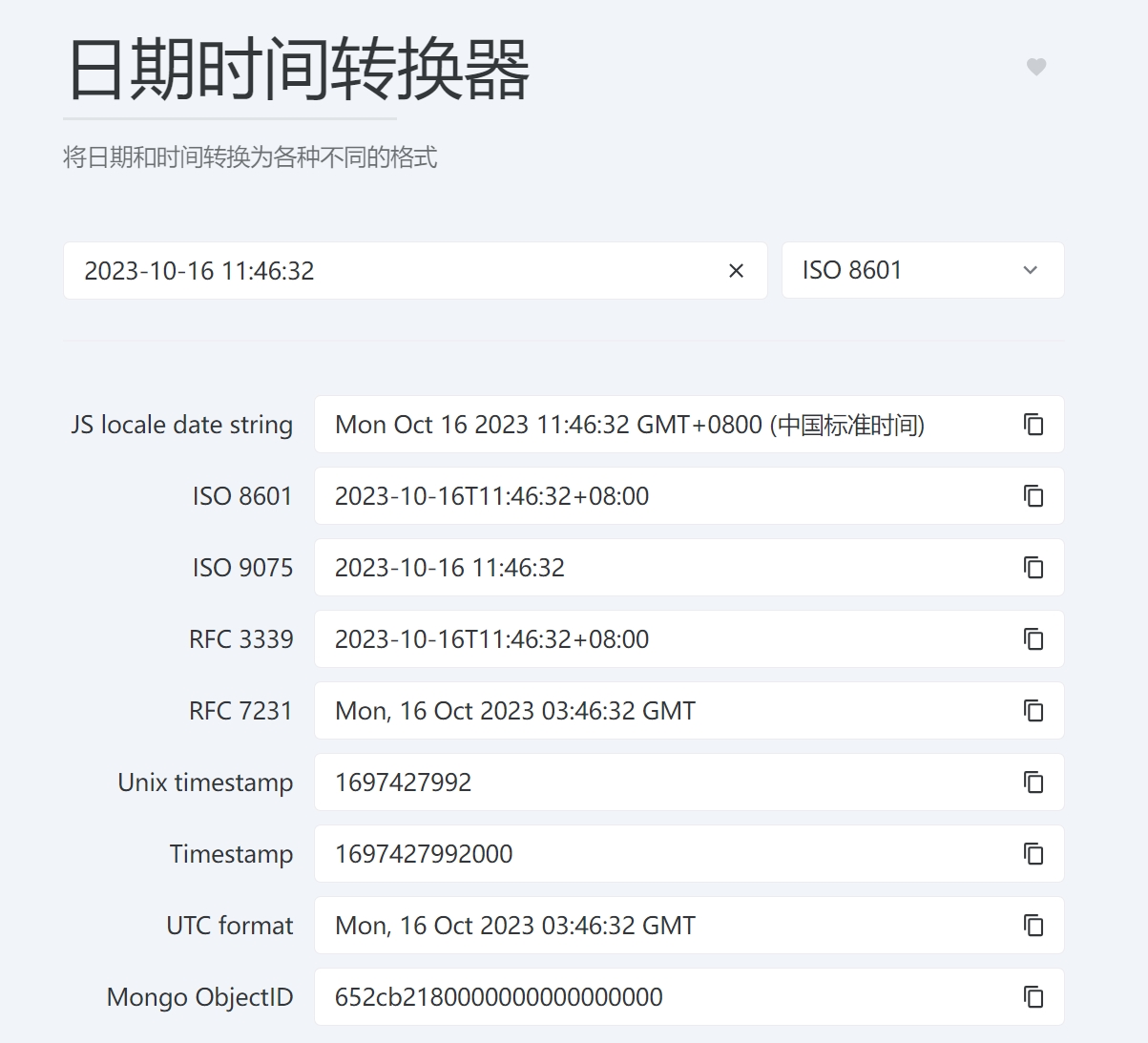
2.2.1. Date & Time Converter

Online tool access: https://dotnetools.com/date-converter

Convert date and time to various different formats.

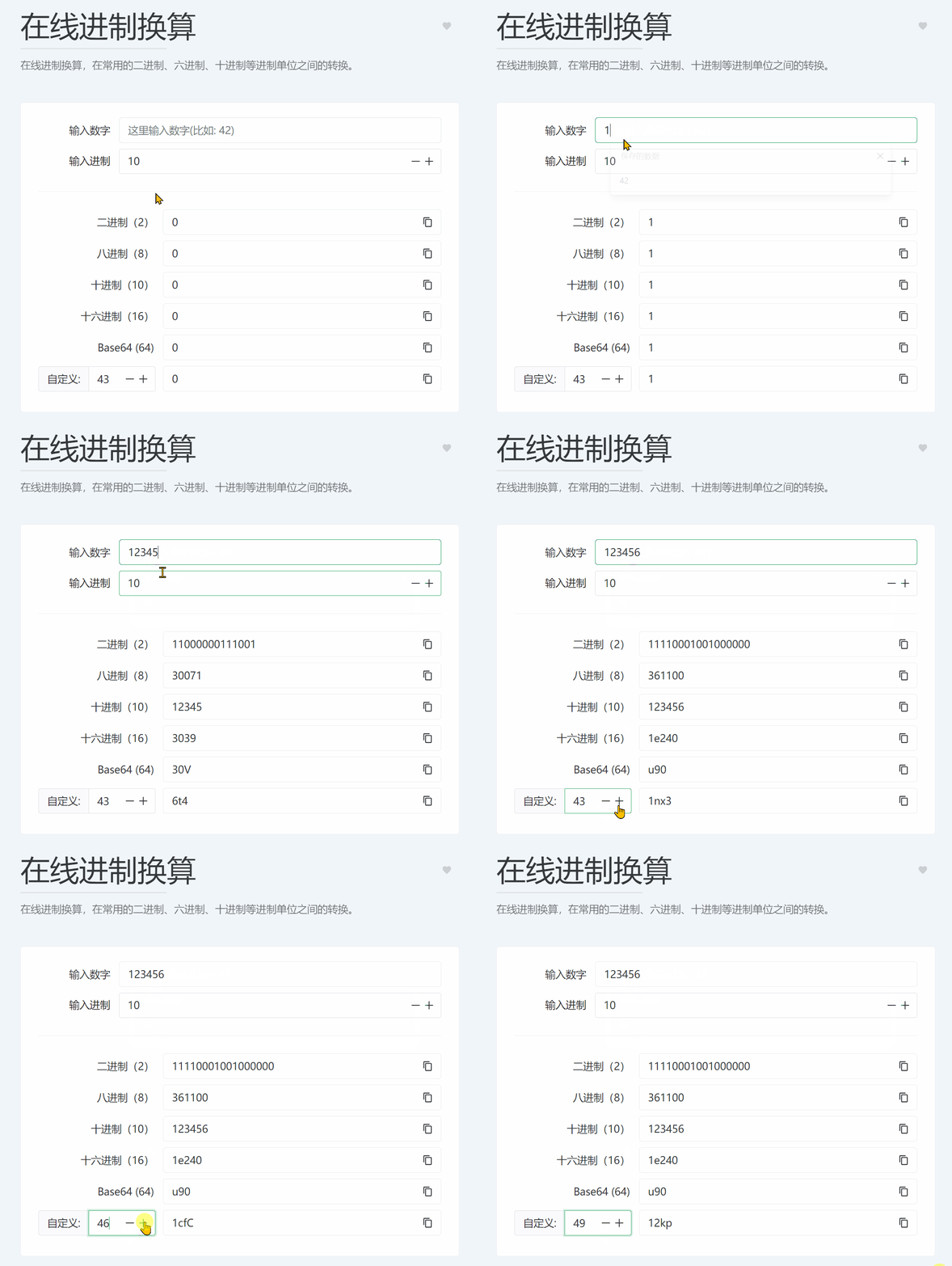
2.2.2. Online Base Converter

Online tool access: https://dotnetools.com/base-converter

Online base conversion: convert between common bases such as binary, hexadecimal, decimal, and also customize other bases, e.g., base-50, base-100…

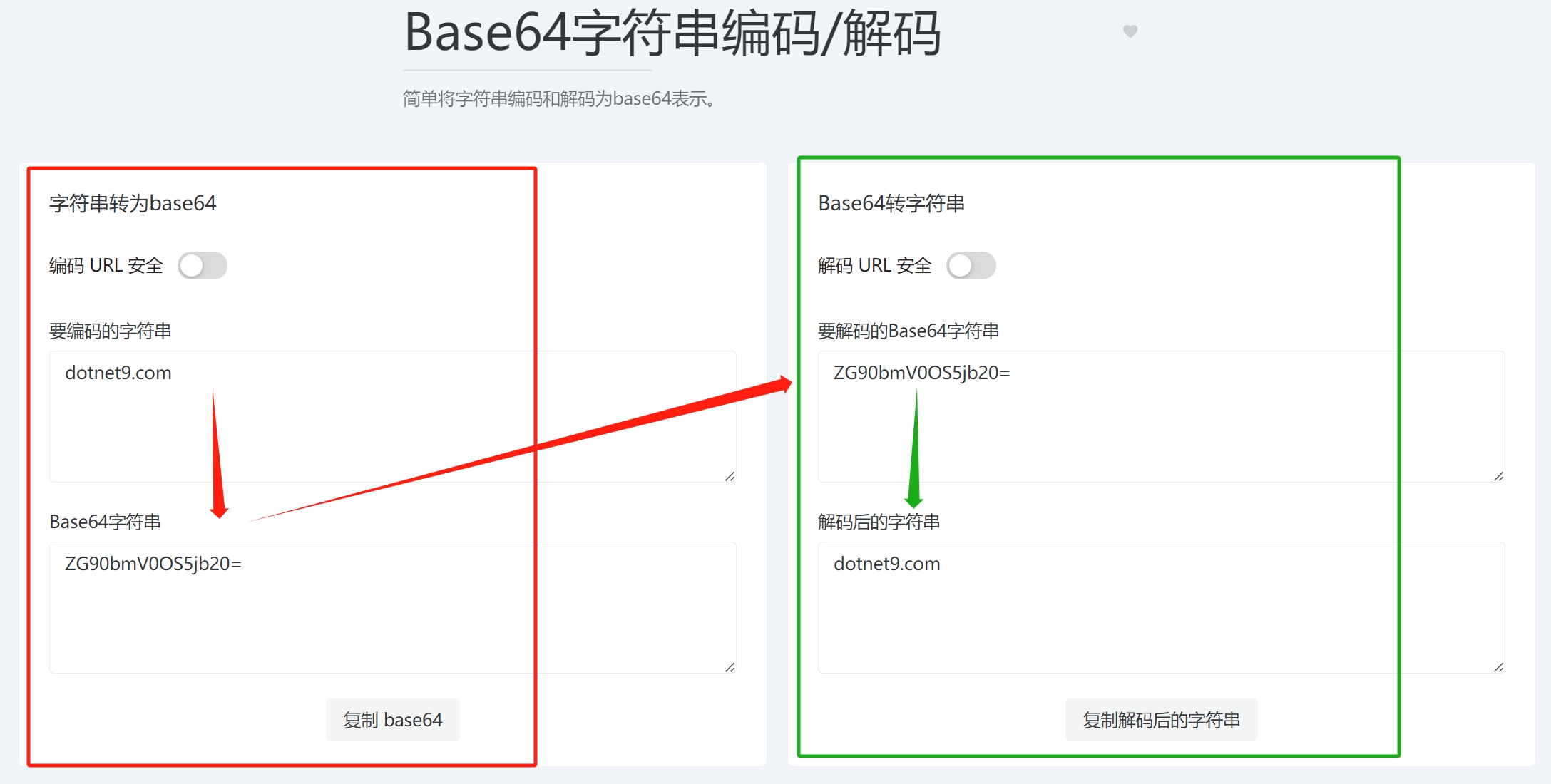
2.2.3. Base64 String Encode/Decode

Online tool access: https://dotnetools.com/base64-string-converter

Simply encode and decode strings to and from base64 representation.

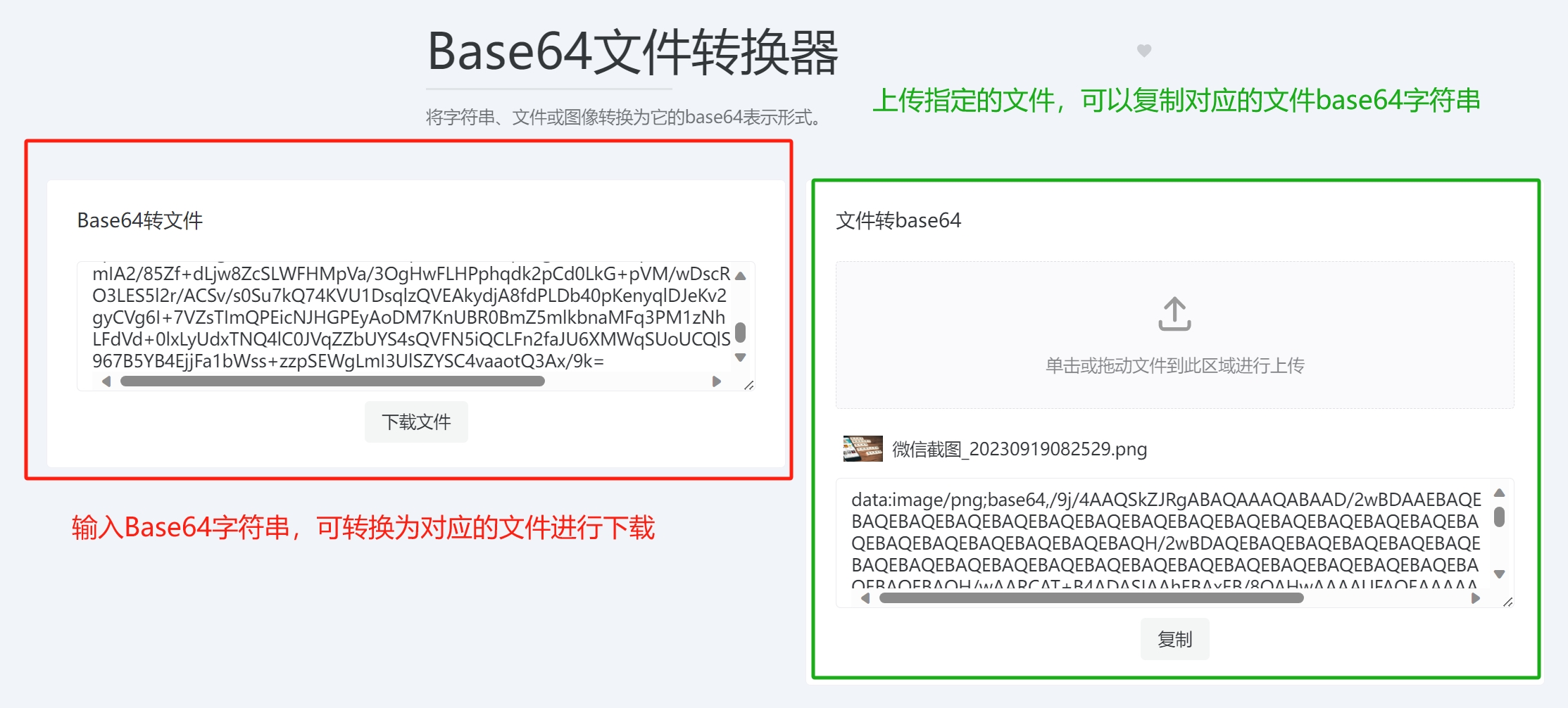
2.2.4. Base64 File Converter

Online tool access: https://dotnetools.com/base64-file-converter

Convert strings, files, or images to their base64 representation.

  • Paste the corresponding file base64 string to download as a file.
  • Upload a file to convert it to a base64 string for copying.

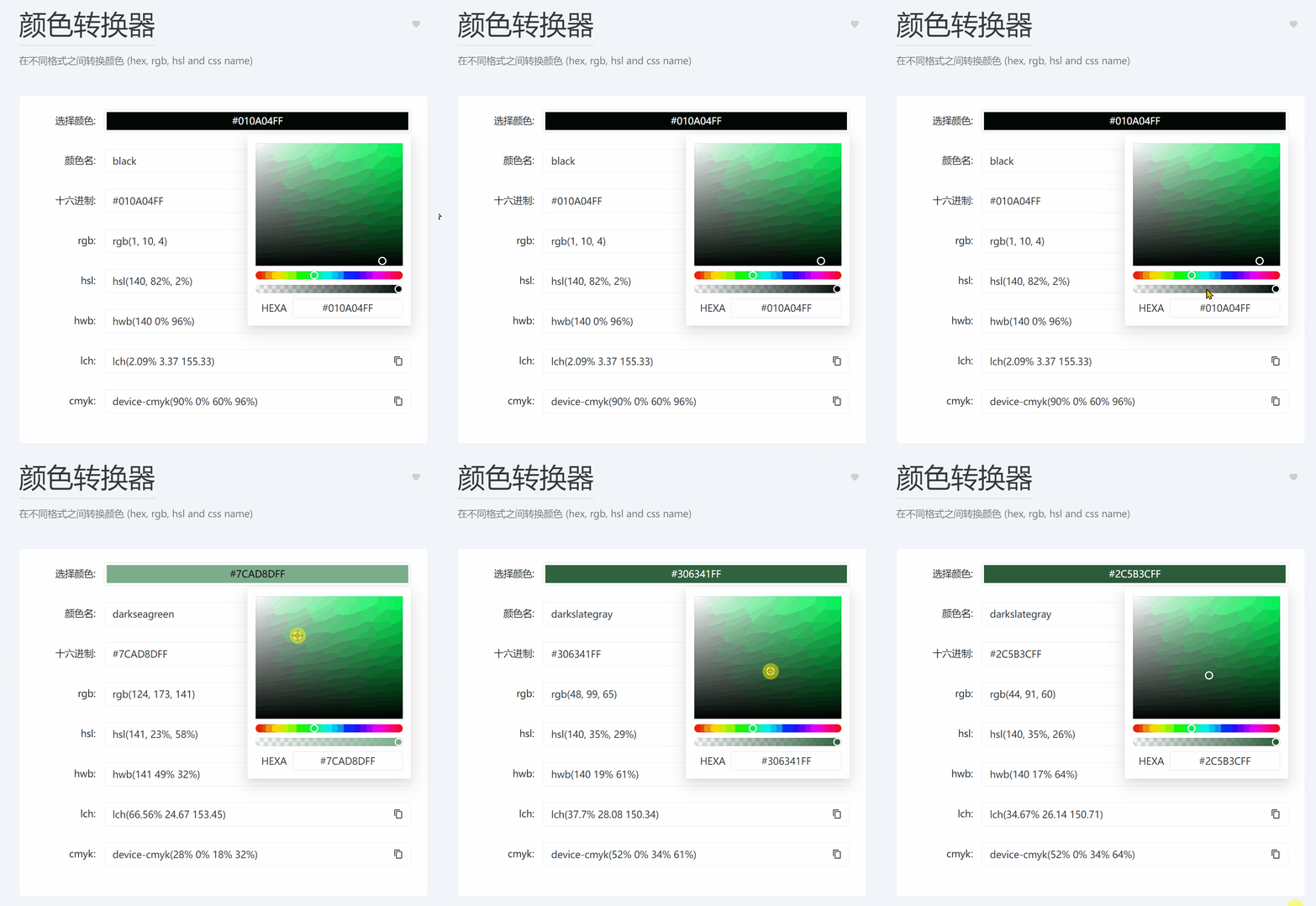
2.2.5. Color Converter

Online tool access: https://dotnetools.com/color-converter

Convert colors between different formats (hex, rgb, hsl, and CSS name), commonly used in front-end development (e.g., web, desktop software, mobile).

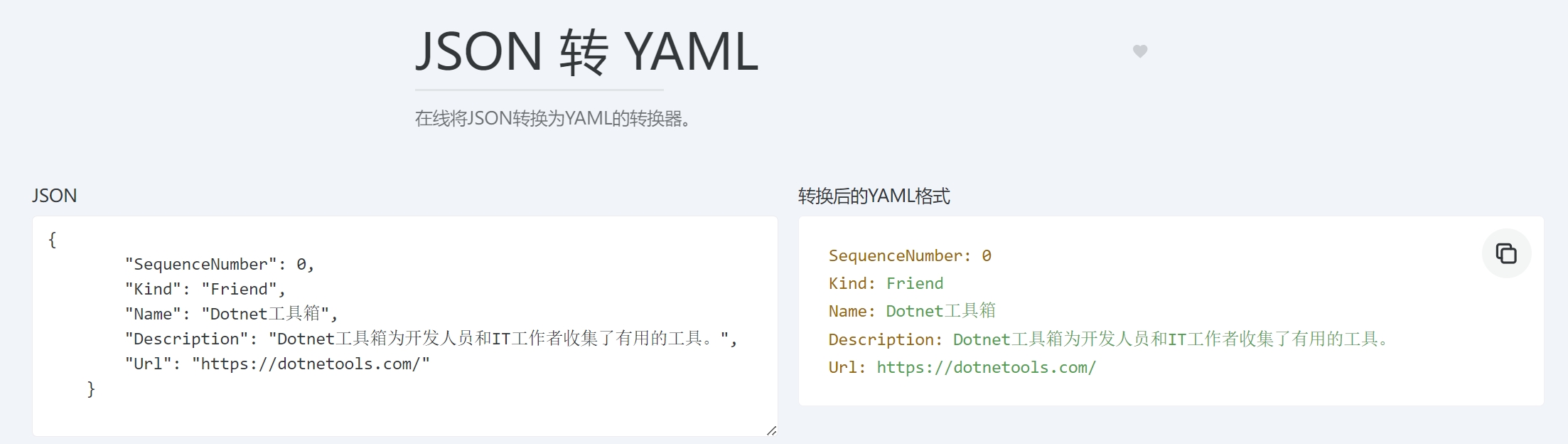
2.2.6. JSON to YAML

Online tool access: https://dotnetools.com/json-to-yaml-converter

Online converter from JSON to YAML. Similar tools include YAML to JSON, YAML to TOML, JSON to TOML, List Data Converter, TOML to JSON, TOML to YAML.

2.3. Web

There are 15 gadgets under the Web category.

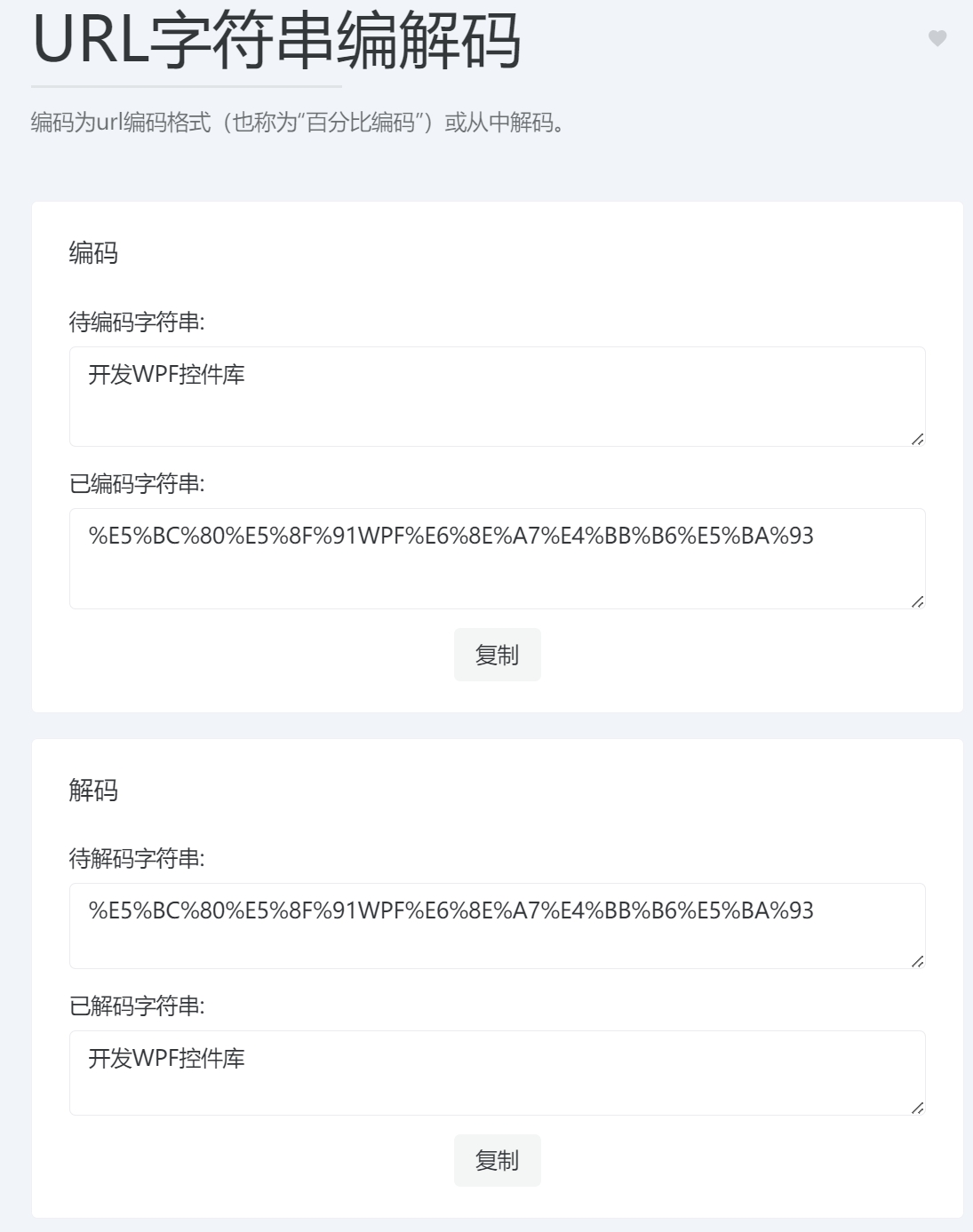
2.3.1. URL String Encode/Decode

Online tool access: https://dotnetools.com/url-encoder

Encode to URL encoding format (also known as "percent encoding") or decode from it.

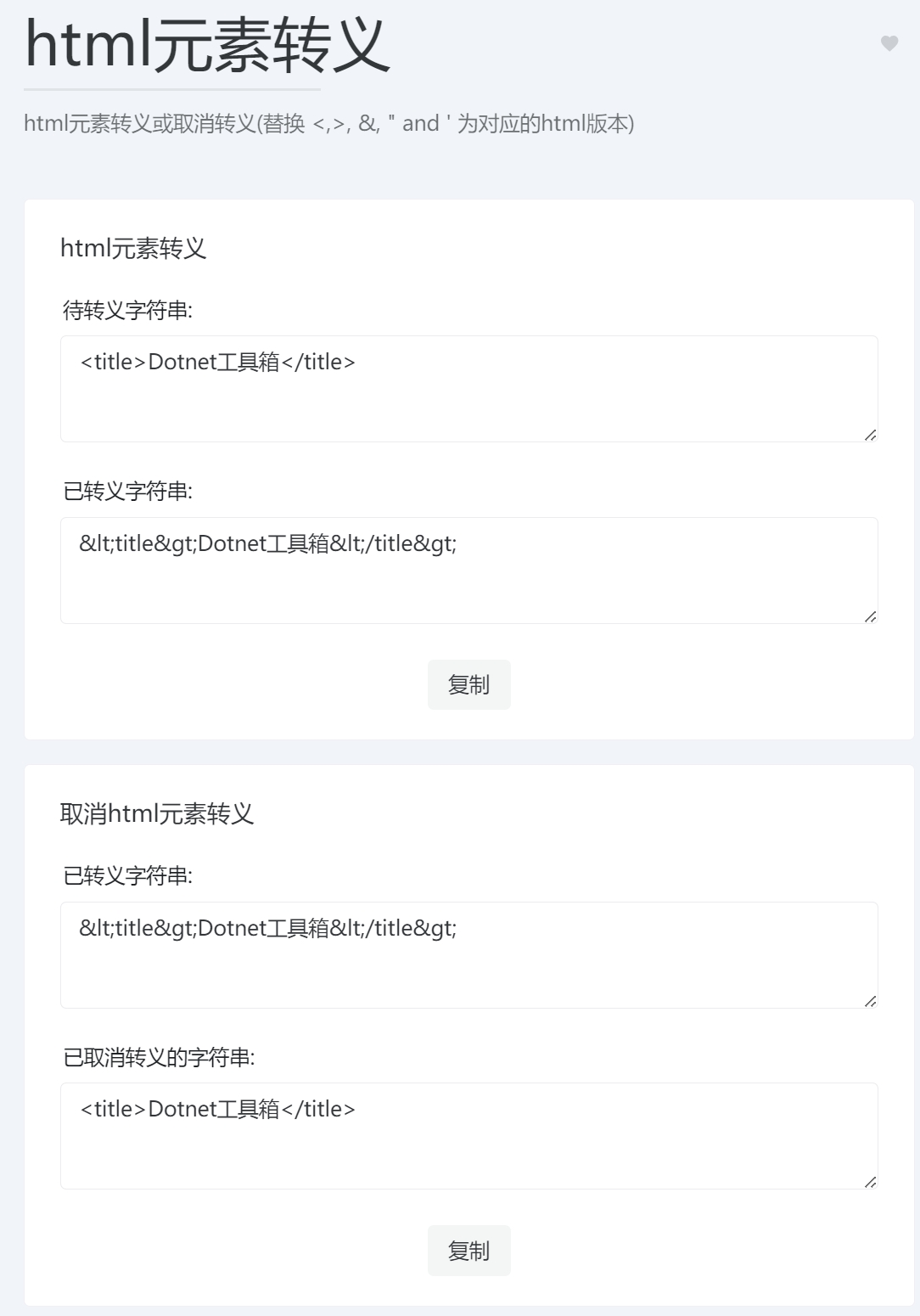
2.3.2. HTML Entities Escape/Unescape

Online tool access: https://dotnetools.com/html-entities

Escape or unescape HTML entities (replace <, >, &, ", ' with their HTML versions). This is mainly useful when backend provides web content to front-end – special symbols need escaping for proper display.

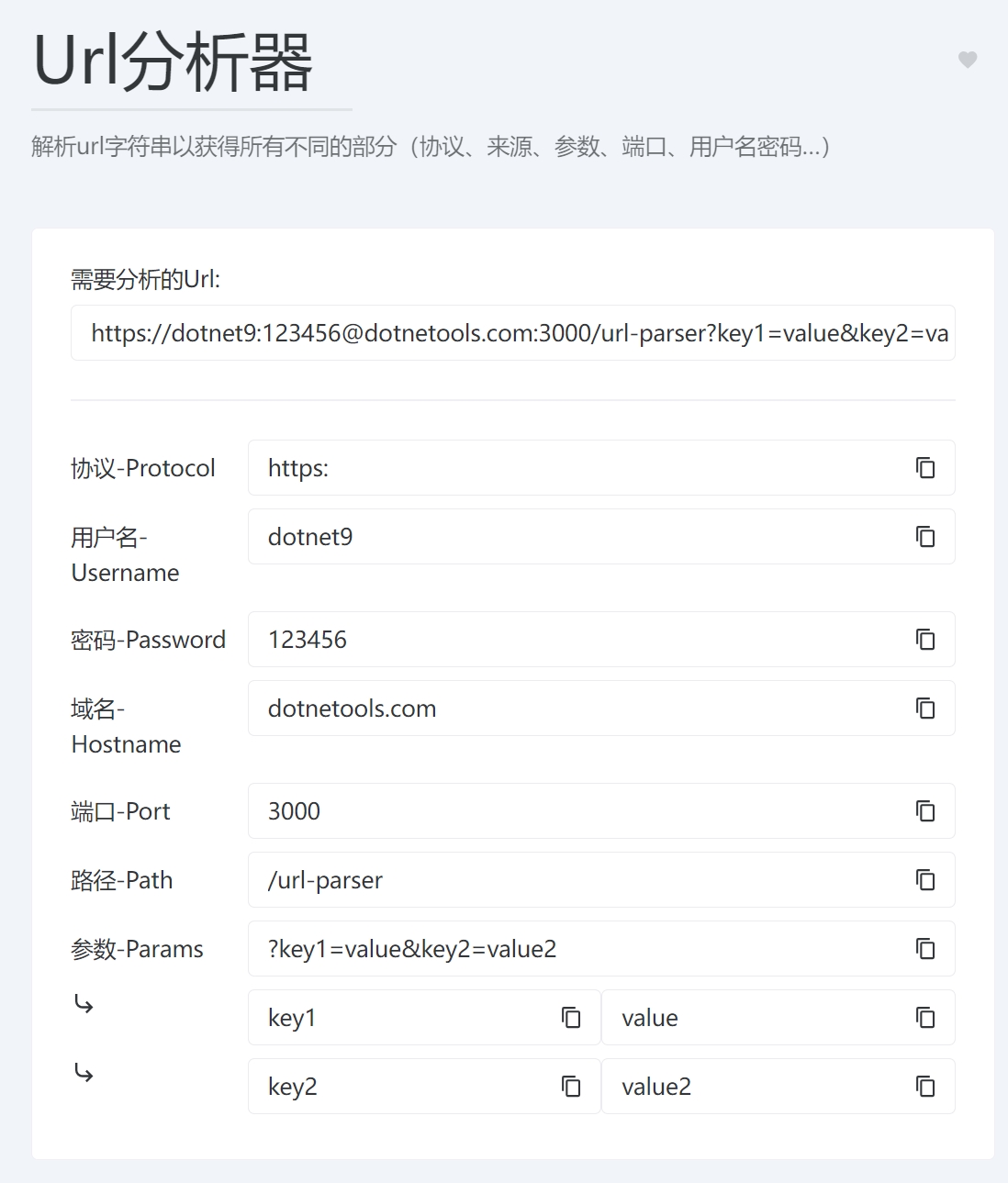
2.3.3. URL Parser

Online tool access: https://dotnetools.com/url-parser

Parse a URL string to obtain all different parts (protocol, origin, parameters, port, username, password…).

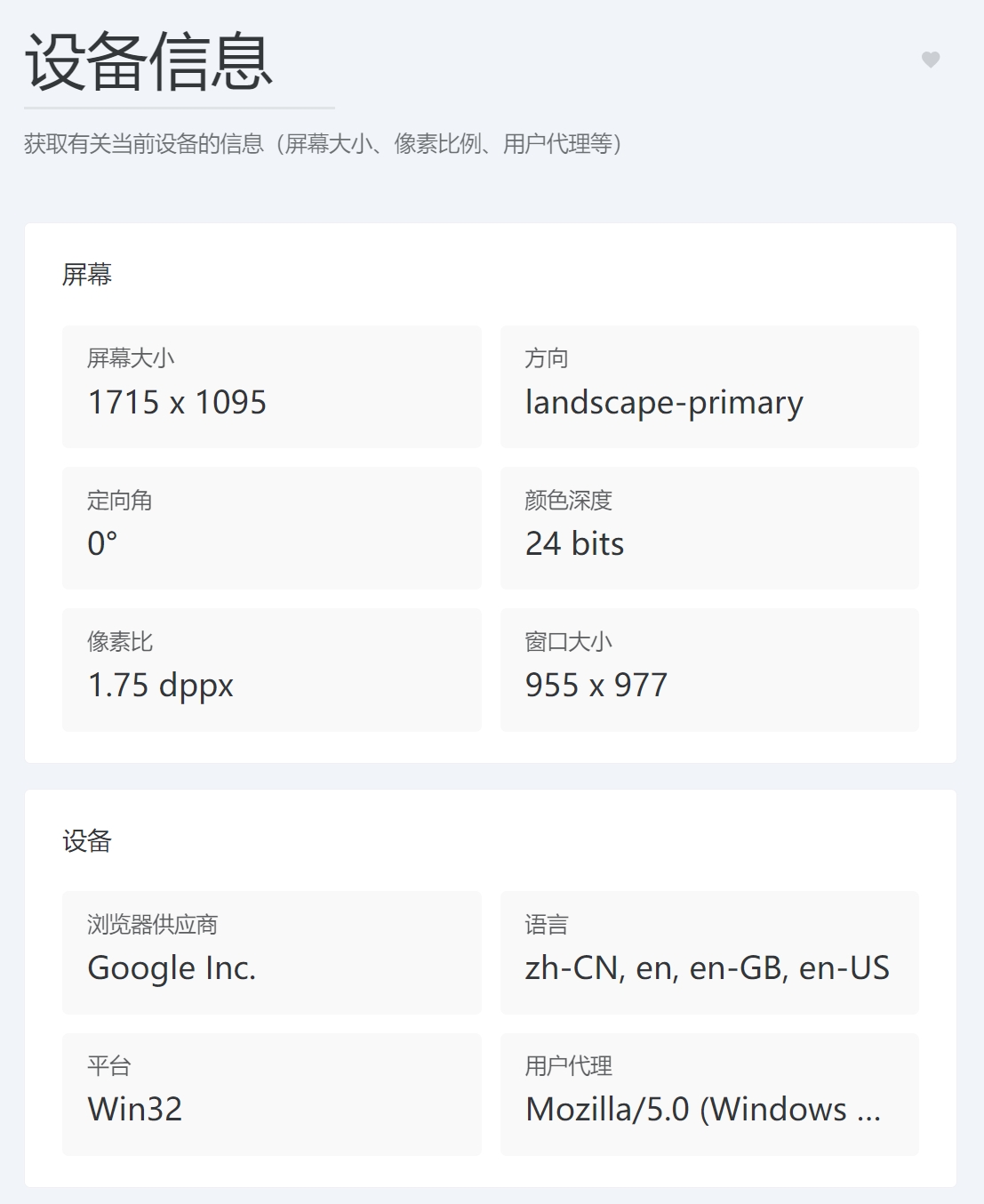
2.3.4. Device Information

Online tool access: https://dotnetools.com/device-information

Get information about the current device (screen size, pixel ratio, user agent, etc.)

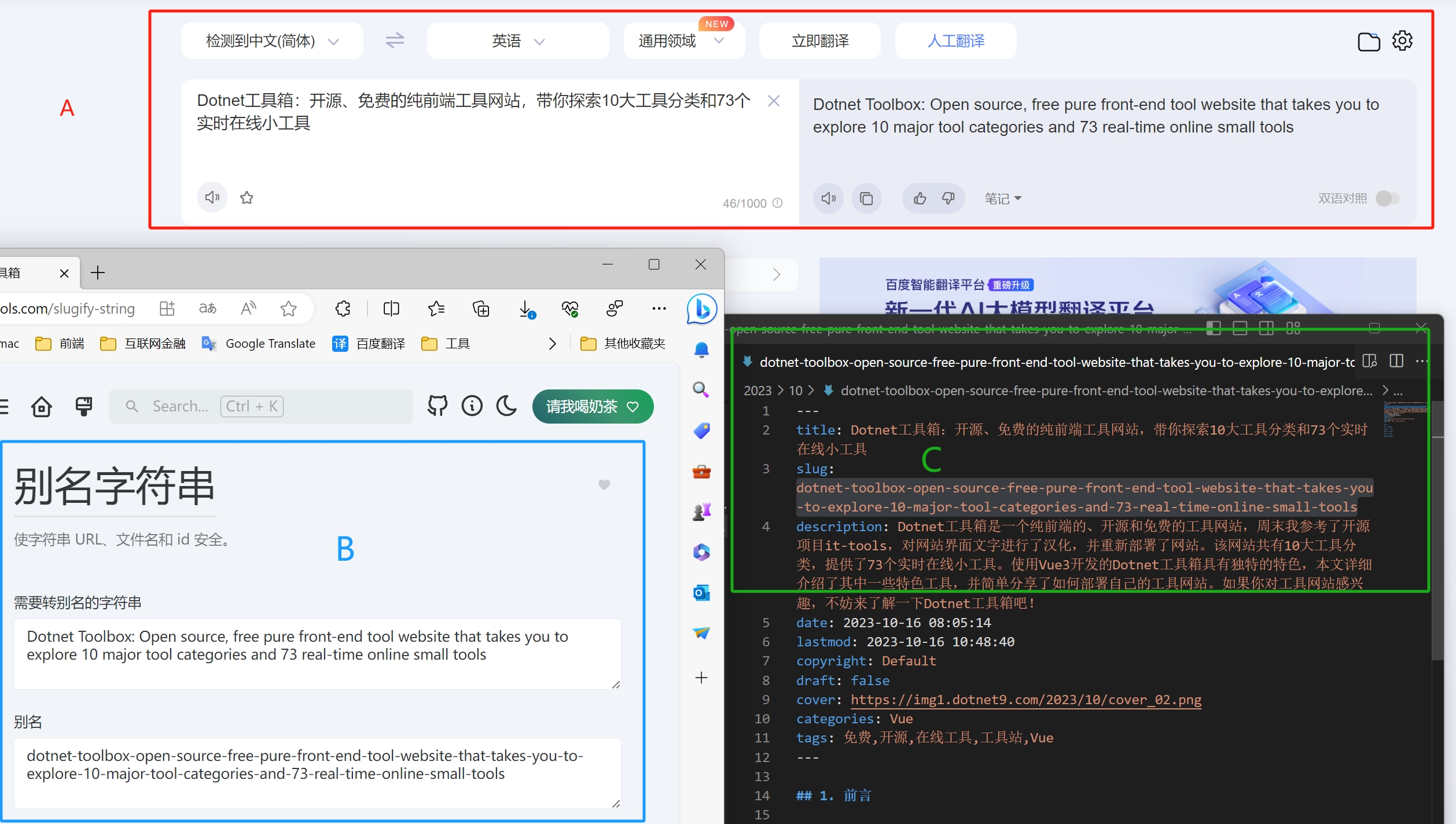
2.3.5. Slugify String

Tool description: Make strings URL-, filename-, and ID-safe.

This is an introduction to slugs: What is a URL slug and its importance for SEO

Slug is very powerful for keyword SEO. If a user searches Google for "what is a slug", keywords in the content URL structure help signal to Google that the content should appear in SERP. A good slug that clearly describes the webpage content can improve user experience.

This article also used the Slugify String tool. Screenshot below:

The steps are:

  1. Translate the article title "Dotnet工具箱:开源、免费的纯前端工具网站,带你探索10大工具分类和73个实时在线小工具" using Baidu Translate.
  2. Copy the resulting English title "Dotnet Toolbox: Open source, free pure front-end tool website that takes you to explore 10 major tool categories and 73 real-time online small tools" into the Slugify String tool's "String to slugify" input field.
  3. Click "Copy slug" to paste the converted slug string into this Markdown file. The file is also named with the converted [slug].md.
  4. Use the slug to access this article: https://dotnet9.com/2023/10/dotnet-toolbox-open-source-free-pure-front-end-tool-website-that-takes-you-to-explore-10-major-tool-categories-and-73-real-time-online-small-tools9

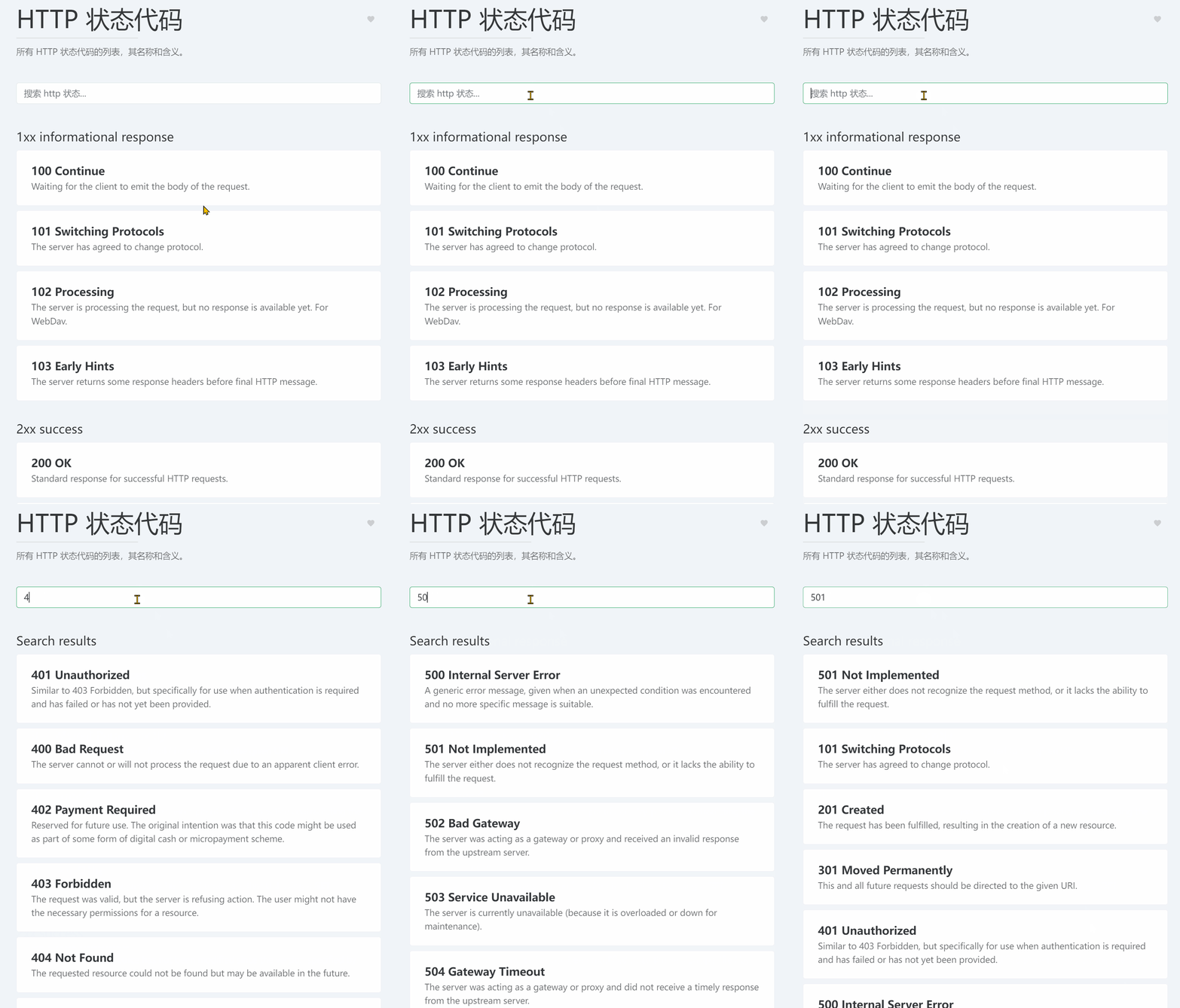
2.3.6. HTTP Status Codes

Online tool access: https://dotnetools.com/http-status-codes

A list of all HTTP status codes, their names, and meanings.

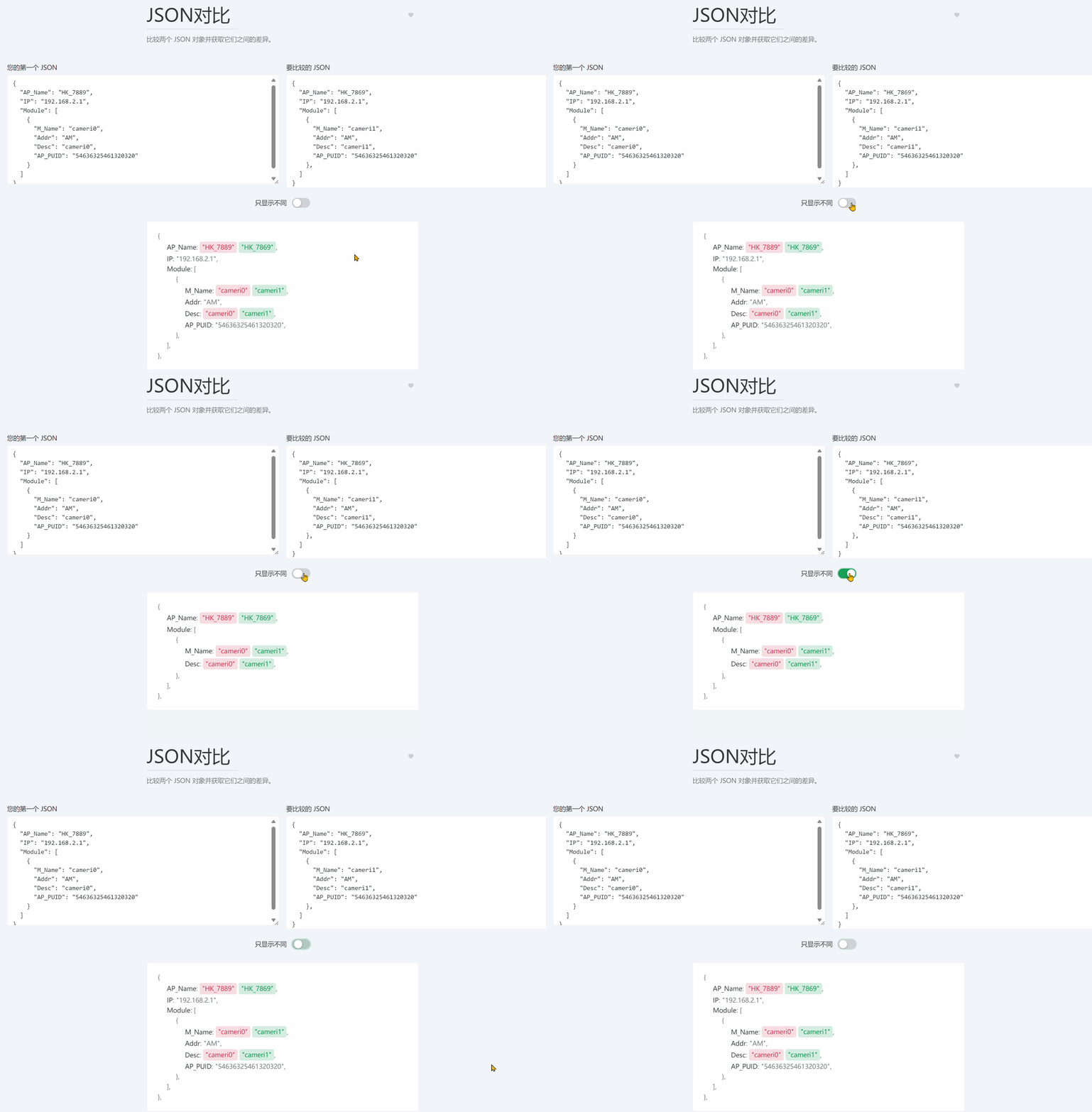
2.3.7. JSON Diff

Online tool access: https://dotnetools.com/json-diff

Compare two JSON objects and get the differences between them.

2.4. Images & Videos

There are 4 gadgets.

2.4.1. QR Code Generator

Online tool access: https://dotnetools.com/qrcode-generator

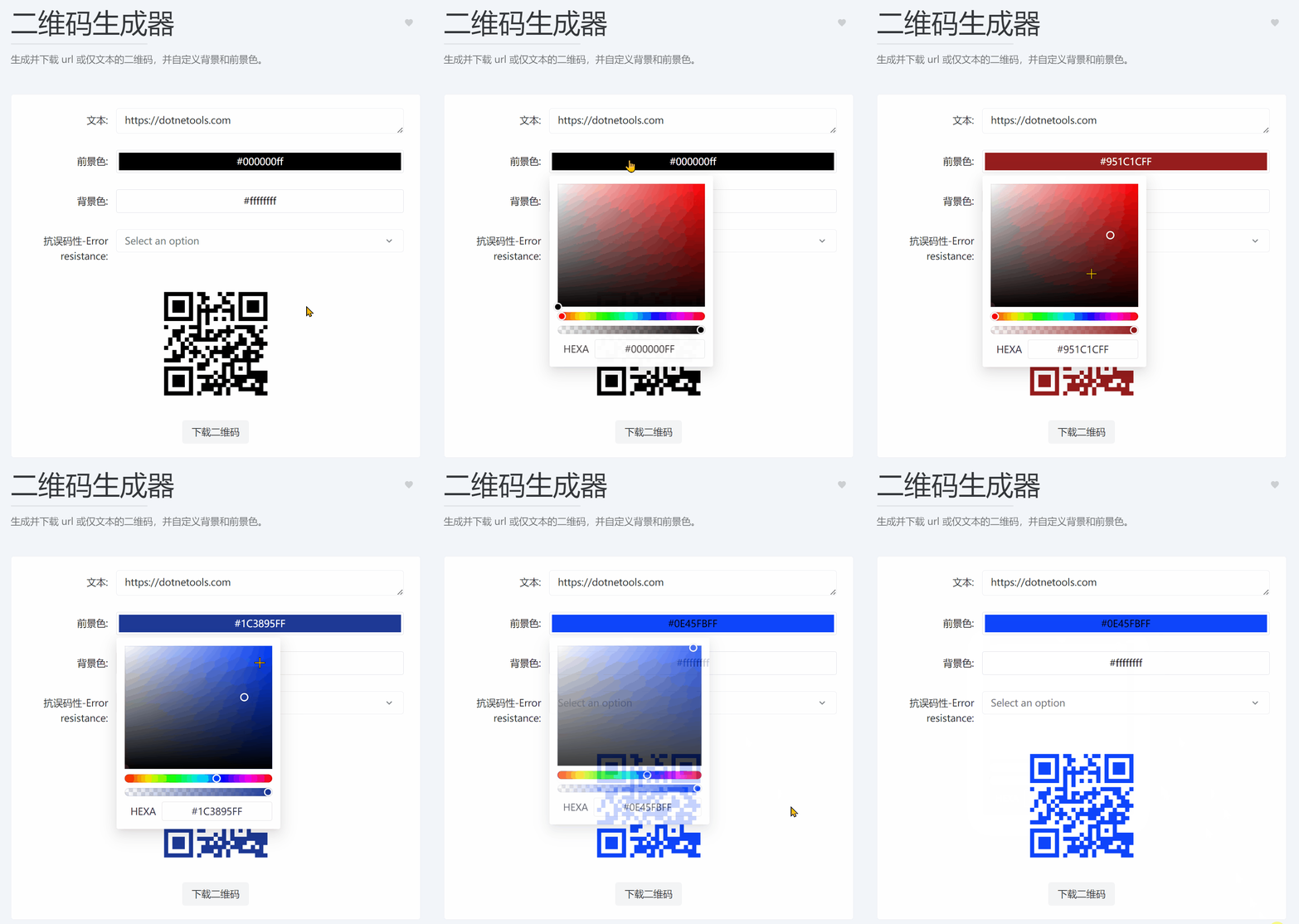
Generate and download QR codes for URLs or plain text, with customizable background and foreground colors.

The following QR code was generated from the operation above. Scan with WeChat to open the Dotnet Toolbox website:

2.4.2. SVG Placeholder Generator

Online tool access: https://dotnetools.com/svg-placeholder-generator

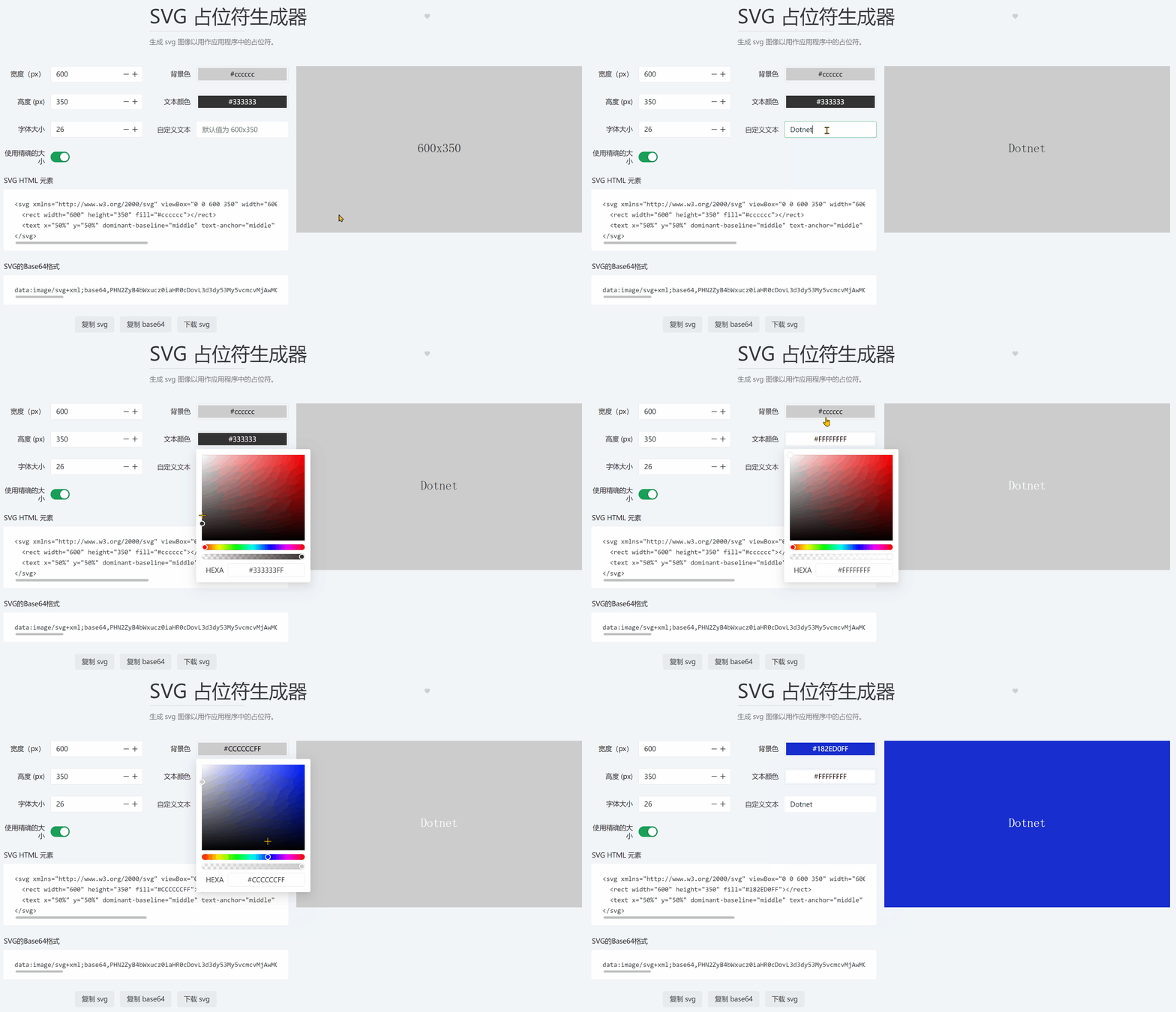
Generate SVG images to use as placeholders in your applications, mainly for placeholder images when website images are not yet loaded.

2.4.3. Camera Recorder

Online tool access: https://dotnetools.com/camera-recorder

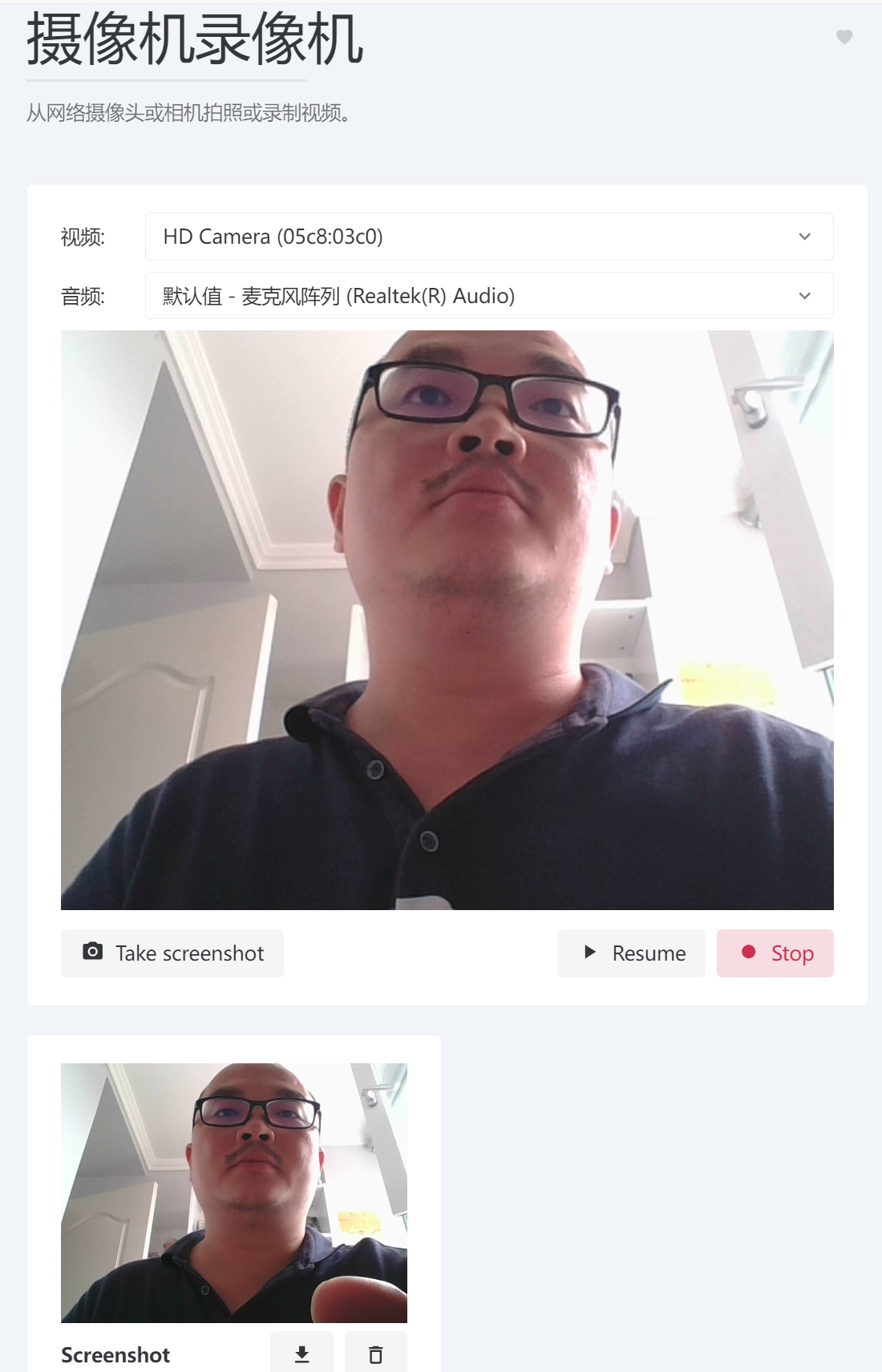
Take photos or record videos from a webcam or camera.

2.5. Development

There are 10 gadgets under the Development category.

2.5.1. Crontab Generator

Online tool access: https://dotnetools.com/crontab-generator

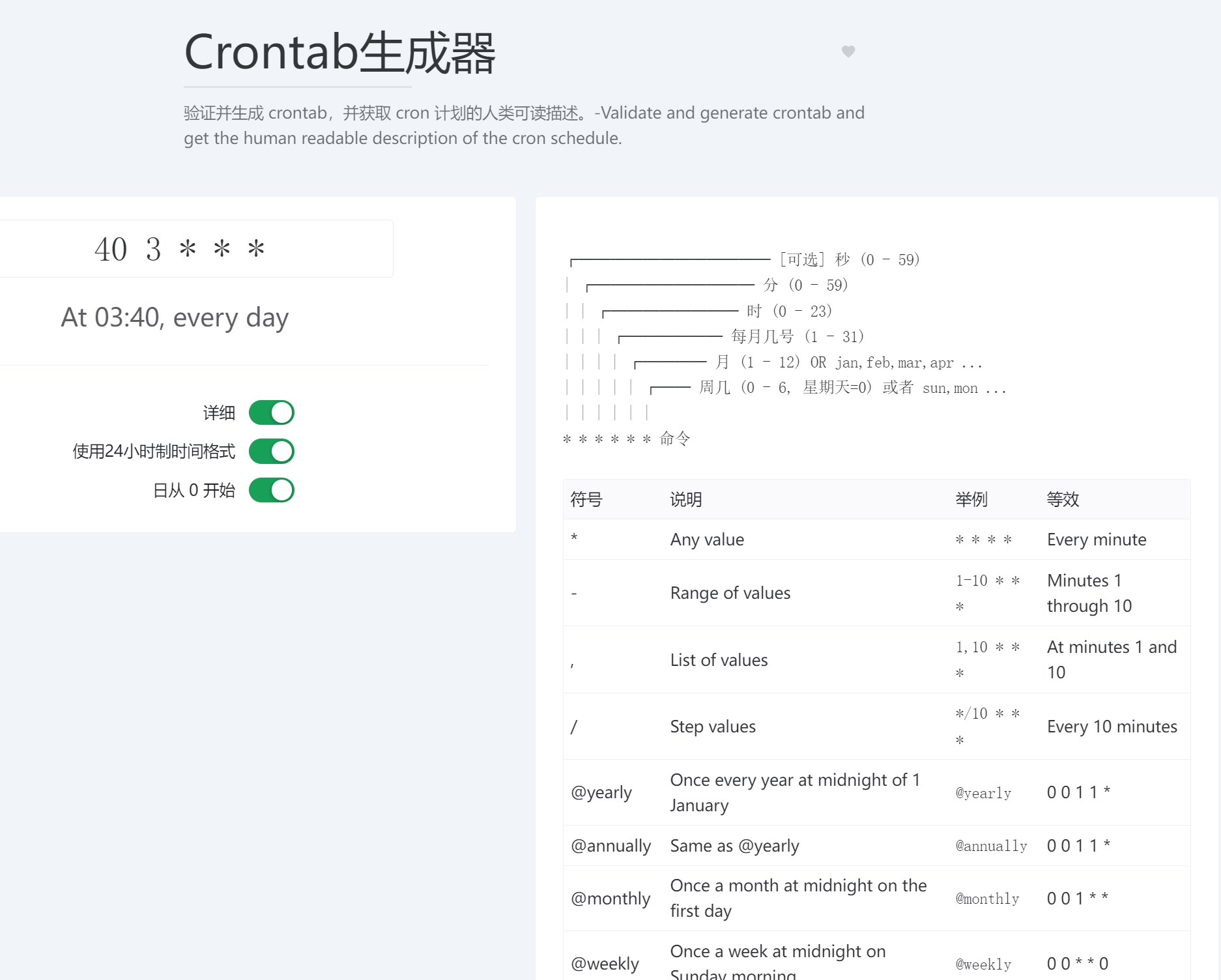
Validate and generate crontab entries, and get a human-readable description of the cron schedule.

2.5.2. JSON Prettify & Format

Online tool access: https://dotnetools.com/json-prettify

Prettify JSON strings into a human-friendly readable format. The counterpart is JSON Minify.

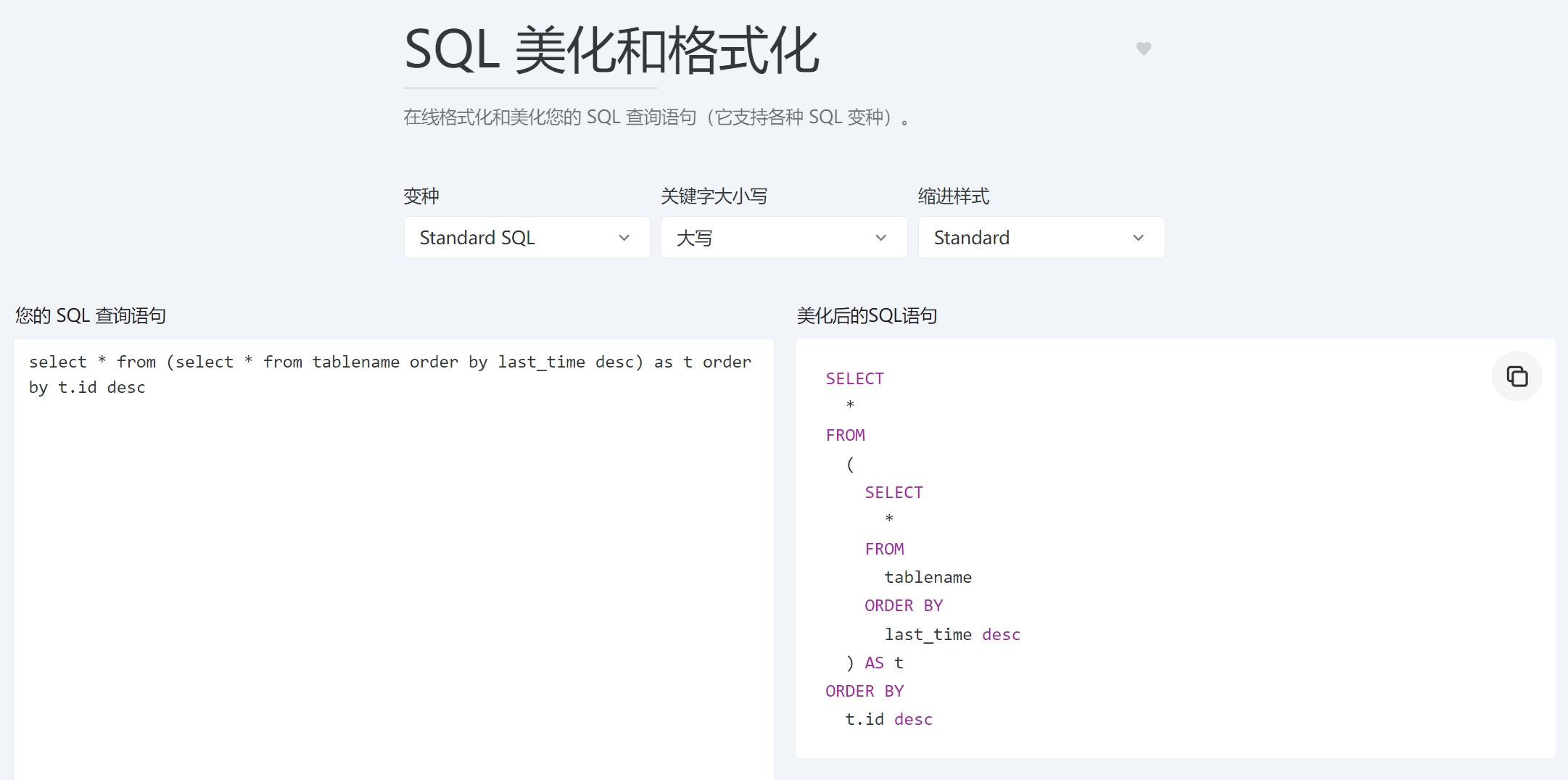
2.5.3. SQL Prettify & Format

Online tool access: https://dotnetools.com/sql-prettify

Format and prettify your SQL query statements online (supports various SQL dialects).

2.5.4. Docker Compose Converter

Online tool access: https://dotnetools.com/docker-run-to-docker-compose-converter

Convert a docker run command into a docker-compose file!

2.5.5. XML Formatter

Online tool access: https://dotnetools.com/xml-formatter

Prettify XML strings into a human-friendly readable format.

2.x. Other Categories

There are too many gadgets to introduce one by one. If interested, please visit Dotnet Toolbox - Convenient online tools for developers (dotnetools.com) to explore and use them.

3. Develop and Deploy Your Own Tool Site

it-tools is an open source project. The site owner developed and deployed their own Dotnet Toolbox based on it. Of course, you can also develop and deploy your own tool website based on it-tools or the Dotnet Toolbox. Let's give it a try!

3.1. Simple Deployment

The it-tools project's readme contains detailed project-related instructions and Docker deployment steps. Below is a brief explanation from the Dotnet Toolbox site owner on packaging and deployment:

  1. Clone the project: https://github.com/dotnet9/Dotnet9
  2. Navigate to the Dotnet Toolbox directory: ./src/Dotnetools
  3. Install necessary front-end development environment: Node.js
  4. Install dependencies in terminal: npm install
  5. Package in terminal: npm run build
  6. Copy the publish directory to the server.

3.2. Modify or Extend Your Own Tools

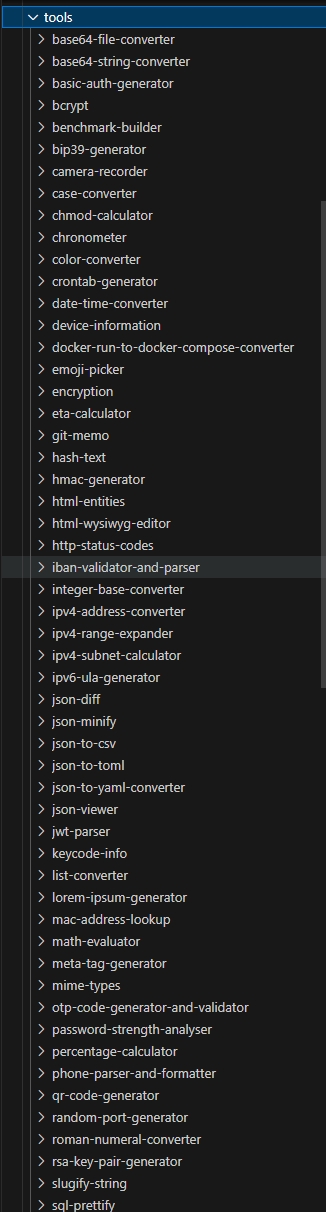
The source code for each gadget is located under ./src/Dotnetools/src/tools/:

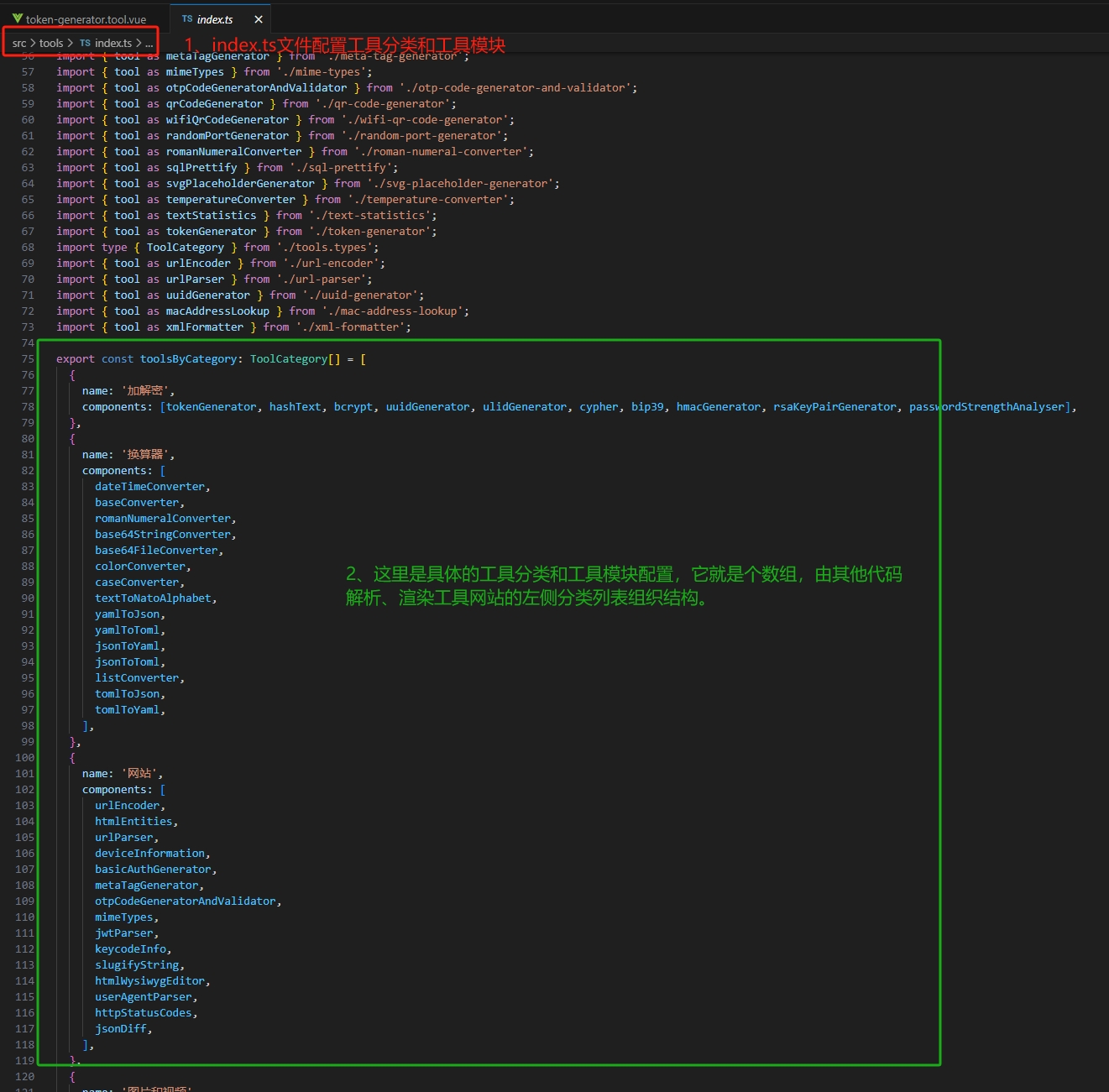
After adding or removing gadget directories under tools, you need to modify the file src/tools/index.ts, which organizes the list of tool directories:

3.3. Regarding Translations

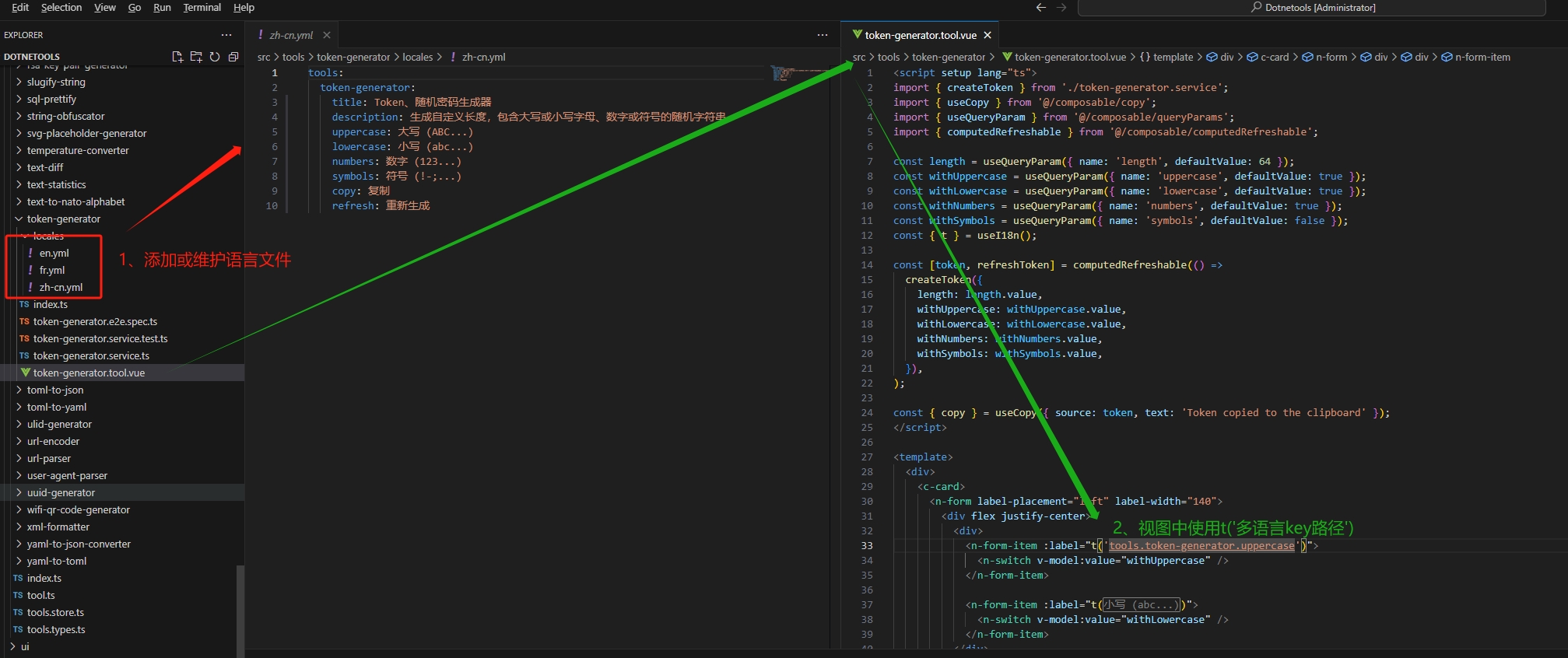
Some gadgets support multi-language localization. You can add or maintain languages in src/tools/token-generator as shown below:

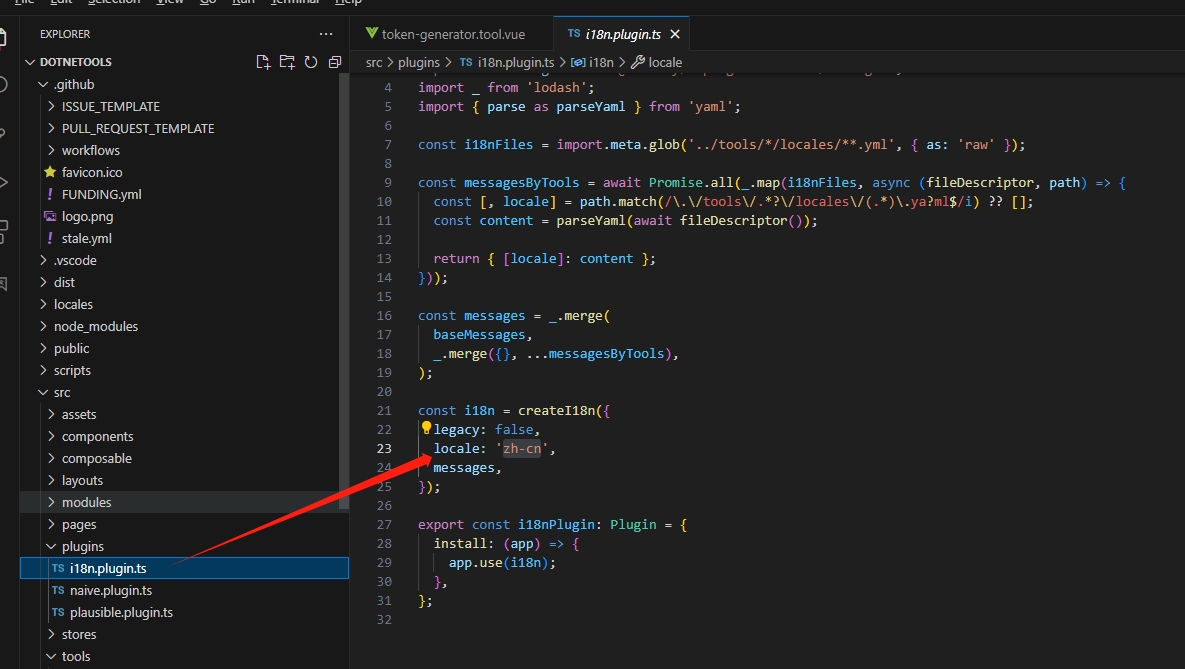
The file src/plugins/i18n.plugin.ts configures the languages used for localization:

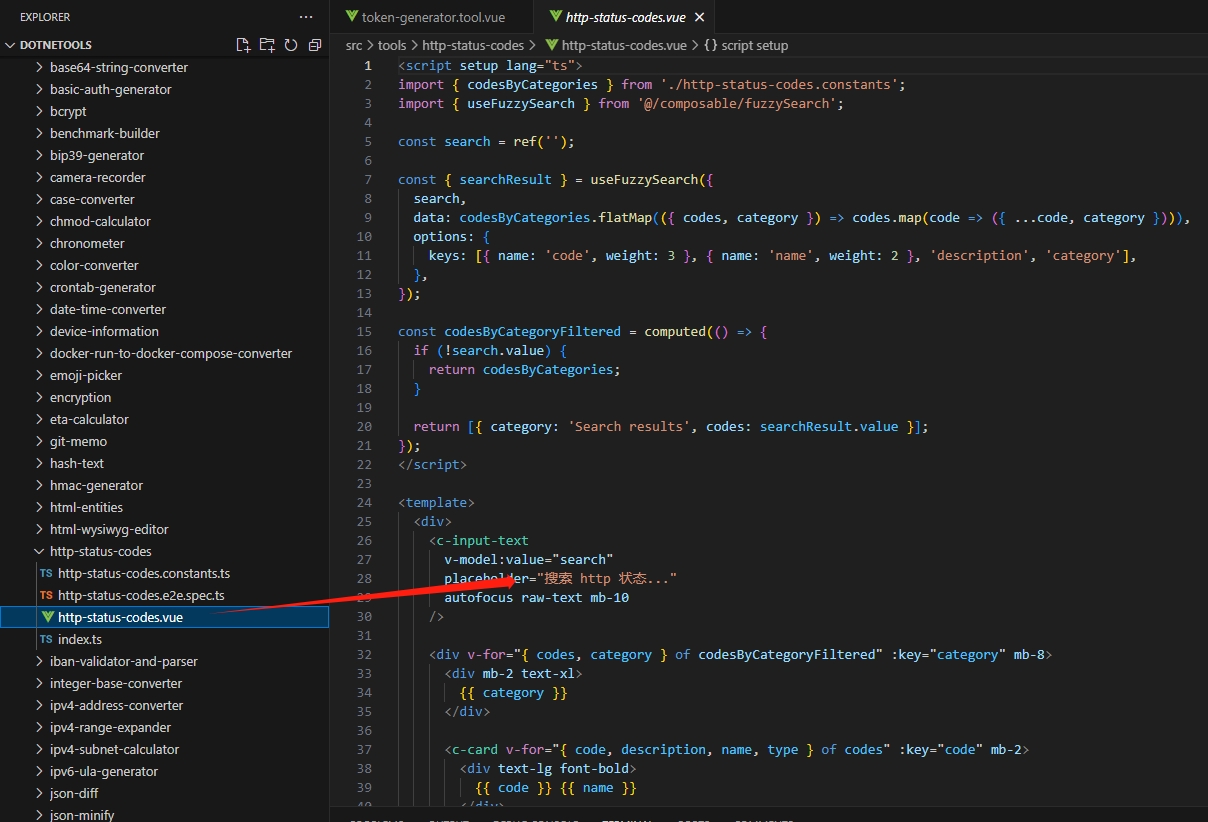
However, most tools do not support multiple languages yet. You can directly modify the language in the xx.vue or xxx.ts files (for example, src/tools/http-status-codes/http-status-codes.vue):

There are bound to be issues with the partial translation of the Dotnet Toolbox view. You are welcome to submit PRs to correct them.

4. Summary

The site owner has tested each tool. Feel free to use them, and if you're not at ease, check the source code and submit a PR, haha.

Since I have more free time at home (not currently employed), some translations may be inaccurate. Everyone is welcome to help maintain:

Participate in it-tools development: https://github.com/CorentinTh/it-tools
Participate in Dotnet Toolbox development: https://github.com/dotnet9/Dotnet9/tree/develop/src/Dotnetools
For correcting Chinese translations, raising Issues, or submitting PRs for Dotnet Toolbox, please visit: https://github.com/dotnet9/Dotnet9
To join the technical discussion group, add the site owner's WeChat ID: codewf

Keep Exploring

Related Reading

More Articles
Same tag 11/6/2024

Why My Blog Website Returned to Blazor

The development of the blog website has gone through many hardships, with nearly 10 versions including MVC, Vue, Go, etc. Now it has returned to Blazor and adopted static SSR, resulting in a significant speed increase and successful launch.

Continue Reading
Same tag 4/11/2022

Open Source Project 'Vue.NET Core'

.NET Core + Vue2/Vue3 + Element plus + uniapp front-end and back-end separation, automatically generating PC and mobile code; supports mobile (uniapp) iOS/Android/H5/WeChat Mini Programs. http://www.volcore.xyz/

Continue Reading