Git code submission conventions: what do feat, fix, chore mean?

Git code submission conventions: what do feat, fix, chore mean?

I often see code commit records containing feat, fix, chore, etc., but when I commit, I don't distinguish them and just write the commit message directly. Today, let's take a look at what's going on.

Last updated 6/2/2025 10:24 PM
JacksonChen_
3 min read
Category
Sharing
Tags
Code conventions Engineering practices Git

Preface

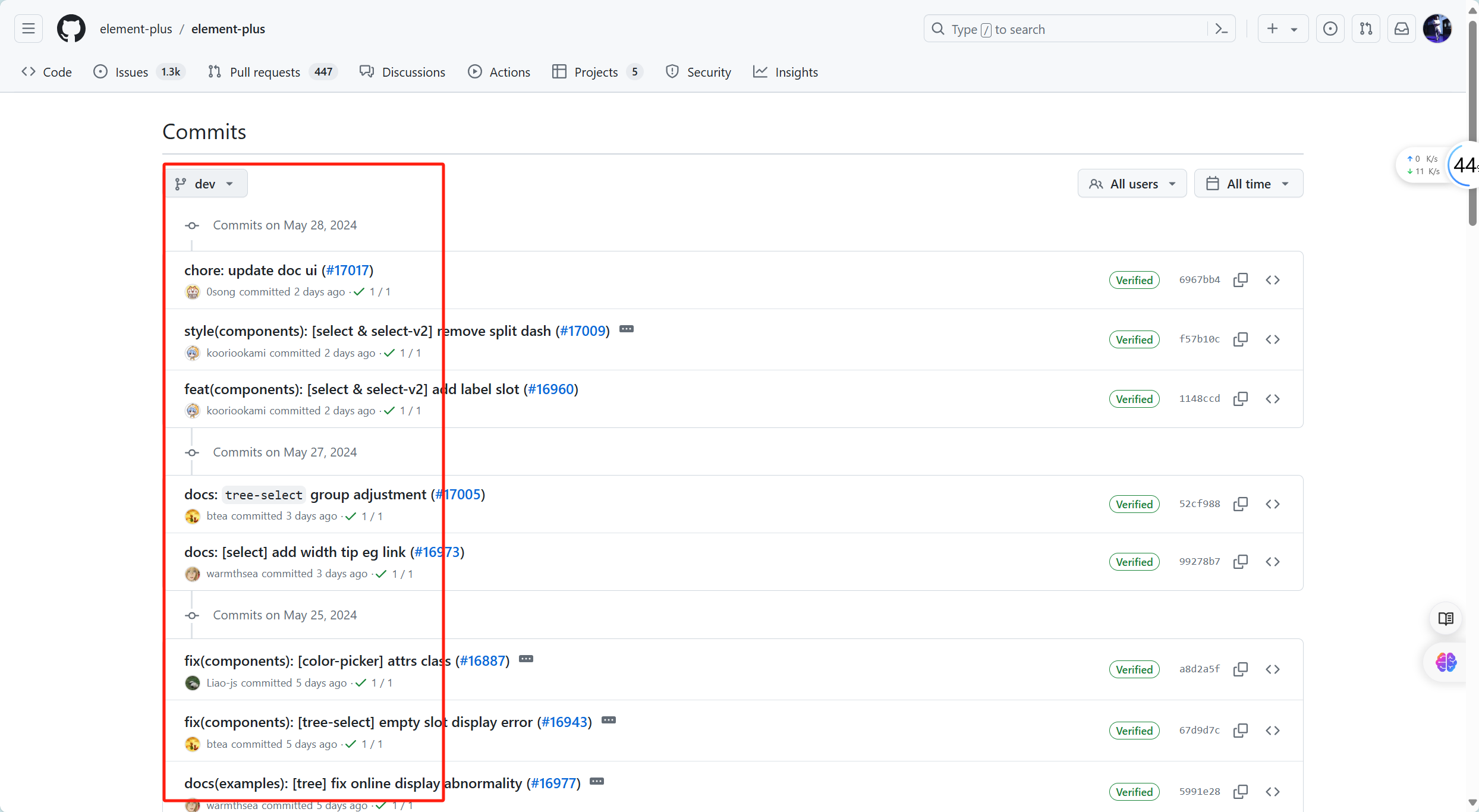
I often see others' commit records containing prefixes like feat, fix, chore, etc., while I just write a plain message without distinguishing them. Today, let's see what this is all about, using element-plus as an example.

In fact, this is a code commit convention, not just for showing off. Its main purpose is to improve the readability of commit records and enable automation.

Of course, if the team doesn't require it, it's fine not to follow this style.

Git Commit Convention

Commit message = subject + : + space + message body

Example: feat: add user registration feature

Common subject types and their meanings:

  1. feat: New feature

Used for committing a new feature.

Example: feat: add user registration feature

  1. fix: Bug fix

Used for committing a bug fix.

Example: fix: fix login page crash

  1. docs: Documentation changes

Used for committing documentation-only changes.

Example: docs: update README file

  1. style: Code style changes (no logic impact)

Used for committing changes that only affect formatting, punctuation, whitespace, etc., without affecting code execution.

Example: style: remove extra blank lines

  1. refactor: Code refactoring (neither a new feature nor a bug fix)

Used for committing code refactoring.

Example: refactor: refactor user authentication logic

  1. perf: Performance improvement

Used for committing code changes that improve performance.

Example: perf: optimize image loading speed

  1. test: Adding or modifying tests

Used for committing test-related changes.

Example: test: add unit tests for user module

  1. chore: Miscellaneous (changes to build process or auxiliary tools)

Used for committing changes related to build processes, auxiliary tools, etc.

Example: chore: update dependencies

  1. build: Changes to build system or external dependencies

Used for committing changes that affect the build system.

Example: build: upgrade webpack to version 5

  1. ci: Changes to continuous integration configuration

Used for committing changes to CI configuration files and scripts.

Example: ci: modify GitHub Actions configuration file

  1. revert: Revert

Used for committing a revert of a previous commit.

Example: revert: revert feat: add user registration feature

Summary

Using standardized commit messages makes a project more modular, easier to maintain and understand, and also facilitates automated tools (e.g., release tools or Changelog generators) to parse and process commit history.

By writing commit messages that follow conventions, teams and collaborators can better understand the project's change history and version control, thereby improving code maintenance efficiency and quality.

Keep Exploring

Related Reading

More Articles
Recent update 5/18/2026

枝见 Zhijian: A Markdown Mind Map Editor Built with Avalonia

This article introduces Zhijian, a local mind map editor based on Avalonia, supporting blank creation, folder loading, precise onboarding guidance, macOS shortcut adaptation, outline/Markdown/mind map synchronization, node notes, thumbnails, zoom, canvas dragging, and Markdown/OPML/XMind file exchange.

Continue Reading