C# WPF: Drag Files Out This Time!

C# WPF: Drag Files Out This Time!

Drag files out of WPF forms

Last updated 12/3/2020 1:45 PM
沙漠尽头的狼
3 min read
Category
WPF
Tags
.NET C# WPF File Drag and Drop

Review the previous article: C# WPF: Drag the file in !!!

Drag file into QuickApp

This article completes the corresponding sequel: "C# WPF: This time, drag the file out!"

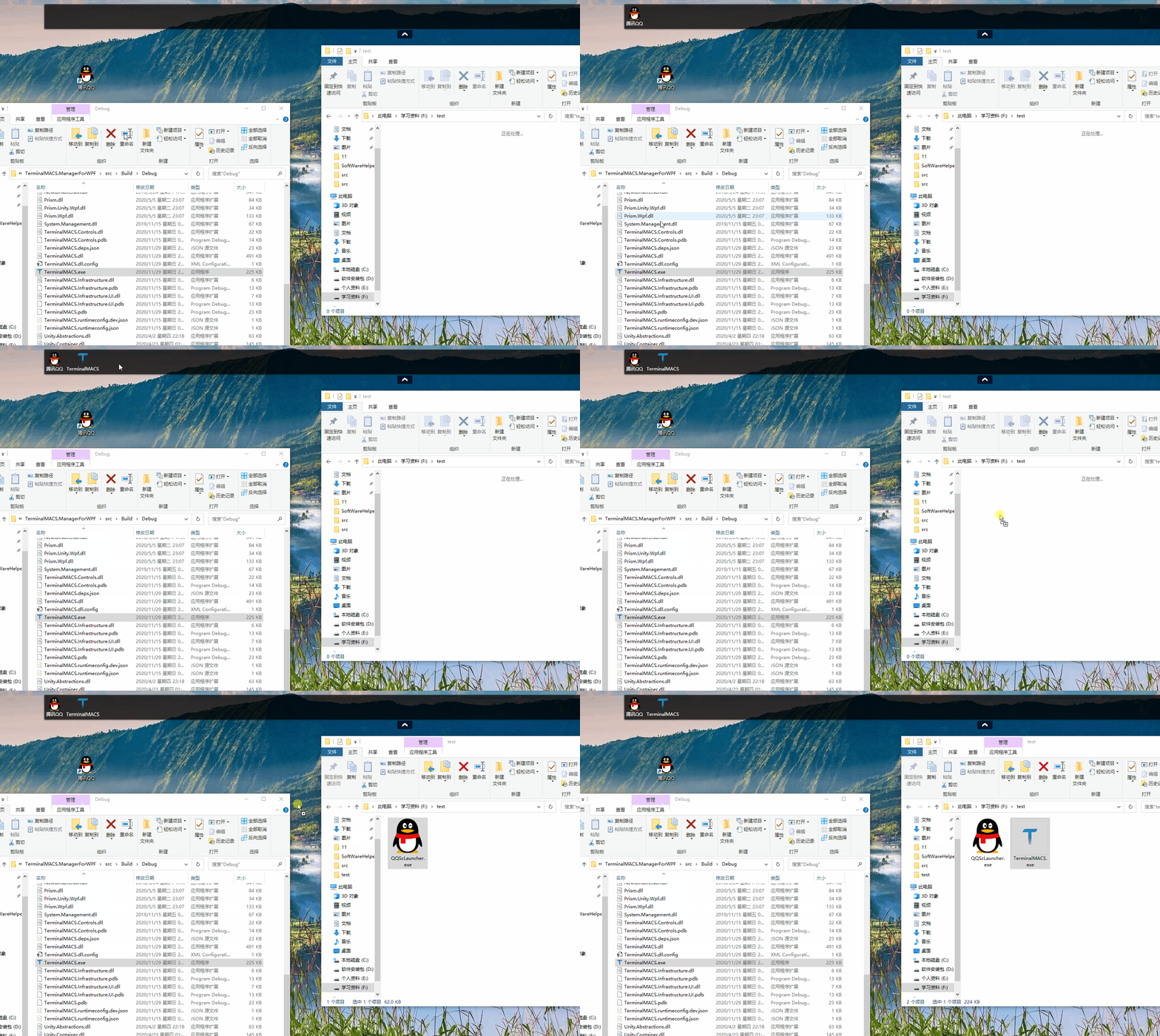
Let's preview the effect:

Drag file out

The code for the above effect is very concise. In XAML, just register the event PreviewMouseLeftButtonDown:

<Grid  MouseMove="Grid_MouseMove" AllowDrop="True" Drop="Grid_Drop" DragEnter="Grid_DragEnter" PreviewMouseLeftButtonDown="Grid_PreviewMouseLeftButtonDown">

The event handler code is as follows:

// Handling file drag-out operation
private void Grid_PreviewMouseLeftButtonDown(object sender, MouseButtonEventArgs e)
{
    // Currently each menu consists of an Image and a TextBlock, so check if the dragged element is an Image control; ignore drags on other target controls.
    var img = e.OriginalSource as Image;
    if (img == null || img.Tag == null)
    {
        return;
    }
    var menuInfo = img.Tag as MenuItemInfo;
    if(menuInfo==null)
    {
        return;
    }

    #region Drag code

    ListView lv = new ListView();
    string dataFormat = DataFormats.FileDrop;
    DataObject dataObject = new DataObject(dataFormat, new string[] { menuInfo.FilePath});
    DragDropEffects dde = DragDrop.DoDragDrop(lv, dataObject, DragDropEffects.Copy);

    #endregion
}

The key part is the latter code (Drag code, source repository path). You need to pass the original file path via the DragDrop.DoDragDrop method, and the operating system handles the file copy operation.

The above operation is still quite simple; it essentially just performs a file copy at the operating system level. To implement a drag-and-drop download feature similar to Baidu Netdisk (as shown below):

Baidu Netdisk drag and drop file download

For the above functionality, the program actually needs to do quite a bit. It must monitor the drop path, and once the drop path is obtained, the file can be downloaded via the original network path. It is recommended to read this article, which references drag-and-drop file download operations: WPF Drag and Drop Files (drag in and drag out), monitor the location where the file is dropped, similar to Baidu Netdisk drag and drop.

Additionally, this article on WPF drag-and-drop is also well-written; it is recommended to read: DragDrop drag-and-drop examples in WPF.

Keep Exploring

Related Reading

More Articles
Same category / Same tag 1/26/2025

Implementing Internationalization in WPF Using Custom XML Files

This article details the method of implementing internationalization in WPF applications using custom XML files, including installing the necessary NuGet packages, dynamically retrieving the language list, dynamically switching languages, using translated strings in code and XAML interfaces, and provides a source code link to help developers easily achieve internationalization in WPF applications.

Continue Reading