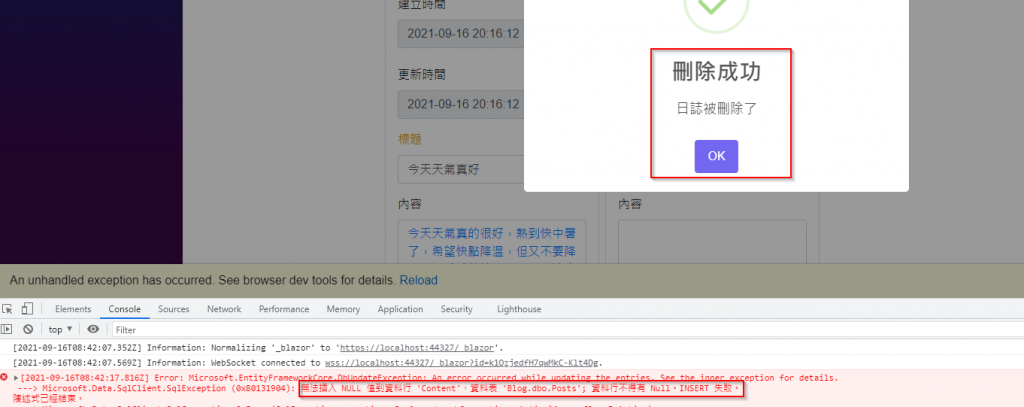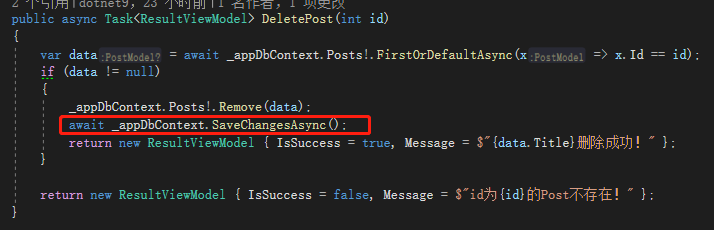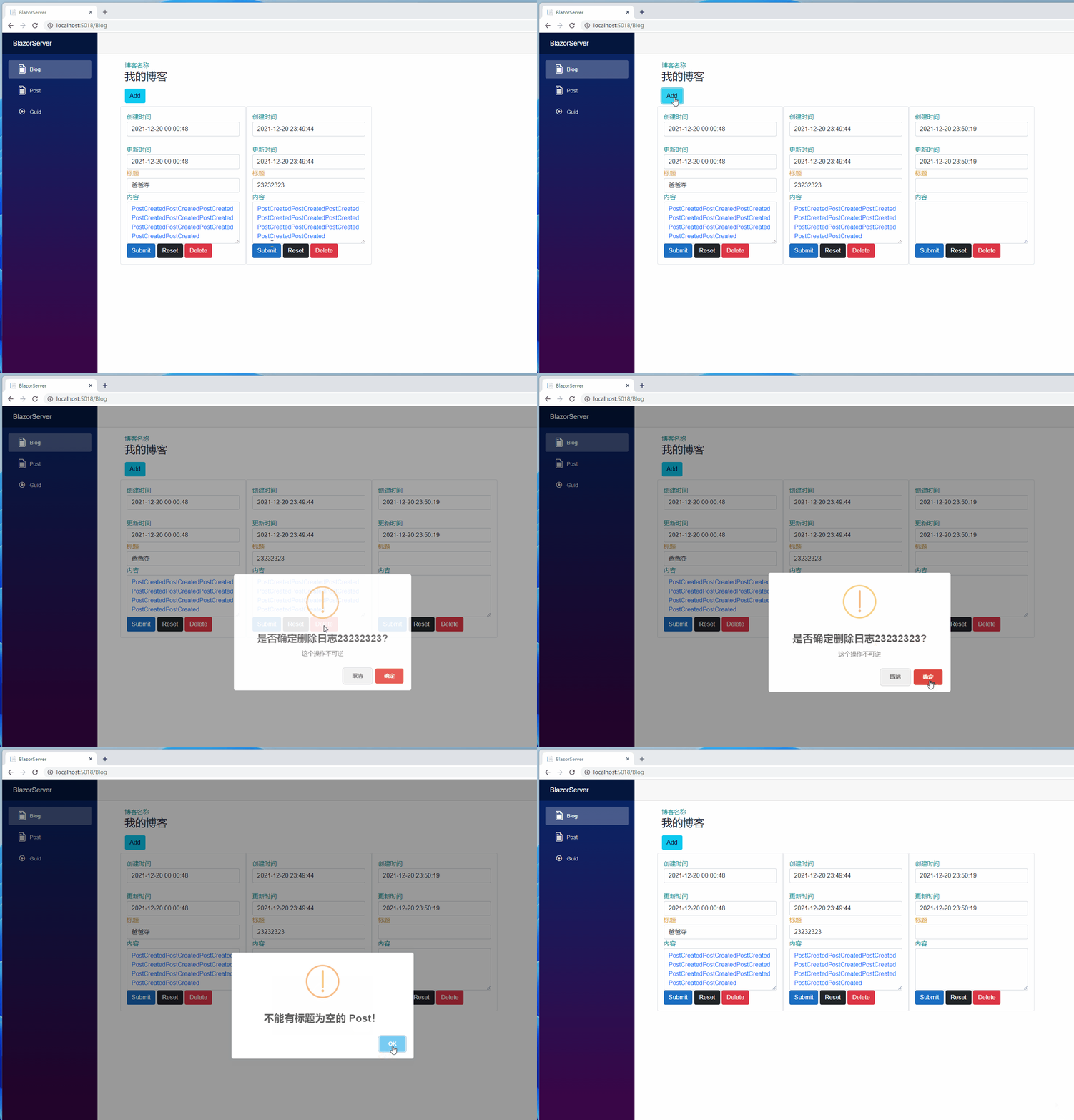
Assume today we have a scenario: there is one log entry, a second one is being added but hasn't been submitted yet, and we want to delete the first one. What would happen then?
It actually errors out! Why would such an error message appear when we only submit the Post.Id to be deleted to the backend?

This brings us to a characteristic of C#. C# is an Object-Oriented Programming (OOP) language, meaning that anything, including data and methods, can be turned into objects. Blog and Post are objects. Besides reference types like objects, there are also simple value types like int, bool, etc.
(Note: string is classified as a reference type, but syntactically it behaves like a value type. This is to avoid infinite strings filling up memory.)
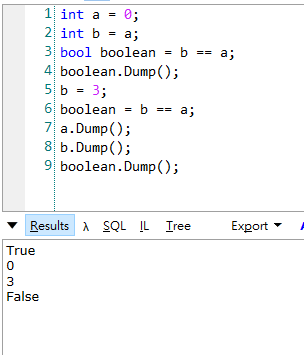
The meaning of value types: modifications between two value types do not affect each other. Define a variable int a = 0;, then define int b = a;. b equals 0, no problem. If you then assign b = 3;, a and b are no longer equal; they do not influence each other. The following example demonstrates this using LINQPad. Dump() means displaying that variable in the Results section below. You can see that even if b is modified in between, a remains unaffected.

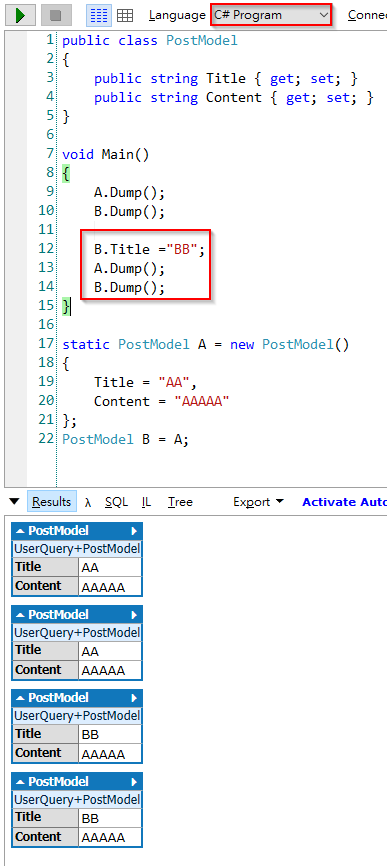
Reference types: If object B originates from object A, no matter which object is modified, the other changes accordingly. In the image below, line 12 changes the Title of object B to "BB", and as a result, the Title of object A also changes.

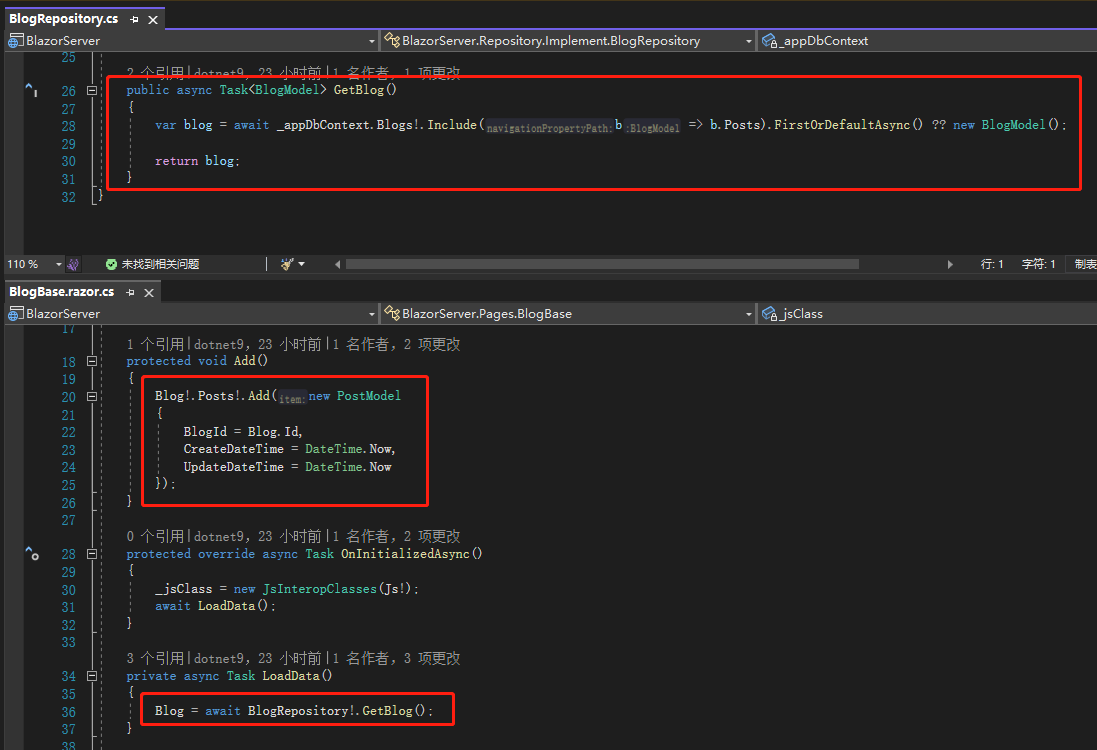
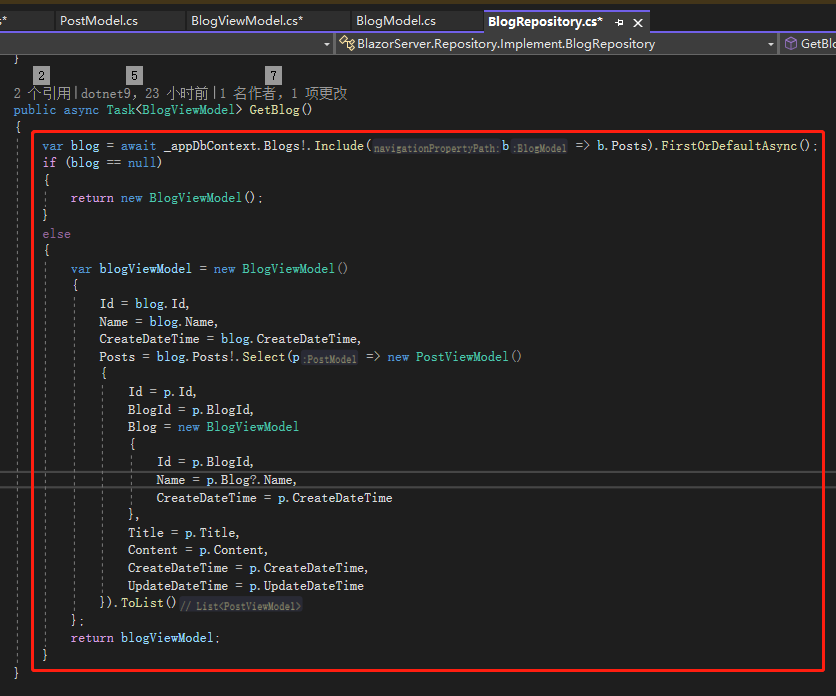
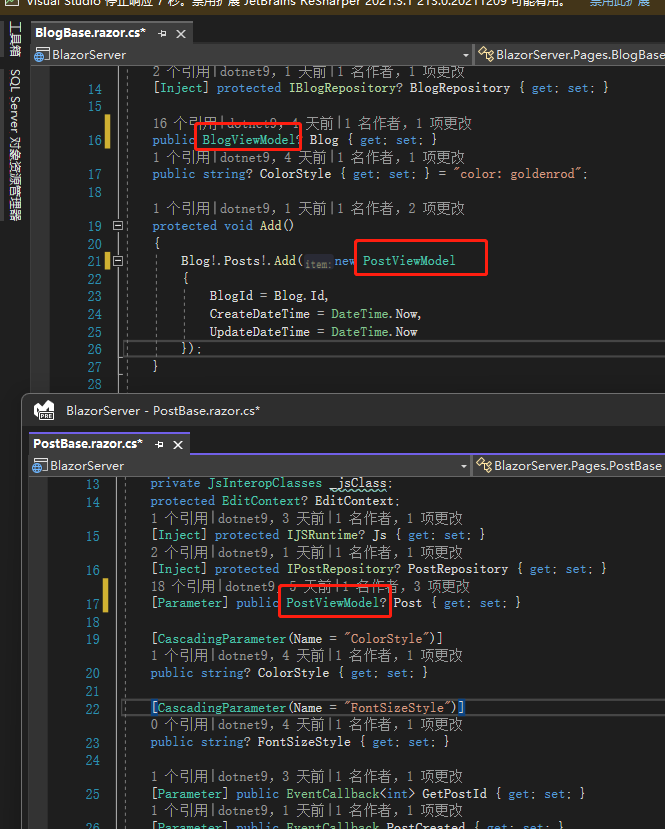
So what does this have to do with Blog? Let's look at the GetBlog() method in the backend BlogRepository.cs. You can see that blog is returned. On the frontend, BlogBase.razor.cs receives it. Once Add() is triggered, a PostModel is added to Blog.Posts.

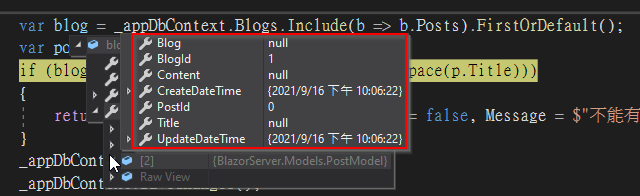
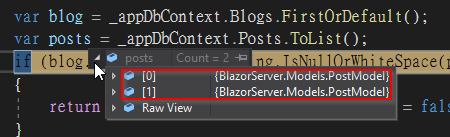
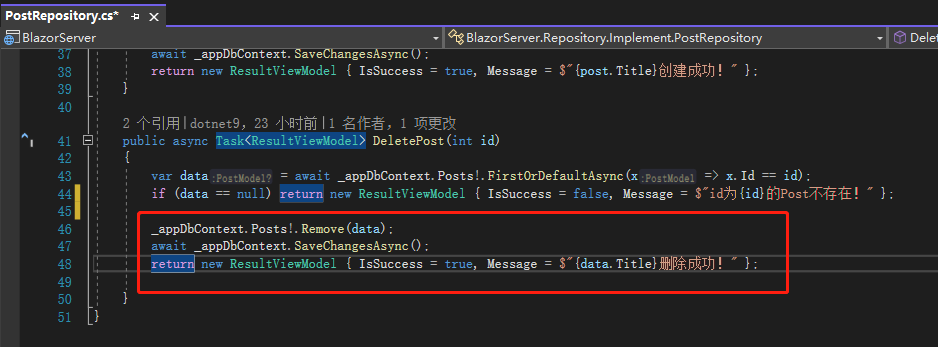
After the frontend clicks the Delete button, DeletePost() in the backend PostRepository.cs triggers SaveChanges(). At this point, Blog.Posts contains a PostModel without Blog, Title, and Content. This entry has not yet been saved to the database via the Submit button; it exists only on the frontend. However, when SaveChanges() is triggered, it attempts to save this entry to the database. Since Title and Content cannot be null, an error naturally occurs.


Additionally, if you simply retrieve the Posts from the database, you won't see that entry because it is tied to the PostModel of Blog.

There are several ways to solve this problem. The first is to completely separate Blog and Post, giving each its own frontend page. However, if you encounter this pitfall in a real project (yes, the author dug this hole for himself...), there is often no time for such a refactoring.
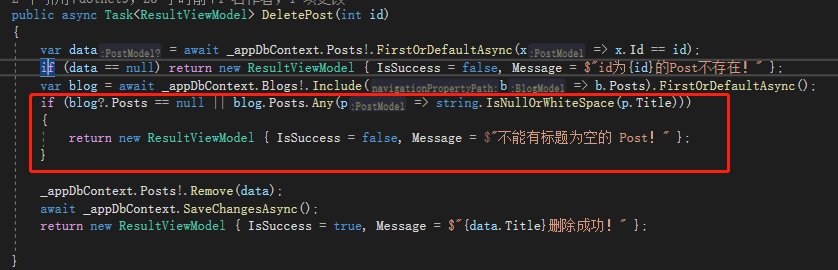
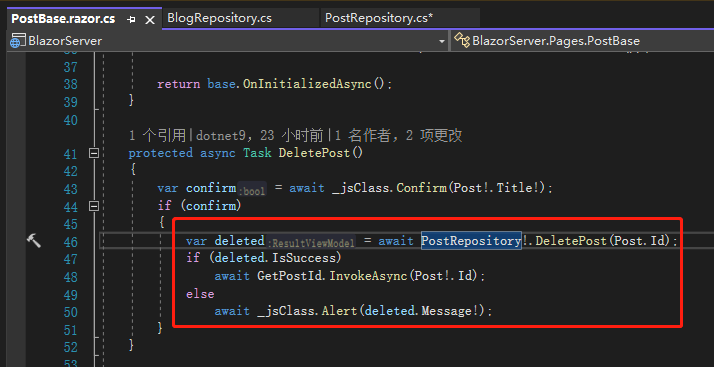
The second method is to return a prompt message in the backend PostRepository.cs when it receives a PostModel without a Title.

The frontend PostBase.razor.cs is modified to check based on deleted.IsSuccess. If deletion is successful, Post!.Id is passed to Blog to remove that Post from the page. If it fails, the reason for the failure is shown.


Although this avoids errors from an engineer's perspective, from a UX (User Experience) perspective, it makes no sense: why should deleting a log entry be restricted when there is an empty log? Hence, the third method is needed.
The third method is to create a ViewModel. All CRUD operations on the page are performed on ViewModel, and then mapped back to Model one by one.
The so-called ViewModel refers to fields that do not exist in the database but are desired to be displayed on the page. For example, a table Employee has two fields FirstName and LastName. They are stored separately in the database, but you want to manipulate them (e.g., combine them and convert to uppercase) when displaying. You can either send both fields to the frontend and process them there (handled by the user's browser) or process them on the backend and pass them to the frontend using a ViewModel.
Another example is a credit card. A table CreditCard stores the user's credit card number, three-digit CVV, and date of birth. When shopping online, you typically show only the last four digits of the credit card. It would be impractical to send all 16 digits to the frontend for processing due to security. In this case, the backend processes the data and transmits it to the frontend via a ViewModel.
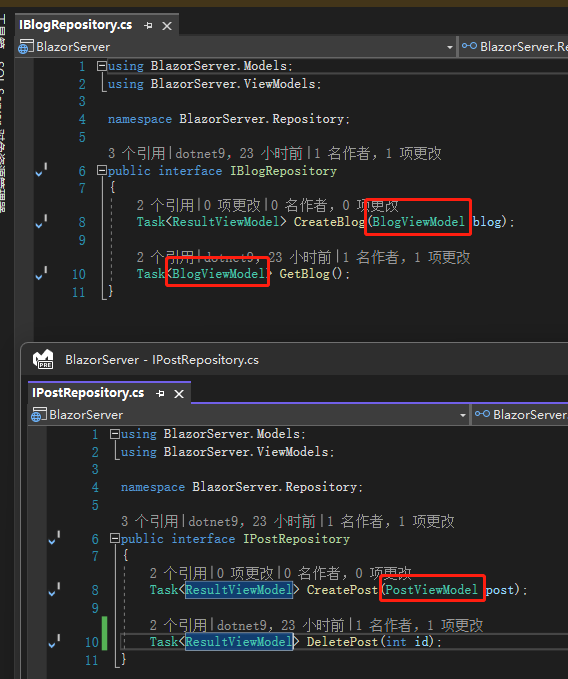
First, create BlogViewModel and PostViewModel. Since they are ViewModels, there is no need to use database-related attributes like [Key]. All places that use Model are changed to use ViewModel.

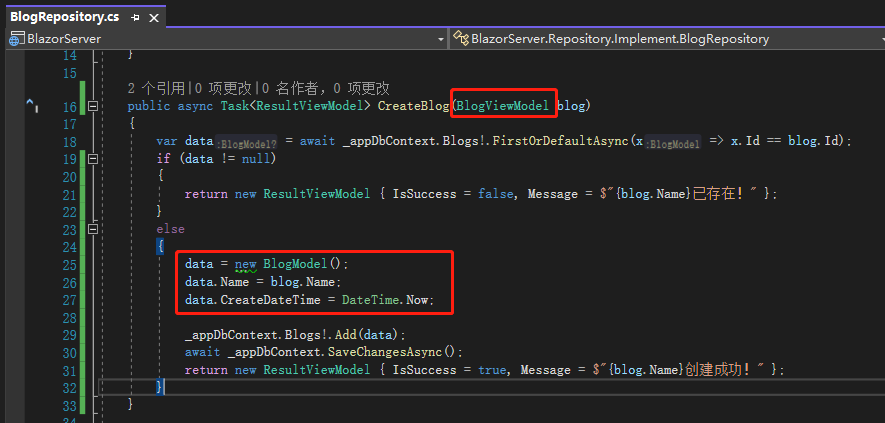
Next, modify the backend BlogRepository.cs. The page presentation is changed to ViewModel, while data access still uses Model. Lines 36 to 56 perform manual mapping.


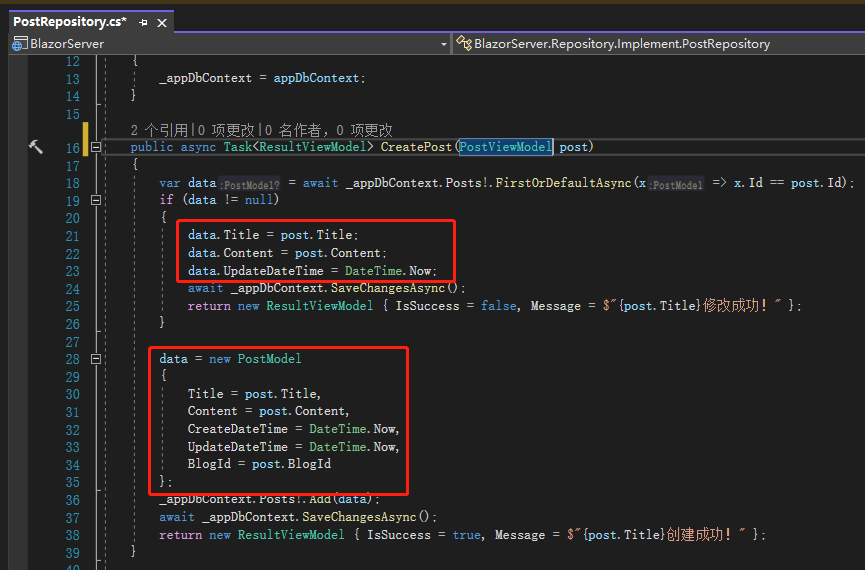
The same applies to CreatePost() in PostRepository.cs. For DeletePost(), remove the else block that checks Blog.Posts.


In BlogBase.razor.cs and PostBase.razor.cs, replace all previously used Model with ViewModel.

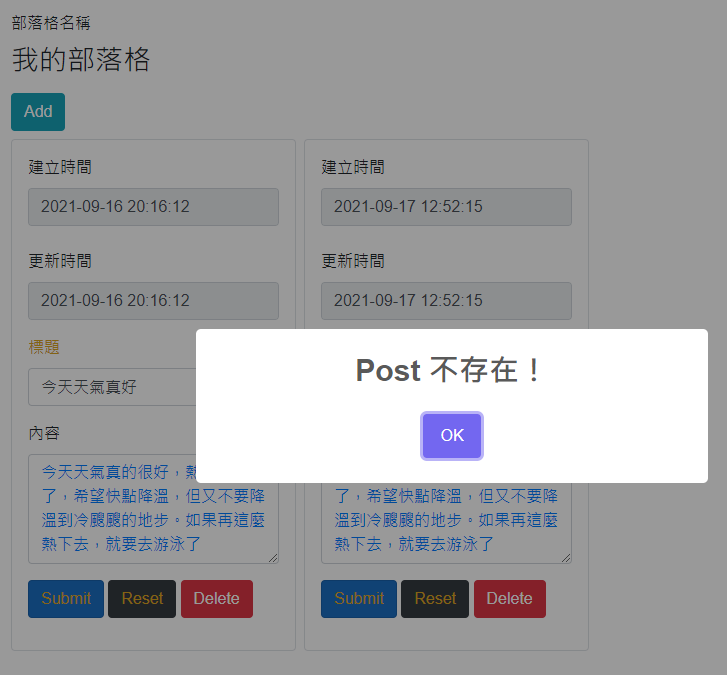
Now try creating new data. After creating the second entry and immediately attempting to delete it, you'll encounter a problem: "Post not found". Why is that?

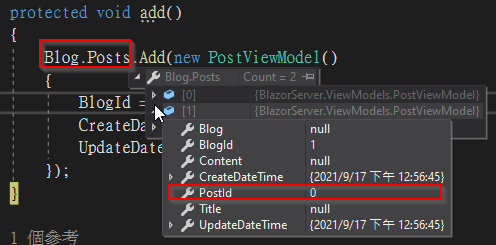
It turns out that although the second entry has been inserted into the database, we haven't re-fetched the data. The Post.Id of the second entry in the page's Blog.Posts is still 0.

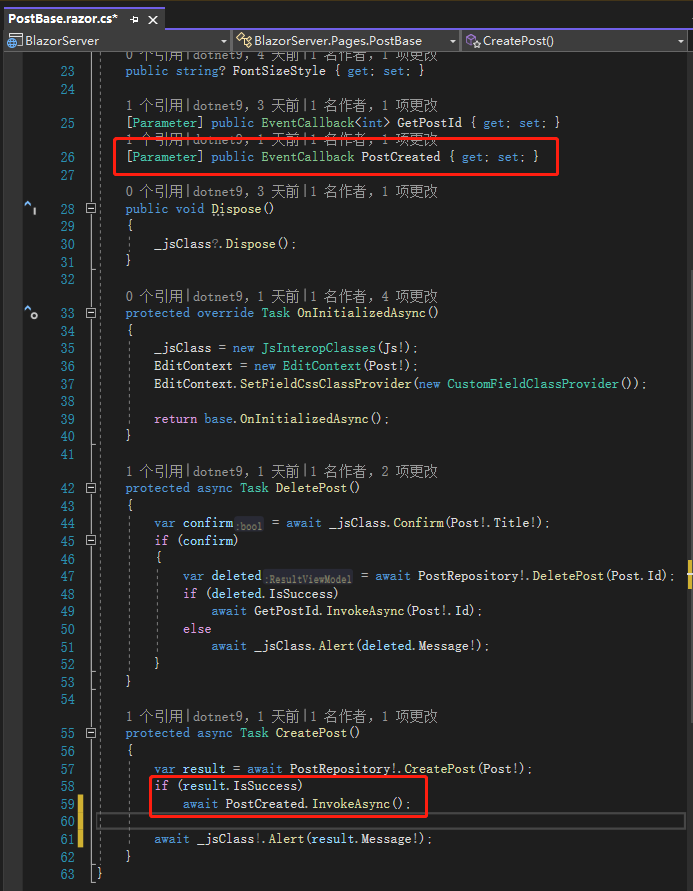
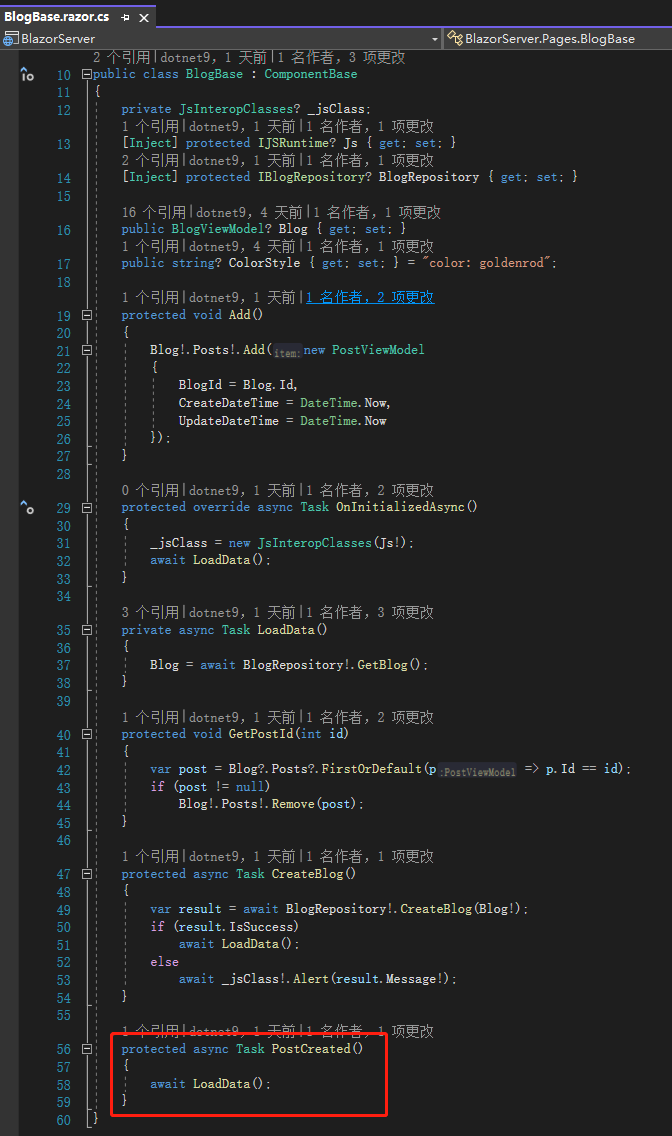
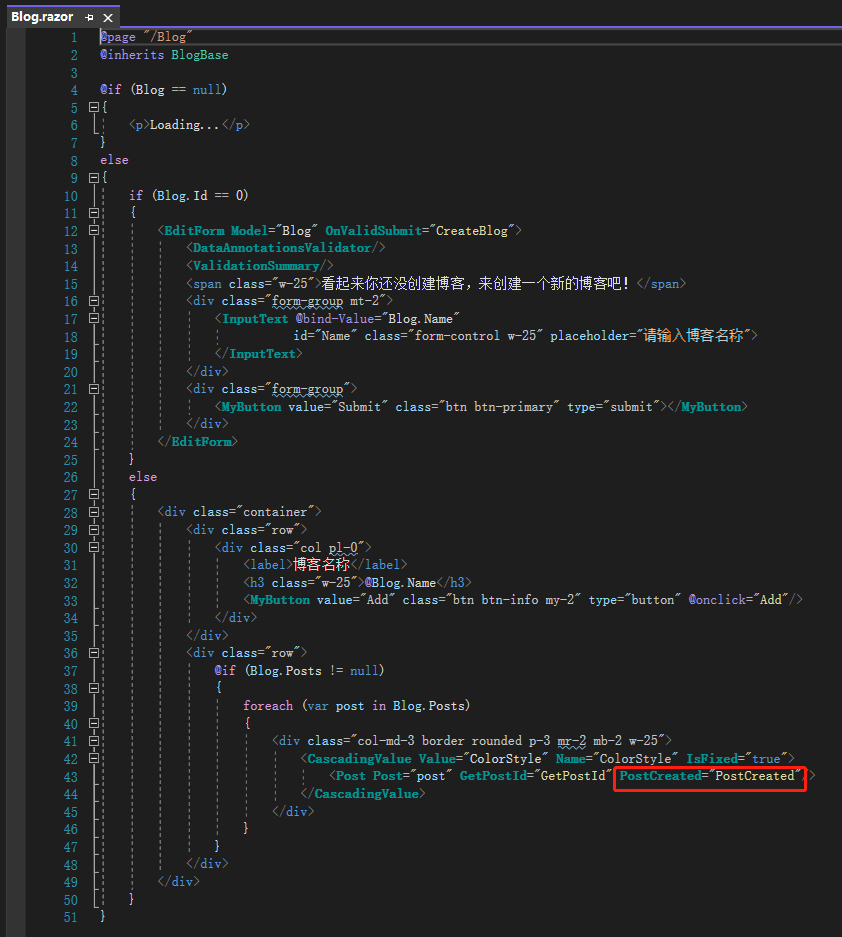
To make Blog.Posts know to re-fetch from the database, we need to add an EventCallback in PostBase.razor.cs that tells BlogBase.razor.cs to execute LoadData() again. Since it's just a notification, we don't need to pass <TValue>.


Then, after adding the second entry, if you delete it immediately, it will work correctly. Adding a second entry, then a third, and then deleting the second entry will also work.
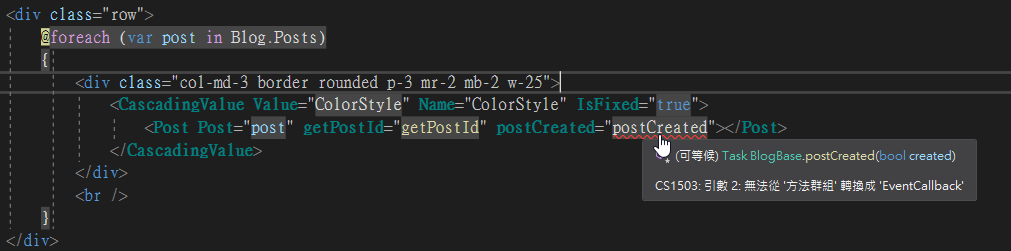
(Note: If you see the error message in the image below, it might be a Visual Studio issue. Try restarting Visual Studio first.)

References:
- .NET Stack and Heap
- In C#, why is String a reference type that behaves like a value type?
- What is ViewModel in MVC?
- Understanding ViewModel in ASP.NET MVC
Note: The code in this article has been refactored using .NET 6 + Visual Studio 2022. You can click the original link to compare with the refactored code. Thank you for reading, and support the original author.