Two Tips on VS

Two Tips on VS

Two practical tips

Last updated 5/8/2022 9:52 PM
C# WPF UI Academy
1 min read
Category
Sharing
Tags
Visual Studio IDE

1. Vertical Scrollbar Thumbnail Mode

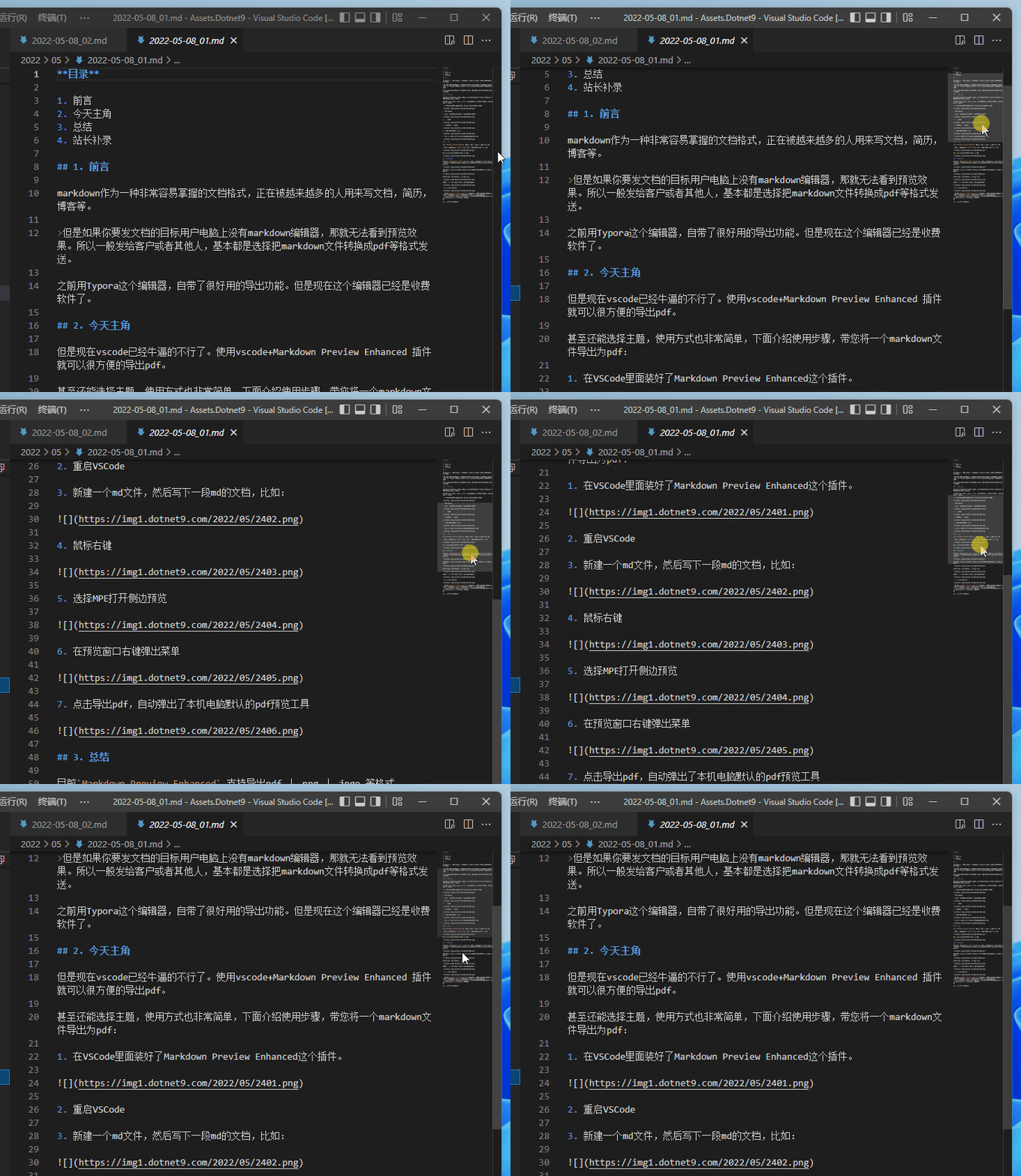
VS Code has this effect by default (at least I haven't configured it specially):

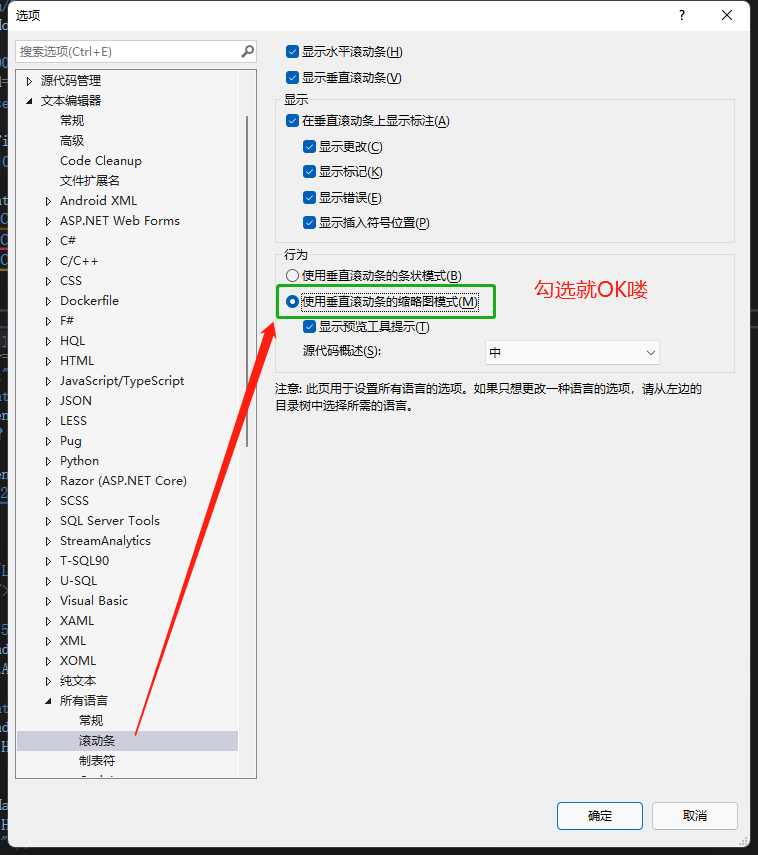
Actually, VS can also be set this way: go to ToolsOptionsText EditorAll LanguagesScrollbar, then check "Use vertical scrollbar thumbnail mode (M)". That's it.

Check out the effect:

2. Show or Hide In-App Toolbar

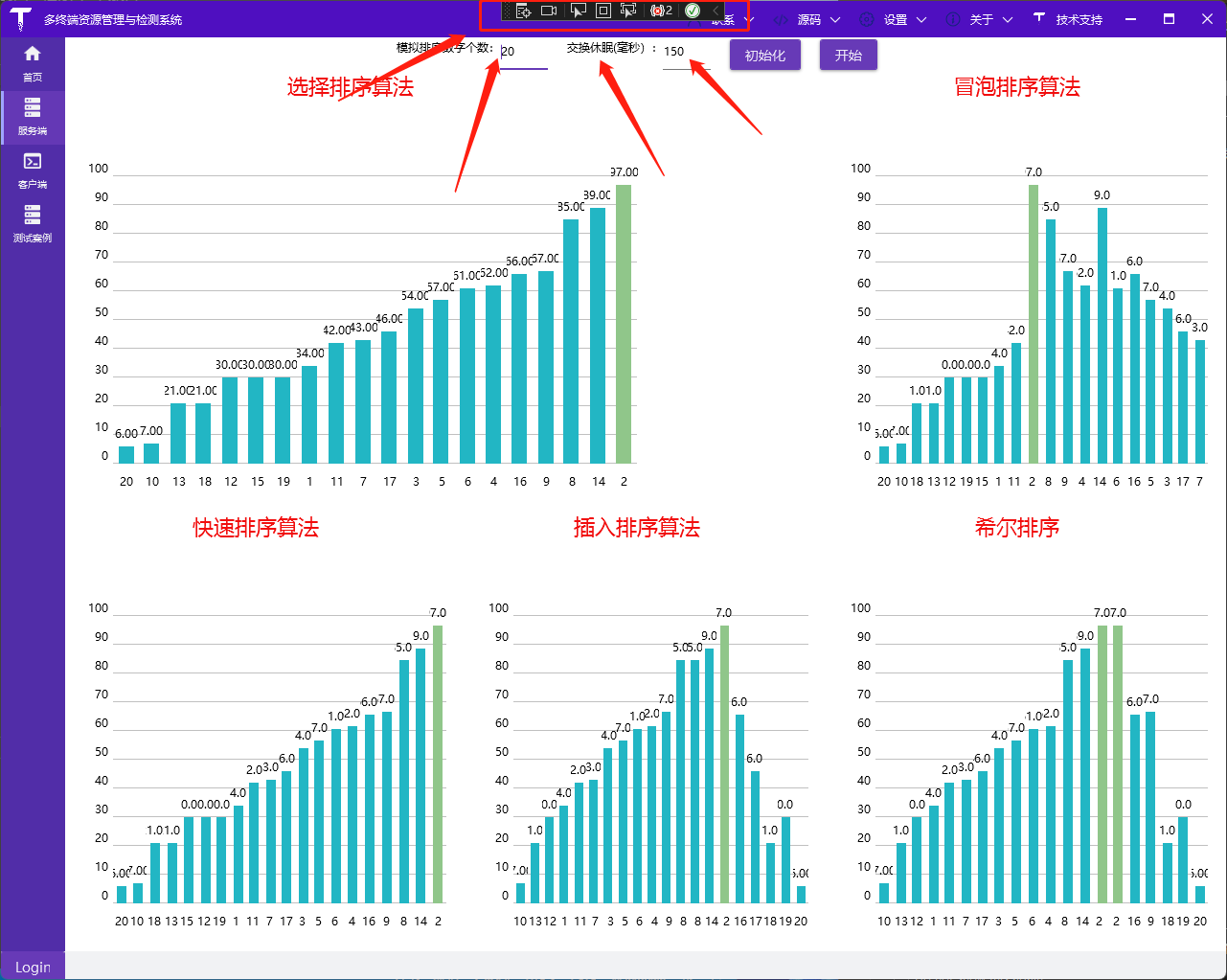
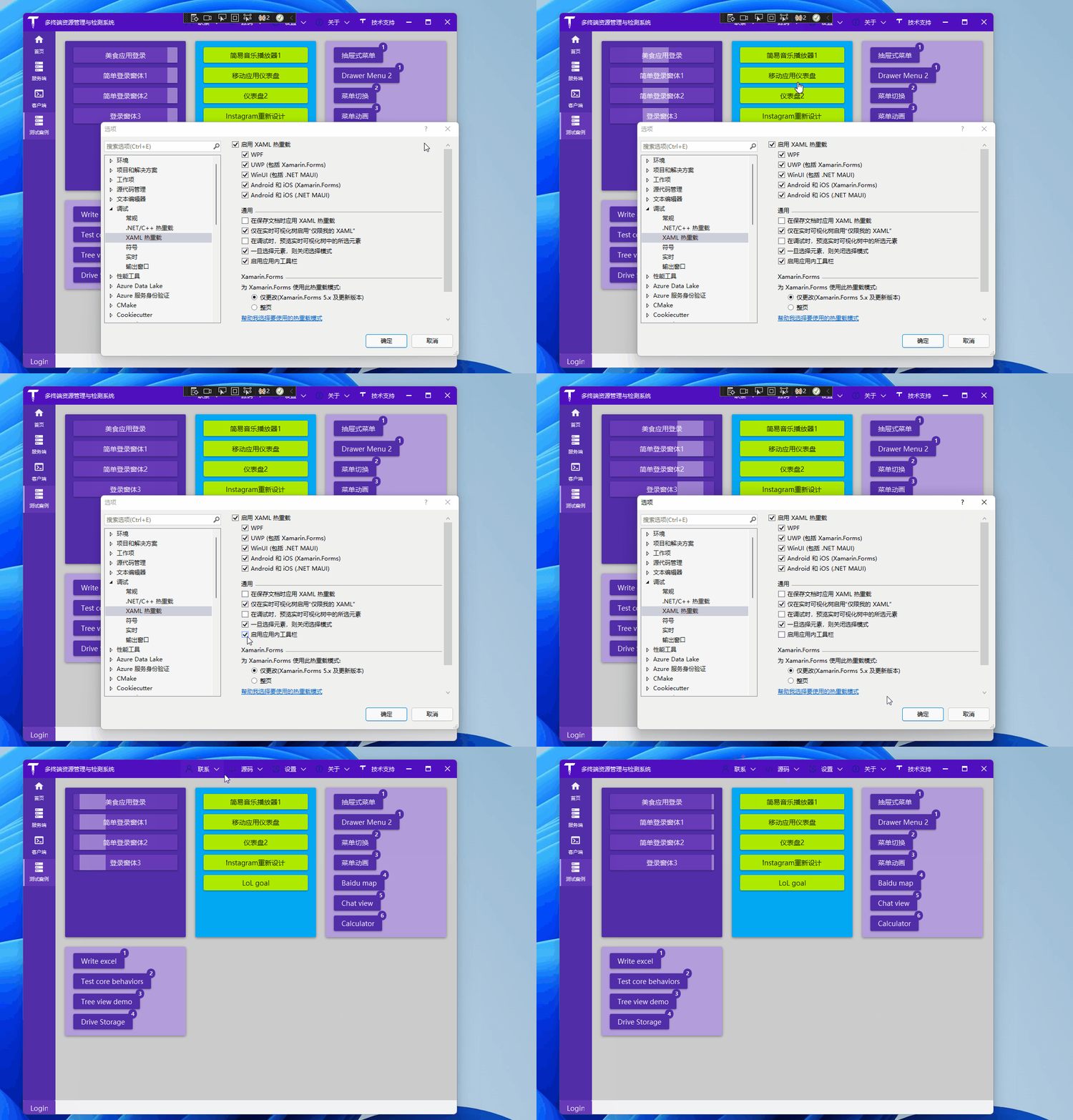
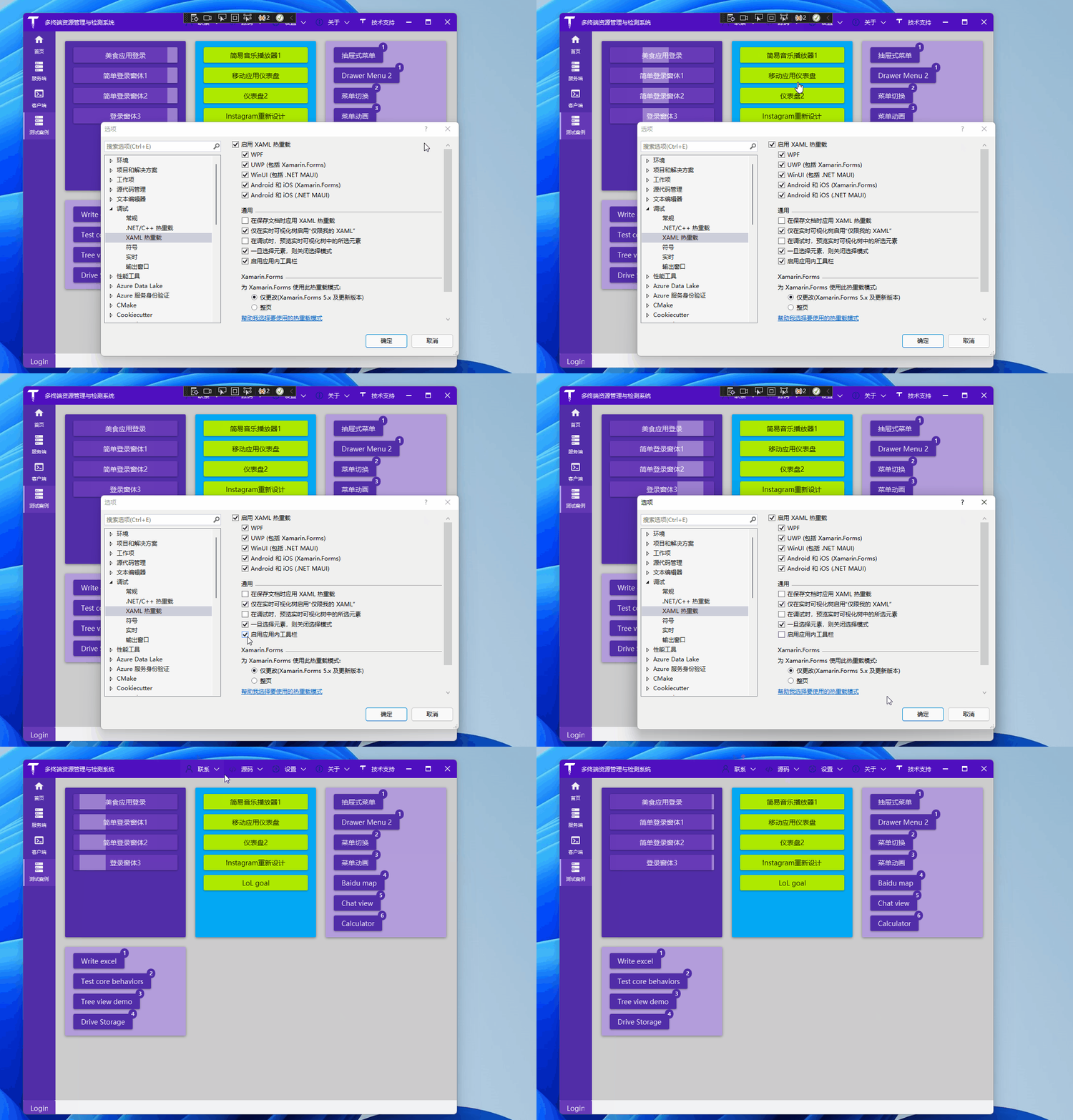
This one is about WPF. By default, the in-app toolbar is displayed during debugging:

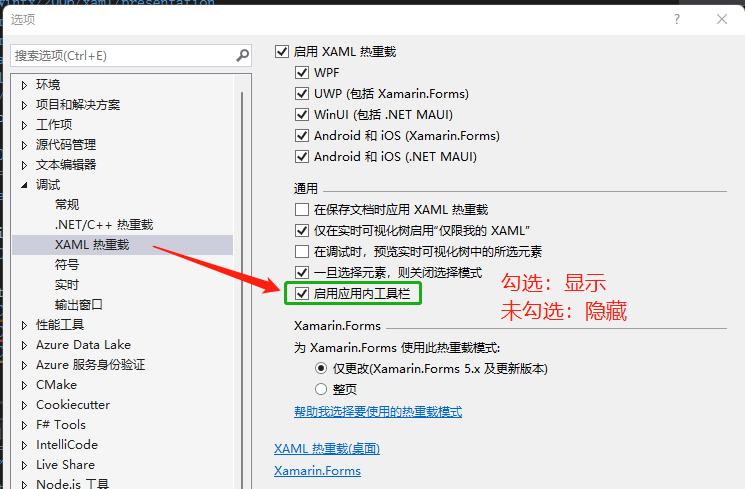
It can be turned off, though we usually keep it on: ToolsOptionsDebuggingXAML Hot Reload

You can toggle it dynamically:

Reference:

Keep Exploring

Related Reading

More Articles
Same tag 2/21/2025

.NET Project Automation Secrets: Full Guide to One-Click Version Update and Publish Scripts

This article details how to use PowerShell scripts and batch files to automate version updates and one-click publishing in .NET Avalonia UI projects. First, it explains the setup and modification of PowerShell execution policies to ensure scripts can run properly. Then, it introduces methods for adding scripts in Visual Studio pre-build events to automatically update version numbers, as well as using batch files to publish applications on multiple platforms. Finally, a PowerShell script example is provided that can automatically update program version information based on Git tags. These methods can improve the development efficiency and convenience of the publish process for .NET projects.

Continue Reading
Same tag 2/21/2025

(1)From Nurse to C# Developer -- Can a Nurse Successfully Switch to Learning .NET Development?

The article tells the story of a nurse who resigned due to work pressure and family responsibilities. After facing difficulties in job hunting, she decided to learn programming, especially the C# language. She describes in detail what she learned on the first day, including .NET, .NET Framework, C# language concepts, types of C# development software, different UI frameworks, interaction modes, and the use of Visual Studio. She expresses her confidence and determination to learn programming and hopes to receive guidance and help from more people.

Continue Reading