A Windows Screen Toolbox Open Sourced in C#

A Windows Screen Toolbox Open Sourced in C#

Windows screen tool, features include: screenshot, image capture, screen color picker, OCR text from screenshot, table recognition (requires applying for Baidu OCR service), screenshot translation, word translation.

Last updated 3/8/2024 4:58 AM
半栈程序员
2 min read
Category
.NET
Tags
.NET C# Open Source Table Recognition Toolbox

Screen Toolkit

  • Do you find it troublesome to open WeChat or QQ just to take a screenshot every time?
  • Are you often annoyed by the inability to copy text from websites like Baidu Wenku?
  • Do you have to search everywhere for a tool to pick a color from the screen?
  • Do you want to record screen operations as GIFs to share with others~~~

Recently, when encountering the above needs, I searched for a long time but still couldn't find a suitable and convenient tool. So I wrote a Windows screen tool myself, with features including: screenshot, pinned screenshot, color picker, OCR text recognition, table recognition (requires Baidu OCR service), screenshot translation, and word translation.

Feature Preview

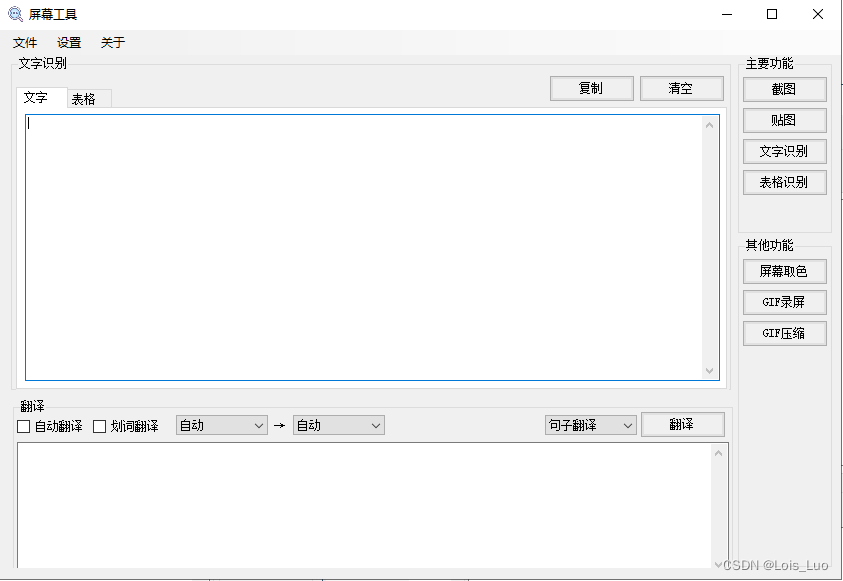
Main Interface

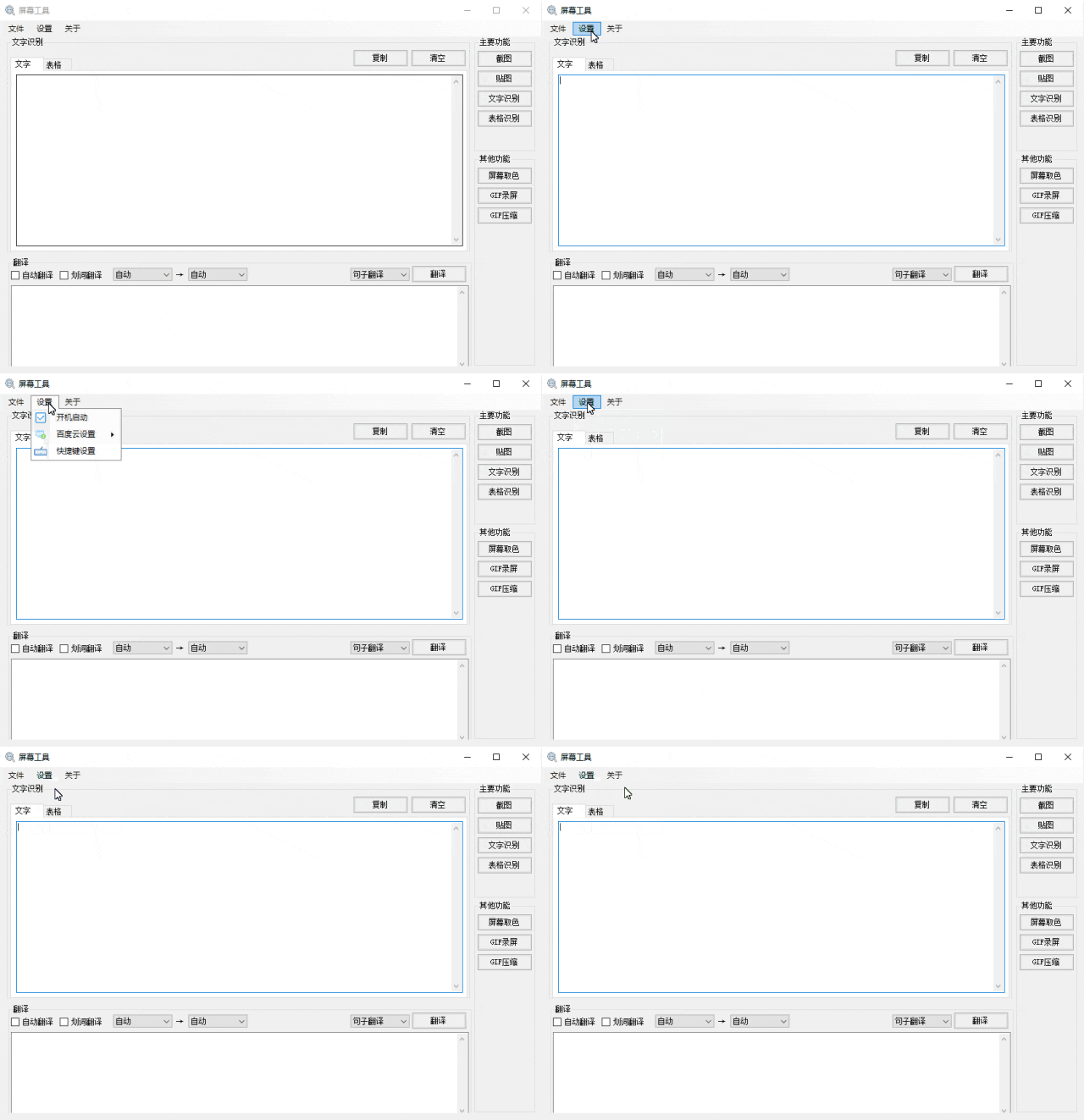
Startup Settings

After setting it to start with Windows, you don't need to open it manually each time; you can directly use screenshot, OCR, and other features whenever needed.

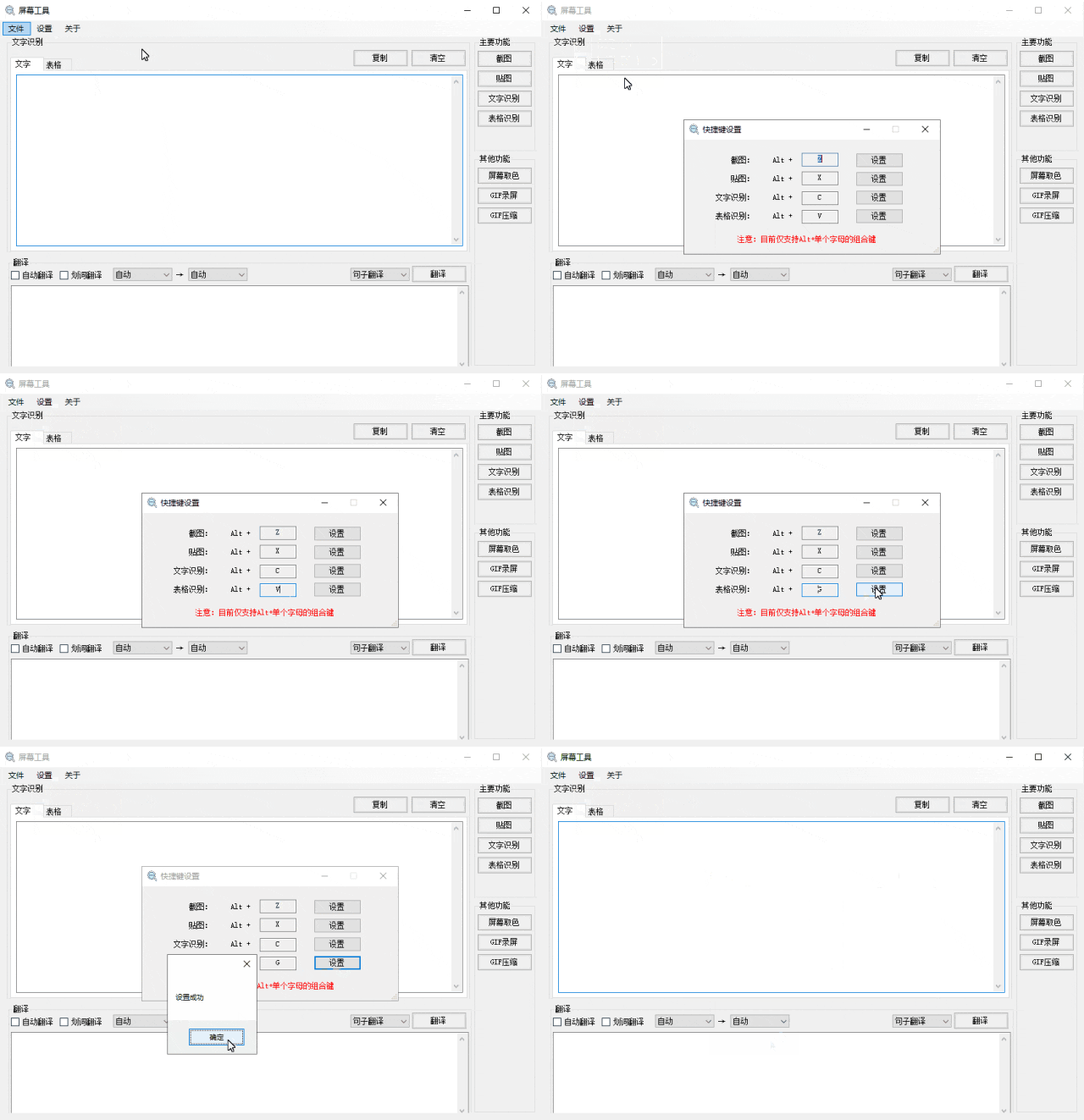
Hotkey Settings

You can set hotkeys to quickly invoke screenshot, pinned image, OCR, table recognition, and other functions.

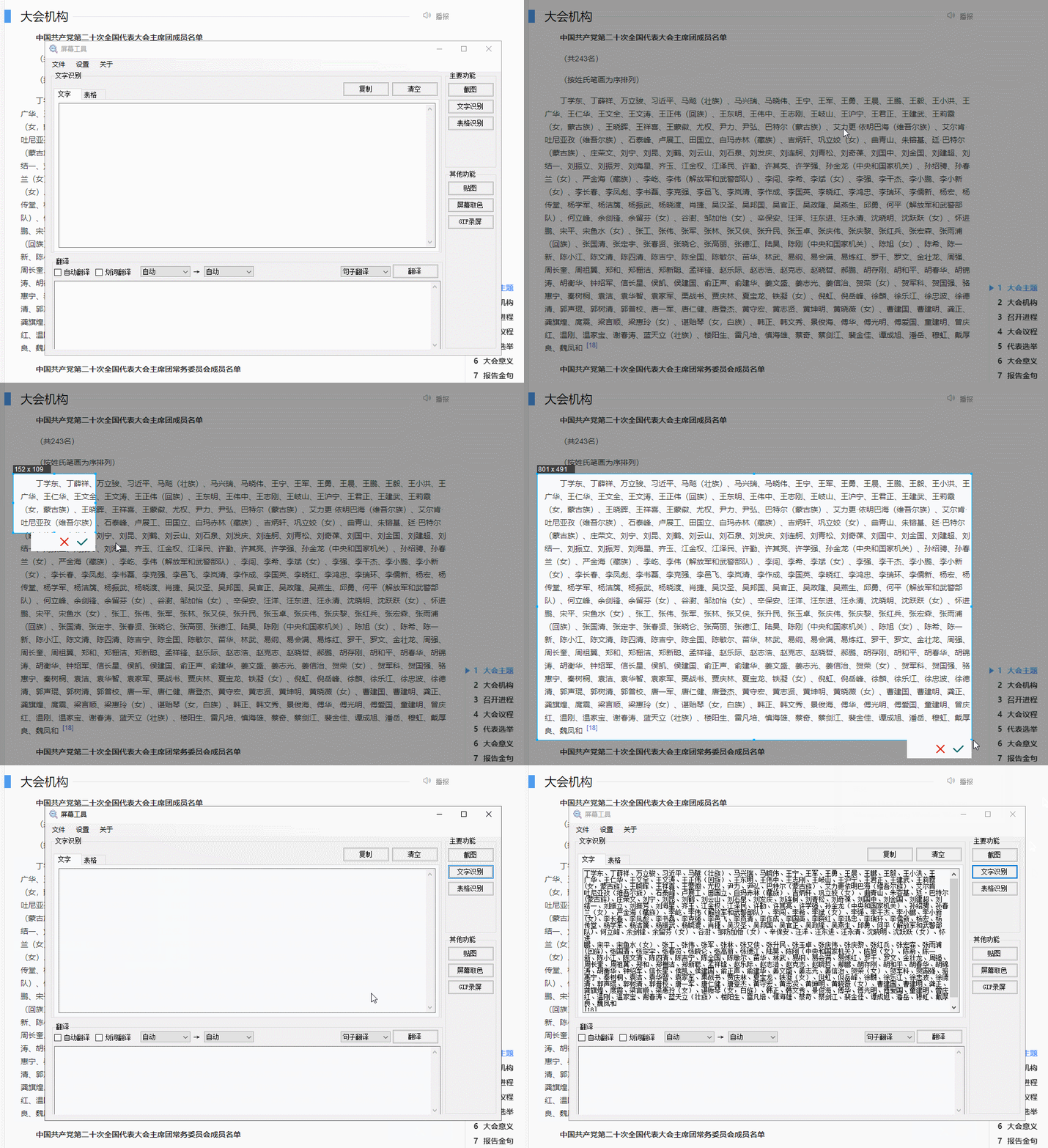
Screenshot OCR

By capturing a text area on the screen, the text is extracted and automatically copied to the clipboard, ready to be pasted where needed.

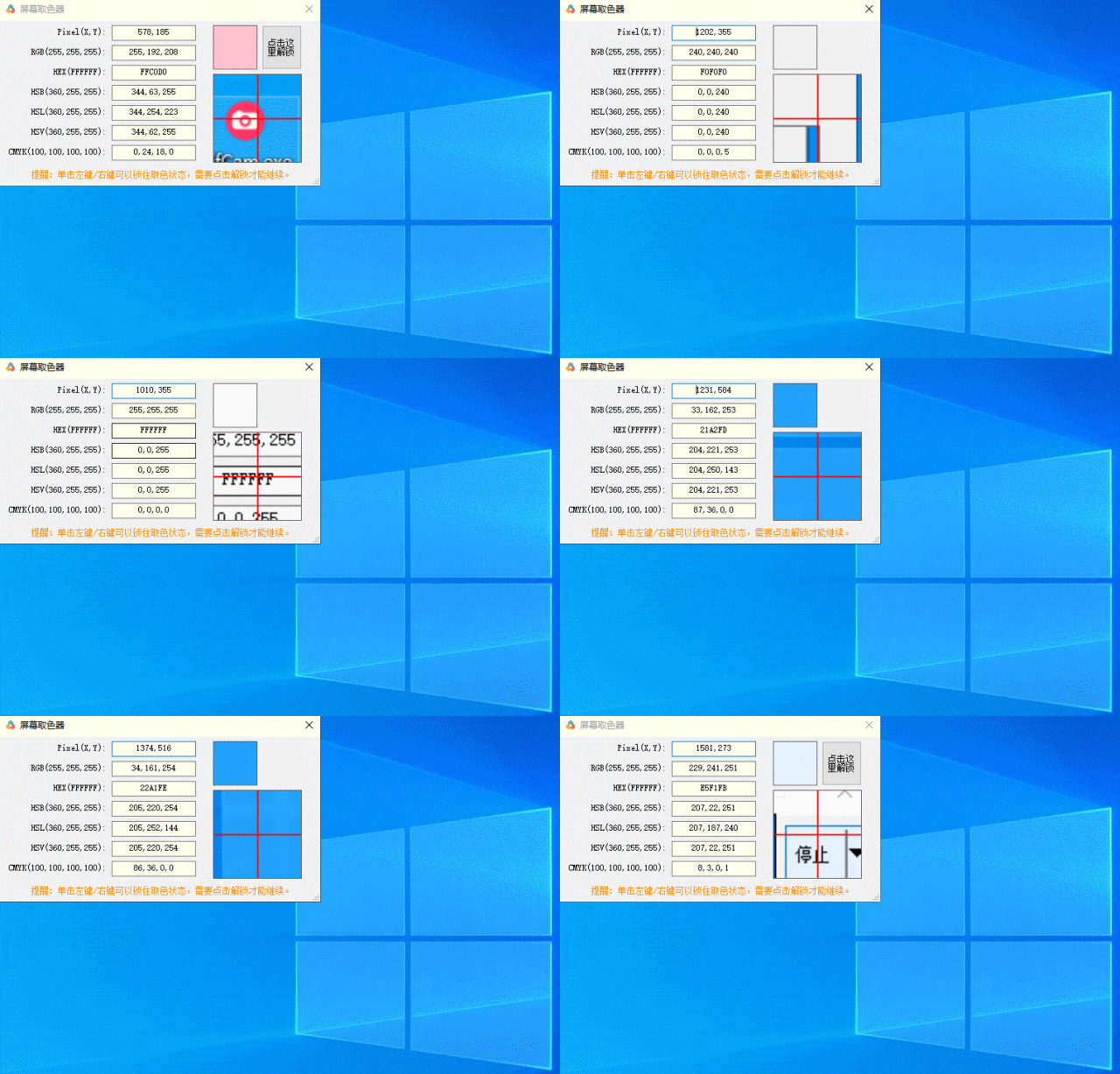
Screen Color Picker

The screen color picker extracts color values like RGB, HSB, HSL, HSV, CMYK from a pixel.

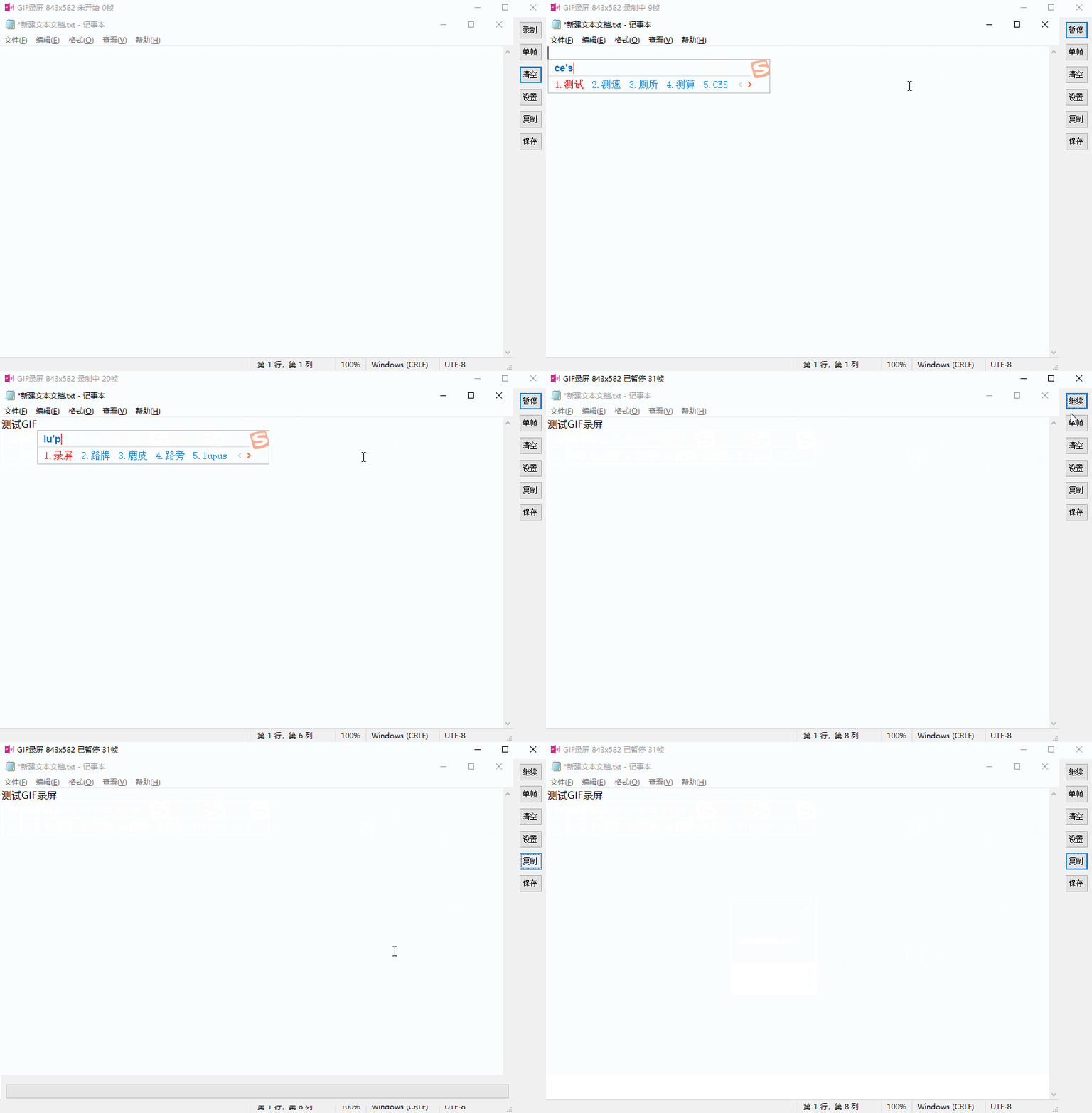
GIF Recording

Records screen operations as GIF animations, including full-screen recording, custom area recording, mouse capture, saving to file or copying to clipboard.

Project URL:

https://github.com/luotengyuan/MyScreenTools

Keep Exploring

Related Reading

More Articles