Introduction
In the development journey of the blog website, the webmaster has been forging ahead with determination. From initial conception to practice, they have explored a variety of development technologies, including MVC, Razor Pages, Vue, Go, Blazor, and more. Throughout this long process, the website has undergone nearly 10 version iterations, each one embodying the webmaster's hard work and exploration. This challenging journey is detailed in Share some learning materials I accumulated when I was a blog website - CodeWF.
Now, after careful consideration and practical testing, the blog website has returned to Blazor, adopting static SSR technology while incorporating the stylish and practical Ant Design style. These improvements have brought a qualitative leap in website access speed, injecting new vitality into the site. The website is now successfully online.
- URL: https://dotnet9.com

The Power of Open Source
Here, we would like to thank the following open-source projects:
- Known: https://known.org.cn/
This is an open-source enterprise-level development framework built on Blazor technology. With its outstanding features of low-code, cross-platform, and out-of-the-box usability, it breaks the limitations of traditional development, truly achieving an efficient model of "write once, run anywhere." Its core value lies in efficiency and flexibility, bringing a new revolution to software development models. Like a magical key, it helps developers easily open the door to digital transformation, confidently meet various challenges, and drive business growth, ushering in a new chapter.
The source code of this site is also open source:
- Repository: https://github.com/dotnet9/CodeWF
CodeWF is a website developed with .NET 9 Blazor. It features technical articles, introductions to open-source projects, and online tools. CodeWF — Articles inspire, tools empower.
Website Technology
The website is built on the open-source project KnownCMS based on Known:
KnownCMS is a content management system developed with Blazor. The frontend uses Blazor static components, and the backend uses the Known framework.
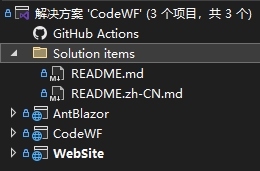
Since the webmaster's website primarily focuses on blog post display and online tools, with article editing typically done using Typora and VS Code, and the core data files stored in the Assets.Dotnet9 repository, the webmaster removed the temporarily unused backend management features. The project source code now consists of only three projects:

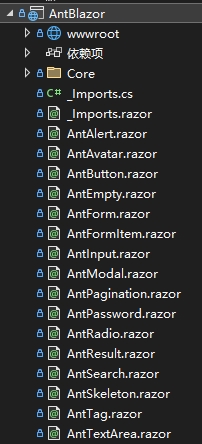
- AntBlazor: The webmaster has barely modified this project. It is essentially a Blazor static component library in Ant Design style provided by Known, including basic components like forms, labels, and buttons.
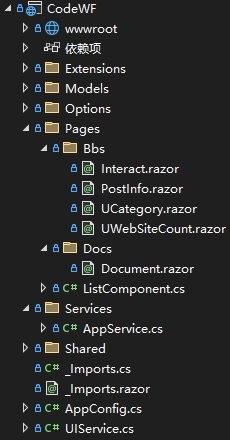
- CodeWF: A Razor class library that primarily encapsulates website document and blog post pages. Some tools are not yet online; a separate library will be created later to host online tools based on this library's architecture.
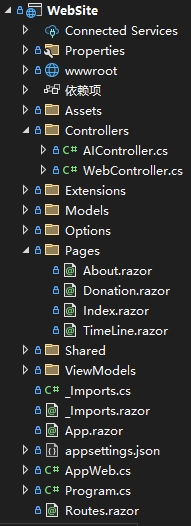
- WebSite: The entry project of the website, integrating CodeWF and AntBlazor projects. It also includes some page encapsulations (home page, about, timeline, etc.), Web API controllers, and more.
| AntBlazor | CodeWF | WebSite |
![]() |
![]() |
![]() |
Trivia: What is Static SSR?
Static SSR is significantly different from Blazor Server or Blazor Client (WASM). According to Microsoft Documentation:
Static SSR is a unique operating mode where components run on the server when handling incoming HTTP requests. During this process, Blazor cleverly renders components as HTML and includes them in the response content. Once the response is sent, the server-side components and corresponding renderer state are automatically discarded, leaving only pure HTML on the browser side.
The advantages of this mode are manifold. First, it significantly reduces hosting costs, easing the economic burden on website operators. Second, it has excellent scalability, handling both small-scale user access and large traffic spikes with ease. This is because it does not require continuous server resources to maintain component state, saving substantial server resources. Moreover, it eliminates the need for a persistent connection between the browser and the server, and does not require loading WebAssembly in the browser, further optimizing performance.
From a more intuitive perspective, both static SSR and Blazor Server fall under server-side rendering, but they differ in interactivity. In static SSR mode, frontend HTML controls cannot map C# event methods like in Blazor Server. However, they can still use JavaScript functions for interaction, for example, a button's click event can be mapped to a JS function. Fortunately, important features like C# entity binding and service injection still work normally in static SSR. This makes static SSR an ideal choice for frontend websites requiring SEO (Search Engine Optimization, a series of technical measures to improve a website's ranking in search engines, thereby increasing traffic. The core is ensuring that website content can be effectively crawled by search engines to gain more traffic). Below is a static SSR component definition (article detail basic info component UPostCount.raozr):
@inject IOptions<SiteOption>
SiteOption
<div class="counts">
@if (Post?.Lastmod != null) {
<span>Updated @(Post?.Lastmod?.ToString("yyyy-MM-dd HH:mm:ss"))</span>
} else {
<span>Created @(Post?.Date?.ToString("yyyy-MM-dd HH:mm:ss"))</span>
}
<span style="margin:0 5px;">|</span>
<span class="author"
>@(string.IsNullOrWhiteSpace(Post?.Author) ? SiteOption.Value.Owner :
Post!.Author)</span
>
@if (ShowEdit) {
<span style="margin:0 5px;">|</span>
<a
href="@ConstantUtil.GetPostGitHubPath(SiteOption.Value.RemoteAssetsRepository, Post)"
target="_blank"
>Edit / Leave a Message</a
>
}
</div>
@code { [Parameter] public BlogPost Post { get; set; } [Parameter] public bool
ShowEdit { get; set; } = true; }</SiteOption
>
Result:

Website Features Description
Home Page
- URL: https://dotnet9.com
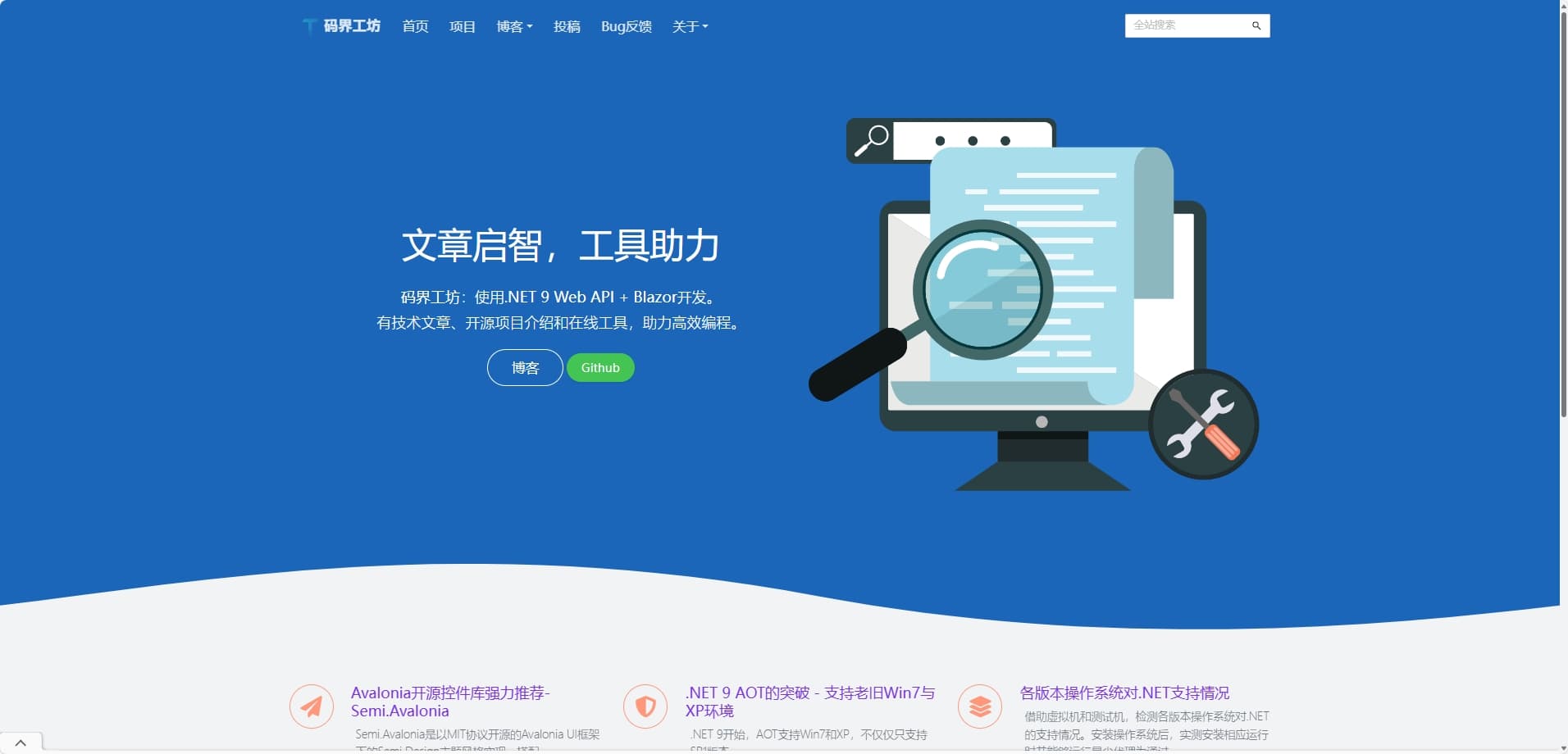
Like most websites, it first displays a tagline: "CodeWF: Developed with .NET 9 Web API + Blazor. Featuring technical articles, open-source project introductions, and online tools to assist efficient programming." Then it showcases featured article blocks, later to include featured tool blocks (under development), and finally, friend links, footer, etc.:

Documentation
Here, some of the webmaster's open-source projects are introduced:

Below are brief descriptions of some projects:
- CodeWF
This is the source code repository of this site. Click here to view.
- CodeWF.EventBus
It is suitable for in-process event delivery (no external dependencies) and is functionally similar to MediatR. Click here to view.
- CodeWF.EventBus.Socket
CodeWF.EventBus.Socket is a lightweight, Socket-based distributed event bus system designed to simplify event communication in distributed architectures. It allows inter-process communication via the publish/subscribe pattern without relying on external message queue services. Click here to view.
- CodeWF.NetWeaver
CodeWF.NetWeaver is a concise yet powerful C# library supporting AOT for handling TCP and UDP packet assembly and disassembly. Click here to view.
- CodeWF.Toolbox
CodeWF Toolbox is a cross-platform toolbox developed using Avalonia, with Prism as the modular development framework. It supports AOT publishing and can serve as a learning project for Avalonia. Click here to view.
- CodeWF.Tools
This repository collects and shares common utility classes. Click here to view.
- Assets.Dotnet9
This is the core data repository of this site. Click here to view.
Blog
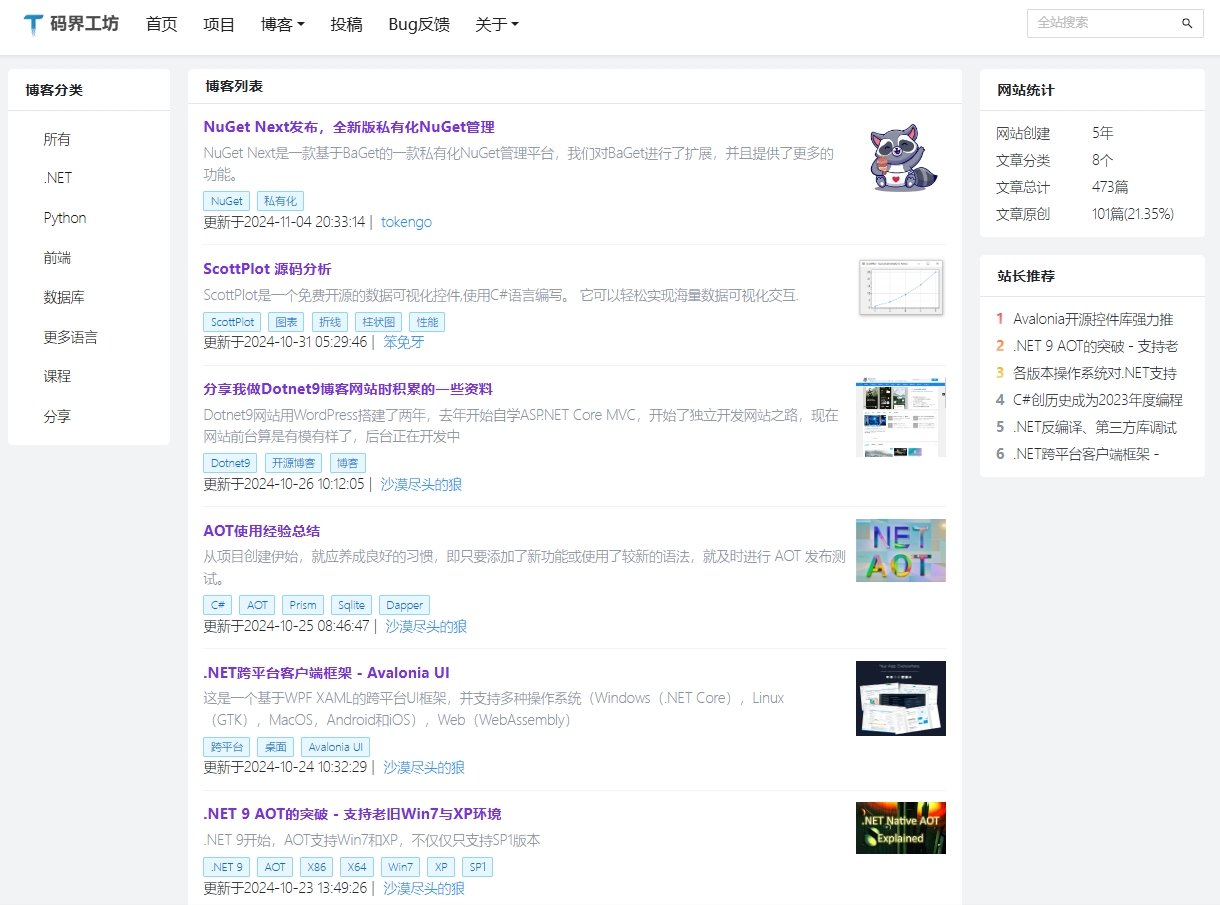
The blog page adopts a standard technical blog style layout with three columns: left, center, and right. The left sidebar lists article categories. Clicking on a category browses the article list in the center with pagination. The right sidebar displays site statistics, webmaster recommendations, etc.:

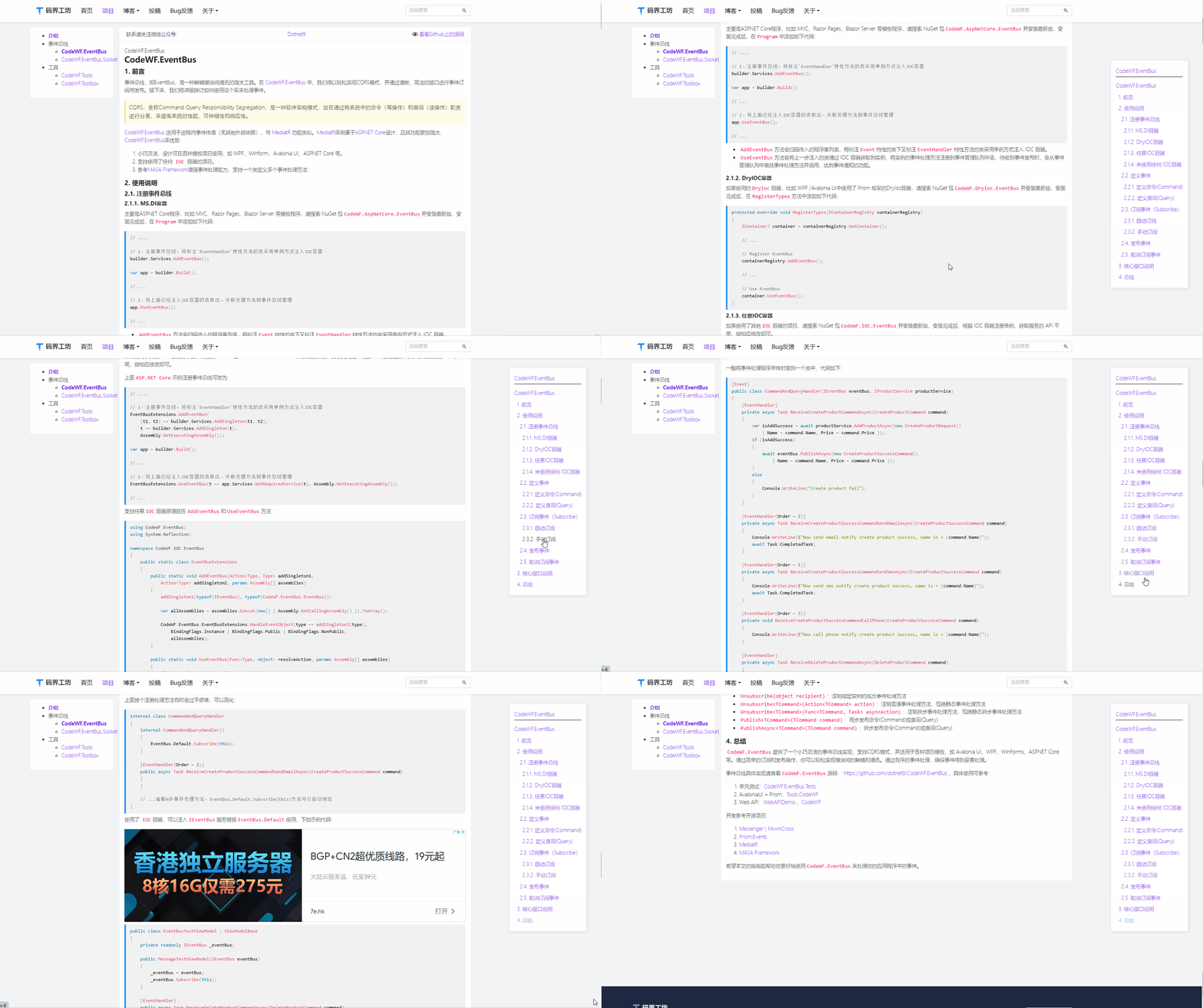
Clicking on an article in the list displays its full content. Special thanks to VleaStwo (Lee) for providing the TOC (Table of Contents) feature, which allows users to quickly locate key content and improve reading efficiency.

All Articles Are Editable by You
If an article contains typos, grammatical errors, misleading information, or if you have something to add, you can click the "Edit / Leave a Message" link in the top right corner of the page to submit a PR. Thank you very much!

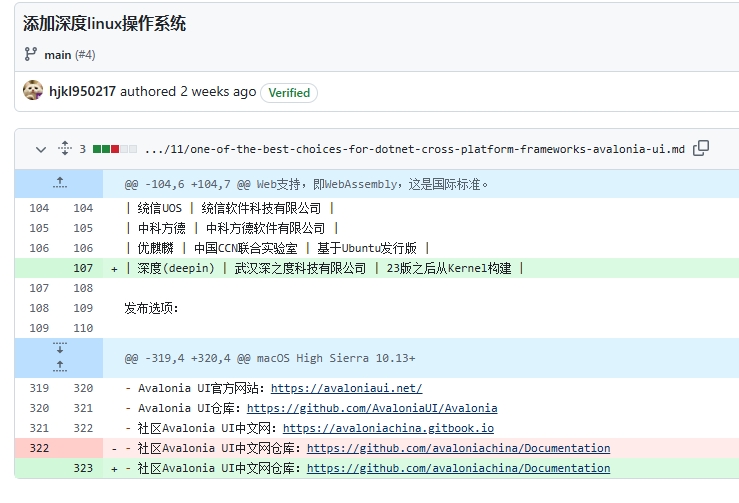
The latest PR on the article . NET Cross-Platform Client Framework - Avalonia UI is PR#4:

Thanks to user hjkl950217 (长空 X)
Conclusion
In the journey of developing this website, the webmaster continuously explored and experimented, learning from numerous tutorials and open-source projects, which were immensely helpful. Many thanks to the friends and teachers who provided assistance.
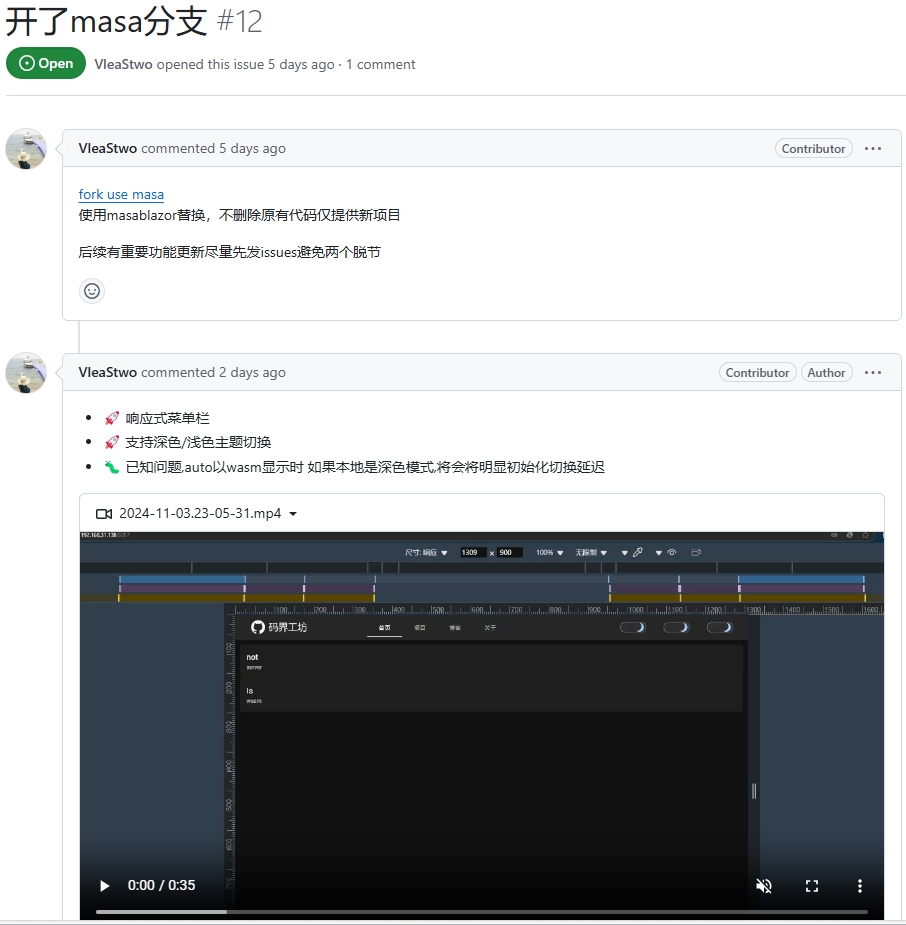
Additionally, VleaStwo has created a Masa Blazor branch. Interested friends are welcome to submit PRs or exchange ideas:

Finally, relevant links are provided for your reference and communication:
- This site's source code (Ant Design style): https://github.com/dotnet9/codewf
- VleaStwo's branch (Masa Blazor style): https://github.com/VleaStwo/CodeWF
- Known: https://known.org.cn
- Ant Design Blazor: https://antblazor.com/
- Masa Blazor: https://masastack.com/blazor