Lang.Avalonia: Avalonia multi-language solution, seamlessly supports three formats: Resx/XML/JSON

Lang.Avalonia: Avalonia multi-language solution, seamlessly supports three formats: Resx/XML/JSON

This is a multi-language management library designed specifically for the Avalonia framework. It reconstructs multi-language support logic through a plugin-based architecture, not only supporting traditional Resx resource files but also adding support for XML and JSON formats, while providing type-safe resource references and dynamic language switching, making multi-language development simpler and more efficient.

Last updated 8/9/2025 7:58 PM
沙漠尽头的狼
8 min read
Category
Avalonia UI
Tags
.NET C# Avalonia UI Architecture Design Security

Introduction: Why Lang.Avalonia?

In cross-platform UI development, multilingual support is one of the core requirements for enhancing user experience. Avalonia, as a powerful cross-platform UI framework, offers flexible extensibility, but native multilingual solutions have limitations in format support, development efficiency, and modular integration.

Lang.Avalonia was created to address this—it is a multilingual management library specifically designed for the Avalonia framework. By adopting a plugin-based architecture, it redefines multilingual support logic. It not only supports traditional Resx resource files but also adds support for XML and JSON formats, while providing type-safe resource references, dynamic language switching, and more, making multilingual development simpler and more efficient.

Core Features: Why Choose Lang.Avalonia?

  • Multi-format compatibility: Supports three language file formats: Resx (traditional .NET resource format), XML, and JSON, catering to different project format preferences.
  • Type-safe references: Automatically generates C# constant classes via T4 templates, avoiding hard-coded string keys and enabling compile-time detection of resource reference errors.
  • Seamless front-end and back-end integration: Provides both XAML markup extension ({c:I18n}) and C# API support, making UI bindings and backend logic calls equally convenient.
  • Dynamic language switching: Supports changing the culture at runtime, updating interface text in real-time without restarting the application.
  • Modular management: Allows splitting language files by project module (e.g., main module, development module), suitable for large projects with multi-team collaboration.
  • Lightweight and easy to integrate: Plugin-based design; just install the corresponding NuGet package and use a few lines of code for initialization.

Quick Start: Installation and Basic Setup

Step 1: Install NuGet Package

Choose the installation command based on the language file format used in your project:

Language File Format Installation Command Use Case
Resx Install-Package Lang.Avalonia.Resx Projects accustomed to traditional .NET Resx resource files
XML Install-Package Lang.Avalonia.Xml Projects preferring lightweight XML format with manual editing
JSON Install-Package Lang.Avalonia.Json Modern front-end style projects requiring cross-platform sharing of language files

Step 2: Create Language Files

Create language files according to the conventions. It is recommended to place them in an i18n folder at the project root. File names must include the culture identifier (e.g., zh-CN for Simplified Chinese, en-US for American English).

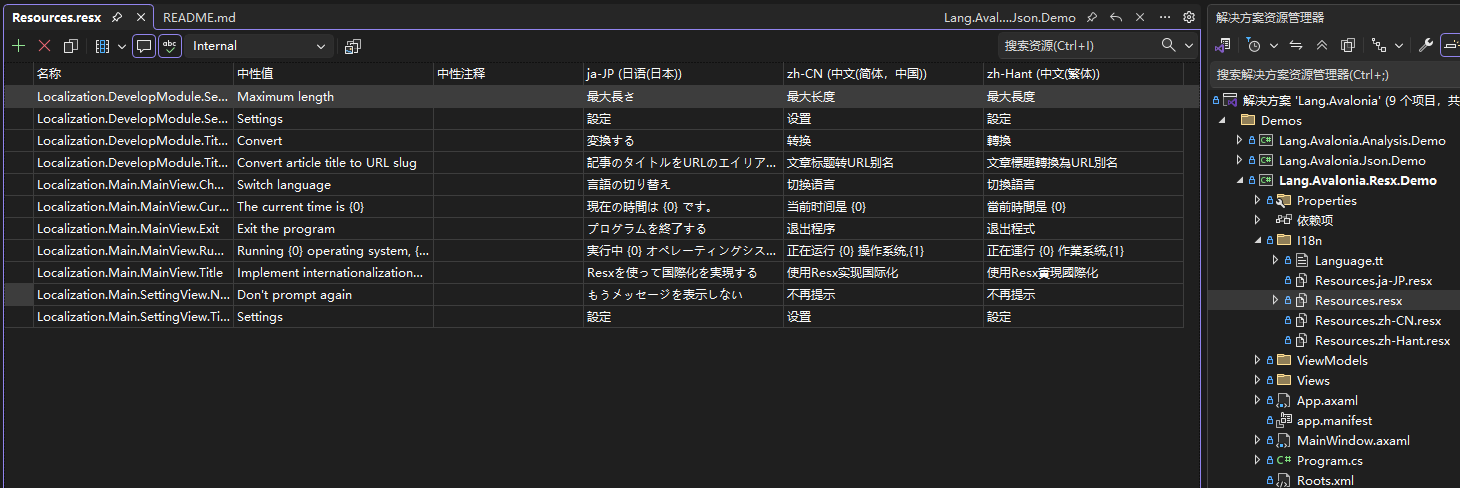
Resx Format

Resx files should be named with a base file name (e.g., Resources.resx) plus an optional culture identifier. The base file serves as the fallback language. Refer to the example project for details:

i18n/Resources.resx          // Default language (e.g., English)
i18n/Resources.zh-CN.resx    // Simplified Chinese
i18n/Resources.zh-Hant.resx  // Traditional Chinese
i18n/Resources.ja-JP.resx    // Japanese

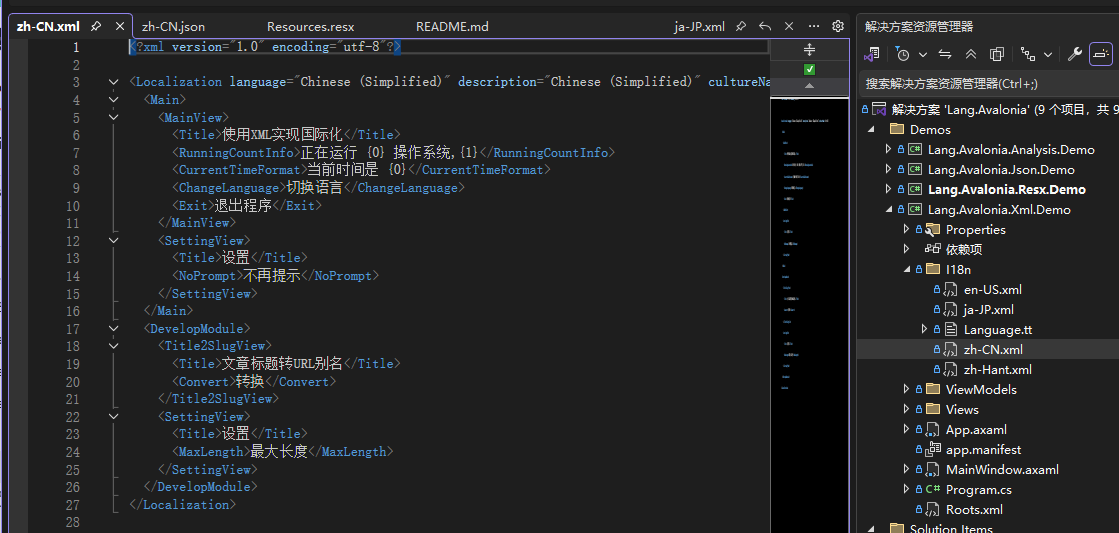
XML Format

XML files are named directly with the culture identifier, each file independently storing resources for the corresponding language:

i18n/en-US.xml    // American English
i18n/zh-CN.xml    // Simplified Chinese
i18n/zh-Hant.xml  // Traditional Chinese
i18n/ja-JP.xml    // Japanese

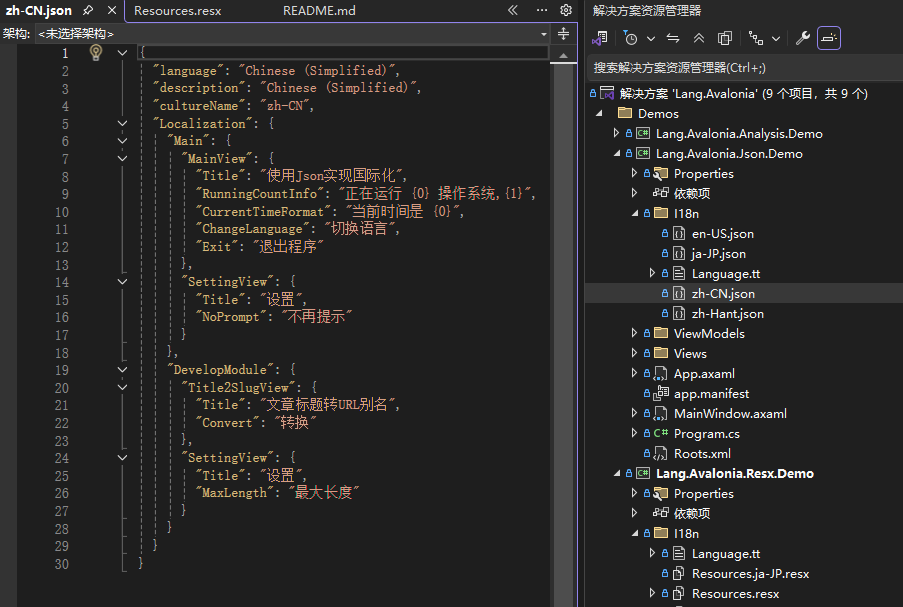
JSON Format Example

JSON files are also named with the culture identifier and store resources using key-value pairs:

i18n/en-US.json    // American English
i18n/zh-CN.json    // Simplified Chinese
i18n/zh-Hant.json  // Traditional Chinese
i18n/ja-JP.json    // Japanese

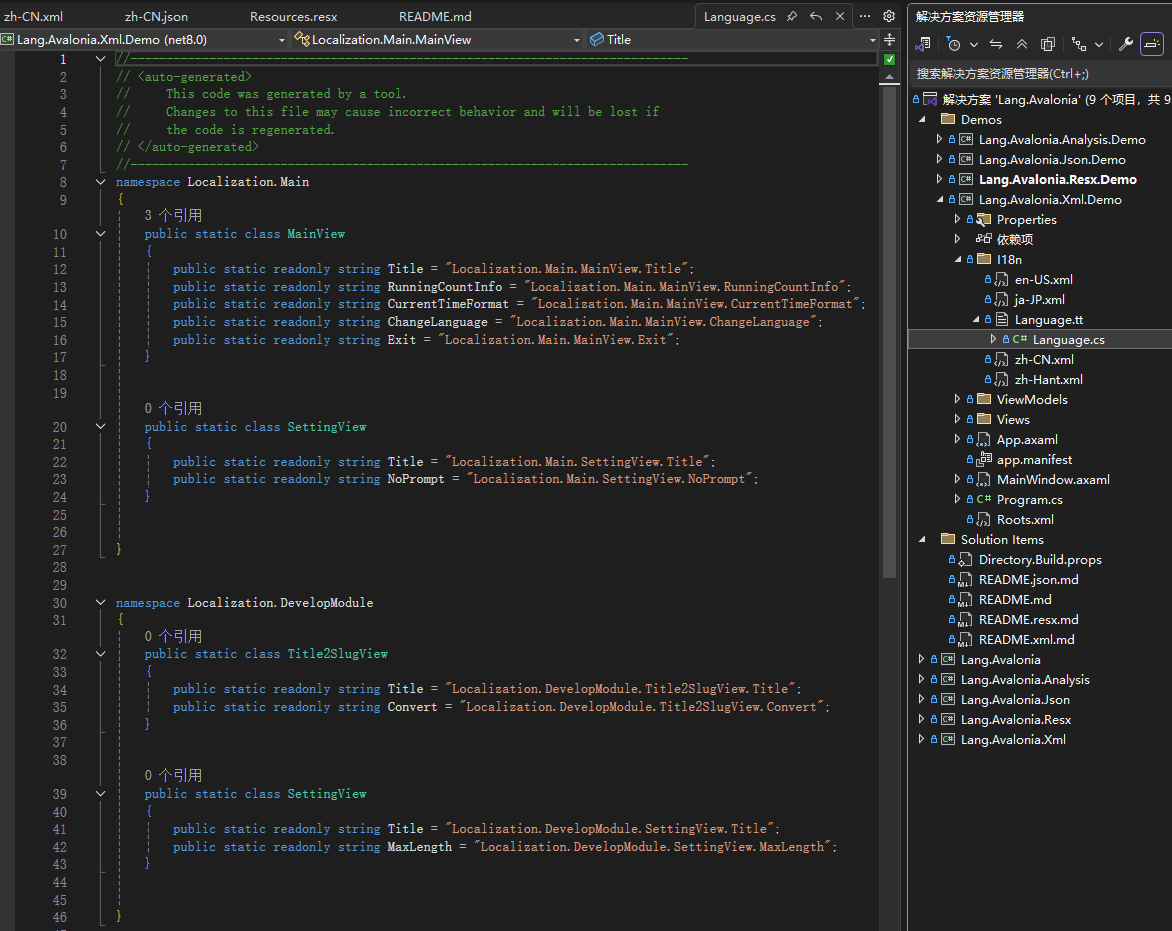
Step 3: Generate Type-Safe Resource Constants (T4 Templates)

To avoid hard-coded resource keys (e.g., directly writing strings like "SettingView.Title"), use T4 templates to automatically generate C# constant classes, enabling compile-time validation.

Steps:

  1. Copy the T4 template corresponding to your format (Resx/XML/JSON templates are different) from the Lang.Avalonia.XX.Demo sample project into the i18n folder of your project (create the folder if needed).
  2. The template will automatically scan the language files in the i18n folder and generate constant classes for the language resources.
  3. After adding/modifying keys in the language files, open the T4 template and press Ctrl + S to regenerate.

Practical Usage: Front-End and Back-End Integration Guide

Initialize the Multilingual Manager

Initialize the multilingual manager at application startup (recommended in the Initialize method of App.axaml.cs) to preload language resources:

// Import namespaces
using Lang.Avalonia;
using Lang.Avalonia.Resx; // Namespace for the corresponding format (Resx/Xml/Json)
using System.Globalization;

public override void Initialize()
{
    base.Initialize();
    // Initialize for Resx format (replace with XmlLangPlugin/JsonLangPlugin for other formats)
    I18nManager.Instance.Register(
        plugin: new ResxLangPlugin(),  // Format plugin
        defaultCulture: new CultureInfo("zh-CN"),  // Default language
        error: out var error  // Error message (optional)
    );
    if (!string.IsNullOrEmpty(error))
    {
        // Handle initialization error (e.g., file not found)
        Console.WriteLine($"Multilingual initialization failed: {error}");
    }
}

Front-End XAML Binding Usage

Use the {c:I18n} markup extension in AXAML to bind resources. It supports referencing T4-generated constant classes directly, and you can also specify a particular language:

<!-- Import namespaces -->
xmlns:c="https://codewf.com"  <!-- Lang.Avalonia markup extension namespace -->
xmlns:mainLangs="clr-namespace:Localization.Main"  <!-- Main module constant class -->
xmlns:developModule="clr-namespace:Localization.DevelopModule"  <!-- Development module constant class -->

<!-- Bind to resource of current default language -->
<SelectableTextBlock Text="{c:I18n {x:Static mainLangs:SettingView.Title}}" />

<!-- Force a specific language (e.g., Simplified Chinese) -->
<SelectableTextBlock 
    Text="{c:I18n {x:Static developModule:Title2SlugView.Title}, CultureName=zh-CN}" 
/>

Back-End C# Logic Usage

Obtain resources using the I18nManager.Instance.GetResource method in backend code. Supports getting text for the current language or a specific language:

// Import generated constant namespace
using Localization.Main;

// Get resource for current default language
var titleCurrent = I18nManager.Instance.GetResource(MainView.Title);

// Get resource for a specific language (Simplified Chinese)
var titleZhCN = I18nManager.Instance.GetResource(MainView.Title, "zh-CN");

// Get resource for a specific language (American English)
var titleEnUS = I18nManager.Instance.GetResource(MainView.Title, "en-US");

Advanced Tip: Dynamic Language Switching

Switch language at runtime by setting the property I18nManager.Instance.Culture; the UI will update automatically:

// Switch to English
I18nManager.Instance.Culture = new CultureInfo("en-US");

// Switch to Japanese
I18nManager.Instance.Culture = new CultureInfo("ja-JP");

Notes and Best Practices

  1. Culture identifier standards: Use standard culture names like zh-CN (Simplified Chinese), en-US (American English), etc. Avoid mixing non-standard formats like zh_CN.
  2. Modular splitting: For large projects, consider splitting language files by functional module (e.g., main module, user module). The T4 template will automatically generate constant classes for the corresponding modules, avoiding key conflicts.
  3. Fallback mechanism: When resources for a specified language are missing, the system automatically falls back to the default language (the defaultCulture specified during initialization). It is recommended to keep a default language file as a fallback.
  4. Performance optimization: Language resources are cached during initialization, making it suitable for frequent language switching scenarios. If language files are large, consider asynchronous loading (requires combining with Avalonia's async initialization mechanism).

Conclusion

Lang.Avalonia, through its plugin-based design, multi-format support, and type-safe features, greatly simplifies the multilingual development process for Avalonia projects. Whether you are a traditional Resx user or prefer XML/JSON for modern projects, you can quickly integrate and enjoy an efficient multilingual management experience.

If you encounter issues during use or need to extend new formats, refer to Lang.Avalonia's plugin interface to implement custom language plugins. Contributions to the project are also welcome!

Repository URL: https://github.com/dotnet9/Lang.Avalonia

Keep Exploring

Related Reading

More Articles