
大家好,我是沙漠尽头的狼。
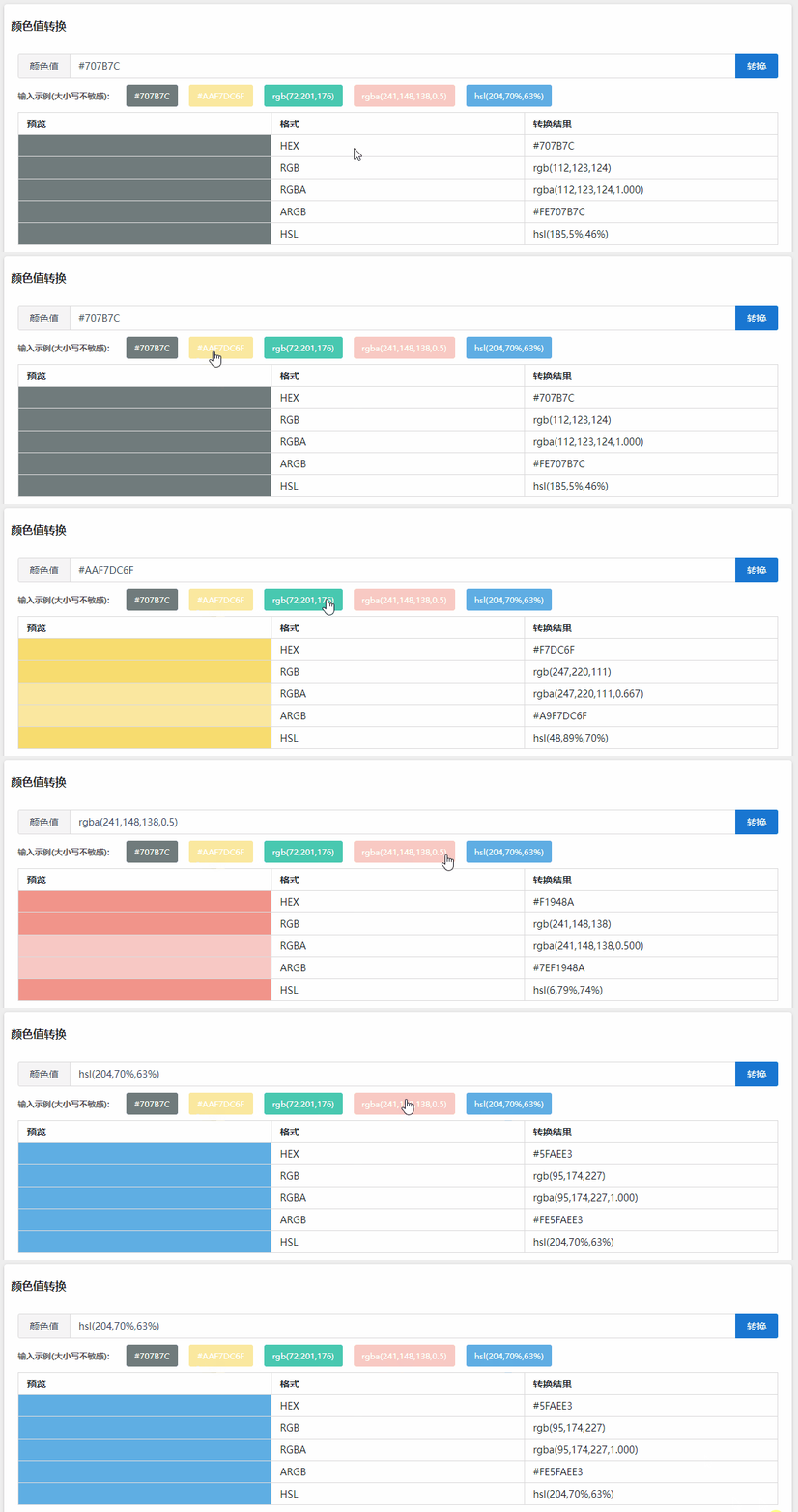
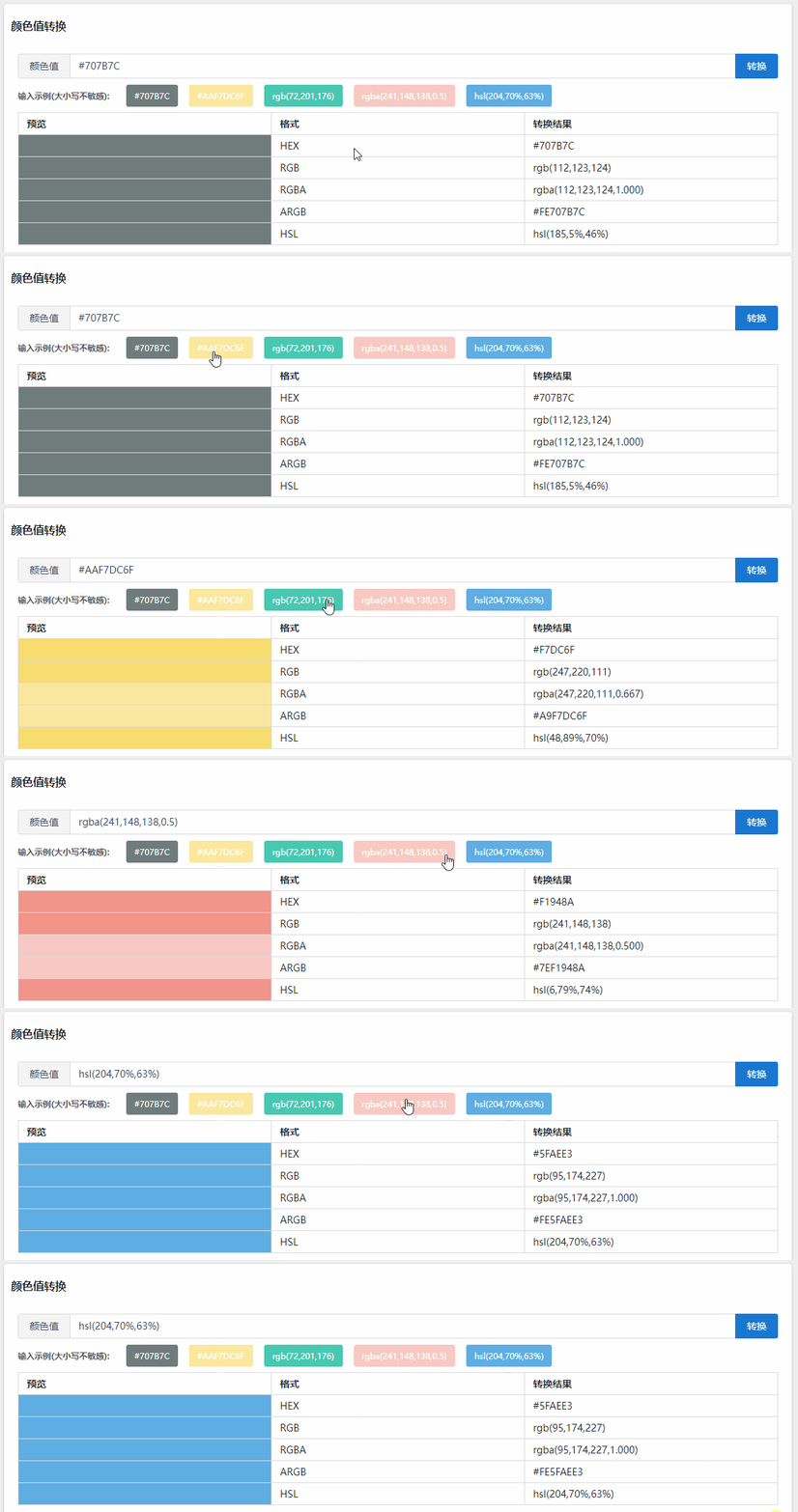
前几天刚上线一个颜色值转换工具,当然这是借鉴的,可实现:
- HEX、RGB、RGBA、ARGB、HSL之间相互转换;
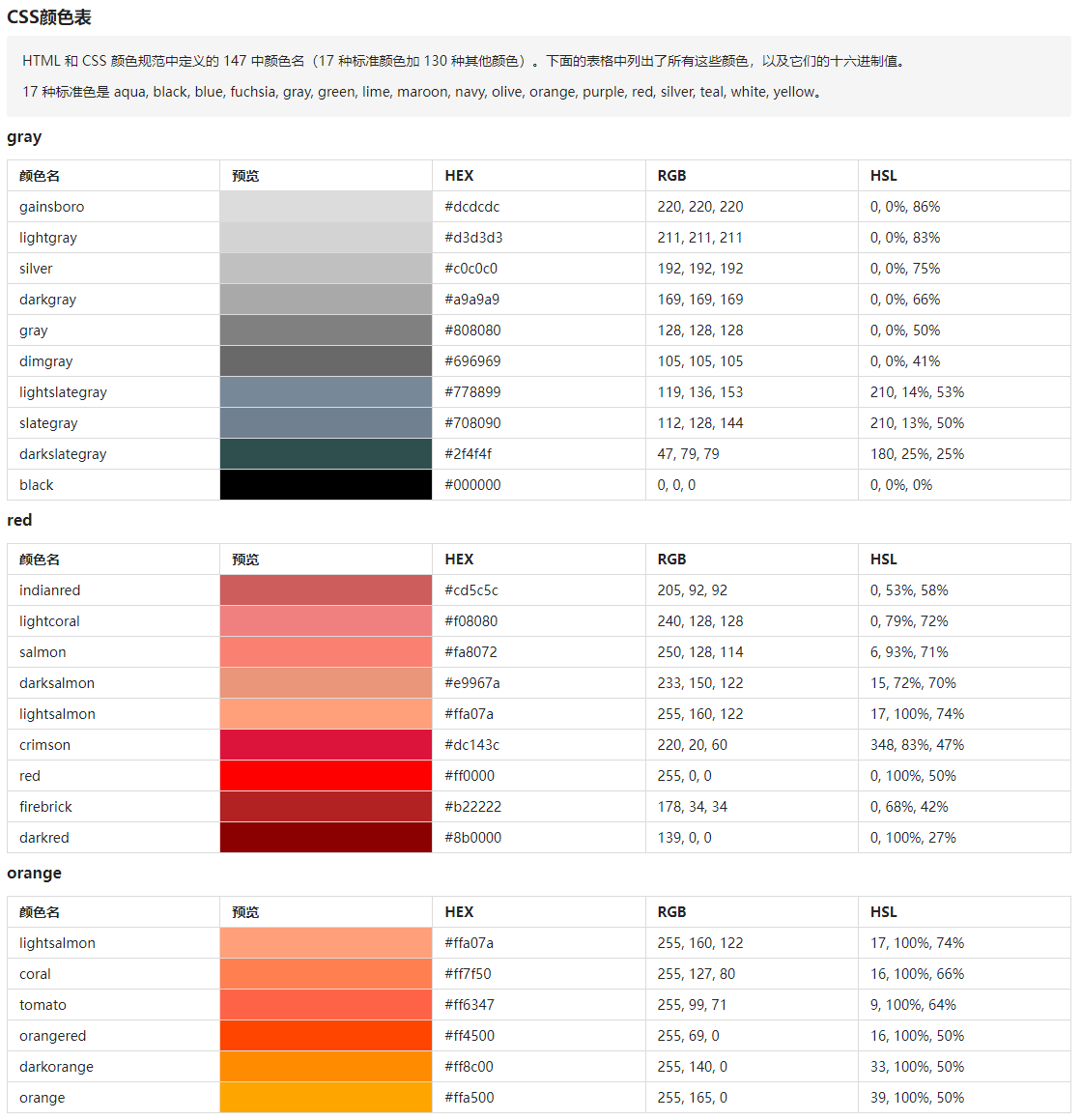
- 展示了一张非常实用的CSS颜色表,可在开发时查找使用:HTML 和 CSS 颜色规范中定义的 147 种颜色名(17 种标准颜色加 130 种其他颜色)。
本文简单列几处开发此工具时,相关JS代码与C#代码的翻译对比,方便大家后续类似开发参考。
JS文件:点这
- 颜色值HEX转换
提取HEX#9A3B34中R(Red)、G(Green)、B(Blue)的色值。
JS代码
function parseHEX(val) {
    let color = new Color();
    try {
        let rgx = /^#?([a-f\d])([a-f\d])([a-f\d])$/i;
        let hex = val.replace(rgx, function (m, r, g, b) {
            return r + r + g + g + b + b;
        });
        let rgb = /^#?([a-f\d]{2})([a-f\d]{2})([a-f\d]{2})$/i.exec(hex);
        color.r = parseInt(rgb[1], 16);
        color.g = parseInt(rgb[2], 16);
        color.b = parseInt(rgb[3], 16);
    } catch (e) {
        console.log(e)
    }
    return color;
}
C#代码
public static Color? ParseHEX(string hexColor)
{
    hexColor = hexColor.TrimStart('#');

    Regex regex = new(@"^([0-9a-fA-F]{2})([0-9a-fA-F]{2})([0-9a-fA-F]{2})$");
    var match = regex.Match(hexColor);

    if (match?.Success == true)
    {
        int red = Convert.ToInt32(match.Groups[1].Value, 16);
        int green = Convert.ToInt32(match.Groups[2].Value, 16);
        int blue = Convert.ToInt32(match.Groups[3].Value, 16);

        return new Color(red, green, blue);
    }
    else
    {
        return null;
    }
}
2. 颜色值RGBA转换
转换逻辑基本同上。
JS代码
function parseRGBA(val) {
    let color = new Color();
    try {
        let rgba = /^rgba?\((\d+),\s*(\d+),\s*(\d+)(?:,\s*(\d+(?:\.\d+)?))?\)$/.exec(val);
        color.r = parseInt(rgba[1]);
        color.g = parseInt(rgba[2]);
        color.b = parseInt(rgba[3]);
        color.a = parseFloat(rgba[4] || 1);
    } catch (e) {
        console.log(e)
    }
    return color;
}
C#代码
public static Color? ParseRGBA(string color)
{
    Regex regex = new Regex(@"^rgba?\((\d+),\s*(\d+),\s*(\d+)(?:,\s*(\d+(?:\.\d+)?))?\)$");
    var match = regex.Match(color);

    if (match?.Success == true)
    {
        int r = int.Parse(match.Groups[1].Value);
        int g = int.Parse(match.Groups[2].Value);
        int b = int.Parse(match.Groups[3].Value);
        if (!double.TryParse(match.Groups[4].Value, out double a))
        {
            a = 1;
        }

        return new Color(r, g, b, a);
    }

    return null;
}
通过chatGPT可以很方便的将JS代码翻译为C#代码,做一个Blazor的工具很快,其他在线的编程语言翻译网站都不太理想,更多情况还是需要自己人工修改。
- 本工具地址:Blazor Server版, Blazor Wasm版
- 网站源码及Issue:源码,Issue
- .NET版本: .NET 8.0.0-preview.5.23280.8
- 微信技术群:添加站长微信(codewf),一定要备注【入群】2个字
- QQ技术群:771992300