Blazor Tetris Game Successfully Deployed

Blazor Tetris Game Successfully Deployed

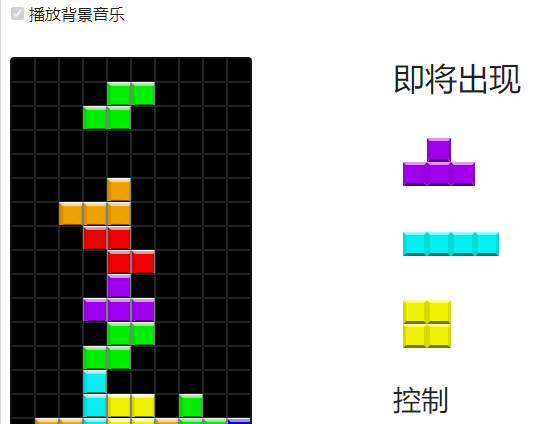
Launched the Blazor version of Tetris game, and extracted online tools and online game components into a Razor shared library, which can be reused by Dotnet9 website and Dotnet Toolbox website.

Last updated 6/27/2023 11:40 PM
沙漠尽头的狼
7 min read
Category
Blazor
Tags
.NET C# Blazor Blazor WebAssembly Client

Hello everyone, I am the Wolf at the End of the Desert.

I copied a Tetris game from a foreign big shot, and also extracted the online tools and online game components into a Razor shared library, which can be reused by the Dotnet9 website and the Dotnet Toolbox website. This post shares the process of porting the game and migrating the Razor shared library, along with some problems and solutions encountered during development and deployment over the past few days.

Table of Contents:

  1. Adding the Tetris Game
  2. Component Reuse
  3. Problems and Solutions
  4. Summary

1. Adding the Tetris Game

1.1. Game Reference: BlazorGames

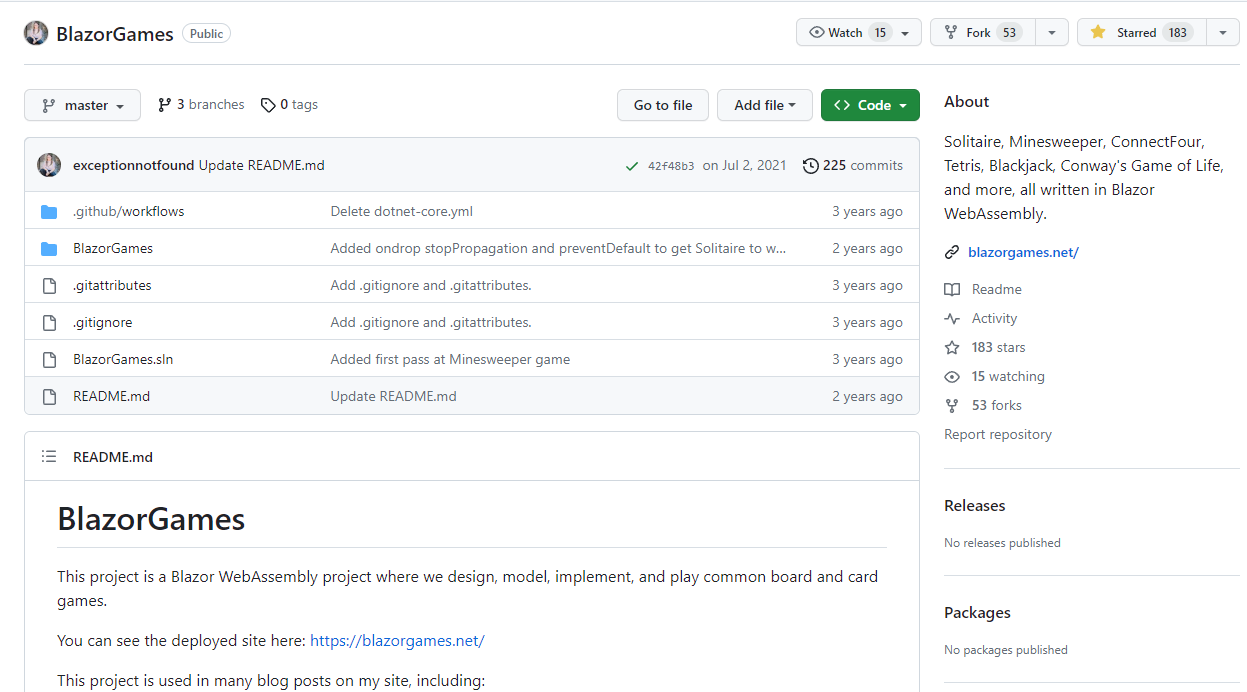
BlazorGames Project Info

Repository screenshot:

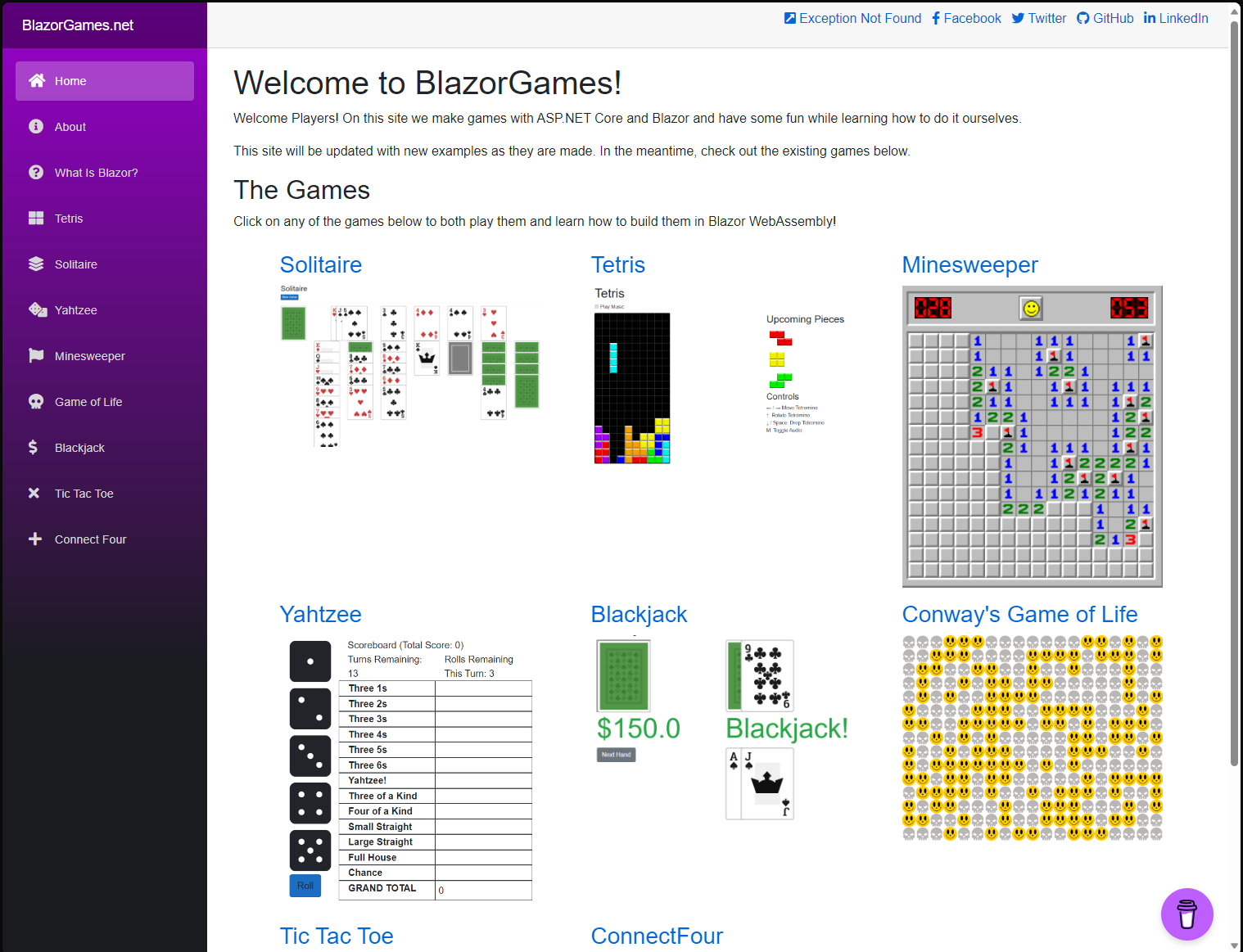
Website screenshot:

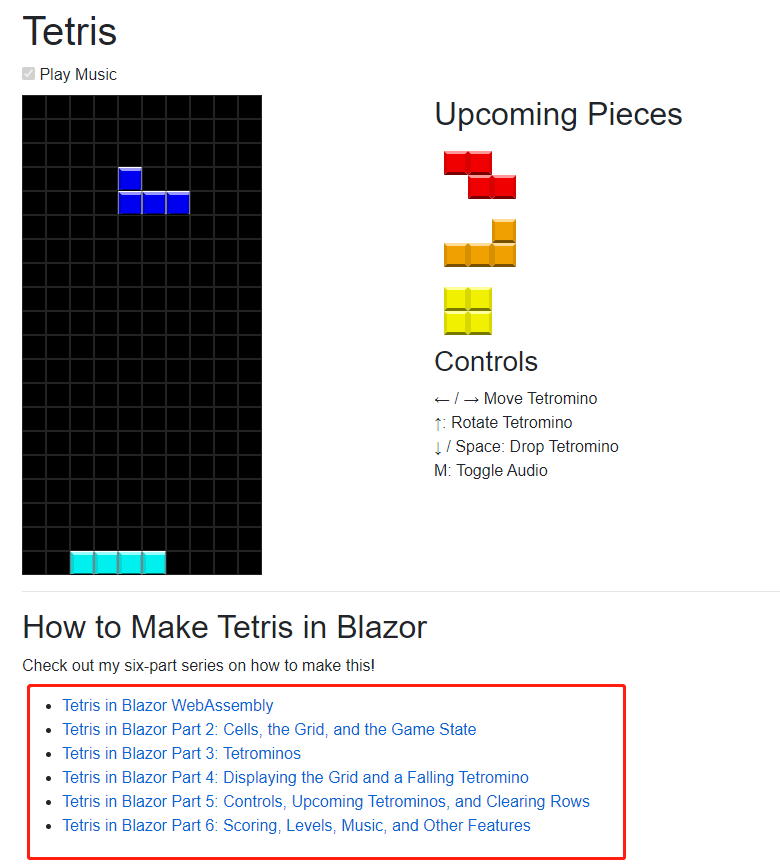
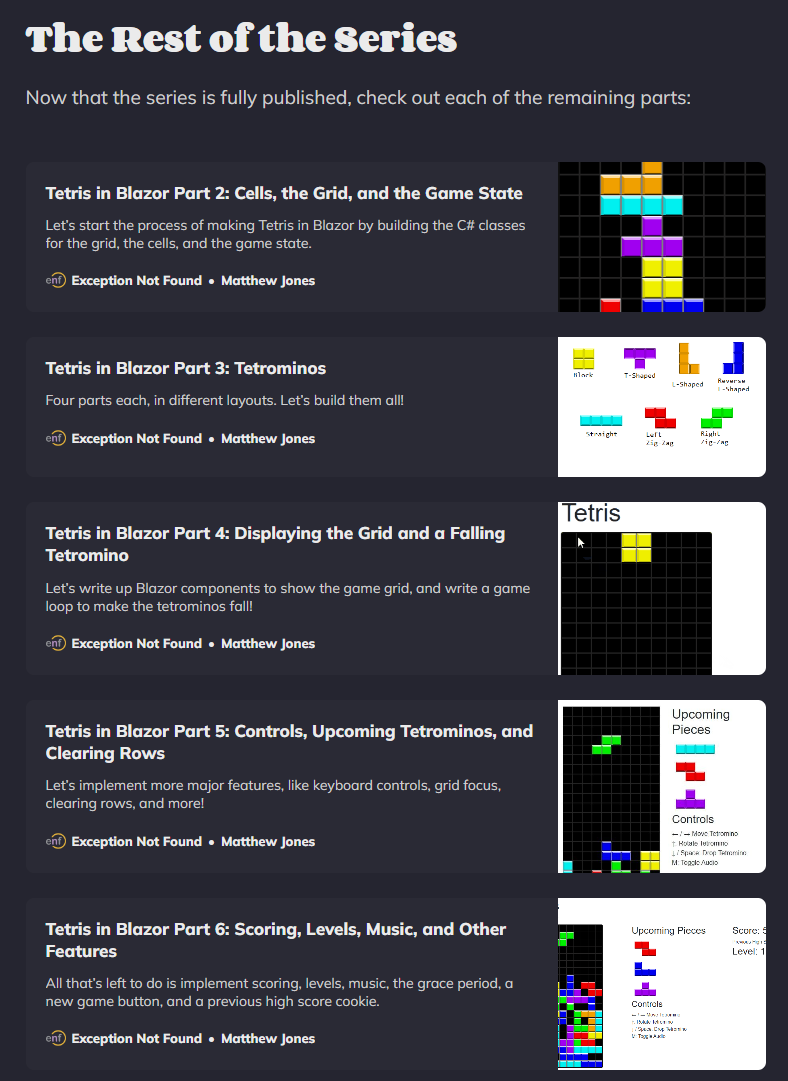
This website has a series of articles teaching you how to develop 7 or 8 online mini-games using Blazor. The tutorials are quite detailed. As shown above, the games include Solitaire, Tetris, Minesweeper, etc. The series of articles on Tetris is shown below:

Course list address: https://blazorgames.net/tetris

1.2. Adding to Your Own Project

First, please clone the repository: https://github.com/exceptionnotfound/BlazorGames

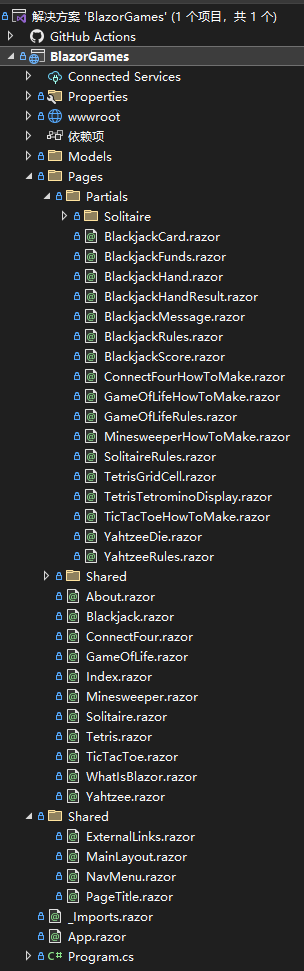
The author's code organization is very clear. Let's first understand the code structure:

  • 1.2.1. Razor files under /Pages

These are the game pages, such as Tetris.razor. We can directly copy this file to our own project, removing the article link at the bottom.

  • 1.2.2. Razor files under /Pages/Partials

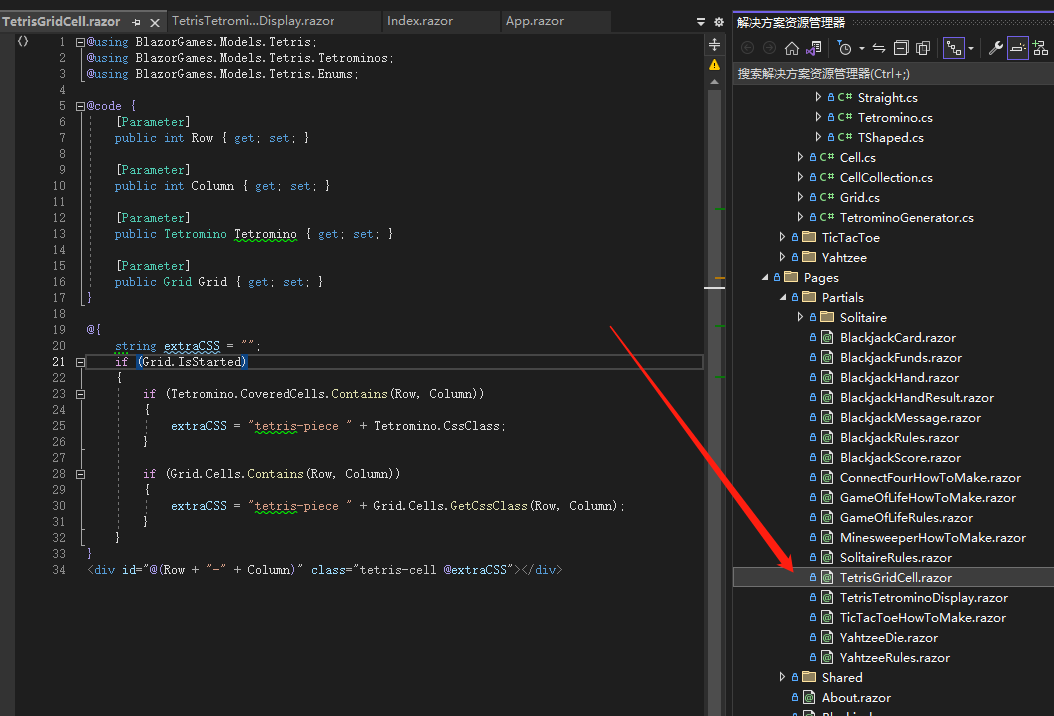
These are sub-components for each game, such as /Pages/Partials/TetrisGridCell.razor, which is the cell component for the Tetris background.

  • 1.2.3. Model classes for each game under /Models

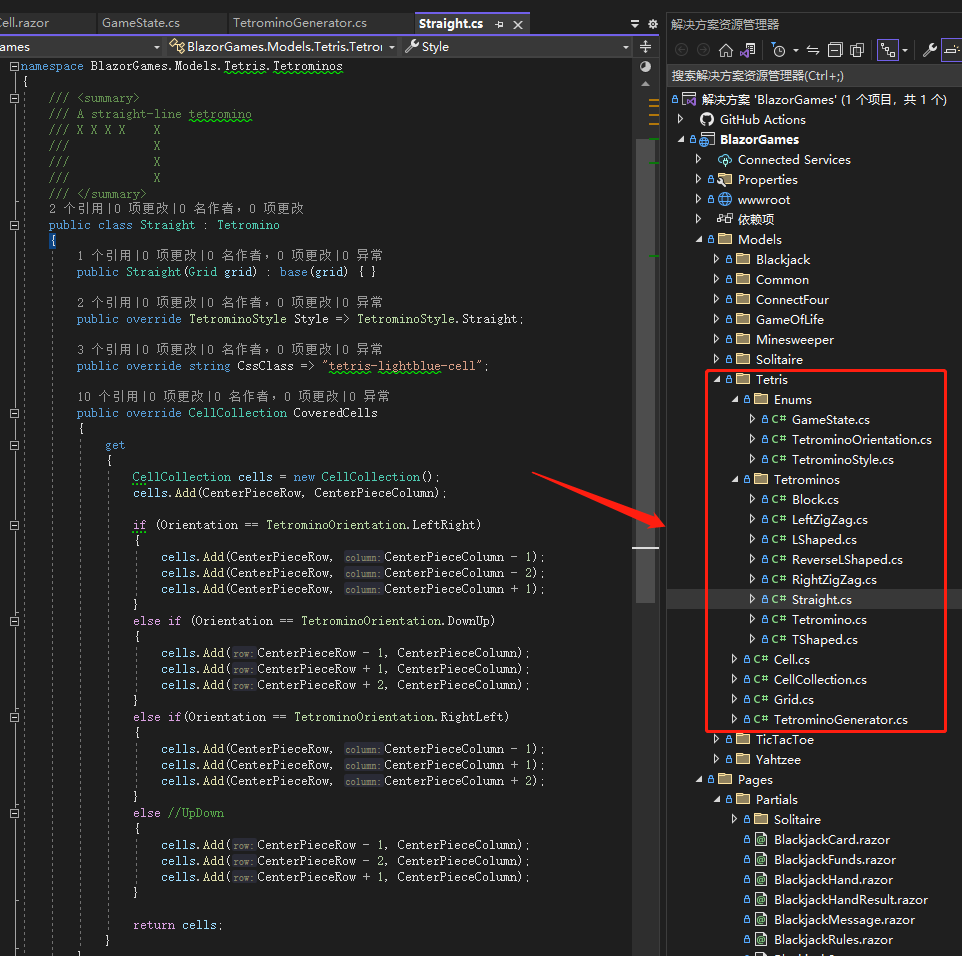
For example, under /Models/Tetris/ there are definition classes for the Tetris background grid (Grid.cs), cells (Cell.cs), blocks (Block.cs), etc.

  • 1.2.4. wwwroot directory for project resources

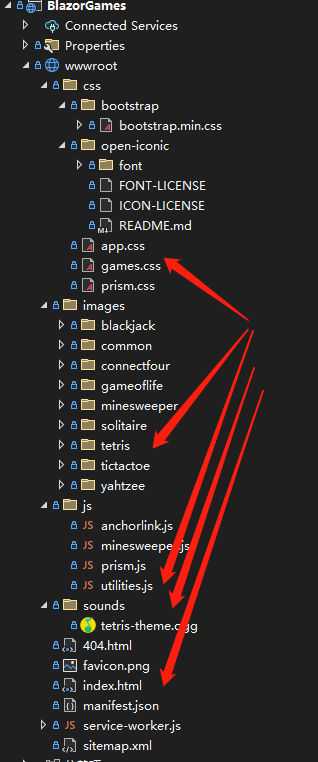
JavaScript libraries, CSS styles, images, sound files, etc., are placed here. By debugging and reading the code, we know that the following files are needed to run the Tetris game properly in your own project:

  • App styles (css/app.css)
  • Game-specific styles (css/games.css)
  • Tetris images (images/tetrix)
  • JS library for game music playback and Cookie reading/writing for game scores (js/utilities.js)
  • Game background music file (sounds/tetris-theme.ogg)

Once you are familiar with these files, you can copy them to your own project and debug simultaneously. Below are partial screenshots of the mentioned files.

Tetris background cell component:

Tetris model class definitions:

Resource files screenshot:

2. Component Reuse

Previously, the online tools and online game code for the Dotnet9 website and the Dotnet Toolbox website were duplicated and maintained separately, but 90% of the code was identical—an unacceptable code redundancy.

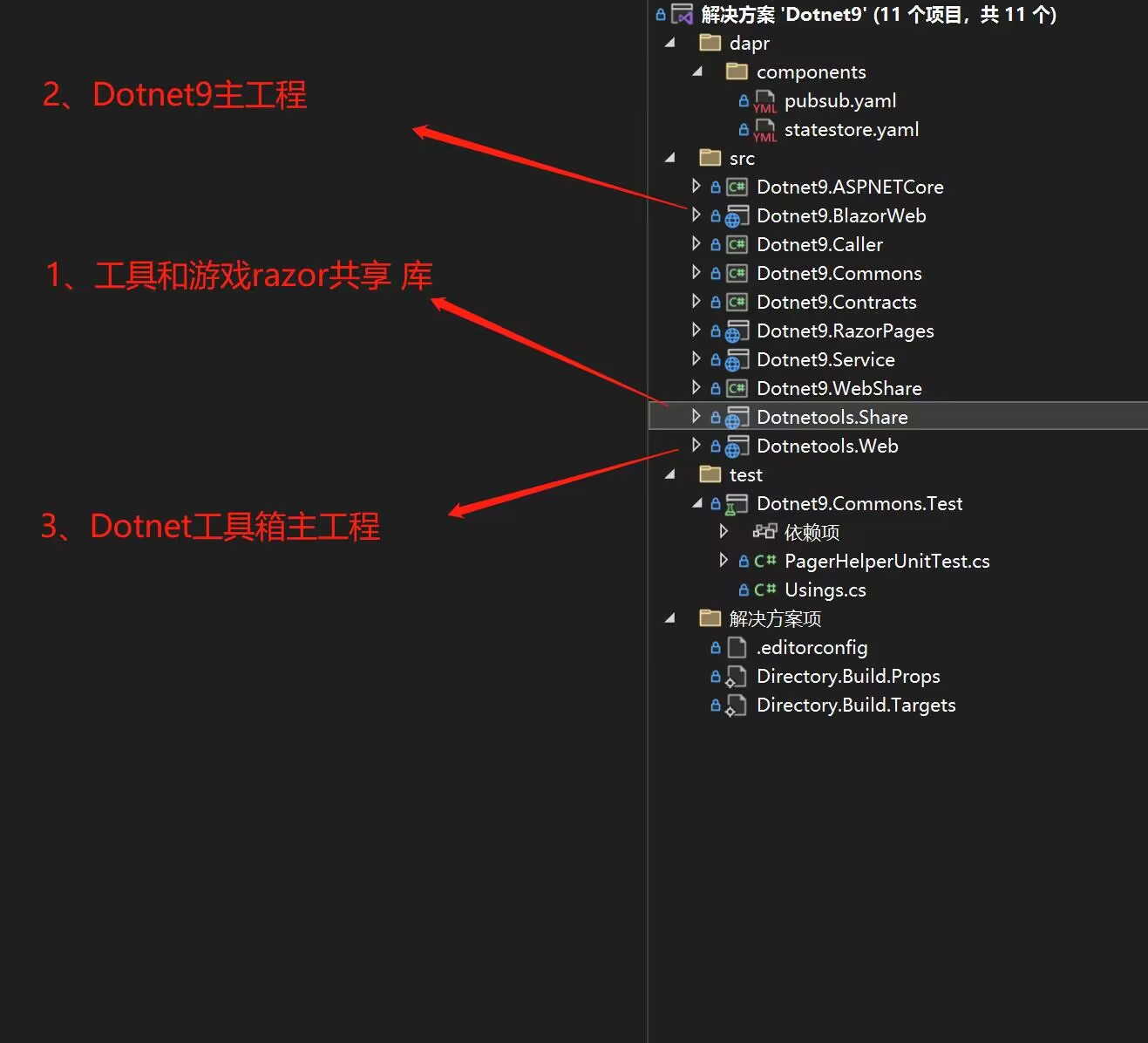
The site administrator considered deleting the original Dotnet Toolbox repository, merging the code into the Dotnet9 repository, and extracting the shared components into a Razor shared library. The current directory structure of the modified shared library:

3 main projects: 1 is the Razor shared library, 2 is the Dotnet9 website main project, and 3 is the Dotnet Toolbox main project. Projects 2 and 3 both add 1 as a project reference.

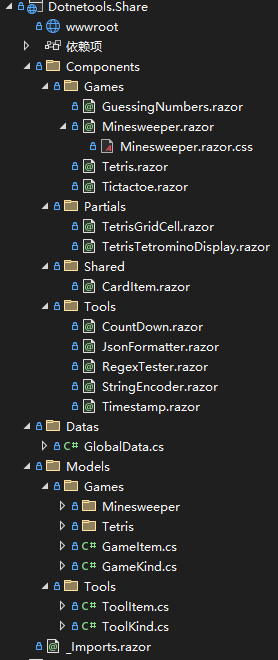
Code organization of the Razor shared library, with currently available online tools and online game components:

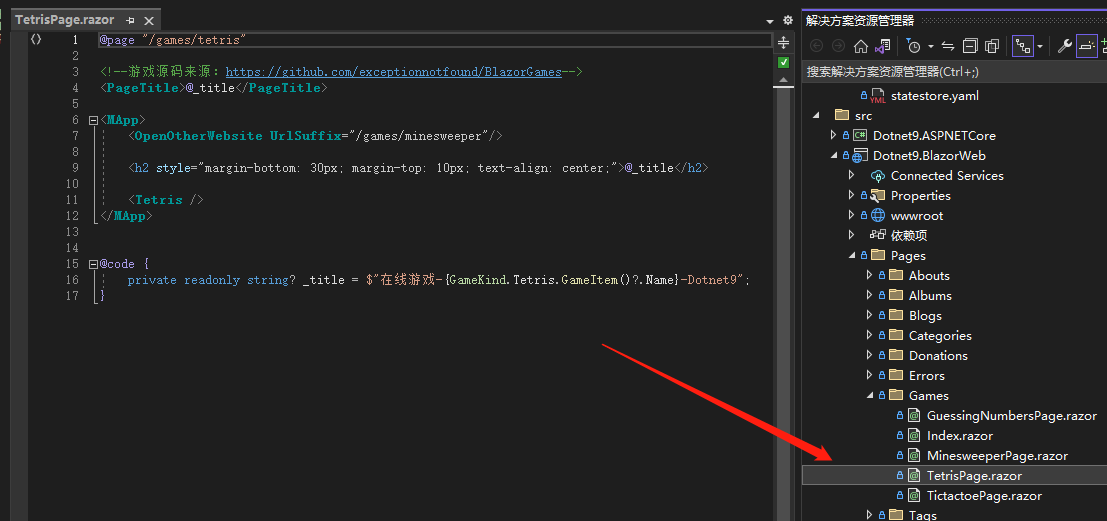
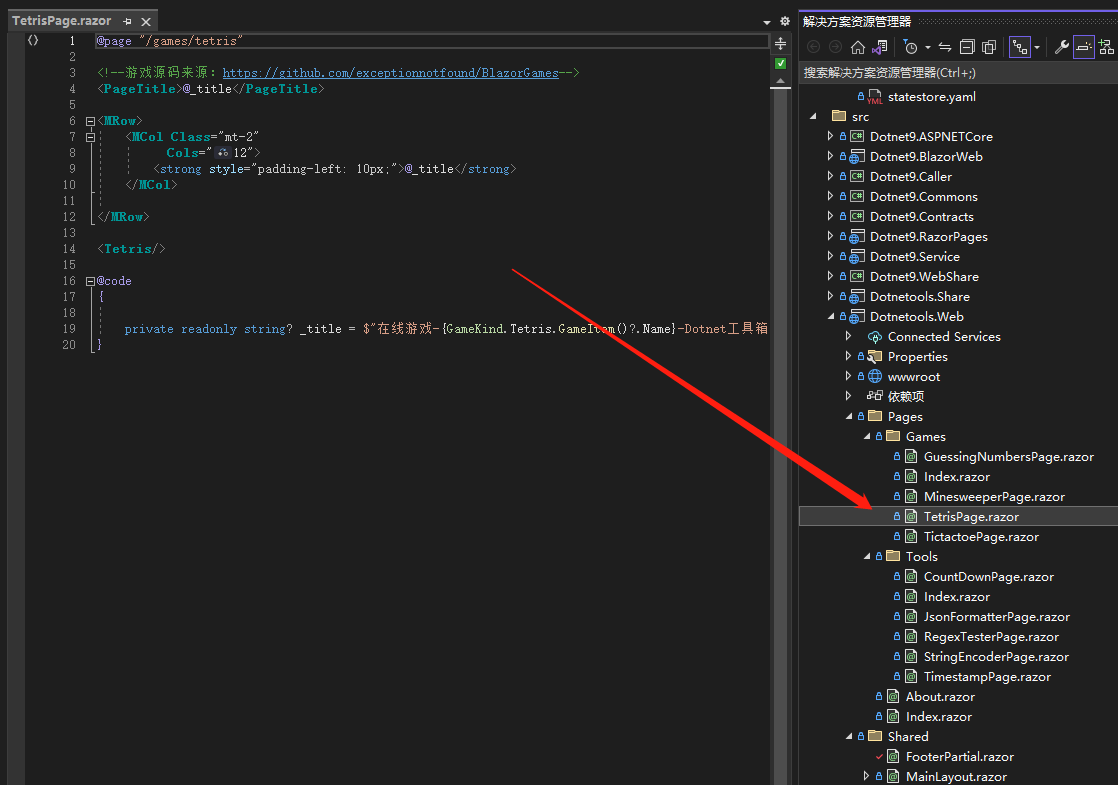
Component code has been posted in previous articles and is omitted here. However, the routing for game pages is worth mentioning: the Dotnet9 website and the Dotnet Toolbox have different page layouts, but the content inside is the same. Therefore, each tool and game has corresponding page routes in both projects. For example, the Tetris page location in the two projects:

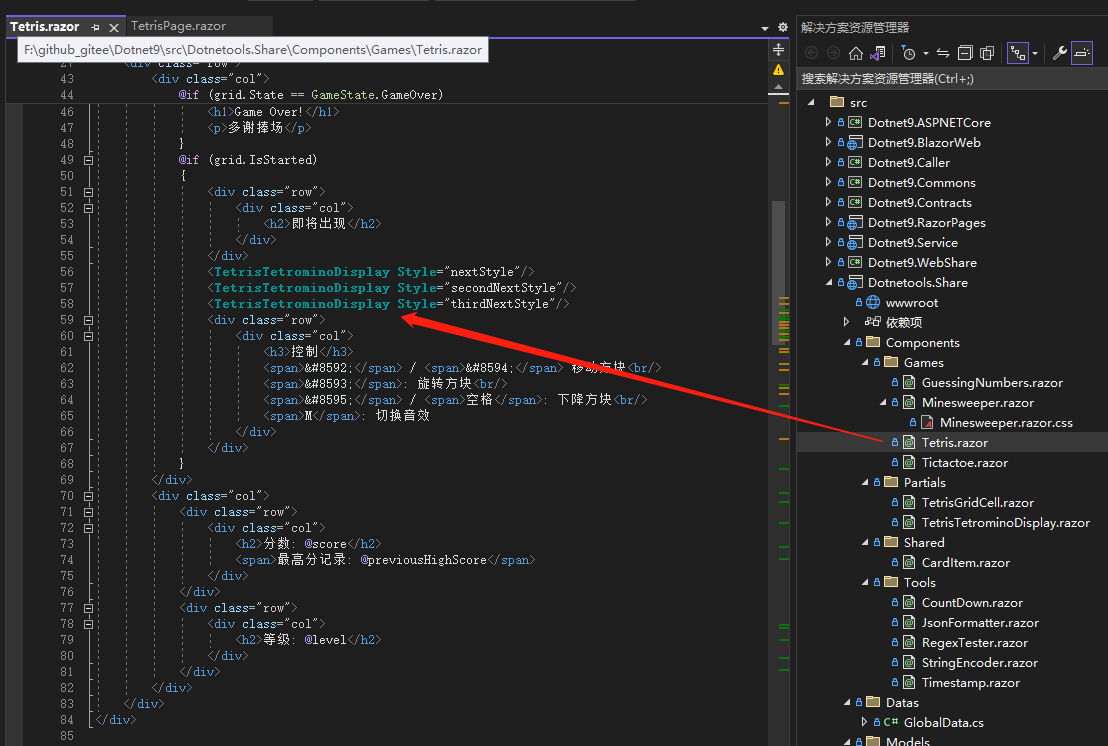
Tetris page in Dotnet9:

Tetris page in Dotnet Toolbox:

The content of the two pages is almost identical, possibly differing only in the page title. I believe further optimization is possible.

It’s hard to explain the optimization clearly in a few hundred words. If interested, check out the Dotnet9 source code.

3. Problems and Solutions

During the development and deployment of the Dotnet9 website and Dotnet Toolbox, some problems were encountered. By consulting documentation and asking experts in technical groups, almost all were resolved. Below are some issues that might also be encountered, shared as a summary.

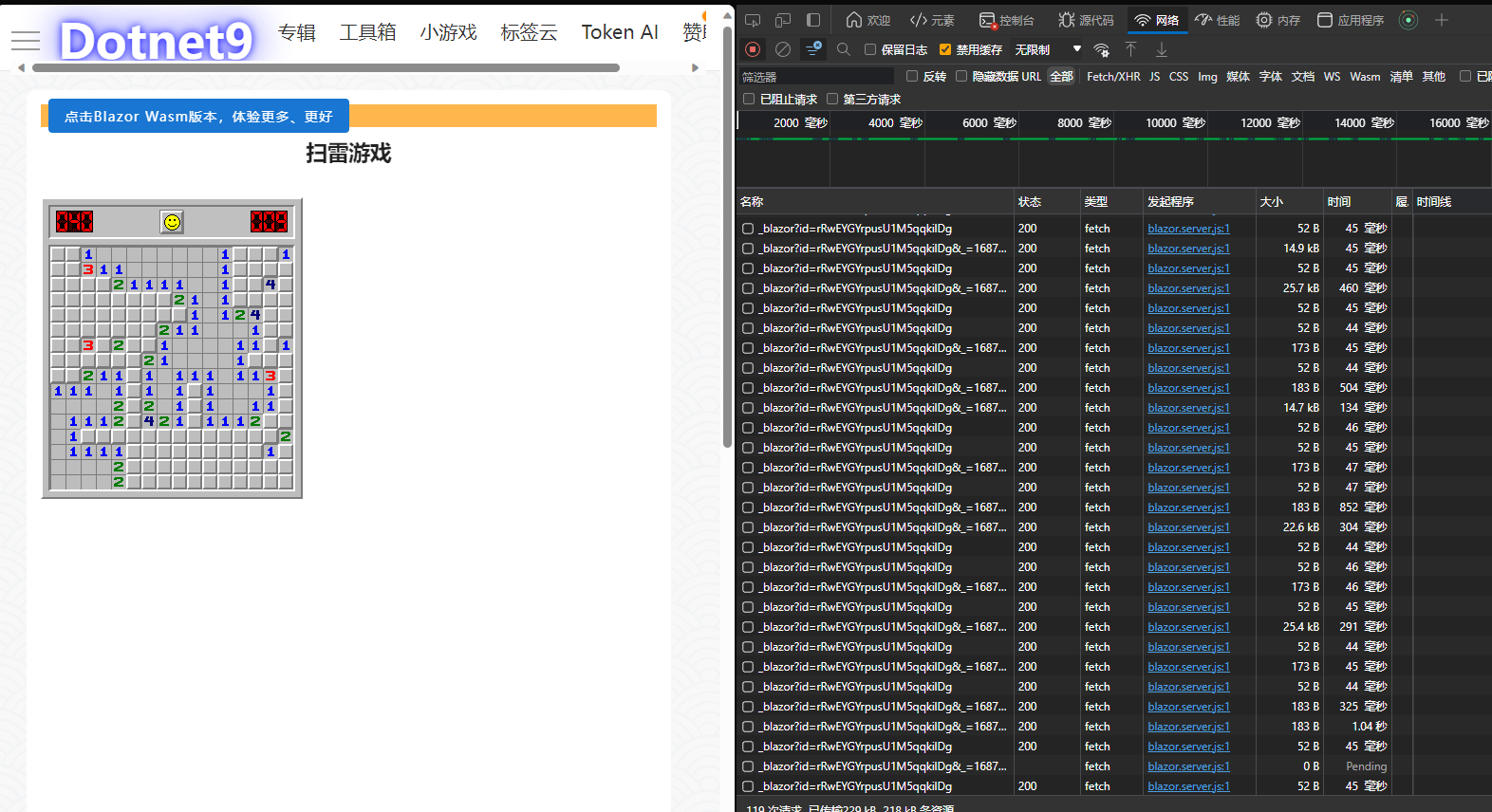
3.1. Excessive Server Connection Requests

In the previous post, the admin showed a screenshot of excessive server connection requests, suspecting it was a server issue. However, group members immediately refuted this, pointing out that it was a misconfiguration of Nginx without proper Socket settings, causing frequent connections. The original screenshot:

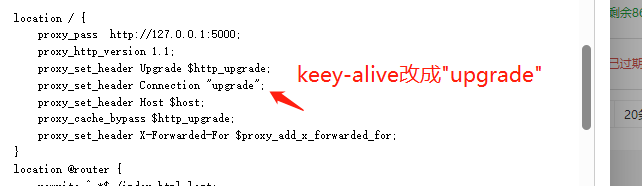
The recommended Nginx configuration to fix it:

The key node is proxy_http_version 1.1, but the admin had already configured it. Last night, we only changed proxy_set_header Connection keep-alive to proxy_set_header Connection "upgrade". Group members verified, and the issue seems to be resolved. You can also test on the Dotnet9 website.

3.2. Wasm Direct Subpage Access Returns 404

Accessing subpages via the Dotnet Toolbox homepage works fine, but when directly entering a subpage URL in the browser address bar, the website returns 404. The solution is to modify the Nginx configuration:

location / {
    try_files $uri $uri/ @router;
    index  index.html index.htm;
}
location @router {
        rewrite ^.*$ /index.html last;
}

The key is the try_files directive. For its meaning, please search online.

3.3. Project Compiles but Displays Black Blocks

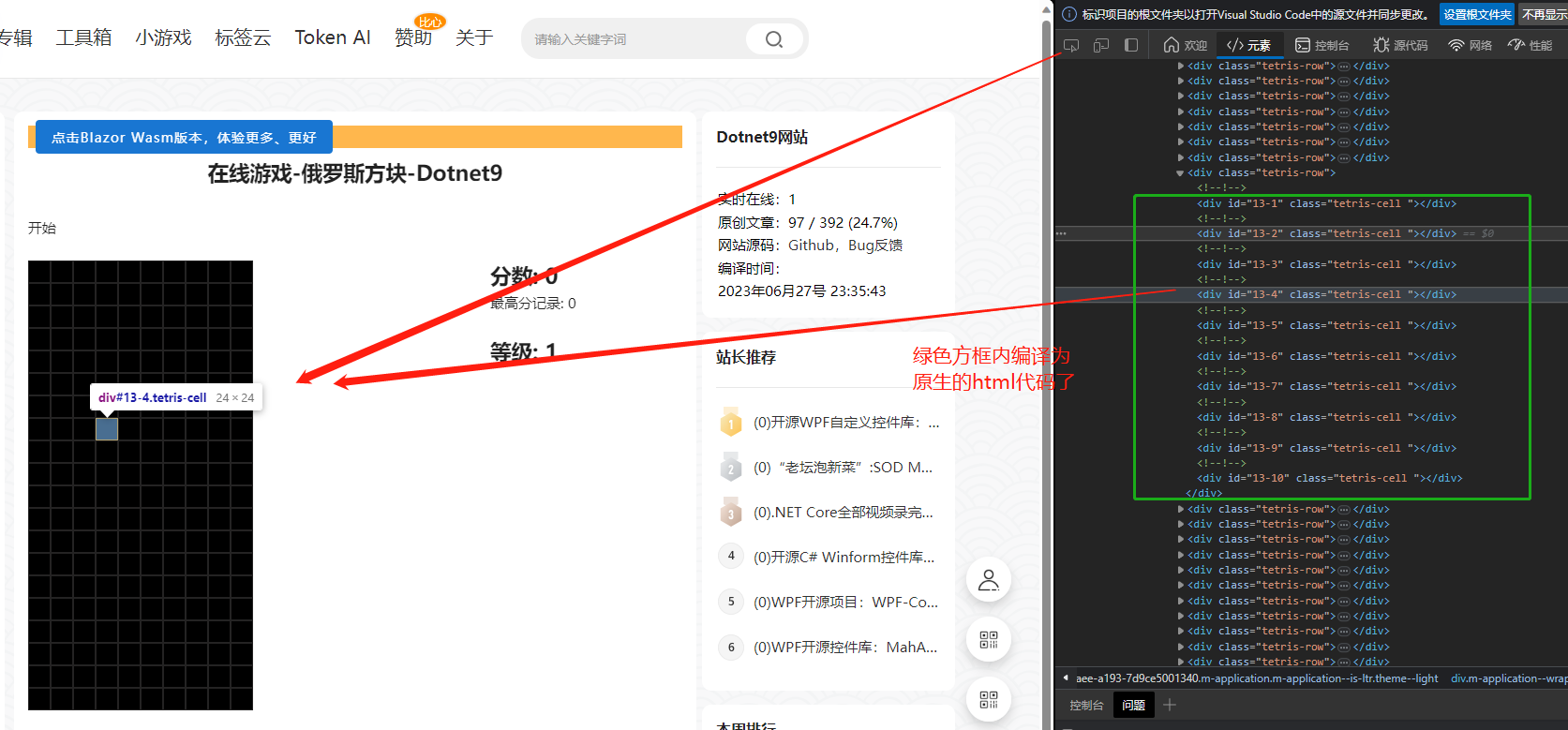
Yesterday, the admin had already released the Tetris feature for Dotnet Toolbox, but the game's background interface (black background) was not displaying properly. After half a day of troubleshooting, it turned out that the sub-components within the component were not loading correctly—specifically, the sub-component namespace was missing: @using Dotnetools.Share.Components.Partials.

Original code:

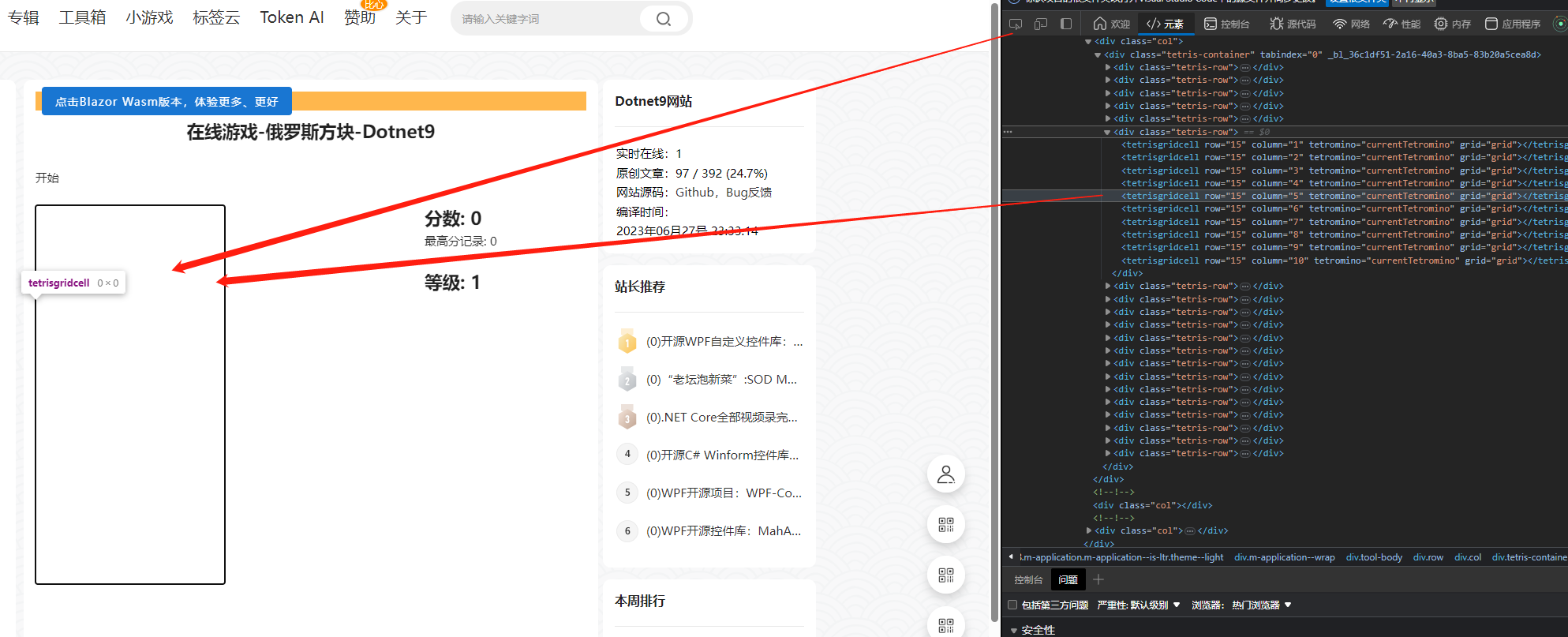
The problem was discovered by debugging the webpage source via F12. The HTML code corresponding to the sub-component was not compiled into native HTML; it remained as component code and was rendered as a string. It appeared like this:

After adding the namespace reference, the source code displayed normally, and the black background appeared:

This issue was due to carelessness. After extracting the shared library, we didn’t check whether the Razor component references in the HTML were correct. This problem does not trigger an exception in VS…

4. Summary

That’s it for today’s sharing. If you have any tool requirements, please leave a comment in the issue link below. Thank you very much for reading.

Keep Exploring

Related Reading

More Articles
Same category / Same tag 11/6/2024

Why My Blog Website Returned to Blazor

The development of the blog website has gone through many hardships, with nearly 10 versions including MVC, Vue, Go, etc. Now it has returned to Blazor and adopted static SSR, resulting in a significant speed increase and successful launch.

Continue Reading
Same category / Same tag 2/29/2024

Data Display Can Also Be Done Like This in Winform

In the process of developing Winform, data display functionality is often required. Previously, the gridcontrol control was commonly used. Today, through an example, I would like to introduce how to use the table component from Ant Design Blazor for data display in a Winform Blazor Hybrid application.

Continue Reading
Same category / Same tag 2/29/2024

Can the Winform interface also look good?

A few days ago, I introduced using Blazor Hybrid in Winform, and mentioned that with the Blazor UI, our Winform programs can be designed to look better. Next, I will illustrate with an example of drawing in Winform Blazor Hybrid, hoping it helps you.

Continue Reading