.NET Core + Angular Project Deployed to CentOS
Recently, the company needed to develop a project that can run on Linux systems. The example development project uses .NET Core + Angular; theoretically, it fully supports cross-platform.
CodeWF.Markdown: PDF text copyable, images embeddable, copying to WeChat Official Account/Zhihu/Juejin no longer shows HTML source code
Browse by Topic Start with .NET196 articles, suitable for quickly filtering by technical direction
Continuous Reading Read C# Open Source Projects as a topic15 articles, better for systematic reading
Recently, the company needed to develop a project that can run on Linux systems. The example development project uses .NET Core + Angular; theoretically, it fully supports cross-platform.
The tip I want to share this time is used in string concatenation scenarios
For many developers, this may mean switching to C#, Go, Java, Ruby, Rust and Swift.

Most Windows Forms applications I encounter have no or extremely low unit test coverage. And they are often difficult to maintain, with hundreds or even thousands of lines of code behind various Form classes in the project, but it doesn't have to be that way.

Since the author used ASP.NET Core API + Blazor Server initially, the demonstration will be based on Blazor Server. After researching Blazor WebAssembly, the insights will be supplemented later.
After downloading Visual Studio, first create a Blazor solution and establish a Blazor Server project inside it. You can choose the project location yourself. (Note: The new version of Visual Studio has separated the project templates for Blazor Server and Blazor WebAssembly, making it more intuitive.)
The author's understanding of websites consists of frontend, backend, and database. When a user presses a button or submits a form request on the browser page, it triggers a frontend event, packages the collected conditions, and sends them to the backend.
The author has been in the software industry for a short time, and has encountered three architectures

If you've been keeping up with the latest trends in the .NET world, then you must have heard of Blazor by now.

Create a Blazor TabControl component, with two target knowledge points.

Simply put, if we don't use Bootstrap 4 and instead write web pages by hand, we have to write the HTML content ourselves (obviously), and we also have to set each CSS property one by one (another obvious statement). However, if we use Bootstrap 4, many commonly used CSS styles are already pre-written for us. We just need to be familiar with Bootstrap 4's documentation, know which class name corresponds to the pre-written CSS, and then directly apply it to the tags.
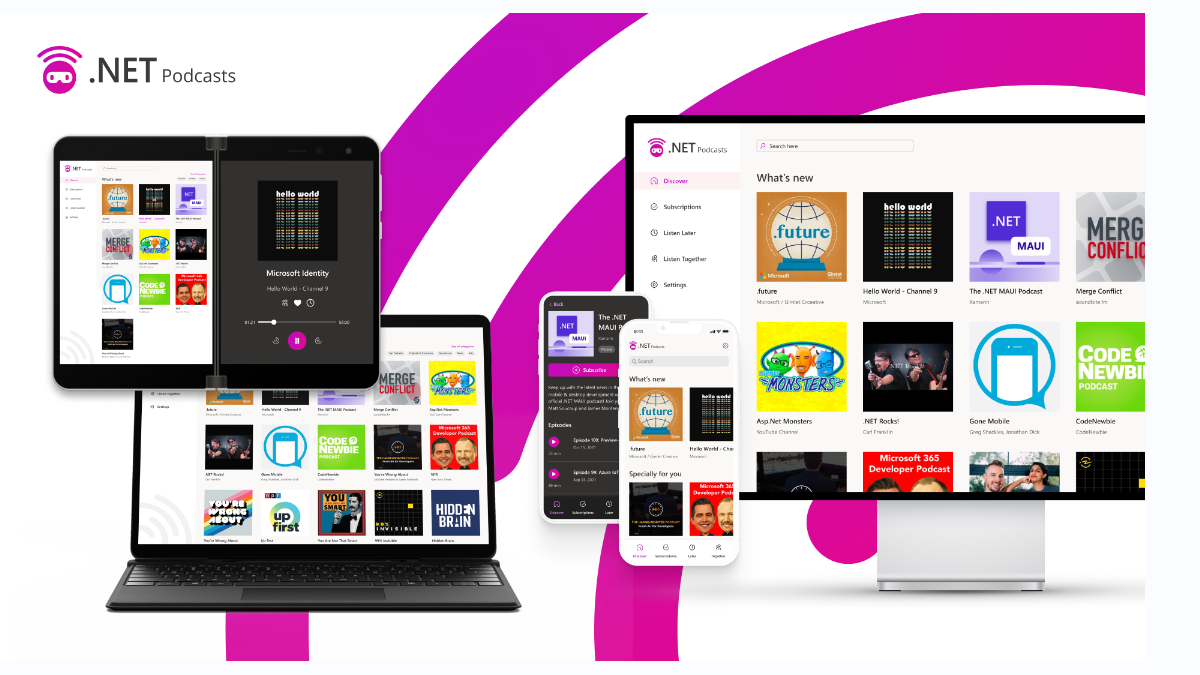
Mobile and Desktop: Native .NET MAUI application for iOS, Android, macOS, and Windows
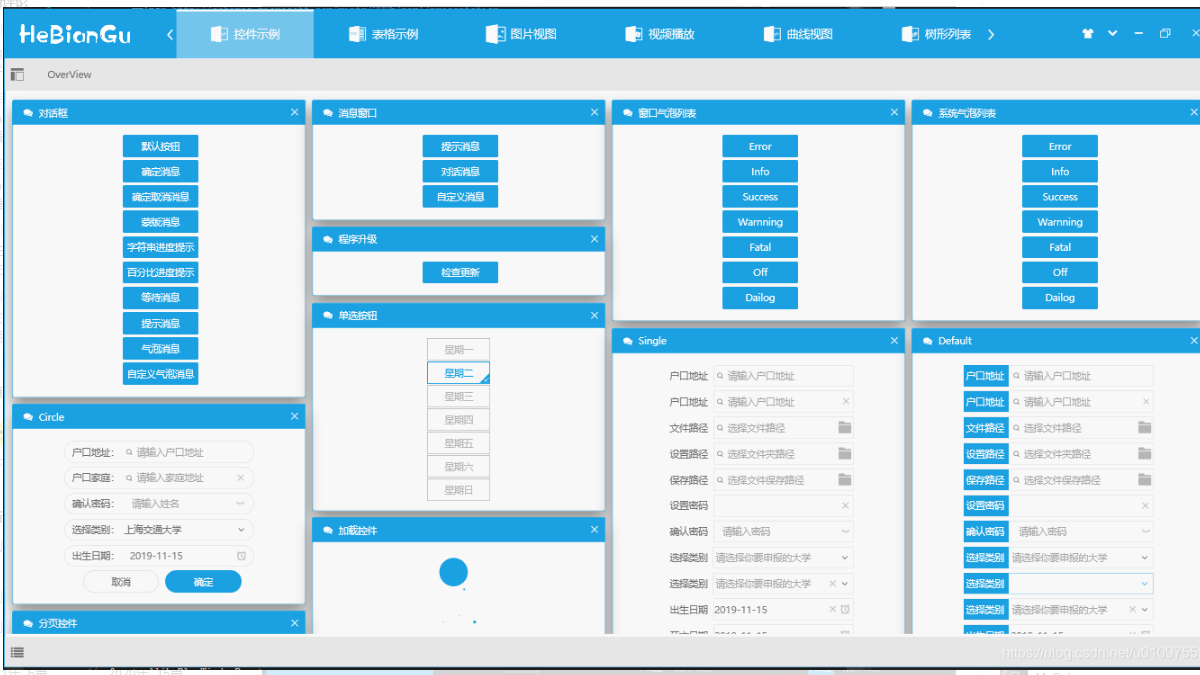
The repository README is plain, but after reading a few blog posts linked in the author's README, you will like it.